
Quick answer: Google is widening a pilot that lets an AI agent answer customer messages sent to a Business Profile, then hand anything it can’t answer to the business. For a dental practice it can save front-desk time, but only turn it on once your profile details are accurate and you’ve agreed with your compliance adviser how to handle patient health details in chat.
Key takeaways
- On October 29, 2026, Search Engine Roundtable reported that more businesses are getting access to AI-powered messaging in Google Business Profiles. It is still a pilot with a gradual rollout.
- The AI agent answers routine questions from the information on your profile, passes on questions it can’t answer, and lets the owner take over any conversation.
- The agent can only be as accurate as your profile. Wrong hours or an outdated services list become wrong answers sent to patients.
- Patients may type health details into a chat. Decide how your practice will handle that with your own compliance adviser before you switch messaging on.
- Google’s Business Profile Help Center does not yet have a page about the AI agent, so treat early reports as provisional and check your own dashboard.
What is Google’s AI-powered Business Profile messaging?
Google’s AI-powered Business Profile messaging is a pilot feature that lets people message a business from Google Search and Google Maps while an AI agent replies on the business’s behalf. The agent answers routine questions using the profile’s information, hands off questions it can’t answer, and the owner can step in at any time.
According to Search Engine Roundtable’s October 29, 2026 report, customers send these messages through their phone’s own messaging app, and every conversation shows up inside the Business Profile. The report describes the agent as answering routine questions instantly and at no cost to the business.
For a dental practice, that means a patient searching for your practice could tap a message option and get a reply about opening hours or whether you offer a treatment without anyone at the front desk typing it.
What changed, and when?
Google closed its original Business Profile chat in July 2024, now supports WhatsApp and text links on profiles, and briefly showed a message button with an AI agent in June 2026. In late October 2026, reports showed the AI messaging pilot reaching more businesses, along with new checks during messaging setup.
Here is the timeline from the sources we could verify. Google’s own help page is listed first because it describes what Google officially supports today.
| Date | What happened | Source |
|---|---|---|
| Current (checked November 2, 2026) | Google’s help page “Chat with customers from your Business Profile” describes adding a WhatsApp or text message option to your contact info, available in select regions. It does not mention an AI agent. | Google Business Profile Help |
| July 15 and 31, 2024 | Google stopped new Business Profile chats on July 15 and ended chat on July 31, citing low usage. | Search Engine Roundtable |
| June 26, 2026 | A message button with a “Handled by your AI agent” section appeared in the Business Profile dashboard for a few hours, then was removed. | Search Engine Roundtable |
| October 28, 2026 | A business owner reported, with a screenshot, being asked for an EIN and a privacy policy link while setting up the message button, with a Google partner review taking three to four working days. | Search Engine Roundtable (single reader report) |
| October 29, 2026 | More businesses gained access to AI-powered messaging. Owners can spot it by a red dot on Messages in the profile. | Search Engine Roundtable |
The EIN and privacy policy request comes from one reader report, and Google had not confirmed it when Search Engine Roundtable published it. If you see the same request, it is worth having both ready, but don’t assume every practice will be asked.
How does the AI agent answer patients?
The AI agent reads the information on your Business Profile and uses it to answer routine questions, such as when you are open or whether you offer a service. When a question goes beyond what it can answer, it hands the conversation to the business, and the owner can take over any chat at any time.
Search Engine Roundtable’s report includes two practical details every practice owner should know:
- It only works on RCS. The agent works for customers on networks and phones that support RCS (Rich Communication Services, the upgraded form of text messaging). Texts from other customers go straight to the business’s phone, and standard text rates may apply.
- It is only as good as your profile. Claudia Tomina, who spotted the expansion, pointed out that the agent can only answer as well as the menu, hours and services information on the profile allows.
Google’s example comes from restaurants: showing menu items and offering open reservation times. There is no published dental example yet, so we don’t know how the agent will handle appointment requests for a dental practice.
Who is affected by the rollout?
Only some businesses are affected so far. AI-powered messaging is a pilot that Google is rolling out gradually, and Search Engine Roundtable’s editor reported he did not yet see it on his own profile. Dental practices with a verified Business Profile may get access at different times, or not yet at all.
Patients are affected too. Anyone who messages your practice from Search or Maps on an RCS phone may get an AI reply rather than a person. That reply carries your practice’s name, so patients will judge your practice by it.
To check whether your practice has access, open your Business Profile from Google Search and look for a red dot on Messages. If you don’t see it, nothing has changed for you yet.
Should a dental practice turn on AI messaging?
A dental practice should turn on AI messaging only after its Business Profile is complete and accurate, someone is named to watch handed-off chats, and the practice has a privacy plan for health details. Practices that can’t meet those three conditions should wait, because a wrong or slow answer can cost a booking.
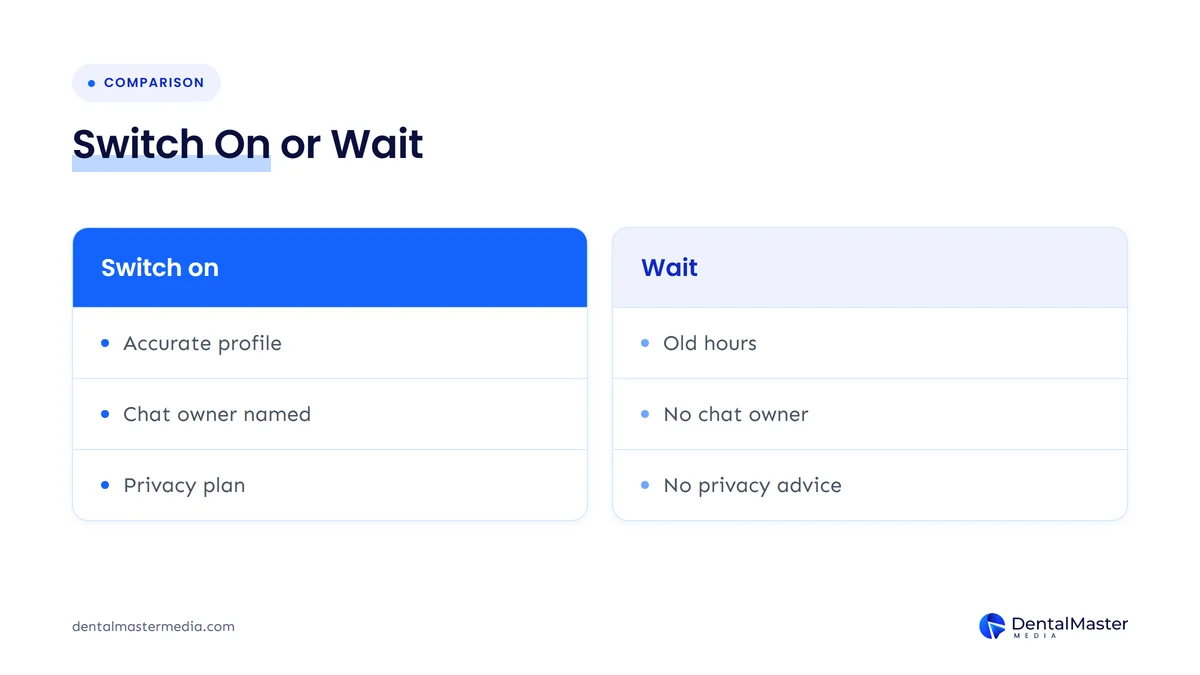
| Possible benefit | Matching risk for a dental practice |
|---|---|
| Quick answers to routine questions outside opening hours | Wrong answers if hours, holiday closures or services are out of date |
| Fewer simple calls interrupting the front desk | Handed-off chats left unanswered if nobody is assigned to watch them |
| Another way for new patients to reach you from Search and Maps | Patients sharing symptoms or medical history in a chat your practice hasn’t planned for |
| No extra cost for the AI replies, according to the report | Little control over exact wording, because the agent writes its own replies |
Dental questions also carry more weight than restaurant questions. A patient asking whether a swollen jaw can wait until Monday needs a person, not an automated reply. Your practice’s urgent-care instructions should be easy to find on your website and phone line, whether or not you use messaging.
What are the privacy risks when patients message your practice?
The main privacy risk is that patients may type health details, such as symptoms, medications or treatment history, into a chat that an AI agent reads and answers. Rules on handling patient information differ by country and practice type, so ask your own compliance adviser how messaging fits your obligations before you switch it on.
We are not lawyers, and Google has not published dental-specific or health-specific guidance for this feature that we could find. What a practice can control is how it sets up and supervises the channel:
- Ask your compliance adviser first. Share what the feature does, where the messages are stored and who can read them, and ask for written guidance.
- Keep a public privacy policy. If Google asks for a privacy policy link during setup, as one business owner reported, you’ll need a page on your website that is current and easy to find.
- Train the team. Anyone who takes over chats should know what not to discuss in a message and how to move a patient to a phone call or a secure channel.
- Limit who has access. Review the managers on your Business Profile and remove anyone who no longer needs access, since messages appear inside the profile.
What should dental practices do now?
Dental practices should use the pilot period to get their Business Profile ready, whether or not they have access yet. Correct hours, a full services list and a clear description help the AI agent, and they also help patients who never send a message. Then decide who will supervise chats and how health details are handled.
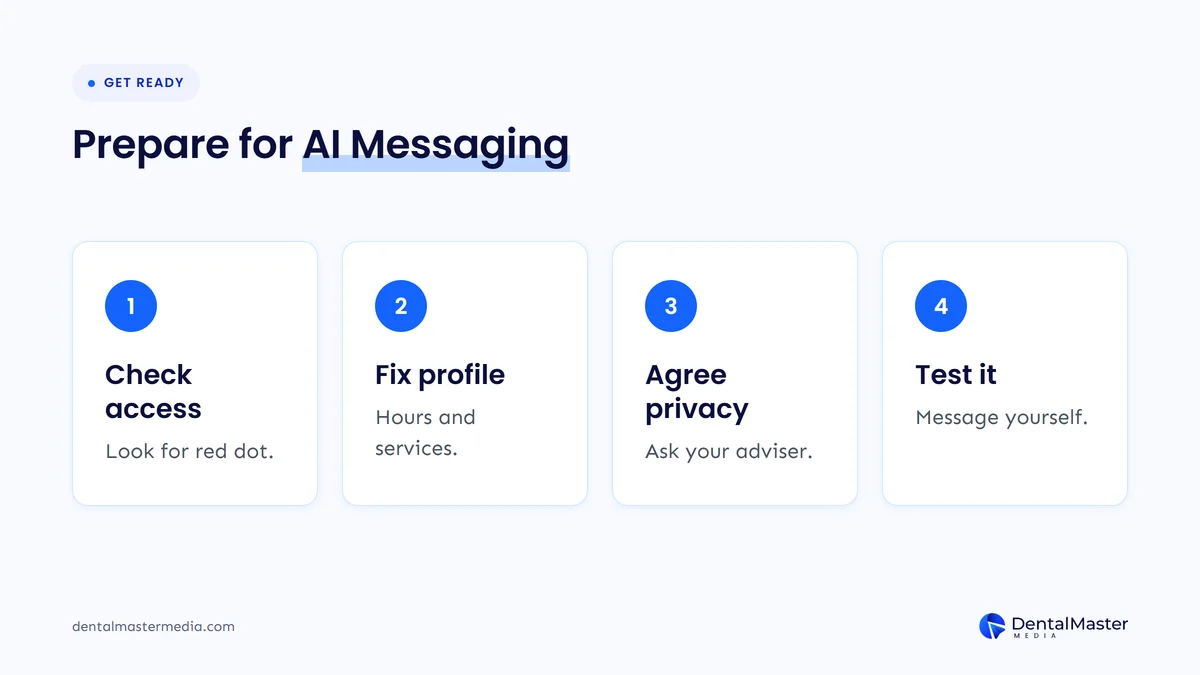
- Check for access. Open your Business Profile from Google Search and look for a red dot on Messages. Note the date you first see it.
- Correct your hours. Confirm regular hours, and add holiday or special hours so the agent doesn’t tell patients you’re open when you’re closed.
- Complete your services. List the treatments you actually offer, with plain descriptions. The agent answers service questions from this information. Our guide on why your GBP services list decides if AI recommends you explains how to write it.
- Review your description and contact details. Make sure your phone number, website and business description match your website.
- Prepare the paperwork. Have your privacy policy URL ready, and if you’re a US practice, keep your EIN to hand in case Google asks for it during setup.
- Name a chat owner. Pick one person to watch handed-off messages during opening hours, and set a target time to reply.
- Agree the privacy rules. Get written guidance from your compliance adviser before turning the feature on.
- Test it yourself. Once live, message your own practice from an RCS phone with common questions and check every answer.
For a fuller walk-through of every profile section, read our Google Business Profile optimisation guide for dentists.
What should be on your Business Profile before you switch messaging on?
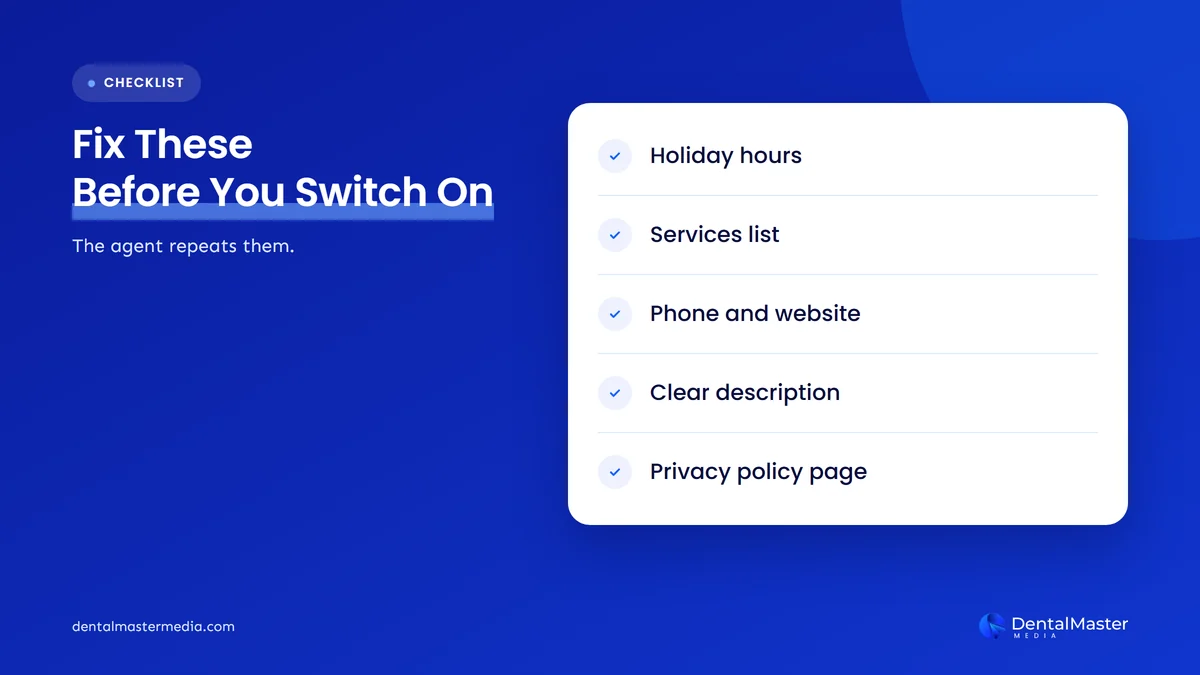
Before you switch messaging on, your Business Profile should show correct regular and holiday hours, a complete list of the treatments you offer, an accurate phone number and website, a clear description of the practice and a current privacy policy on your website. These are the details the AI agent and your patients rely on.
It also helps to look at the profile the way a patient does. Search for your practice on your phone, read the profile from top to bottom and ask whether a stranger could answer “Are you open on Saturday?” and “Do you do implants?” from what is there. If they couldn’t, the agent can’t either. Our list of Google Business Profile mistakes that cost dental practices calls covers the most common gaps.
How is this different from a chatbot on your website?
A chatbot on your website is a tool you choose, configure and control, with your own wording and your own data settings. Google’s AI agent sits on your Business Profile, reads your profile information and writes its own replies, and you supervise it rather than script it. Many practices may end up using both.
| Google Business Profile AI messaging | Website chatbot | |
|---|---|---|
| Where patients see it | Google Search and Maps | Your website |
| What it answers from | Your Business Profile information | Whatever you set it up with |
| Who controls the wording | The AI agent, with owner takeover | Your practice and the tool’s settings |
| Availability | Gradual pilot, RCS phones only | Any visitor, whenever you install it |
We covered the wider shift in how patients talk to practices in our post on how AI chatbots are changing dental patient communication.
What’s likely next?
This section is our opinion, not confirmed by Google. We expect AI messaging to keep expanding slowly, with Google’s help pages updated once the pilot ends. We also expect more verification steps during setup, because an AI agent speaking for a business raises the cost of fake or poorly managed profiles.
The June 2026 version of the dashboard showed a Promote tab that appeared to lead to Google Ads, so paid options tied to messaging seem likely to follow. If that happens, practices will need to decide whether to pay for more message volume, which is another reason to make sure the free version works well first.
At Dental Master Media, our advice to practices is the same either way: keep the Business Profile accurate, because more of what patients read about you is now written by AI from that information.
Frequently asked questions
Is Google’s AI messaging for Business Profiles free?
Search Engine Roundtable reports that the AI agent answers routine customer questions at no cost to the business. Google has not published pricing for the feature in its help pages. Customers who aren’t on RCS-supported phones send ordinary texts to the business’s phone, and standard text rates may apply.
Can I turn off the AI agent and reply to patients myself?
Reports say the owner can take over any conversation at any time, and all messages appear inside the Business Profile. Google has not yet published a help page explaining the settings for the AI agent, so check the Messages settings in your own dashboard once your practice has access.
Why is Google asking for an EIN and a privacy policy?
One business owner reported being asked for an EIN and a privacy policy link while setting up the message button, with a Google partner reviewing the details over three to four working days. Google had not explained the request when Search Engine Roundtable reported it, so treat it as an unconfirmed but plausible setup step.
Will the AI agent give patients clinical advice?
The pilot is described as answering routine questions and handing off what it can’t answer, and Google’s example is about menus and reservations. We have seen no dental example. Assume patients may ask clinical questions anyway, and make sure your team picks up handed-off chats quickly.
Does turning on messaging help my Google Maps ranking?
Google has not said that messaging affects local rankings. Its local ranking guidance says local results are mainly based on relevance, distance and popularity. What messaging can do is turn more profile views into conversations, which matters only if the answers are correct and someone follows up.
The bottom line on Google’s AI messaging for dental practices
Google’s AI-powered Business Profile messaging is a pilot that is reaching more businesses, and it can answer routine patient questions without anyone on your team typing a reply. The risk is that it repeats whatever your profile says and invites patients to share health details in chat. Fix your profile first, agree privacy rules with your compliance adviser, name someone to handle hand-offs and test the agent yourself. If you’d like help getting your profile and website ready, see our dental SEO services at Dental Master Media.
Is your Business Profile ready for an AI agent?
An AI agent can only answer patients as well as your Google Business Profile allows. Our free dental SEO audit checks your profile, website and local listings for the gaps that lead to wrong answers and missed bookings, so you know what to fix before messaging goes live.
Sources
- Google Business Profile Help, “Chat with customers from your Business Profile”, accessed November 2, 2026. https://support.google.com/business/answer/15013580?hl=en
- Search Engine Roundtable, “Google Business Profiles AI-Powered Messaging Expands”, October 29, 2026. https://www.seroundtable.com/google-business-profiles-ai-powered-messaging-42419.html
- Search Engine Roundtable, “Google Business Profiles Asking Businesses For EIN”, October 28, 2026. https://www.seroundtable.com/google-business-profiles-ein-request-42382.html
- Search Engine Roundtable, “Google Business Profiles Adds Message Button With AI Agent”, June 26, 2026. https://www.seroundtable.com/google-business-profiles-message-button-41575.html
- Search Engine Roundtable, “Google Business Profile Call History & Chat Going Away”, May 29, 2024. https://www.seroundtable.com/google-business-profile-call-history-deprecating-37465.html
- Google Business Profile Help, “Tips to improve your local ranking on Google”, accessed November 2, 2026. https://support.google.com/business/answer/7091

Suraj Rana is the owner of Dental Master Media and a leading expert in SEO for dental practices. With a passion for dental marketing, he has successfully helped numerous dental clinics climb the search engine ranks. Suraj’s expertise makes him a go-to resource for effective, results-driven dental marketing.