
Quick answer: Your dental website is likely costing you patients if it is hard to use on a phone, loads slowly, hides the phone number or booking button, uses stock photos, lacks real reviews and team details, shows security warnings, or cannot track calls. One or two signs call for fixes. Several signs together usually mean a redesign.
Key takeaways
- Google indexes and ranks the mobile version of your site, so a site that only works well on desktop is judged by its weakest version.
- Google’s Core Web Vitals give you clear targets: loading within 2.5 seconds, responding to taps in under 200 milliseconds and a layout shift score below 0.1.
- Many of the costliest problems are not about looks: a hidden phone number, no online booking or no call tracking can lose patients on a site that looks fine.
- A refresh fixes content and design on a sound platform. A redesign rebuilds structure and platform when the foundations are the problem.
- A redesign done carelessly can lose rankings, so plan redirects and keep your best content before anything goes live.
What is a dental website redesign?
A dental website redesign is a rebuild of how your practice website looks, is structured and works, usually including new page layouts, navigation, design, and often a new platform or theme. It differs from a refresh, which updates content, photos and small design details on the existing site without changing its structure.
The difference matters because the cost, risk and time involved are very different:
| Website refresh | Full redesign | |
|---|---|---|
| What changes | Photos, copy, colors, buttons, a few pages | Layouts, navigation, page structure, often the platform |
| Good fit when | The platform is sound and easy to edit | The platform is outdated, slow or locked to one developer |
| SEO risk | Low, if URLs stay the same | Higher, because URLs and content often change |
| Planning needed | A content and design checklist | A redirect map, staging site and launch checks |
How did we choose these 11 signs?
We chose signs that a practice owner can check without technical skills and that link directly to lost calls or bookings. Each one is based on Google’s own published guidance, US accessibility guidance, or a pattern we see when we audit dental websites at Dental Master Media. Every sign includes a simple way to test it.
Here is the full list at a glance, with the quickest way to check each one:
| Sign | Quick check | Usually fixed by |
|---|---|---|
| 1. Hard to use on a phone | Try to book from your own phone | Redesign |
| 2. Slow or jumpy pages | Run PageSpeed Insights | Refresh or redesign |
| 3. Booking and phone are hard to find | Time how long it takes to find them | Refresh |
| 4. Thin or missing treatment pages | Count your treatment pages | Refresh |
| 5. Stock photos and an old look | Compare photos with your real practice | Refresh or redesign |
| 6. Missing trust signals | Look for team bios and reviews | Refresh |
| 7. You can’t edit it yourself | Try to change one sentence | Redesign |
| 8. Security warnings | Check for HTTPS on every page | Refresh or redesign |
| 9. Accessibility barriers | Use the site with a keyboard only | Refresh or redesign |
| 10. No call or form tracking | Ask how many website calls you got last month | Refresh |
| 11. Key details locked in images | Try to copy your hours and address as text | Refresh |
What are the 11 signs your dental website needs a redesign?
The 11 signs fall into three groups: problems patients feel straight away (phone use, speed, finding the booking button), problems that weaken trust (old photos, no reviews, security warnings, accessibility barriers) and problems behind the scenes (no tracking, a locked platform, details search engines and AI tools can’t read).
1. Your website is hard to use on a phone
If buttons are tiny, text needs zooming or menus break on a phone, your website needs work. Google says it uses the mobile version of a site’s content, crawled with a smartphone agent, for indexing and ranking. That means your mobile pages are the version Google judges, not your desktop pages.
Google also advises that your mobile site should contain the same content as your desktop site. Older dental sites often hide treatment details, reviews or forms on mobile to save space. If those sections disappear on a phone, Google may not see them either. Test it yourself: pick up your phone, open your homepage and try to request an appointment without zooming.
2. Pages load slowly or jump around as they load
Slow pages and layouts that shift while loading frustrate patients and can push them back to the search results. Google’s Core Web Vitals set clear targets: the main content should load within 2.5 seconds, the page should respond to taps in under 200 milliseconds and layout shift should score below 0.1.
Run your homepage and your most valuable treatment page through PageSpeed Insights. Large uncompressed photos, heavy sliders and too many plugins are the usual causes on dental sites. Google notes that good Core Web Vitals alone won’t put a page at the top of search results, but a slow site makes every other investment work harder. Our guide to dental website speed explains the most common fixes.
3. Patients can’t find how to call or book within seconds
If a new visitor can’t see your phone number or a booking button within a few seconds on any page, the website is losing patients who were ready to act. A tap-to-call number and a clear booking button should sit at the top of every page, including on a phone.
We often see dental sites where the phone number appears only in the footer, or where “Book now” opens a long form with ten required fields. Ask a friend to find your phone number and book a cleaning while you time them. If it takes more than a few taps, fix the header and booking flow first. If your site gets visits but few calls, read why your dental website gets traffic but no phone calls.
4. Treatment pages are thin, generic or missing
A dental website that lists implants, aligners and veneers on one services page with a sentence each gives patients and search engines too little to work with. Each treatment you want to grow needs its own page that explains who it suits, what happens, how long it takes and what to ask at a consultation.
Patients researching a high-value treatment compare practices carefully. A short paragraph copied from a template doesn’t answer their questions, and it doesn’t give Google a page that matches their search. Google’s guidance on helpful content asks whether a page provides original information and shows first-hand expertise. Treatment pages written with your dentists’ real approach meet that test far better than generic copy.
5. Stock photos and an old look no longer match your practice
When your website shows stock models, an old logo or a team that left years ago, patients arriving at your door meet a different practice from the one they chose online. Real photos of your dentists, team, reception and treatment rooms help patients feel they know you before the first visit.
Look at your homepage next to your practice today. Have you renovated, added dentists, changed your logo or started offering new treatments? If the site still reflects the practice of five years ago, it is telling patients the wrong story. A photo shoot and a content refresh can fix this on a sound site. If the design itself feels dated across every page, that is a stronger case for a redesign.
6. The site is missing trust signals
Patients choosing a dentist look for proof that real, qualified people will treat them. A dental website without named dentists, their qualifications, real patient reviews, clear location details and accepted insurance or payment options asks patients to trust a practice they know nothing about.
Check that every dentist has a bio with a photo and qualifications, that reviews are visible and current, and that insurance, payment and new-patient information is easy to find. Our list of trust signals every dental website needs covers each one in detail.
7. You can’t update the website yourself
If changing opening hours, adding a team member or publishing a new treatment page means emailing a developer and waiting weeks, your website is holding the practice back. A modern dental website should let your team make simple content changes safely, without breaking the layout or needing code.
This sign often points to deeper problems: an outdated theme, plugins that no longer receive updates, or a custom build that only one person understands. Those sites tend to slow down and fall behind on security over time. Try to change one sentence on your homepage. If you can’t, or you don’t have the login, it is time to plan a move to a platform you control.
8. Browsers or Google flag the site as insecure
Any page on your dental website that loads without HTTPS, or shows a browser warning, tells patients their details may not be safe. That is a serious problem on pages where patients enter their name, phone number or health information to request an appointment.
Google’s page experience guidance asks site owners directly whether their pages are served in a secure fashion. Check your homepage, contact page and booking form in a browser and look for the padlock. Also check that the old http:// version of your address redirects to the secure version. Mixed warnings across a site often mean an old setup that was never fully moved over.
9. Some patients can’t use the site because of accessibility barriers
A dental website with low-contrast text, images without alt text, videos without captions or menus that only work with a mouse shuts out some patients with disabilities. The US Department of Justice’s ADA guidance lists each of these as common barriers on websites of businesses open to the public.
The Department of Justice guidance points businesses to existing technical standards such as the Web Content Accessibility Guidelines. The current version, WCAG 2.2, sets out how to make text readable, forms usable and content work with a keyboard and screen reader. A quick test: put your mouse aside and try to reach your booking form using only the Tab and Enter keys. If you get stuck, other people will too. Accessibility fixes also make the site easier for every patient to use.
10. You can’t tell how many patients the website brings in
If you can’t say how many calls, form requests and online bookings your website produced last month, you can’t tell whether it is working. A dental website should track phone calls from the site, form submissions and booking requests, so you can judge it by new patients, not visits alone.
Many older dental sites have analytics installed but no conversion tracking, or tracking that broke when a form was changed. Ask whoever manages the site for last month’s numbers on calls, forms and bookings. If nobody can answer, set up tracking before you decide on a redesign. Otherwise you will have no baseline to show whether the new site performs better.
11. Search engines and AI tools can’t read your practice details
When your hours, address, treatments or prices exist only inside images, PDFs or sliders, search engines and AI tools may not read them. Google advises making sure important content is available in textual form and that structured data matches the visible text on the page.
Google also says there are no special optimizations needed to appear in AI Overviews or AI Mode, so the basics carry the weight: clear text, accurate details and a good page experience. Try to select and copy your opening hours and address on your website. If you can’t, that information is probably locked in an image. Google’s local business structured data guidance shows how to mark up practice details such as address, hours and phone number so they match what patients see.
How can you check your dental website in 30 minutes?
You can check most of the 11 signs in about 30 minutes with a phone, a free Google tool and a short conversation with whoever manages your site. Test the patient journey on your phone, measure speed with PageSpeed Insights, and ask for last month’s call and form numbers.
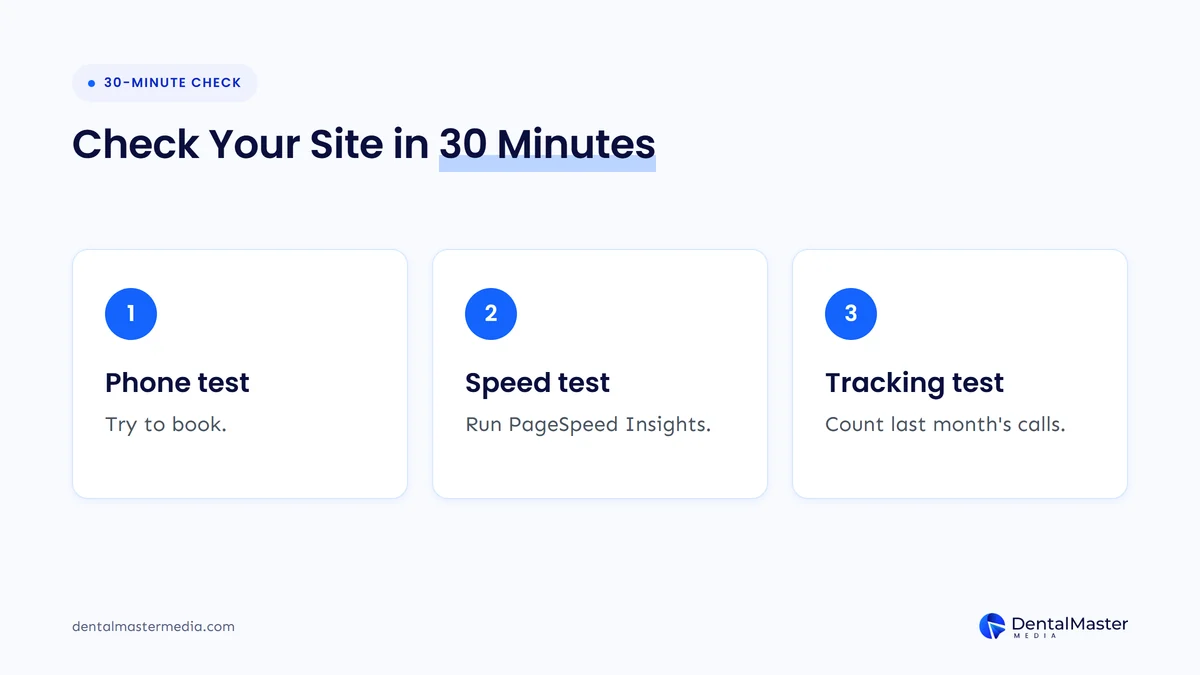
- Phone test (10 minutes). On your own phone, find the phone number, open a treatment page and request an appointment. Note anything that needs zooming, scrolling sideways or more than a few taps.
- Speed test (5 minutes). Run your homepage and one treatment page through PageSpeed Insights and note whether each passes the Core Web Vitals assessment on mobile.
- Trust and content check (10 minutes). Look for real photos, dentist bios, current reviews, a page for each main treatment and HTTPS on every page.
- Tracking check (5 minutes). Ask for last month’s website calls, form requests and online bookings. If nobody knows, tracking is the first fix.
Write down each sign you find. The number and type of signs tell you whether you need a refresh or a full redesign.
Should you refresh your dental website or fully redesign it?
Refresh your dental website when the platform is sound, easy to edit and works on phones, and only one or two signs apply. Choose a full redesign when the site fails on mobile, you can’t edit it, the platform is outdated, or several signs appear together, because patching each one costs more over time.
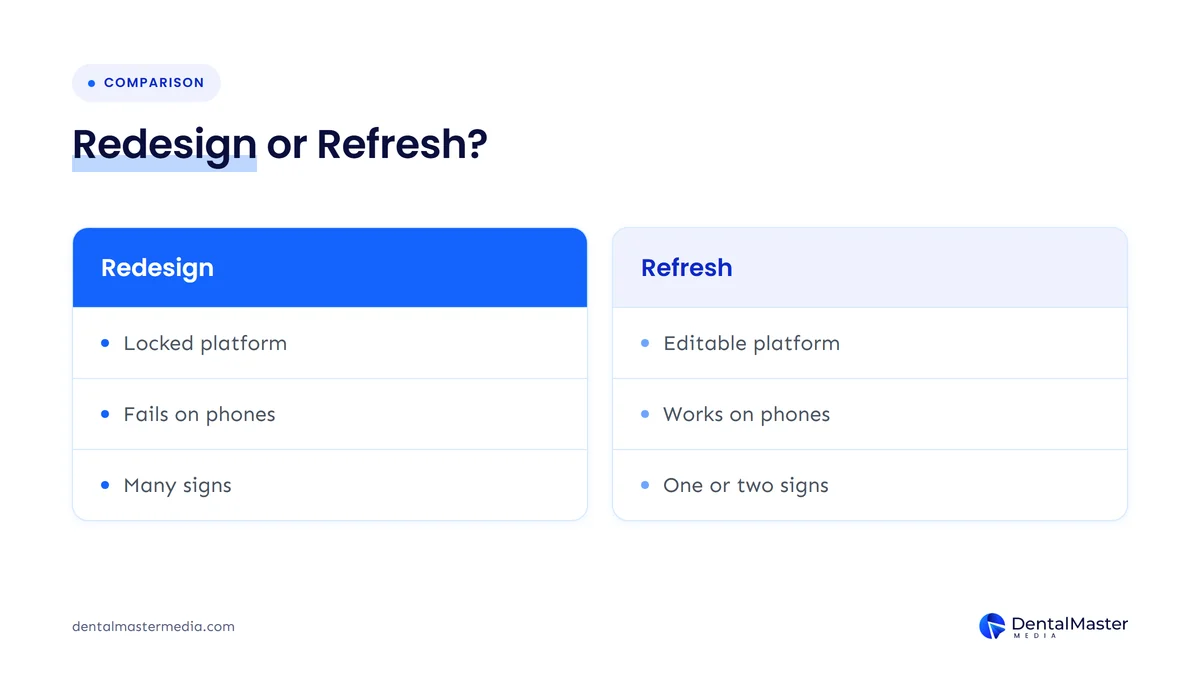
At Dental Master Media, we use a simple rule when we review a practice website. Signs 1 and 7, a site that fails on phones or one you can’t edit, usually point to a redesign on their own, because they come from the foundations. Most other signs can be fixed on the existing site. When four or five of them stack up, fixing each separately tends to cost more than starting again with a better structure.
| What you found | Likely next step |
|---|---|
| One or two content or trust signs (4, 5, 6) | Refresh: new photos, bios, reviews and treatment pages |
| Speed or security problems on a sound platform (2, 8) | Technical fixes: image compression, plugin clean-up, HTTPS |
| No tracking (10) | Set up tracking first, then decide |
| Fails on mobile or can’t be edited (1, 7) | Full redesign on a platform you control |
| Four or more signs together | Full redesign, planned around your existing rankings |
How do you redesign a dental website without losing rankings?
To redesign a dental website without losing rankings, list every existing URL, keep or improve the content on pages that already rank, set up 301 redirects for any address that changes, build and test on a staging site, and watch Google Search Console closely in the weeks after launch.
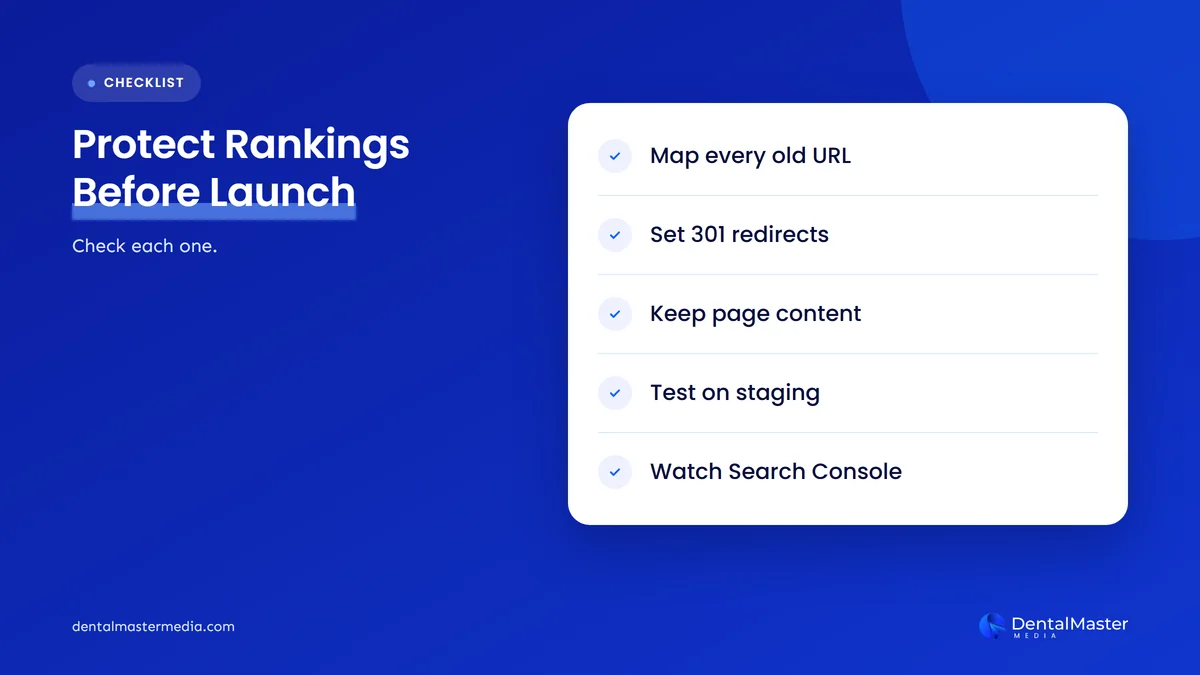
A new design can help patients and still hurt your search visibility if pages disappear or move without redirects. We cover the causes and the recovery plan in detail in why your dental practice loses rankings after a website redesign. Read it before you brief a designer, so the redirect plan is part of the project from the start rather than an afterthought.
Frequently asked questions
How often should a dental practice redesign its website?
There is no fixed schedule. Redesign when the website stops serving patients: it fails on phones, can’t be edited, runs on an outdated platform or shows several of the signs in this list. A site on a sound platform can often run for years with regular content updates and occasional refreshes instead.
Will a new website design improve my Google rankings?
Not by itself. Google ranks pages on how well they answer a search, along with signals such as page experience. A redesign helps when it fixes real problems like slow pages, poor mobile use or thin treatment pages. A redesign that removes content or breaks URLs can lower rankings instead.
Can I fix some of these signs without a full redesign?
Yes. Adding real photos, dentist bios, reviews, treatment pages, HTTPS and call tracking can usually be done on the existing site. A full redesign is the better choice when the problems come from the foundations, such as a platform that doesn’t work on phones or that your team can’t edit.
Do dental websites need to meet accessibility rules?
In the US, the Department of Justice says the ADA applies to the goods and services of businesses open to the public, and its guidance covers websites. It points to standards such as WCAG. Rules differ by country, so check your local requirements, and build the site to WCAG 2.2 as a sensible standard.
Does my website need special changes for AI search?
Google says there are no special optimizations needed to appear in AI Overviews or AI Mode. The same basics apply: important information in text form, structured data that matches the visible page, and a good page experience. A well-built dental website covers most of what AI search needs.
Is your dental website costing you patients?
If your website is hard to use on a phone, slow, hard to book from, or missing real photos, reviews and tracking, it is likely sending patients to another practice. Run the 30-minute check, count the signs, then decide between a refresh and a redesign. If a rebuild is the answer, our dental website design and development services are built for practices, and our dental SEO services protect and grow your rankings through the change. Learn more about how we work at Dental Master Media.
Find out what your website is really costing you
Our free dental SEO audit checks your website’s mobile experience, speed, structure and local search visibility, then shows which problems to fix first. You will know whether a refresh is enough or a redesign will pay off before you spend anything.
Sources
- Google Search Central, “Mobile-first indexing best practices”, updated December 10, 2025. https://developers.google.com/search/docs/crawling-indexing/mobile/mobile-sites-mobile-first-indexing
- Google Search Central, “Understanding Core Web Vitals and Google search results”, updated December 10, 2025. https://developers.google.com/search/docs/appearance/core-web-vitals
- Google Search Central, “Understanding Google page experience”, updated September 22, 2026. https://developers.google.com/search/docs/appearance/page-experience
- Google Search Central, “Creating helpful, reliable, people-first content”, updated October 5, 2026. https://developers.google.com/search/docs/fundamentals/creating-helpful-content
- Google Search Central, “AI features and your website”, updated December 10, 2025. https://developers.google.com/search/docs/appearance/ai-features
- Google Search Central, “Local Business (LocalBusiness) structured data”, updated September 8, 2026. https://developers.google.com/search/docs/appearance/structured-data/local-business
- U.S. Department of Justice, ADA.gov, “Guidance on Web Accessibility and the ADA”, March 18, 2022. https://www.ada.gov/resources/web-guidance/
- W3C, “Web Content Accessibility Guidelines (WCAG) 2.2”, W3C Recommendation, December 12, 2024. https://www.w3.org/TR/WCAG22/

Suraj Rana is the owner of Dental Master Media and a leading expert in SEO for dental practices. With a passion for dental marketing, he has successfully helped numerous dental clinics climb the search engine ranks. Suraj’s expertise makes him a go-to resource for effective, results-driven dental marketing.