Quick answer: A monthly dental SEO report should show 9 things: Google Search Console clicks and impressions, the queries and pages that moved, Google Business Profile performance, local rankings, Google Analytics 4 leads, calls and booked appointments, reviews, work completed and next month’s plan. A report with only rankings or a traffic total is a red flag.
Key takeaways
- A monthly dental SEO report is a recurring summary of how your practice appears on Google and what that visibility produced, and it should end with a plan for the next month.
- The 9 items are clicks and impressions, queries and pages, Business Profile performance, local rankings, leads, calls and booked appointments, reviews, work completed and the plan.
- Every number should name its source: Google Search Console has 4 performance metrics, Google Business Profile has 8, and Google Analytics 4 records key events.
- A report is a red flag when it shows rankings without calls, hides where the numbers come from or lists no work completed.
- You should own your Google Search Console and Google Business Profile accounts, so you can check any number in the report yourself.
What is a monthly dental SEO report?
A monthly dental SEO report is a recurring document from your dental SEO agency that shows how your practice website and Google Business Profile performed on Google in the past month, what that performance produced for the practice, and what the agency did and will do next. The report exists so a practice owner can judge whether the monthly fee is moving the practice toward more patients.
A dental SEO report is different from a one-off audit. An audit lists what is wrong with a site on one day, while a monthly report tracks results over time. HubSpot’s guide to SEO reports says a report’s summary should highlight clicks, impressions and keyword visibility, and that each report should lead to specific actions. Reporting is one part of our dental SEO services, and it is the part that lets you check the rest.
What should a monthly dental SEO report show?
A monthly dental SEO report should show 9 things, in an order that moves from visibility to patients to action. The 9 things a dental SEO report should show are listed below, and the first 4 describe visibility on Google while the last 5 describe results and work.
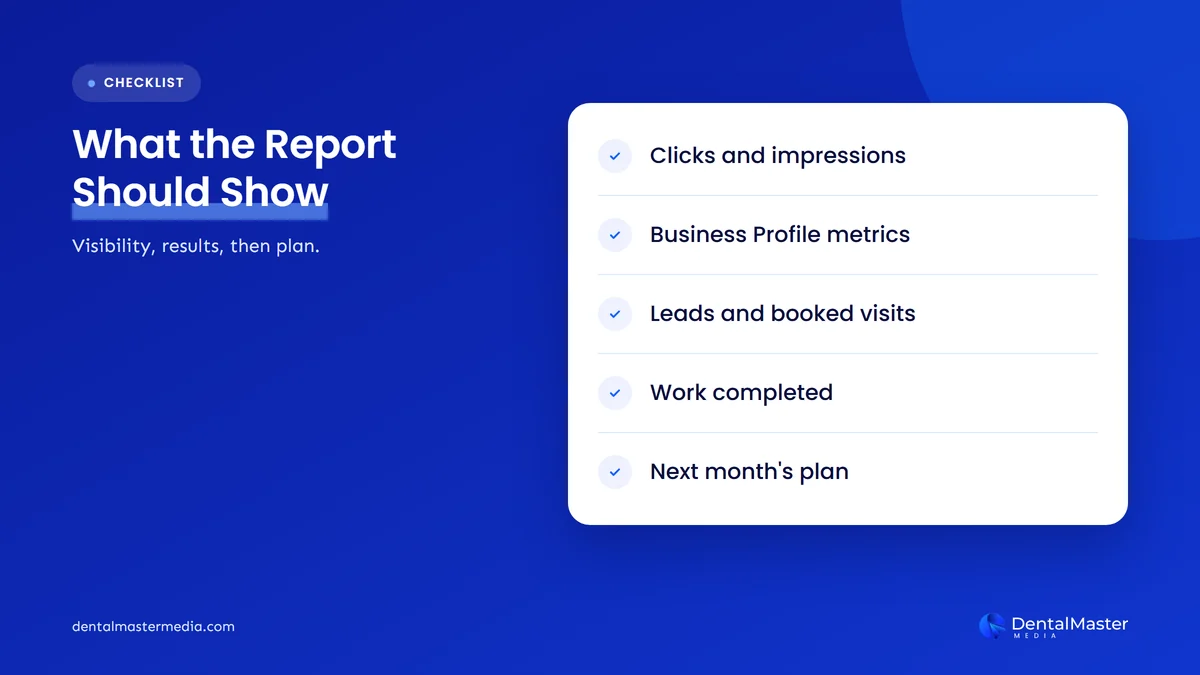
Clicks and impressions from Google Search Console
Clicks and impressions from Google Search Console show how often your website appeared on Google and how often people clicked it. Google Search Console reports 4 performance metrics: clicks, impressions, click-through rate and average position, and Google defines impressions as how many times your site appeared in Search results.
The report should compare each metric with the previous month and with the same month last year, because dental searches rise and fall with the calendar. Average position in Google Search Console is the average position of the topmost result from your site, so it moves when a new page starts to appear for rare queries, even if your best pages did not change.
Queries and pages that moved
Queries and pages that moved are the search terms and website pages whose clicks or impressions rose or fell the most this month. Google Search Console groups its data by queries, pages, countries and devices, and the report should name the 3 to 5 biggest movers in each group.
The page names matter more than the totals. A rise in clicks on an implant page tells you the work is reaching a treatment people pay for, while a rise on a blog post about a toothache may bring readers who never book.
Google Business Profile performance
Google Business Profile performance shows what people did on your profile in Google Search and Google Maps, and the report should list all 8 metrics Google provides. The 8 metrics are interactions, searches, views, directions, calls, website clicks, messages and bookings, and Google shows only the metrics that apply to your profile.
Calls in the Business Profile report are the number of times a customer clicked the call button, so the figure does not count calls dialed from another source. Bookings appear only when your bookings are managed through a booking provider, and the search terms update at the start of each month and can take up to 5 days to appear. Our post on Google Business Profile settings dental practices often get wrong covers the settings that decide which of these metrics you see.
Local rankings for treatments and areas
Local rankings show where your practice appears in Google Maps and local results for the treatments and neighborhoods you want to win. The report should name each tracked search, such as a treatment and a city, and show this month’s position beside last month’s.
A ranking is a position on one search from one place, so the report should state the location it was checked from. A position you see on your own phone at the practice does not describe what a patient across town sees.
Leads from Google Analytics 4
Leads from Google Analytics 4 are the booking requests, form submissions and phone taps that your website recorded, counted as key events. Google Analytics Help defines a key event as an event that measures an action that is particularly important to the success of your business.
The report should split key events by source, such as Google organic search, Google Business Profile visits and AI assistants, so you can see which visibility produced contact. We looked at where AI visitors fit in AI traffic to dental practice websites.
Calls and booked appointments
Calls and booked appointments are the outcomes your front desk can confirm, and a report should show them next to the website numbers. Google’s tools record clicks and taps, but only your practice records who booked, so the agency needs the booked appointment count from you each month.
The report should show the number of calls from each source and the number that became booked appointments. The report does not need patient names, phone numbers or reasons for a visit, and it should never contain them.
Reviews
Reviews in a monthly report are the number of new Google reviews, your average star rating and the share of reviews you answered this month. Smile Marketing’s sample monthly dental report includes reviews alongside Business Profile performance, which reflects how closely reviews and local visibility are connected.
The report should list new reviews that mention a specific treatment or dentist, because those reviews add words to your profile that match what patients search for.
Work completed
Work completed is the list of tasks the agency finished this month for the fee you pay. The list should name each page written or updated, each technical fix, each profile update and each link or citation obtained, with the date and the page it affects.
Work completed is the item that separates a retainer from a subscription to a dashboard. If the list is empty or says only “ongoing optimization”, you cannot tell what the month’s fee bought.
Next month’s plan
Next month’s plan is the short list of actions the agency will take and the results it expects to review, with one owner and one date for each action. The plan should also name any problem found this month, such as pages Google has not indexed or a drop in clicks, and say what will be done about it.
A plan turns the report into a decision. If the plan repeats last month’s wording word for word, the report is a template, and no one is reading your numbers.
Where does each number in a dental SEO report come from?
Each number in a dental SEO report comes from one of 3 Google tools: Google Search Console, Google Business Profile or Google Analytics 4, plus your practice’s own call and appointment records. The table below lists the main report items, the tool each comes from and how Google defines the measure.
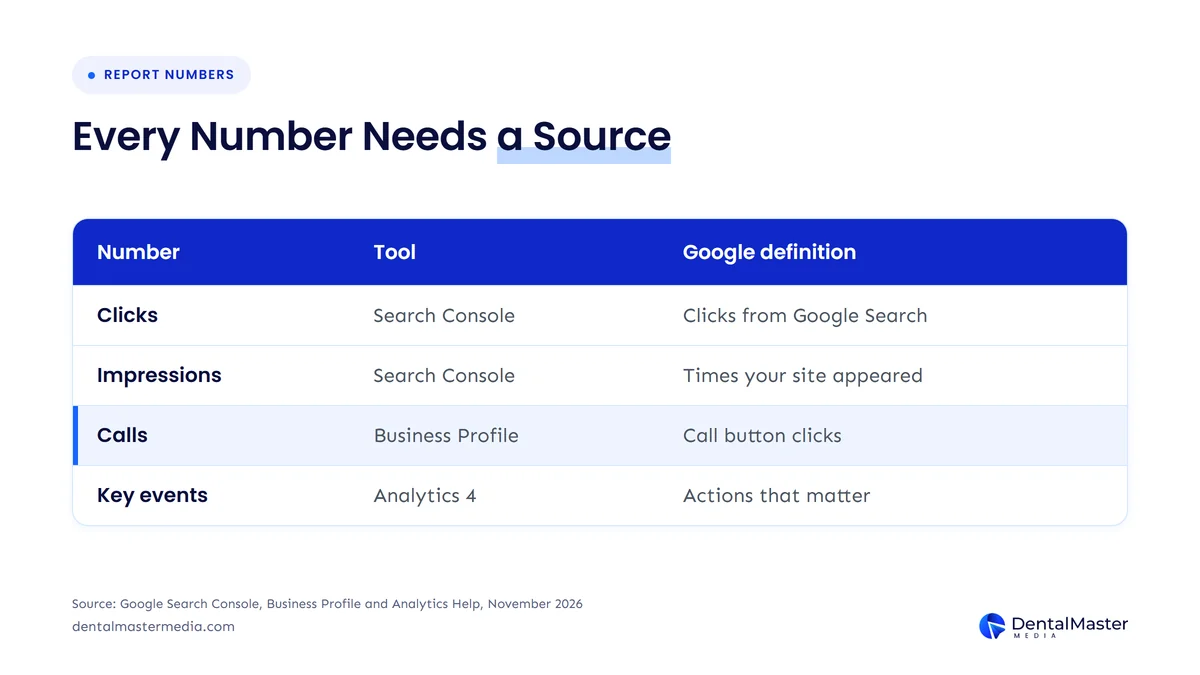
| Report item | Where it comes from | How Google defines it | Watch for |
|---|---|---|---|
| Clicks | Google Search Console | Times a user clicked your site from Google Search results | Compare with the same month last year |
| Impressions | Google Search Console | How many times your site appeared in Search results | Newest data can be preliminary |
| Average position | Google Search Console | Average position of the topmost result from your site | Moves when new pages start to appear |
| Calls | Google Business Profile | Times a customer clicked the call button on your profile | Needs a phone number on the profile |
| Bookings | Google Business Profile | Number of bookings people completed | Shows only with a booking provider |
| Searches | Google Business Profile | Search terms people used to find your business | Updated monthly, up to 5 days to appear |
| Key events | Google Analytics 4 | Events that measure actions important to your business | You choose which events count |
The table shows that every figure in a report can be traced to a Google definition, so a number with no named source is one you cannot check.
What are the red flags in a dental SEO report?
A red flag in a dental SEO report is any pattern that stops you from checking results or links the numbers to no patient outcome.
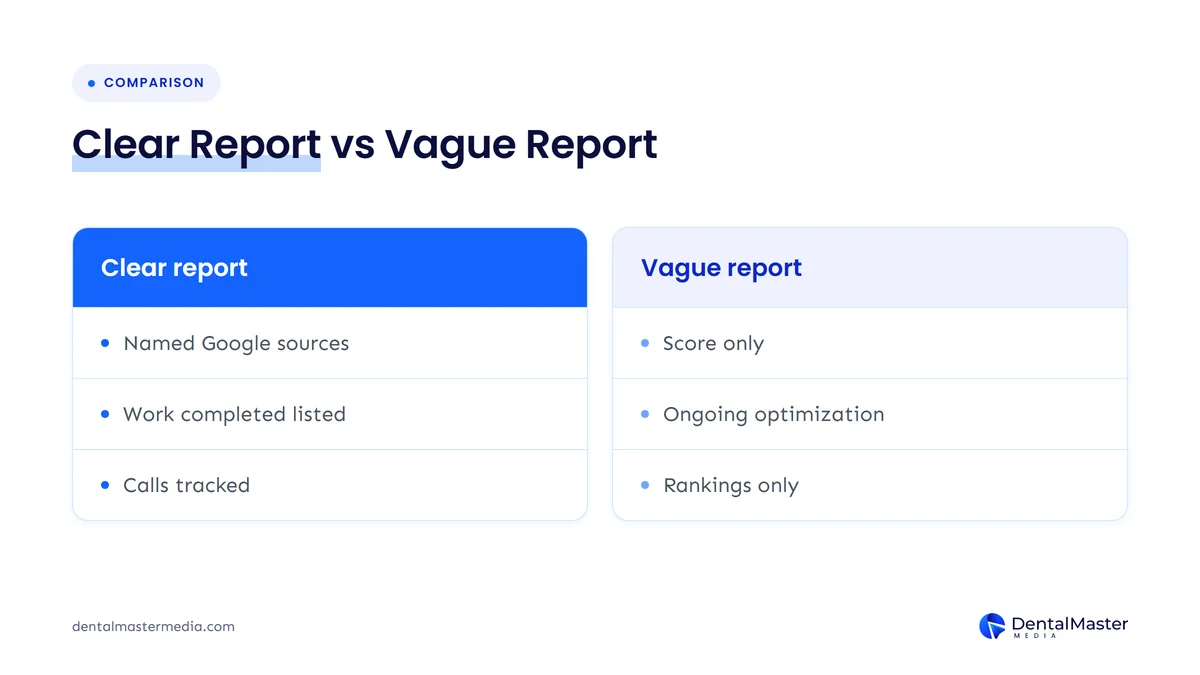
The 6 red flags in a dental SEO report are listed below.
- Rankings with no calls: the report shows keyword positions but no Business Profile calls, key events or booked appointments, so the results never reach a patient.
- Unnamed sources: the report shows a “visibility score” or “SEO health” figure from a third-party tool and no Google Search Console or Google Business Profile data.
- No work completed: the report lists “ongoing optimization” and no named pages, fixes or dates.
- Unexplained drops: clicks or calls fall and the report gives no reason and no action.
- Changing measures: the report swaps its metrics from month to month, so you cannot compare one month with the last.
- No access: the agency owns the accounts and you cannot open Google Search Console or the Business Profile yourself.
One red flag is a reason to ask a question, and 3 or more are a reason to review the agreement. Our guide on what a dental SEO audit should include shows how a one-time audit differs from a monthly report, which helps when the report shows only automated scores.
How do you review a dental SEO report each month?
Review a dental SEO report each month in 5 steps that take less than an hour, and do it before the monthly call with your agency. The 5 steps for reviewing a dental SEO report are listed below.
- Open Google Search Console and Google Business Profile yourself and check that clicks, calls and website clicks match the report.
- Compare each metric with last month and with the same month last year.
- Send your booked appointment count from the front desk, split by how patients said they found you.
- Read the work completed list and open 2 of the pages or fixes it names.
- Ask one question about the biggest change, up or down, and write down the answer.
Match the report to the fee. The cost of dental SEO should buy the 9 items in this post, and a report that covers fewer of them is worth a conversation.
Who should own the accounts behind your dental SEO report?
You should own the accounts behind your dental SEO report, which are Google Search Console, Google Analytics 4 and your Google Business Profile, and your agency should hold access as a user. Owning the accounts lets you check any number in the report and keep your history if you change agency.
In Google Search Console, only owners can add or remove users, and Google lists 4 permission levels: verified owner, delegated owner, full user and restricted user. A Google Business Profile has 3 roles: primary owner, owner and manager, and a manager cannot add or remove users. Give your agency the manager role or full user access, and keep the owner roles in your own Google account. If you are already unsure who holds access, our checklist on switching dental SEO agencies without losing rankings explains how to recover it.
Frequently asked questions
How long should a monthly dental SEO report be?
A monthly dental SEO report should be 3 to 6 pages, or a one-page summary with the details behind it. Length matters less than the 9 items: the summary should fit on one page, and each item should name its source.
Can a dental SEO report show only keyword rankings?
No, a dental SEO report should not show only keyword rankings, because rankings are a position and not a patient. A ranking shows visibility on one search, so the report should add Business Profile calls, key events and booked appointments to show what the visibility produced.
Why do the numbers in the report differ from Google Search Console?
The numbers differ when the report uses a different date range, a different filter or a third-party tool, and when Google Search Console data is still preliminary. Open Google Search Console, set the same dates and filters as the report, and ask the agency to explain any gap that remains.
Does a dental SEO report show new patient numbers?
No, a dental SEO report cannot count new patients on its own, because Google’s tools record clicks, calls and form submissions and not who attended an appointment. Your practice has to send the booked appointment count, and the report should show it beside the Google numbers.
How soon should a dental SEO report arrive each month?
A dental SEO report should arrive in the first 5 to 10 days of the month, once the previous month is complete. Google Business Profile search terms update at the start of each month and can take up to 5 days to appear, so a report sent on day 1 may be missing them.
The bottom line on a monthly dental SEO report
A monthly dental SEO report should show 9 things: Search Console clicks and impressions, the queries and pages that moved, Business Profile performance, local rankings, Google Analytics 4 leads, calls and booked appointments, reviews, work completed and next month’s plan. Each number should name its Google source, and you should own the accounts so you can check it.
At Dental Master Media, our dental SEO services come with a report built on these 9 items.
Check what your report should be showing
If your current report shows rankings and little else, our free dental SEO audit shows what Google Search Console, Google Business Profile and your website say about your practice today, so you can compare it with what you are being told.
Sources
- Google Search Console Help, “Performance report”, accessed November 21, 2026. https://support.google.com/webmasters/answer/7576553
- Google Business Profile Help, “Understand your Business Profile performance and insights”, accessed November 21, 2026. https://support.google.com/business/answer/9918094
- Google Analytics Help, “About key events”, accessed November 21, 2026. https://support.google.com/analytics/answer/9267568
- Google Search Console Help, “Add or remove users, owners, and permissions”, accessed November 21, 2026. https://support.google.com/webmasters/answer/7687615
- Google Business Profile Help, “Add, edit, or remove users on your Business Profile”, accessed November 21, 2026. https://support.google.com/business/answer/3403100
- HubSpot, “How to create an SEO report”, accessed November 21, 2026. https://blog.hubspot.com/marketing/seo-report
- Smile Marketing, “Performance Reporting” (sample monthly dental report), accessed November 21, 2026. https://www.smilemarketing.com/?p=47548

Suraj Rana is the owner of Dental Master Media and a leading expert in SEO for dental practices. With a passion for dental marketing, he has successfully helped numerous dental clinics climb the search engine ranks. Suraj’s expertise makes him a go-to resource for effective, results-driven dental marketing.