
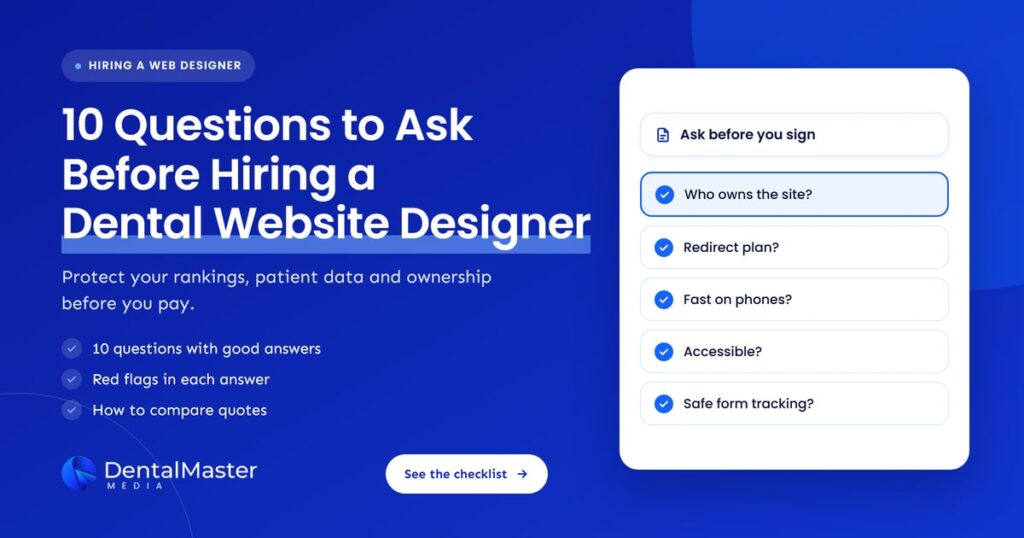
Quick answer: Before you pay for a new dental website, confirm in writing that you will own the domain, site and content, which platform and host you get, how old URLs will be redirected, how the site will perform on phones, how it meets accessibility standards, how bookings are tracked without exposing patient data, and what the contract says about leaving.
Key takeaways
- Ownership comes first. The domain, hosting account, website files, photos and copy should be in your practice’s name, not the designer’s.
- A redesign can cost you rankings if old pages are not mapped to new ones with permanent redirects. In November 2026, Google explained again that only permanent redirects hand ranking signals to the new page.
- Ask how the designer will meet Google’s Core Web Vitals targets and the WCAG 2.2 accessibility guidelines, and how they will check both before launch.
- Tracking on booking and contact forms needs care. US guidance from HHS warns that tracking tools can send patient information to third parties.
- Get the scope, timeline, revision rounds, ongoing fees and exit terms in the contract before you pay a deposit.
What does a dental website designer actually do?
A dental website designer plans, designs and builds the website patients use to learn about your practice, check treatments and book appointments. A good one also handles the technical side: hosting, speed, accessibility, redirects from your old site, structured data and tracking, so the new site keeps its search visibility and turns visits into bookings.
The title on the proposal varies. Some firms call themselves designers, some developers and some dental marketing agencies. What matters is the scope: who designs the pages, who writes the treatment content, who builds and hosts the site, and who looks after it once it is live. The questions below work for any of them.
How did we choose these 10 questions?
We chose questions that protect three things a practice cannot easily get back: ownership of its online assets, the search visibility it has already earned, and patient trust. Each question is tied to published guidance from Google, the U.S. Department of Justice, the W3C or HHS, so you can check the answer you get against a primary source.
We left out questions about visual style. Taste matters, but you can judge it from a designer’s portfolio. The questions here cover what a portfolio won’t show you.
| Question | A good answer sounds like | Red flag |
|---|---|---|
| 1. Who owns the domain, site and content? | “Everything is registered to you and handed over on request.” | The domain or site is “licensed” to you |
| 2. Which platform will you use? | A named platform your team can edit and another developer can take over | A closed system only the designer can change |
| 3. Who hosts it, and what does that cost? | Named host, backups, security updates and the monthly fee in writing | “Hosting is included” with no detail |
| 4. How will you keep our rankings? | A page-by-page redirect map using permanent redirects | “Google will work it out” |
| 5. How fast will it be on phones? | Core Web Vitals checked before launch | Only desktop mockups shown |
| 6. How will you make it accessible? | Designed and tested against WCAG 2.2 | Relying on an overlay widget alone |
| 7. How will patients book, and how will we track it? | Calls, forms and booking clicks tracked as conversions | No plan to measure bookings |
| 8. Is the tracking on forms safe for patient data? | Tracking reviewed against HHS guidance, with agreements where needed | Ad pixels on every page by default |
| 9. Can search engines and AI tools read our details? | Indexable pages plus LocalBusiness or Dentist structured data | Key details only inside images |
| 10. What does the contract say? | Clear scope, timeline, revisions, fees and exit terms | Long lock-in with no handover clause |
What are the 10 questions to ask before hiring a dental website designer?
The 10 questions cover ownership, platform, hosting, redirects, mobile speed, accessibility, booking and tracking, patient data on forms, structured data and AI search, and contract terms. Ask them in writing before you sign, and keep the answers with your contract so you can hold the designer to them during and after the build.
1. Who will own the domain, the website and the content?
Your practice should own the domain name, the hosting account or a full copy of the site, and every page of copy and photo you paid for. Ask the designer to confirm that the domain is registered in the practice’s name and that you get admin access from day one, not only at the end.
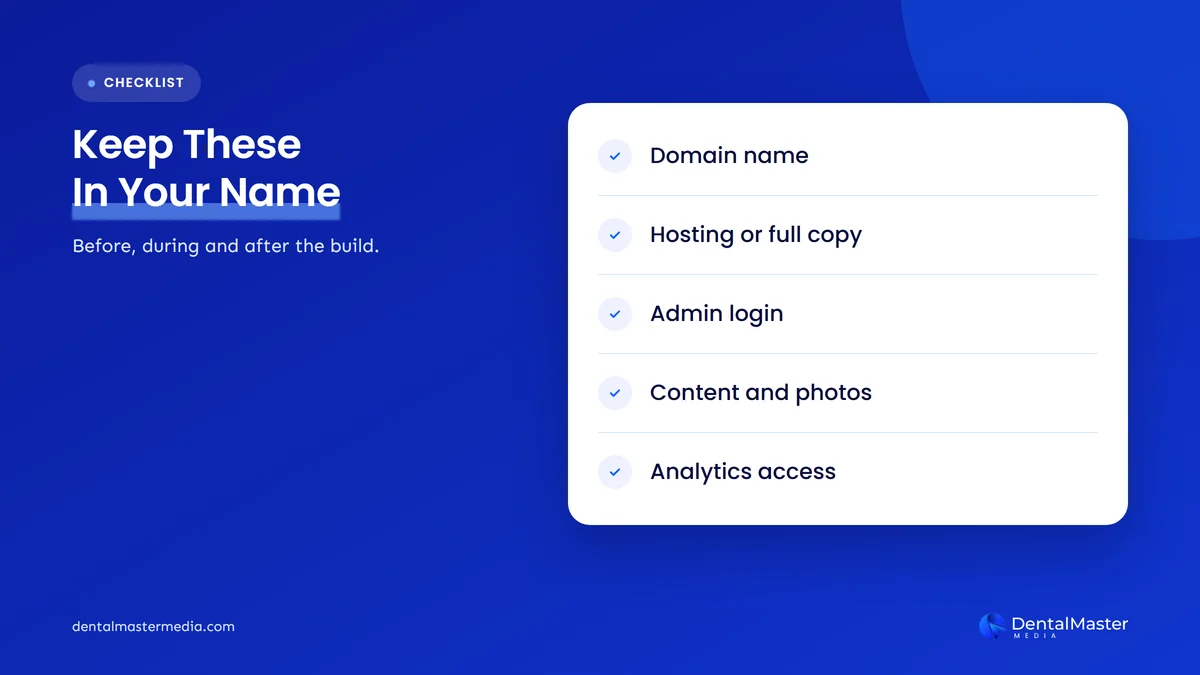
Some providers build sites on their own system and rent them back to you. That can be fine for a while, but if you leave you may lose the site and have to start again. Ask directly: “If we part ways, what do we take with us, and in what format?” The answer should cover the domain, the files or a full export, the content and photos, and admin access to your analytics, Search Console and Google Business Profile.
2. Which platform will you build on, and can our team edit it?
Ask which content management system the site will use, why it suits your practice, and whether your team can update hours, team bios, offers and blog posts without paying for every change. A good answer names the platform and explains how another developer could take over the site if needed.
Ask for a short demo of the editing screen and whether training is included. If the designer builds on a custom or closed system, ask who else can work on it and what it costs to move off it later.
3. Who will host the website, and what will it cost after launch?
Ask who the host is, who pays for it, and what the monthly or yearly fee covers after launch. Hosting for a dental practice should include an SSL certificate, regular backups, software and security updates, uptime monitoring and a named person to call when something breaks.
Get the ongoing costs in writing: hosting, maintenance, plugin or licence renewals and the hourly rate for changes outside the plan. Many surprise bills come after launch, not before it. Also ask how quickly the site can be restored from a backup, and who is responsible if it is hacked.
4. How will you protect our current rankings with a redirect plan?
Ask for a redirect map: a list of every old URL that has traffic, links or rankings, matched to its closest new page, set up with permanent server-side redirects at launch. Without that map, patients and search engines land on error pages and the old pages’ ranking signals can be lost.
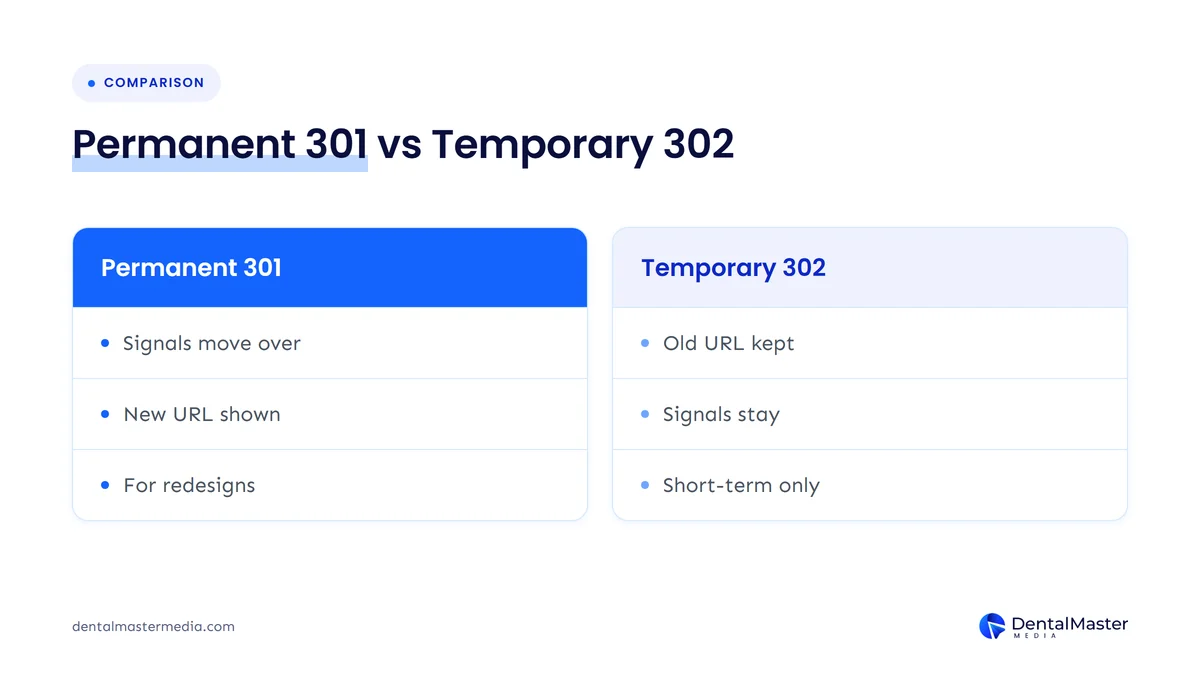
The redirect type matters. Reporting on November 5, 2026, Search Engine Journal covered Google’s Gary Illyes and Cherry Prommawin explaining that a permanent 301 redirect passes the old page’s ranking signals to the new page, while with a temporary 302 Google tends to keep the old URL in its results. Google’s site move guide recommends permanent redirects such as 301 or 308, and suggests keeping them in place for at least a year.
Ask the designer how they will build the map, who checks it after launch and how they will watch Search Console for errors in the first weeks. Our guide on why dental practices lose rankings after a website redesign covers the most common mistakes in more detail.
5. How will the site perform on phones, and will it pass Core Web Vitals?
Ask to see the design on a phone first, then ask how the designer will measure speed and stability before launch. Google’s Core Web Vitals targets are a Largest Contentful Paint within 2.5 seconds, an Interaction to Next Paint under 200 milliseconds and a Cumulative Layout Shift under 0.1.
A designer who takes this seriously will talk about image sizes, fonts, how many third-party scripts the site loads and how chat or booking widgets affect speed. Ask which tools they test with and whether they will share the results. Video headers, sliders and large photo galleries look good in a presentation but often slow a site down on a phone.
6. How will you make the website accessible to patients with disabilities?
Ask which accessibility standard the designer works to and how they test it. The U.S. Department of Justice says the ADA applies to the goods and services businesses open to the public offer online, and names the Web Content Accessibility Guidelines (WCAG) as helpful guidance. WCAG 2.2 is the current W3C version.
WCAG has three conformance levels: A, AA and AAA. Ask which level the designer aims for, whether they test with a keyboard and a screen reader, and how they check color contrast, form labels and image alt text. The Department of Justice also notes that automated checkers can miss problems, so a clean automated scan is not enough on its own. Be cautious of anyone who offers an overlay plugin as the whole answer.
If your practice is outside the US, ask about your own country’s accessibility rules too. WCAG is used as a reference in many countries.
7. How will patients book, and how will we know which bookings came from the website?
Ask where the call button, booking button and contact form will sit on each page, especially on phones, and how each one will be tracked. The designer should set up call, form and booking tracking as conversions in your analytics, so you can see which pages and channels bring in new patients.
If you use an online booking tool, ask whether it will be embedded on the page or open on another site, and how the designer will track completed bookings rather than button clicks. For a breakdown of where these elements belong, see what a dental website homepage should include.
8. What tracking will run on our forms and booking pages, and is it safe for patient data?
Ask which analytics and advertising tools will load on your contact, booking and patient forms, and what data they collect. In the US, HHS guidance says tracking technologies on a health provider’s website can disclose protected health information to vendors, and that a business associate agreement is needed when a vendor receives it.
HHS uses an appointment booked through a clinic’s website as an example of information that tracking tools might pass on. A federal court in Texas vacated part of that guidance in June 2024, the part about certain public pages, but the rest still stands. If your practice is a HIPAA covered entity, ask the designer to list every script on your form and booking pages, and check the setup with your compliance advisor. This is not legal advice, and the designer shouldn’t present their answer as legal advice either.
Simple steps help: keep ad pixels off form and booking pages unless your advisor approves them, avoid sending form contents to analytics tools, and use form and booking tools whose vendors will sign a business associate agreement.
9. Will search engines and AI tools be able to read our practice details?
Ask how the designer will make your name, address, phone number, hours and treatments clear to search engines and AI tools. Key details should be in real text on indexable pages, match your Google Business Profile exactly, and be marked up with LocalBusiness or Dentist structured data.
Google says there are no extra requirements or special optimizations needed to appear in AI Overviews or AI Mode. A page needs to be indexed and eligible to appear with a snippet. That means the same basics matter for both: crawlable pages, one clear page per treatment, accurate structured data and no important information hidden inside images or sliders.
Be wary of designers who sell “AI-ready” templates without explaining what they do. Ask to see the structured data on a site they have already built, and test it with Google’s Rich Results Test.
10. What does the contract say about timeline, revisions, fees and leaving?
Ask for a written contract that lists the pages included, who writes the content, the number of revision rounds, the timeline with milestones, the payment schedule, ongoing fees and the minimum term. It should also explain what happens if you leave, including how the site, domain and accounts are handed over.
Check who is responsible if the launch is late because content or photos aren’t ready. Ask what counts as a change outside scope and how it is priced. If the build is tied to a monthly marketing plan, check whether you can end the marketing and keep the website.
How do you compare quotes from dental website designers?
Compare quotes by scope, not price alone. Send every designer the same 10 questions, put their written answers side by side, and check which quote includes content writing, redirects, accessibility testing, tracking and post-launch support. A cheaper quote that leaves these out often costs more once you pay for them separately.
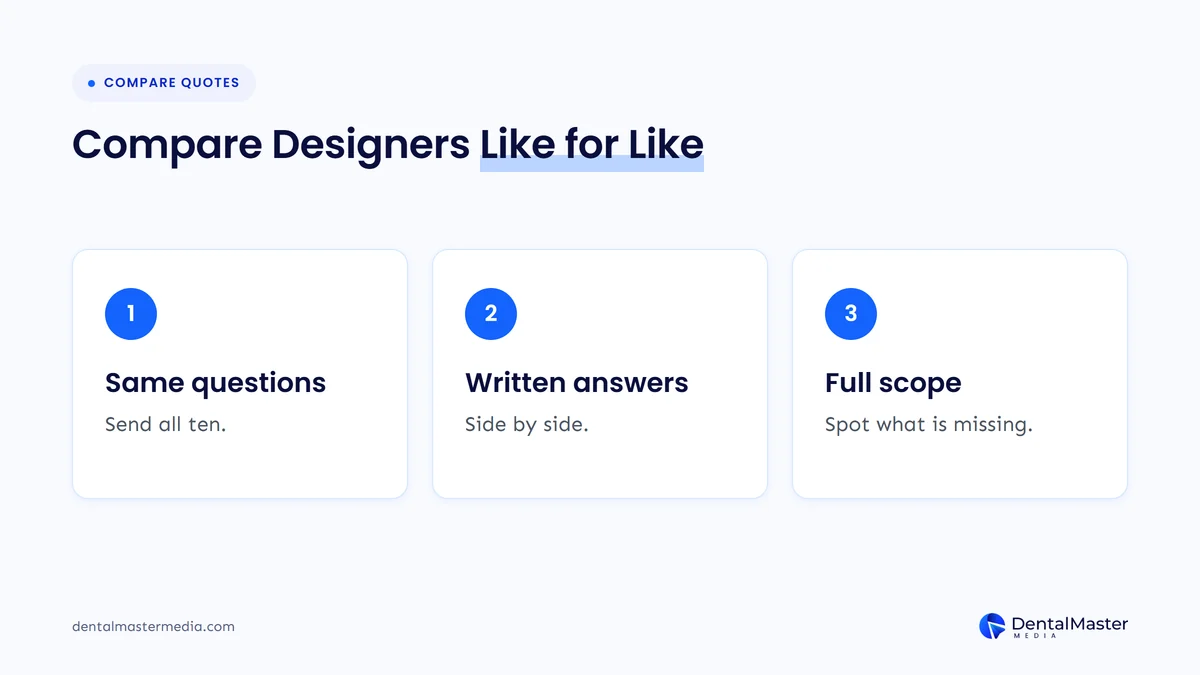
- Send the same questions to every designer. Use the 10 questions above so the answers line up.
- Ask for answers in writing. A sales call is useful, but the written answers are what you can hold a designer to.
- List what each quote leaves out. Content writing, photography, redirects, accessibility testing and tracking setup are the items most often missing.
- Look at sites they have already built. Open them on your phone, try the booking path and check whether they load quickly.
- Ask what happens after launch. Find out who fixes problems in the first month and what support costs after that.
If you are still deciding whether you need a new site at all, our checklist of signs your dental website needs a redesign will help you decide between a refresh and a full rebuild.
Frequently asked questions
Should a dental practice own its website?
Yes. Your practice should own the domain name, the content and photos you paid for, and either the hosting account or a full copy of the site. If a designer rents the site to you, ask in writing what you can take with you if you leave, and how long the handover takes.
Will a new website hurt my Google rankings?
It can, if old URLs are not redirected properly. Ask for a page-by-page redirect map using permanent redirects such as 301 or 308. Google has explained that a permanent redirect passes ranking signals to the new page, and suggests keeping redirects in place for at least a year after a site move.
Does my dental website need to meet ADA accessibility rules?
In the US, the Department of Justice says the ADA applies to what businesses open to the public offer online, and points to WCAG as helpful guidance. Ask your designer to build and test against WCAG 2.2, and speak to your own advisor about your legal obligations.
Can I use Google Analytics or ad pixels on my booking forms?
Be careful. HHS guidance says tracking tools on a health provider’s website can disclose protected health information, and a business associate agreement is needed when a vendor receives it. Ask your designer to list every script on your form and booking pages, and review the setup with your compliance advisor.
Do I need a special website for AI search?
No. Google says there are no special optimizations needed to appear in AI Overviews or AI Mode. Indexable pages, clear treatment content, accurate structured data and details that match your Google Business Profile serve both regular search and AI answers.
The bottom line on hiring a dental website designer
A new website is a long-term asset, so judge designers on more than looks. Get written answers on ownership, platform, hosting, redirects, mobile speed, accessibility, booking and tracking, patient data on forms, structured data and contract terms, then compare quotes on scope. To see how we approach builds and the search work around them, look at our dental website design and development services and our dental SEO services at Dental Master Media.
Know what your current website needs before you hire
At Dental Master Media, every website project starts with an audit. Our free dental SEO audit checks your current site’s pages, speed, structured data and local visibility, so you know which URLs to protect and which problems a new site must fix before you sign with anyone.
Sources
- Search Engine Journal, “Google Explains How Redirects Affect Ranking Signals”, November 5, 2026. https://www.searchenginejournal.com/google-explains-how-redirects-affect-ranking-signals/595967/
- Google Search Central, “Site Moves and Migrations”, accessed November 6, 2026. https://developers.google.com/search/docs/crawling-indexing/site-move-with-url-changes
- Google Search Central, “Redirects and Google Search”, accessed November 6, 2026. https://developers.google.com/search/docs/crawling-indexing/301-redirects
- Google Search Central, “Understanding Core Web Vitals and Google search results”, accessed November 6, 2026. https://developers.google.com/search/docs/appearance/core-web-vitals
- U.S. Department of Justice, ADA.gov, “Guidance on Web Accessibility and the ADA”, March 18, 2022. https://www.ada.gov/resources/web-guidance/
- W3C, “Web Content Accessibility Guidelines (WCAG) 2.2”, W3C Recommendation, December 12, 2024. https://www.w3.org/TR/WCAG22/
- U.S. Department of Health and Human Services, “Use of Online Tracking Technologies by HIPAA Covered Entities and Business Associates”, content last reviewed June 26, 2024. https://www.hhs.gov/hipaa/for-professionals/privacy/guidance/hipaa-online-tracking/index.html
- Google Search Central, “Local business (LocalBusiness) structured data”, accessed November 6, 2026. https://developers.google.com/search/docs/appearance/structured-data/local-business
- Google Search Central, “AI features and your website”, accessed November 6, 2026. https://developers.google.com/search/docs/appearance/ai-features

Suraj Rana is the owner of Dental Master Media and a leading expert in SEO for dental practices. With a passion for dental marketing, he has successfully helped numerous dental clinics climb the search engine ranks. Suraj’s expertise makes him a go-to resource for effective, results-driven dental marketing.