
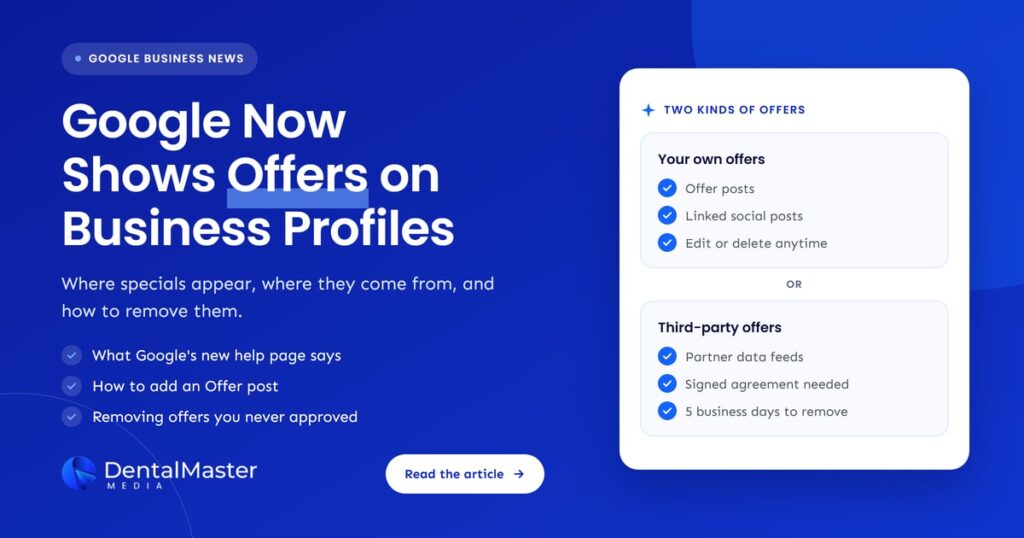
Quick answer: Google Business Profile offers are special offers, discounts and promotional badges that can appear on your profile in Google Search and in AI Overviews. They come from Offer posts you create, from special offers on linked social profiles, or from authorized third-party partners. Check yours regularly, keep every offer accurate, and use Google’s support process to remove unauthorized ones.
Key takeaways
- Google published a new help document, “Manage offers on your Business Profile”, which Search Engine Roundtable reported on November 6, 2026.
- Offers can show as chips on your profile in Search and inside Search AI Overviews, so a patient may see a special before they see your website.
- Offers come from three places: Offer posts you create, special offers found through linked social profiles, and third-party partners that send offer data to Google.
- Third-party providers need a current, direct, signed agreement with your practice. If one has no agreement, you can ask Google Business Profile Support to help remove the offer.
- The feature is only available in select regions and languages, so it may not show on your profile yet.
- Every offer is a public advertising claim. Keep the price, conditions and dates accurate, and check your local dental advertising rules before you post.
What changed?
Google added a help page that explains how offers appear on Business Profiles and how owners can remove third-party offers they did not approve. It describes where offers show, which sources they come from, and a step-by-step escalation path through Google Business Profile Support when a provider has no agreement with the business.
The Google Business Profile Help document opens by saying that customers who find a business on Google Search may see “special offers, discounts, and promotional badges” attached to the profile. It then covers five topics: what offers are, where customers find them, how offers get added, how to remove unauthorized or inaccurate third-party offers, and how to escalate to Google Support.
Barry Schwartz at Search Engine Roundtable spotted the page on November 6, 2026, and noted that Google had already listed offer data in Business Profile performance metrics. The new page is the first place Google brings the whole picture together, including the removal process.
Google’s page carries an important caveat: the feature is “available only in select regions and languages, and may not be available for all users.” Google doesn’t list those regions on the page.
What are Google Business Profile offers?
A Google Business Profile offer is a promotion that Google shows on a business’s profile in Search, such as a percentage discount, a flat amount off, or a bundled extra. For a dental practice, that could be a new-patient exam special or a seasonal whitening offer, displayed as a short chip that patients can expand.
Google’s help page lists four types of offer, and says the list is not complete:
- Percentage off, such as a set percentage off a first visit.
- Flat dollar discount, a fixed amount off.
- Item-level promotion, such as buy one, get one.
- Dine-in or reservation perks, an extra included with a booking.
Google’s own examples are written for restaurants, with references to pickup orders and dinner reservations. Nothing on the page limits offers to food businesses, but it is a sign of where Google built the feature first. Dental practices should expect it to appear unevenly for now.
Where do patients see offers?
Google names two places where offers show. On the Search placesheet, which is the Business Profile panel in Google Search, offers appear as collapsible chips beside or below buttons such as Order online or Reserve a table. In Search AI Overviews, people can be shown offers while they interact with the AI answer, so an offer can travel with your practice into AI results.
That second placement matters. Patients increasingly read an AI answer before they click anything. If your profile carries an offer, that offer may be part of the first impression, which is a good reason to make sure it is current and correct.
Where do offers on a Business Profile come from?
Offers reach a Business Profile from two broad sources, according to Google: authorized third-party partners that send offer data to Google, and promotions identified by Google. The second group covers Offer posts you publish on your profile and special offers Google finds on social media profiles linked to your Business Profile.
| Source | Who controls it | How to change or remove it |
|---|---|---|
| Offer post on your Business Profile | Your practice | Edit or delete the post from the Posts section of your profile. |
| Special offer on a linked social profile | Your practice, through the social account | Google doesn’t describe a separate process. Our suggestion: update or remove the original social post, then contact support if the offer still shows. |
| Authorized third-party partner | A provider you have a signed agreement with | Ask the provider to change or remove it. Providers must act within 5 business days of your request. |
| Third party with no agreement | No one you authorized | Escalate to Google Business Profile Support, then use the violation form if the offer stays up. |
Linked social profiles are worth a second look. Google’s social links help page says posts about events, deals or special offers from linked social profiles may show on your profile. If someone on your team posts a short-lived promotion on Instagram or Facebook, it could surface on Google too.
Who is affected?
Any dental practice whose Business Profile is in a region and language where Google shows offers could be affected. That includes practices that publish Offer posts, practices whose linked social accounts promote specials, and practices listed by booking, deal or marketing platforms that send offer data to Google.
In practical terms, three groups should pay attention:
- Practices that already run specials. New-patient exams, whitening promotions and membership plan offers are common in dentistry. If you promote these, they may now be more visible on Google.
- Practices that have changed platforms. Google’s page mentions offers “from a former provider”. If you once used a booking or deals platform, an old offer could still be attached to your profile.
- Multi-location groups. An offer that is valid at one location but shows on another creates confused patients at the front desk. Each profile needs its own check.
If you don’t run offers at all, you are still affected in one way: you should know what your profile shows, so a third-party offer you never approved doesn’t sit there unnoticed.
How do you add an offer to your Business Profile?
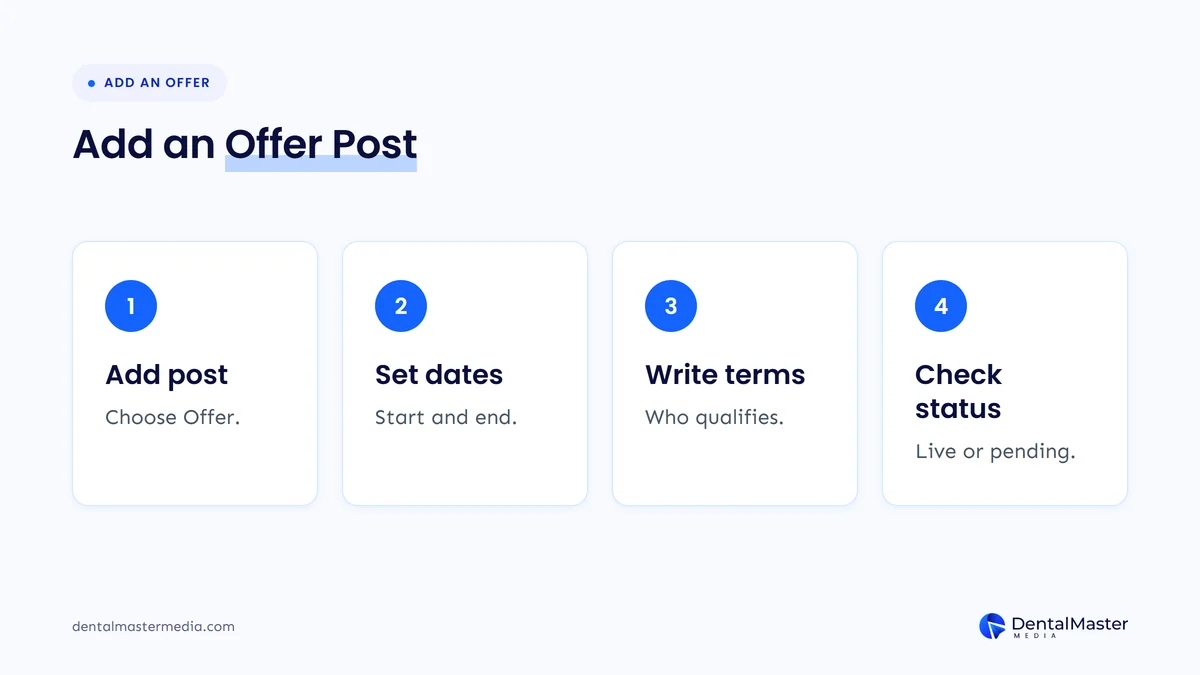
You add an offer by creating an Offer post from the Posts section of your Business Profile. Google requires a title, start and end dates and times, and adds a “View Offer” button automatically. You can also include a description, photo, video, coupon code, link and terms and conditions.
Google’s posts help page sets out the steps:
- Go to your Business Profile and select Posts, then Add post.
- Choose Offer as the post type.
- Add the title, start and end dates and times. Add a description, photo, coupon code, link and terms if you want them.
- Schedule the post for later or set it to repeat if you need to, then select Post.
- Check the post status. Google reviews posts against its content policy, and a post can be Live, Pending or Not approved.
Two details from Google’s posts page are useful here. Posts that include a phone number in the description might get rejected if the number can’t be verified as connected to the business, so use the profile’s own number or a Call button instead. And posts older than six months are archived unless a date range is set, which Offer posts have by design.
If your profile also uses a booking link, make sure the offer’s link and the booking link send patients to pages that match. Our guide to booking links on your Google Business Profile covers that set-up.
What should a dental offer include to stay accurate?
A dental offer on Google should state exactly what is included, who qualifies, when it ends and any conditions, in words a patient can’t misread. Google’s policy says you are responsible for making sure posted content complies with all applicable laws and regulations, and dental advertising rules apply to Google as much as to your website.
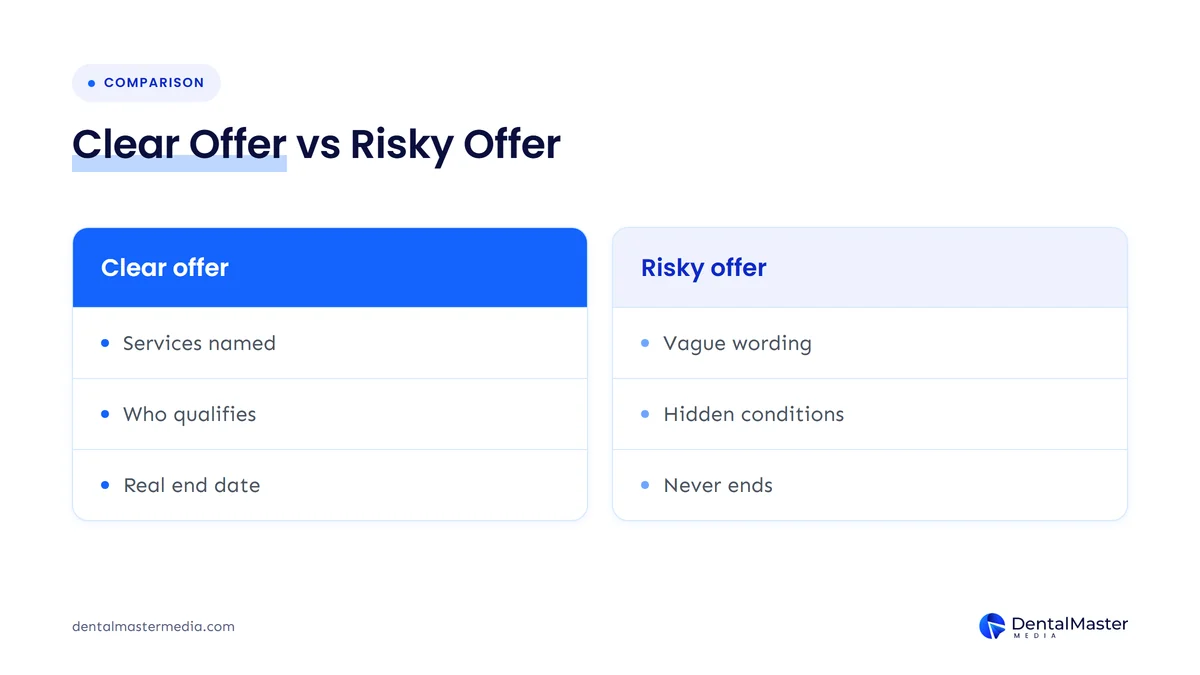
We suggest checking every dental offer against these points before it goes live:
- Name what is included. “New-patient exam and X-rays” is clear. “Full checkup” leaves room for dispute when a cleaning or extra imaging is billed.
- State who qualifies. New patients only, adults only, or patients without insurance: say it in the terms field.
- Set a real end date. Google requires dates for Offer posts. Use them honestly rather than running a “limited time” offer that never ends.
- Avoid outcome promises. Offers should describe the service and price, not promise results from a treatment.
- Be careful with “free”. If something is only free with another paid service, say so plainly next to the offer.
- Check local rules. Dental boards and advertising regulators in different states and countries set their own rules on discounts and testimonials. Check what applies to you, and ask your own adviser if you are unsure.
This is general guidance, not legal advice. If your market has strict rules, our article on dental advertising wording in California shows how specific those rules can get.
How do you remove an unauthorized or inaccurate third-party offer?
First ask whether the provider has a signed agreement with your practice. If it does, ask the provider directly to fix or remove the offer. If it doesn’t, contact Google Business Profile Support, request “Remove Offers” under Fix Posts, and give the provider’s name, the offer details and your relationship status.
Google’s page says third-party providers that integrate with Google are subject to strict inventory compliance requirements, and may only submit offers for businesses with which they have a current, direct and signed agreement. Here is the escalation process Google describes:
- Go to Google Business Profile Support.
- When asked “What can we help with?”, type Remove Offers.
- Select Fix Posts as the category, select Next step, then choose Email or Chat.
- Give the name of the third-party provider showing the offer.
- Add a screenshot or description of the offer.
- State whether you have no relationship with the provider.
- Use the link Google Support gives you to contact the provider and request removal.
- If the offer isn’t removed within 5 business days of your request, report it through Google’s third-party policy violation form.
Keep a simple record while you do this: the date you contacted support, the date you contacted the provider and screenshots of the offer. If you need to file a violation report, that timeline makes it easier.
The same habit helps with other profile problems. Our article on the Google Business Profile mistakes that cost dental practices calls covers the settings that most often go wrong without anyone noticing.
What should you do now?
Search for your practice on Google, check whether any offer chip appears on your profile, and confirm where it came from. Then review your Offer posts and linked social accounts, decide who approves offers before they go live, and remove anything inaccurate, expired or unauthorized using Google’s process.
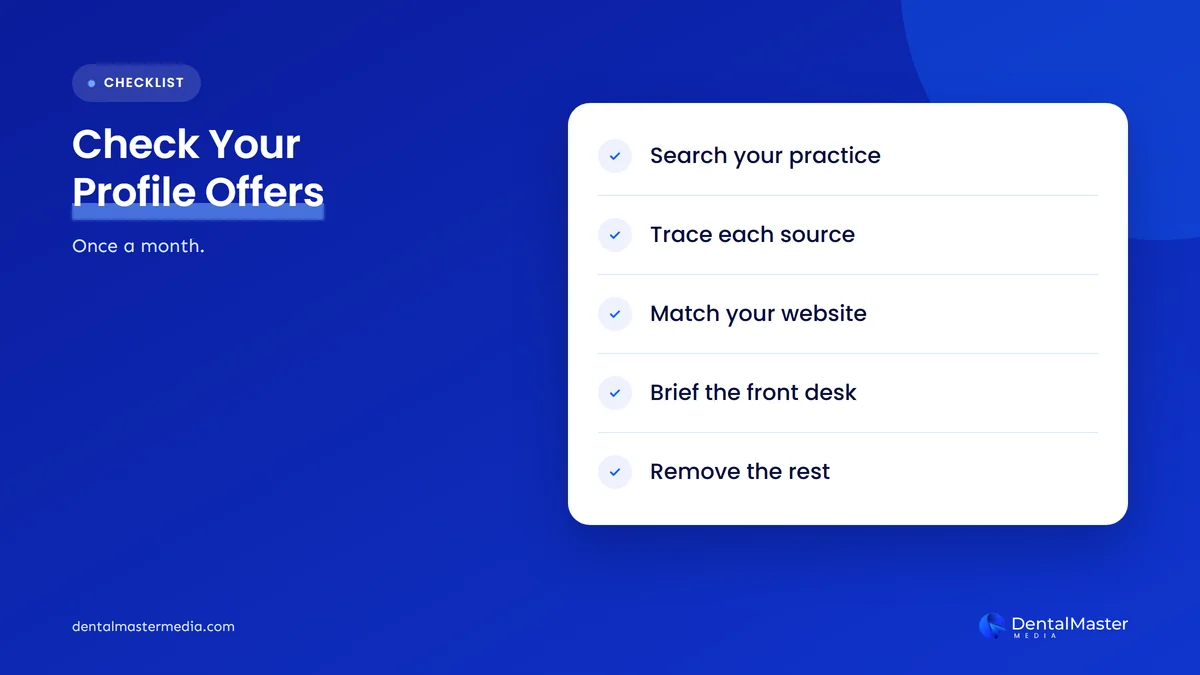
- Look at your profile as a patient would. Search your practice name on a phone and a computer, and check for offer chips near the action buttons.
- Trace every offer to its source. Is it your Offer post, a social post, or a third party? Use the table above to decide the fix.
- Review your linked social profiles. Check which accounts are linked under Edit profile and Contact, and whether any recent posts promote specials.
- Pick one person to approve offers. The front desk, marketing and the dentists should agree on the wording before anything is posted.
- Match the offer to your website. The landing page should show the same price, conditions and end date as the post.
- Brief the front desk. Staff should know which offers are live, so a patient who mentions one gets a consistent answer.
- Remove what shouldn’t be there. Delete expired Offer posts and escalate third-party offers you never agreed to.
For the wider set of profile settings worth checking at the same time, see our Google Business Profile optimisation guide for dentists.
What’s likely next?
In our view, offers are likely to become a more visible part of local results, because Google now shows them in AI Overviews as well as on the profile. That is our opinion, not something Google has announced. Google hasn’t said when offers will reach more regions or business types.
We also expect more practices to find offers they didn’t create, as more platforms send data to Google. The practices that handle this well will be the ones that already check their profile regularly. For a dental practice, the safest stance is simple: run fewer offers, write them carefully, and know exactly what Google is showing.
Frequently asked questions
Why don’t I see offers on my dental practice’s Business Profile?
Google says the feature is only available in select regions and languages and may not be available for all users. Your profile may also have no active Offer posts, no qualifying social posts and no third-party offers. Google’s own examples are restaurant offers, so dental profiles may see it later or less often.
Are Google Business Profile offers free to use?
Google’s help pages don’t mention any charge for creating an Offer post on your Business Profile. Posts are part of the standard profile tools. Third-party platforms that send offers to Google may have their own fees under your agreement with them, so check those terms separately.
Can a third party post an offer for my practice without permission?
It shouldn’t. Google says providers may only submit offers for businesses with which they have a current, direct and signed agreement. If an offer appears from a provider you have no agreement with, contact Google Business Profile Support and follow the Remove Offers process.
How long does a provider have to remove an offer?
Google says providers must remove third-party offers from a profile within 5 business days of the business’s request. If the offer is still there after 5 business days, Google points businesses to its third-party policy violation form.
Do offers help my dental practice rank higher on Google Maps?
Google doesn’t say that offers affect local rankings. Its help page describes offers as information customers can see on your profile. Treat offers as a way to inform patients who already found you, not as a ranking tactic, and keep investing in the profile basics.
The bottom line
Google’s new help page confirms that offers can appear on Business Profiles in Search and in AI Overviews, and that they can come from your own posts, your linked social profiles or third-party partners. For dental practices, the job is straightforward: know what your profile shows, keep every offer accurate and compliant, and remove anything you never approved. To see how we look after Business Profiles as part of ongoing dental SEO services, visit Dental Master Media.
Do you know what Google shows on your profile?
We will review your Google Business Profile, posts and website together, and show you what patients see before they call.
Sources
- Google Business Profile Help, “Manage offers on your Business Profile”, accessed November 8, 2026. https://support.google.com/business/answer/18888417?hl=en
- Search Engine Roundtable (Barry Schwartz), “Google Business Profiles Manage Offers Help Document”, November 6, 2026. https://www.seroundtable.com/google-business-profiles-manage-offers-42471.html
- Google Business Profile Help, “Create & manage posts on your Business Profile”, accessed November 8, 2026. https://support.google.com/business/answer/7342169?hl=en
- Google Business Profile Help, “Manage your social media links”, accessed November 8, 2026. https://support.google.com/business/answer/13580646?hl=en
- Google Business Profile Help, “Business Profile photos, videos & posts content policy”, accessed November 8, 2026. https://support.google.com/business/answer/7213077?hl=en

Suraj Rana is the owner of Dental Master Media and a leading expert in SEO for dental practices. With a passion for dental marketing, he has successfully helped numerous dental clinics climb the search engine ranks. Suraj’s expertise makes him a go-to resource for effective, results-driven dental marketing.