
Quick answer: Patients can book from Google when your Google Business Profile shows a booking button. You either add your own online booking link in the profile’s Booking section, or connect a booking provider that works with Google through Reserve with Google. Your link should open a page where a patient can pick a real time slot.
Key takeaways
- There are two ways to get a booking button: your own link, added in the Booking section, or a booking provider that integrates with Google. Most dental practices will use their own link.
- Google lets you add up to 10 booking links and mark one as “Business preferred”, so your own scheduler can sit above any third-party links.
- Some booking links appear on profiles automatically, from partners or Google’s own data. Check yours, because they may not send patients to you.
- Google doesn’t report performance data for custom booking links, so tag your link with UTM parameters and track bookings in Google Analytics.
- AI Mode is starting to book local services for people, but the categories Google has named so far are not dental. A clear profile and a working booking page are still the best preparation.
- In the US, ask any online booking vendor how it handles patient information under HIPAA before you connect it to your profile.
What is a booking link on a Google Business Profile?
A booking link is a URL you add to your Google Business Profile so that a “Book” or appointment button appears on your listing in Google Search and Maps. When a patient taps it, they go straight to a page where they can request or book an appointment, without visiting your homepage first.
Google groups these under “local business links”. Its help page says the links can help customers book appointments, make reservations or place orders, and that you can add up to 10 links in each category. Since July 2023, the appointment link has lived in the profile’s Booking section rather than the general Edit profile screen, as Search Engine Roundtable reported at the time.
Two other terms come up when you read about this:
- Booking provider: a scheduling company that has an integration with Google. Google’s help center calls this setting up bookings “through a provider”.
- Reserve with Google: Google’s program for those integrations. Google says that if you don’t already work with a provider, you can find providers available in your country through Reserve with Google.
How can patients book your dental practice directly from Google?
Patients can book from Google in three ways: a booking button that opens your own online scheduler, a booking button powered by an integrated provider, or the profile’s call, website and message buttons, which lead to a booking by phone or form. Most dental practices rely on a mix, with the booking link doing more of the work each year.
Here is how the options compare:
| Route | How it works | What you control | Watch out for |
|---|---|---|---|
| Your own booking link | You paste the URL of your scheduler or booking page into the Booking section. | The page, the forms, the follow-up and the tracking. | No booking metrics in the profile, so you must track it yourself. |
| Booking provider through Reserve with Google | A partner’s integration shows bookable times and handles the booking. | Which provider you choose and your availability in its system. | Provider fees, whether a provider covers your category and country, and how it handles patient data. |
| Call, website or message | The patient phones, visits your site or sends a message, and your team books them. | Your phone handling and website forms. | Missed calls and slow replies after hours. |
For most practices, the practical answer is to add your own booking link, set it as preferred, and keep the call button working for patients who would rather talk to someone.
How do you add a booking link to your dental Google Business Profile?
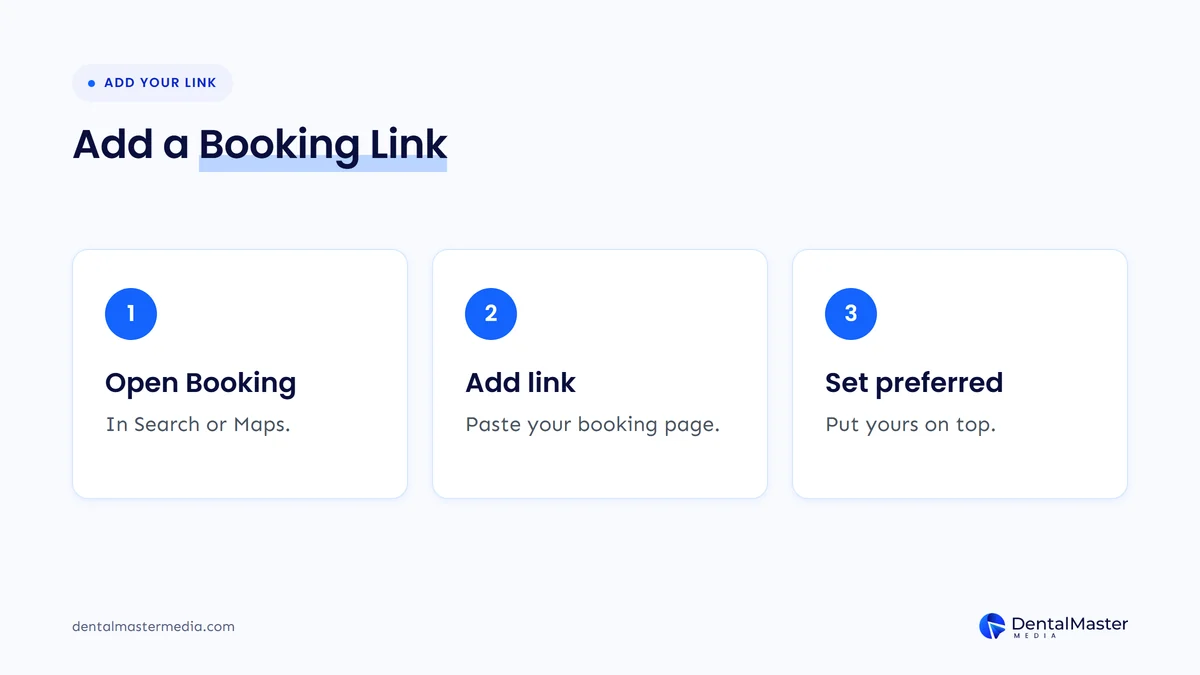
Sign in with an account that manages the profile, open it in Google Search or Maps, and go to Booking. Choose Add link, paste the URL of your booking page, and save. If you add more than one link, set your own as the preferred link so it shows at the top as “Business preferred”.
Google’s help page “Manage your local business links” gives these steps:
- Go to your Business Profile.
- In Google Search, select Booking. In Google Maps, select Edit profile and then the booking option.
- Select Add link, or Add another link if one already exists.
- Enter the URL and save.
- To choose which link leads, open Booking, select Set preferred link, pick your link and save.
Two details are worth knowing. First, Google says local business links are not available through the Business Profile API or spreadsheet upload, so a group with several locations has to add them profile by profile. Second, the menu wording can differ by category and by interface, so if you can’t see Booking, look under Edit profile in Maps.
Should you use your own booking link or a booking provider?
Use your own booking link if your practice management software or website already has an online scheduler, because you keep control of the page, the patient data and the tracking. Consider a booking provider only if one is offered for your category and country, it connects to your schedule, and it meets your privacy obligations.
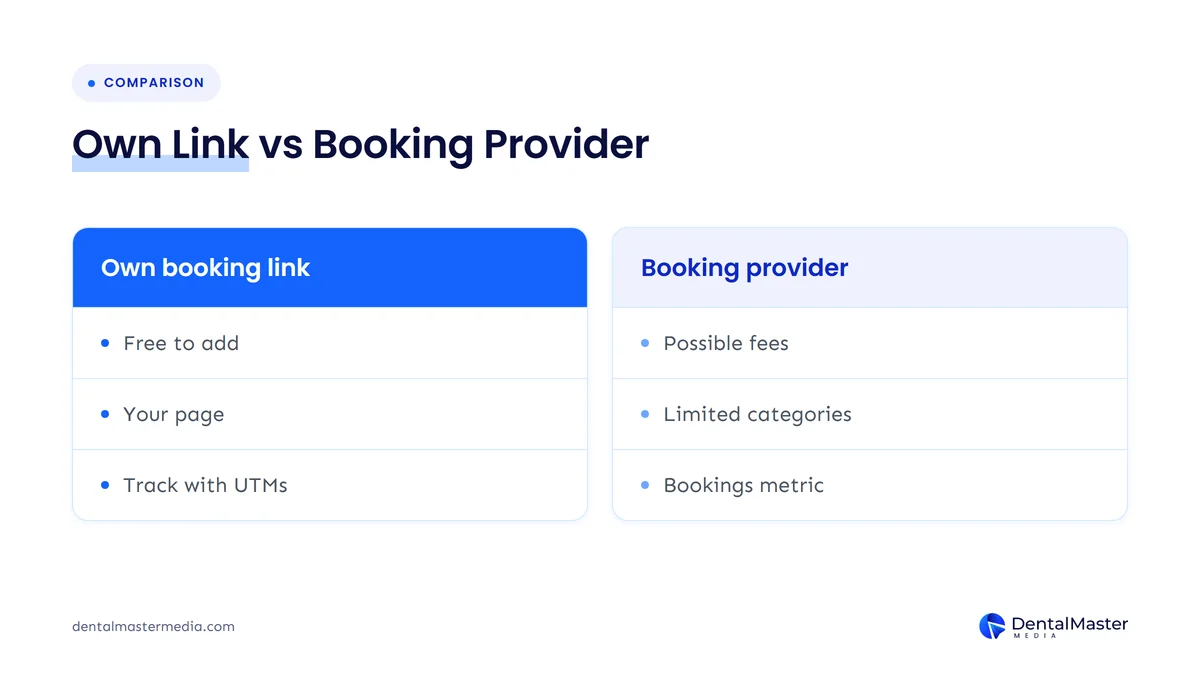
Google’s help center explains the provider route. You open Bookings in your profile, select Get started, choose a provider and select Done, and Google says providers appear on your profile within a week. It also notes that when someone books through Google, your provider might charge you, so ask about fees first.
The provider route has one clear advantage: Google’s performance report includes a Bookings metric, but only for bookings made through a booking provider. Its help page says performance data isn’t available for custom links. That is a reporting gap, not a reason to give up control, and you can close it with tracking, as we explain below.
Before choosing a provider, check three things:
- Category and country: whether any provider is listed for a dental practice in your country when you open Bookings. If none is listed, your own link is the route.
- Schedule sync: whether bookings land in your practice management system, or in a separate calendar your team has to copy across.
- Data handling: what patient details the provider collects and stores, and on what terms.
What should your dental booking page do once a patient lands on it?
Your booking page should let a new patient pick a real appointment time in a few taps on a phone. It should name the treatment or visit type, show available slots, ask only for the details you need to book, confirm the appointment clearly and offer a phone number for anyone who gets stuck.
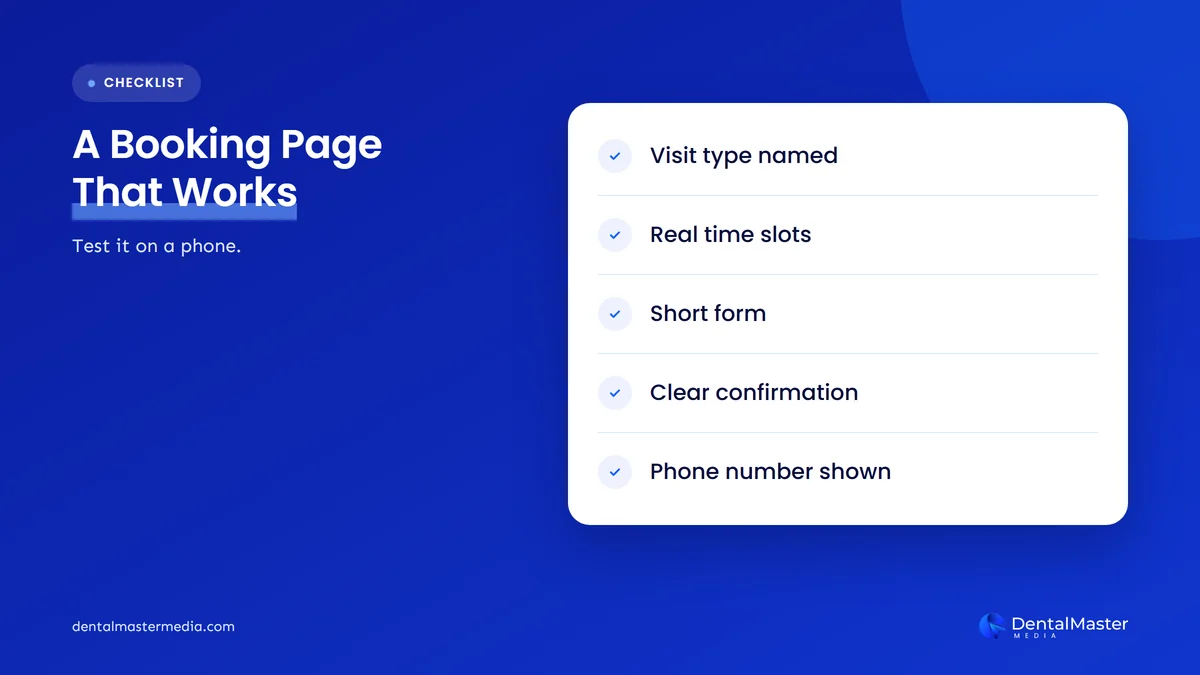
A booking link that opens your homepage is not a booking link. Google describes these links as a way for customers to take an action such as making an appointment, so point it at the page where that action happens. Then test it the way a patient would:
- Open your profile on your own phone and tap the booking button.
- Try to book a new patient exam and an emergency visit, if you take them online.
- Count the screens and form fields. Remove anything you can collect at the first visit instead.
- Check that the confirmation reaches the patient and your front desk.
- Repeat after any website or scheduling software change.
Many of the same rules apply to your homepage. Our guide on what a dental website homepage should include covers booking buttons on the site itself.
What about booking links on your profile that you didn’t add?
Some booking links appear on Business Profiles without the owner adding them. Google says they can come from partners or from its own automated data. If a link sends patients to a directory or a scheduler you don’t use, remove it in the Booking section and set your own link as preferred so it shows first.
To remove a third-party link, Google’s help page says to open Booking and select Remove Provider, in Search or under Edit profile in Maps. It adds that providers need to remove third-party links within 5 days of receiving a removal request, and that you can report a violation if they don’t.
This is worth a monthly check. A patient who books through a link your team doesn’t monitor may never reach your schedule. If your profile has other problems too, see our list of Google Business Profile mistakes that cost dental practices calls.
How do you track bookings that come from your Google Business Profile?
Add UTM parameters to your booking link so Google Analytics can tell those visits apart from other traffic, then set up a key event for a completed booking. Use the profile’s own performance report for calls, website clicks and directions, and remember it only counts bookings made through an integrated provider.
Google Analytics says you should always use three parameters together: utm_source, utm_medium and utm_campaign. A booking link might look like this:
https://yourpractice.com/book/?utm_source=google&utm_medium=organic&utm_campaign=gbp-booking
Keep the same tags across all your locations, with a different campaign value per location if you run more than one. Then compare booking clicks with calls from the profile each month. If clicks rise but completed bookings don’t, the problem is the booking page, not your visibility.
Google’s performance help page also notes that performance data is only available for verified profiles, and that only the metrics that apply to your business appear.
Does AI Mode change how patients book a dentist?
Not yet for dentistry, as far as Google has announced. In May 2026 Google said AI Mode would expand agentic booking to local services, with links to finish booking through a provider, and named home repair, beauty and pet care for its calling feature. Dental care was not named, but the direction is clear.
When we checked the latest coverage for this post, the story had moved on from simply adding a booking button. Google’s I/O 2026 Search post, by Elizabeth Reid, said Search would bring together pricing and availability “with direct links to finish booking” through the provider of your choice, rolling out to everyone in the US over the summer. On October 29, 2026, Search Engine Roundtable reported that Google’s AI messaging agent for Business Profiles was expanding, with a restaurant example in which the agent offers open reservation times.
Neither change names dental practices, and we won’t guess at when or whether they will. What both have in common is that the AI works from your profile and the links on it. A complete profile, an accurate booking link and a booking page that works are what any future booking feature would need. We cover the wider picture in how Google AI Mode is reshaping local search for dental practices and in our post on AI messaging on Google Business Profiles.
What HIPAA questions should US practices ask an online booking vendor?
If an online booking tool collects patient information on your behalf, it may count as a business associate under HIPAA, which normally means you need a business associate agreement with it. Ask the vendor whether it signs one, what data the booking form collects, and what tracking runs on the booking page.
The HIPAA rules define a business associate as a person or company that creates, receives, maintains or transmits protected health information on behalf of a covered entity. A booking form that captures a patient’s name, contact details and reason for the visit may fall within that, depending on the set-up.
Tracking is a separate question. HHS issued guidance on online tracking technologies on health websites, and in June 2024 a federal court in Texas vacated part of it. The American Hospital Association reported that HHS withdrew its appeal in August 2024, so that ruling stands. The rest of HIPAA still applies, so check with your compliance adviser before adding analytics or ad pixels to a booking page. This is general information, not legal advice.
Questions to put to any booking vendor:
- Will you sign a business associate agreement with our practice?
- Which patient fields does the booking form collect, and can we turn optional ones off?
- Where is the data stored, and who can access it?
- Which third-party scripts or tracking tags run on the booking page?
- How do bookings reach our practice management system?
Frequently asked questions
Is it free to add a booking link to a Google Business Profile?
Yes. Adding your own booking link in the Booking section of your profile costs nothing. Costs can come from the scheduling software you link to, or from a booking provider, since Google notes that a provider might charge you when someone books through Google.
Why can’t I see the Booking option on my dental profile?
The menu can differ by business category and by where you manage the profile. Try Google Search first, then Edit profile in Google Maps. Make sure you are signed in with an account that manages the profile and that the profile is verified.
Can I add more than one booking link?
Yes. Google allows up to 10 links per category. If you have more than one, set your main scheduler as the preferred link so it appears at the top marked “Business preferred”.
How long does a new booking link take to appear?
Google’s help page doesn’t give a fixed time for your own links, so check your profile a day or two after saving. For booking providers, Google says they appear on your profile within a week of signing up.
Will Google show how many patients booked through my link?
Not for your own link. Google says performance data isn’t available for custom links, and its Bookings metric only counts bookings made through a booking provider. Add UTM parameters to the link and track completed bookings in Google Analytics instead.
The bottom line on booking from Google
Patients can book your practice from Google as soon as your Business Profile has a booking link that opens a working scheduler. Add your own link in the Booking section, set it as preferred, remove third-party links you don’t use, tag the link for tracking and test the page on a phone. US practices should also check how any booking vendor handles patient data. If you want help with the profile and the pages behind it, see our dental SEO services at Dental Master Media.
Find out what is stopping patients from booking
At Dental Master Media, we look at the whole path from Google search to booked appointment. Our free dental SEO audit checks your Google Business Profile, booking links and the pages patients land on, and shows which gaps to fix first.
Sources
- Google Business Profile Help, “Manage your local business links”, accessed November 5, 2026. https://support.google.com/business/answer/6218037?hl=en
- Google Business Profile Help, “Set up bookings through a provider”, accessed November 5, 2026. https://support.google.com/business/answer/7475773?hl=en
- Google Business Profile Help, “Understand your Business Profile performance & insights”, accessed November 5, 2026. https://support.google.com/business/answer/9918094?hl=en
- Search Engine Roundtable, “Google Business Profiles Appointment Link Moved To Booking Section”, July 26, 2023. https://www.seroundtable.com/google-business-profiles-appointment-link-moved-35767.html
- Google Analytics Help, “URL builders: Collect campaign data with custom URLs”, accessed November 5, 2026. https://support.google.com/analytics/answer/10917952?hl=en
- Google, “A new era for AI Search” (Google Search I/O 2026 updates), Elizabeth Reid, May 19, 2026. https://blog.google/products-and-platforms/products/search/search-io-2026/
- Search Engine Roundtable, “Google Business Profiles AI-Powered Messaging Expands”, October 29, 2026. https://www.seroundtable.com/google-business-profiles-ai-powered-messaging-42419.html
- Legal Information Institute, Cornell Law School, “45 CFR 160.103: Definitions”, accessed November 5, 2026. https://www.law.cornell.edu/cfr/text/45/160.103
- American Hospital Association, “HHS will not appeal AHA court victory in online tracking case”, August 29, 2024. https://www.aha.org/news/headline/2024-08-29-hhs-will-not-appeal-aha-court-victory-online-tracking-case

Suraj Rana is the owner of Dental Master Media and a leading expert in SEO for dental practices. With a passion for dental marketing, he has successfully helped numerous dental clinics climb the search engine ranks. Suraj’s expertise makes him a go-to resource for effective, results-driven dental marketing.