
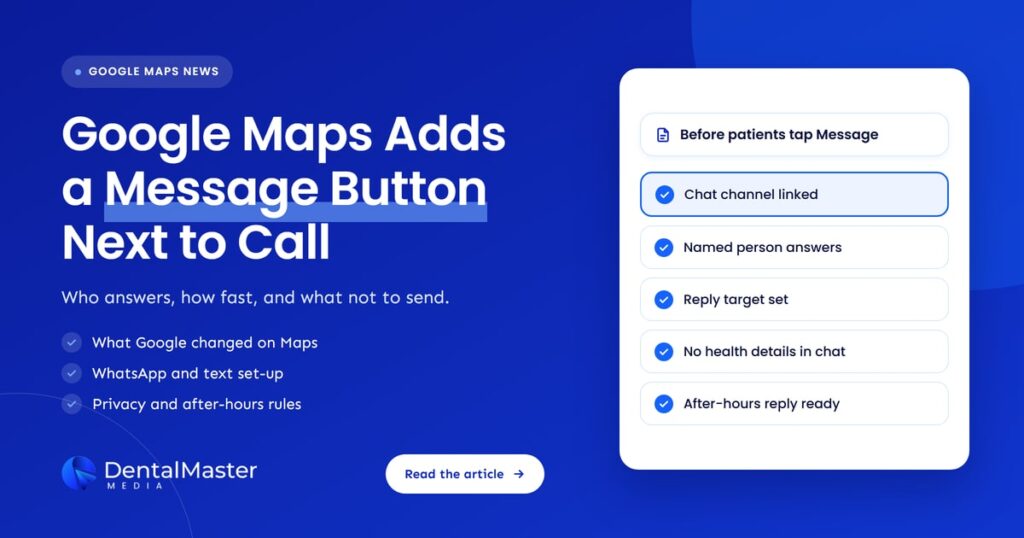
Quick answer: Google Maps on Android and iOS now shows a Message button right next to Call for Business Profiles that have a chat option. Taps go to the practice’s WhatsApp or text number. Before patients use it, name who answers, set a reply target, keep health details out of chat, and remove chat if nobody can answer it.
Key takeaways
- Google announced on November 5, 2026, that the Message button now sits beside Call on Google Maps listings on Android and iOS. Before this, chat on Maps was buried deep in the profile.
- The button is tied to the profile’s chat option. Google’s help page lists two choices: a WhatsApp click-to-chat link or a phone number that can receive texts.
- A button this visible will be used. An unread WhatsApp inbox or a text number nobody checks is now one of the first things a patient can tap.
- WhatsApp and ordinary text messages are consumer channels. Keep clinical and personal health details out of them and move those conversations to the phone or your secure systems.
- If no one at the practice can answer messages during opening hours, it is better to remove the chat option than to leave patients waiting.
What changed?
On November 5, 2026, Google’s Lisa Landsman posted the November Small Business Bulletin in the Google Business Profile Community. One section, “Messaging Expands to Google Maps”, says customers on Android and iOS now see a Message button next to Call on a business’s Maps listing, wherever they view the profile.
According to the Small Business Bulletin, finding chat on Maps used to mean scrolling deep into a profile. Now the button shows on the profile, in the expanded header and in the bottom action bar. Google says a tap on Message sends customers to where the business already handles chats, including WhatsApp and SMS or text, and that the same chat works across Search and Maps.
Search Engine Roundtable reported the change on November 6 and showed the button on a live listing in the iOS app. Search Engine Journal’s coverage of the same bulletin made the point that matters most for busy practices: with Message in one of the top buttons, a dead link or an unread inbox is now far easier for customers to run into.
The bulletin’s own advice is short: check that your preferred messaging channel is properly linked in your Business Profile so chats land where you want them. For a dental practice, that is only the start.
What is the Google Maps Message button?
The Google Maps Message button is a contact button on a Business Profile listing that opens a chat with the business instead of a phone call. On Android and iOS it now sits next to Call. It appears for profiles that have a chat option, which is either a WhatsApp link or a phone number that can receive text messages.
Google’s help page on chat says businesses with a claimed and verified Business Profile can add a WhatsApp or text messaging option to their contact details. It also notes that chat options are available in select regions only, so the setting may not appear for every profile.
The button is not a booking system and it is not a chatbot. When a patient taps it, the conversation moves into WhatsApp or the phone’s messaging app, and a person at your practice has to read and reply.
How is this different from Google’s AI messaging pilot?
The Maps Message button is a placement change for the chat link you choose. Google’s AI-powered Business Profile messaging is a separate pilot where an AI agent answers questions for the business. The button makes chat easier to find. The pilot changes who writes the first reply. A practice may have one, both or neither.
We covered the pilot, and the questions it raises for practices, in our guide to Google’s AI messaging for Business Profiles. This article stays with the chat link and the button that now points to it.
| Feature | What it does | Who replies | Where messages go |
|---|---|---|---|
| Message button on Google Maps | Puts chat next to Call on Android and iOS listings | Your team | The WhatsApp link or text number on your profile |
| Chat option on the profile | Adds a WhatsApp or text contact to your Business Profile | Your team | WhatsApp, or the phone that receives your texts |
| AI-powered messaging pilot | An AI agent answers routine questions from profile information | An AI agent first, then your team | Google’s messaging, with hand-off to the business |
Sources: Google Business Profile Community, Small Business Bulletin (November 5, 2026); Google Business Profile Help, “Chat with customers from your Business Profile”; Search Engine Journal (November 2026).
Who is affected?
Any dental practice with a WhatsApp or text chat option on its Google Business Profile is affected, because its Message button is now one of the most visible actions on Maps. Coverage of the change ties the button to the chat option, so practices without one shouldn’t expect it, but they should still decide whether to add one, since competitors who do will now show it.
Three groups of practices should look at their settings this week:
- Practices that added chat a while ago and forgot about it. The WhatsApp link may point to an old number, a former employee’s phone or an account nobody opens.
- Practices with a text number on a phone that can’t receive texts reliably. Google’s help page asks for a phone number that can receive text messages. Many practice main lines are landlines or call-routing numbers that may not.
- Multi-location groups. Google says different Business Profiles can use the same WhatsApp link. That is convenient, but it means one inbox may now receive messages from every location’s Maps listing.
How do you set up or check the chat option?
Open your Business Profile, select Edit profile, then Contact, and edit the Chat setting. Choose WhatsApp or Text message, add your WhatsApp click-to-chat link or a phone number that can receive texts, and save. If you add both, Google shows customers only the text option. Then send a test message yourself.
Google’s help page on chat gives these steps, and we have added the checks we would make for a dental practice:
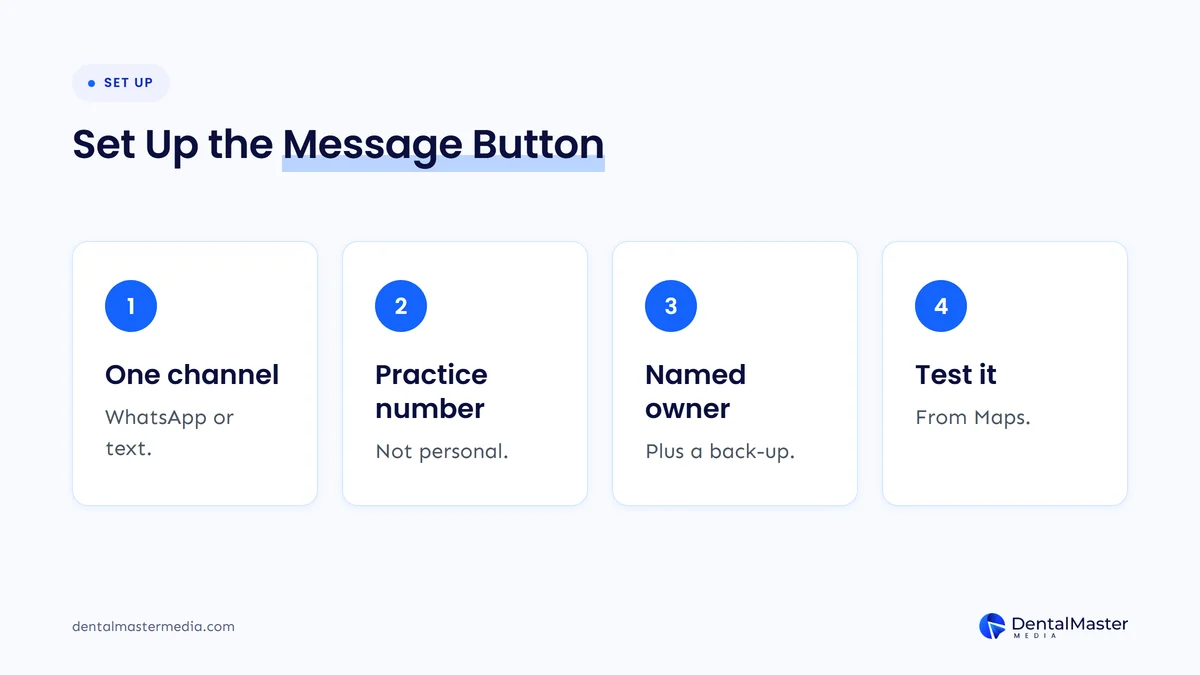
- Pick one channel. Choose WhatsApp or Text message. Google’s tip is that if both are added, only the text option is shown to customers, so adding both doesn’t give patients a choice.
- Use a number your team controls. Link a practice-owned WhatsApp account or a practice phone that can receive texts, never a personal phone of a staff member who may leave.
- Name an owner. Write down who reads messages during opening hours and who covers lunch breaks, holidays and sick days.
- Test it from Maps. Open your listing in the Google Maps app on a phone, tap Message and send a test. Confirm it reaches the right inbox and that someone sees it.
- Check performance. Google’s help page points to chat performance metrics in your Business Profile, so you can see whether patients are using the channel.
If your profile also uses a booking link, check that both point to the same place patients expect. Our guide to booking links on your Google Business Profile covers that side.
Who should answer messages, and how fast?
A named member of the front desk team should answer, with a back-up for breaks and days off. Google’s chat help page does not set a response time for WhatsApp or text chat. Set your own target for opening hours, such as replying within the hour, and make sure messages reach a phone or screen someone watches.
Patients choose Message for different reasons than Call. Google’s bulletin says the button helps businesses catch leads when they can’t pick up, for example mid-appointment. Those patients are often asking simple questions: whether you take new patients, whether there is a slot this week, where to park, or whether you can see an emergency today.
A few rules keep the channel useful:
- Answer during opening hours. A message that waits until tomorrow can mean a patient who has already booked elsewhere.
- Use saved replies for common questions. New patient availability, insurance questions, directions and opening hours can each have an approved short answer.
- Move bookings to a proper channel. Reply with a call-back offer or your online booking page rather than taking appointment details over chat.
- Agree what the team must never do in chat, such as giving treatment advice or discussing a patient’s records.
What should patients not send over WhatsApp or text?
Patients should not be asked for health details, insurance numbers, dates of birth or photos of their teeth over WhatsApp or ordinary text. These are general consumer messaging channels, and Google’s chat help page does not describe them as a place for health information. Keep chat for logistics and move anything clinical to a phone call or your secure systems.
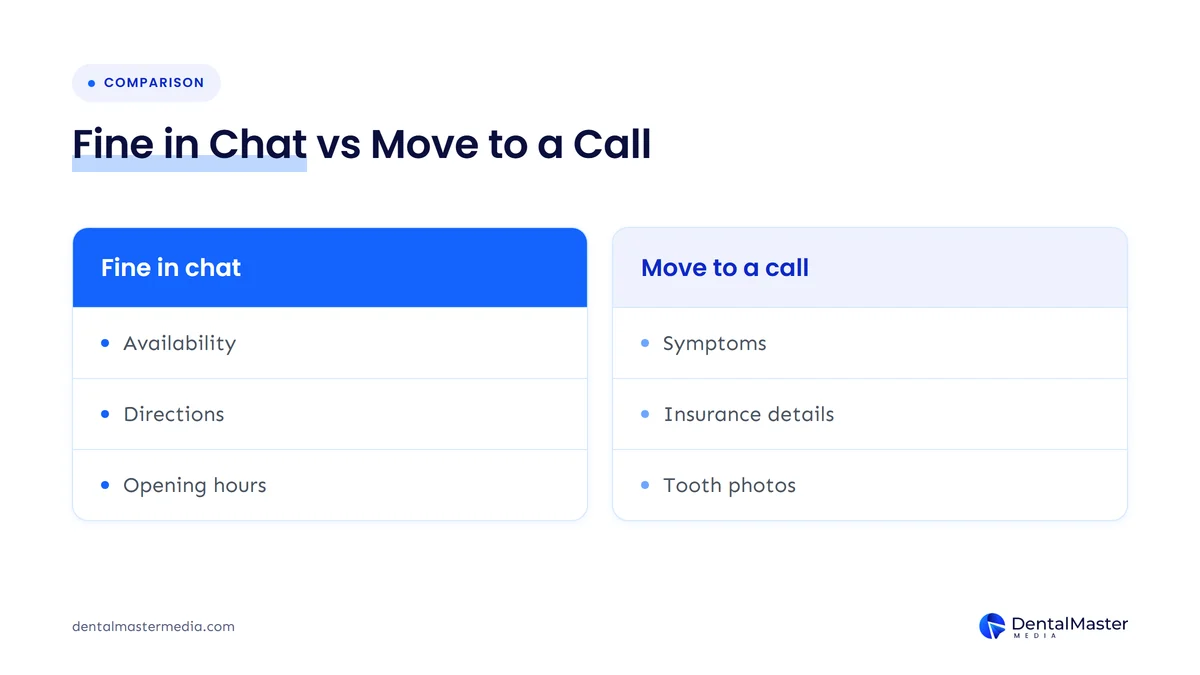
Patients will still type symptoms into a chat, because that is what a Message button invites. The practice can’t stop that, but it can control what happens next. A short saved reply works well: thank the patient, say you can’t discuss health details by message, and offer a call back or ask them to ring the practice.
If your practice is a covered entity under HIPAA in the United States, or works under other patient privacy rules elsewhere, ask your own compliance adviser how WhatsApp or text messaging fits your policies before you switch the chat option on. We are not lawyers, and the rules for your practice depend on where you are, how you use the channel and what your policies already say. What we can say is that the safest set-up is one where the team never needs to ask for health information in chat at all.
Also check that your website has a current privacy policy that patients can find easily. Messaging adds a new way for personal details to reach your practice, and patients may look for that policy before they write.
What happens to messages after hours?
The Message button shows whether or not your practice is open, so patients will message in the evening and at weekends. Decide in advance what they see: an automatic reply with your opening hours, your phone number for urgent problems and your emergency instructions, then a real reply when the team is back.
After-hours messages are where dental chat carries the most risk. A patient with swelling or severe pain at 9 pm should not wait until the next morning for a reply they think someone is reading. If your messaging tool allows an automatic away message, use it to give the same out-of-hours guidance as your phone line, and make sure your Google Business Profile hours are correct so patients can see when you are closed.
This is where another item in the same bulletin helps. Google’s hours editor now has a “Generate hours” box: you describe your schedule in plain language, such as appointment-only days or a lunch closure, and Google fills in the hours fields for you to review and save. Google says the tool is available in select regions and languages only.
When should a dental practice turn chat off?
Turn chat off when nobody can reliably read and answer messages during opening hours. A Message button that leads to silence is worse than no button, because the patient has already chosen to contact you and been ignored. Remove the WhatsApp link or text number in your profile’s Chat setting until you have a named owner and a plan.
Other good reasons to pause chat include:
- The linked WhatsApp account or phone belongs to someone who has left the practice.
- The number on the profile can’t receive texts, so messages fail without anyone knowing.
- The team can’t avoid discussing health details in chat and your compliance adviser has concerns.
- The practice is short-staffed for a period and calls already go unanswered.
Turning chat off doesn’t remove your Call button, so patients can still phone. If your bigger problem is missed calls, the same logic applies: fix the answering process before adding another channel. Our article on the Google Business Profile mistakes that cost dental practices calls covers the profile settings that most often get in the way.
What else was in Google’s November bulletin?
The same bulletin covered a holiday readiness checklist, natural-language “Generate hours”, Google Business Profile in Gemini for Google Workspace accounts with photo and video uploads, and restaurant menu controls. Search Engine Journal also reported that Google’s appeals tool now lets owners upload supporting evidence before submitting an appeal.
For dental practices, the useful parts are:
- Holiday hours. The bulletin’s checklist starts with special holiday hours, which also matter for your after-hours chat replies.
- Generate hours. Helpful for practices with split days, late evenings or appointment-only sessions.
- Appeals evidence. Search Engine Journal reported that, according to Google’s help page, evidence is optional and an appeal can only be submitted once, so gather your documents before you start.
- Gemini with Workspace accounts. Google says practices can soon connect a verified profile in Gemini using a business email instead of a personal Gmail account. Search Engine Journal noted that the help page still said work accounts couldn’t use the feature, so check before relying on it.
What should you do now?
Open Google Maps on a phone and look at your own listing. If you see a Message button, test it and confirm who answers. If you don’t, decide whether you can staff a chat channel before you add one. Either way, set your hours, write saved replies and agree a no-health-details rule.
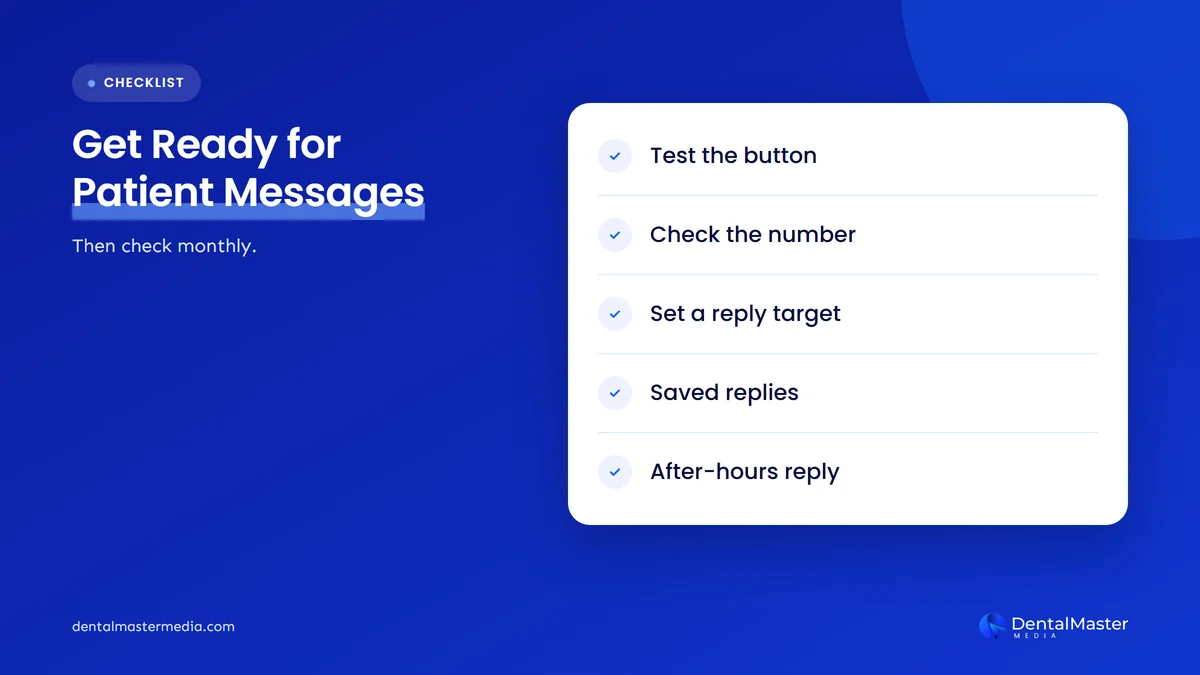
- Test the button today from the Google Maps app on Android or iOS and confirm the message arrives.
- Check the linked account. Make sure the WhatsApp link or text number belongs to the practice and still works.
- Name a message owner and a back-up, and add chat to the front desk’s opening and closing routine.
- Set a reply target for opening hours and tell the team what it is.
- Write saved replies for new patient questions, directions, hours, insurance questions and requests to call back.
- Agree the privacy rule: no health details in chat, and a standard reply that moves those conversations to the phone.
- Prepare an after-hours message with your urgent care instructions, and check your holiday hours.
- Remove chat if you can’t do the steps above yet.
For the wider set of profile settings worth checking at the same time, see our Google Business Profile optimisation guide for dentists.
What’s likely next?
This section is our view, not Google’s. We expect more patients to use Message simply because it now sits beside Call, so inboxes that were quiet may get busier without any change on your side. We also expect Google to keep connecting chat with its AI messaging pilot, so the habits you build now will matter later.
Frequently asked questions
Why doesn’t my dental practice show a Message button on Google Maps?
The button is linked to your Business Profile’s chat option, either a WhatsApp link or a phone number that can receive texts. Google also says chat options are available in select regions and may not be available for every profile. Check Edit profile, then Contact, then Chat.
Can I add both WhatsApp and text messaging?
You can add both, but Google’s help page says only the text message option will be shown to customers when both are set. Pick the one channel your team will actually watch, and link it to an account the practice owns.
Is it safe to discuss treatment over Google Maps chat?
We advise against it. Messages go to WhatsApp or ordinary text, which are consumer channels. Keep chat for logistics such as availability, directions and opening hours, and move anything about a patient’s health to a phone call or your secure systems. Ask your compliance adviser how the rules apply to your practice.
Do I have to reply to every message?
Google’s chat help page doesn’t set a required response time for WhatsApp or text chat. Patients who tap Message expect a reply, though, so set your own target for opening hours and use an automatic away message outside them. If you can’t keep up, remove the chat option.
Does the Message button help my Google Maps ranking?
Google hasn’t said that adding chat changes local rankings, and we wouldn’t add it for that reason. Its value is practical: it gives patients who can’t or won’t call another way to reach you, as long as someone answers.
The bottom line
Google has moved the Message button next to Call on Maps for Android and iOS, which makes your chat channel one of the most visible parts of your Business Profile. That is useful for patients who prefer to text, and risky for practices with an inbox nobody reads. Test the button, name who answers, set a reply target, keep health details out of chat and plan your after-hours reply. If you can’t do that yet, remove chat until you can. To see how we look after Business Profiles as part of ongoing dental SEO services, visit Dental Master Media.
Is your Google Business Profile ready for patients who message first?
At Dental Master Media, our free dental SEO audit reviews your Google Business Profile and website, including contact options, hours, booking links and the details patients see on Maps. You get a clear list of what to fix first.
Sources
- Google Business Profile Community (Lisa Landsman), “Google Small Business Bulletin: Holiday Checklist & New Features”, November 5, 2026. https://support.google.com/business/thread/476642299?hl=en
- Google Business Profile Help, “Chat with customers from your Business Profile”, accessed November 7, 2026. https://support.google.com/business/answer/15013580
- Google Business Profile Help, “Edit your business hours”, accessed November 7, 2026. https://support.google.com/business/answer/15300403
- Search Engine Roundtable (Barry Schwartz), “Google Expands Business Messaging To Google Maps On iOS & Android”, November 6, 2026. https://www.seroundtable.com/google-maps-messaging-android-ios-42472.html
- Search Engine Journal (Matt G. Southern), “Google Gemini Business Profile Tools Are Coming To Workspace”, November 2026, accessed November 7, 2026. https://www.searchenginejournal.com/google-gemini-business-profile-workspace-2/596120/

Suraj Rana is the owner of Dental Master Media and a leading expert in SEO for dental practices. With a passion for dental marketing, he has successfully helped numerous dental clinics climb the search engine ranks. Suraj’s expertise makes him a go-to resource for effective, results-driven dental marketing.