Quick answer: Google is merging the Google tag into Google Tag Manager, so each Google tag becomes a Tag Manager container. The in-page behavior of your tags does not change, but new snippets drop the gtag config command, and unsupported installations are upgraded in January 2027. A dental practice should confirm who owns its accounts and that call and form tracking still fire.
Key takeaways
- Google’s Tag Manager Help page, dated August 20, 2026, says Google tags will be upgraded to full Google Tag Manager containers.
- Google says the upgrade will not change the in-page behavior of Google tags, and each Google destination keeps its own tag.
- New deployment snippets will be identical and will not include the gtag config command. Google recommends Tag Manager Initialization triggers instead.
- Google’s November 17, 2026 release note says unsupported installations receive the upgrade in January 2027.
- Your dental practice should list its installed tags, test call tracking and form tracking, and keep every account in the practice’s name.
What is the Google tag and Google Tag Manager merge?
The Google tag and Google Tag Manager merge is a change in which Google upgrades each Google tag into a Google Tag Manager container. Google’s Tag Manager Help page, “Updates to Google tag and Google Tag Manager”, is dated August 20, 2026, and the Tag Manager release notes list the unification on November 17, 2026.
A Google tag is the small piece of code on a website that sends data to Google products. Google Tag Manager is the separate tool that holds and publishes tags from a web interface. After the merge, a dental website that only used the Google tag gains the Tag Manager features of interface-driven tagging, debugging and version control, according to the release notes. Barry Schwartz of Search Engine Roundtable reported the release on November 17, 2026 and quoted Google: it is “bringing all the capabilities of Google Tag Manager to the Google tag.”
What changes in the Google tag and what stays the same?
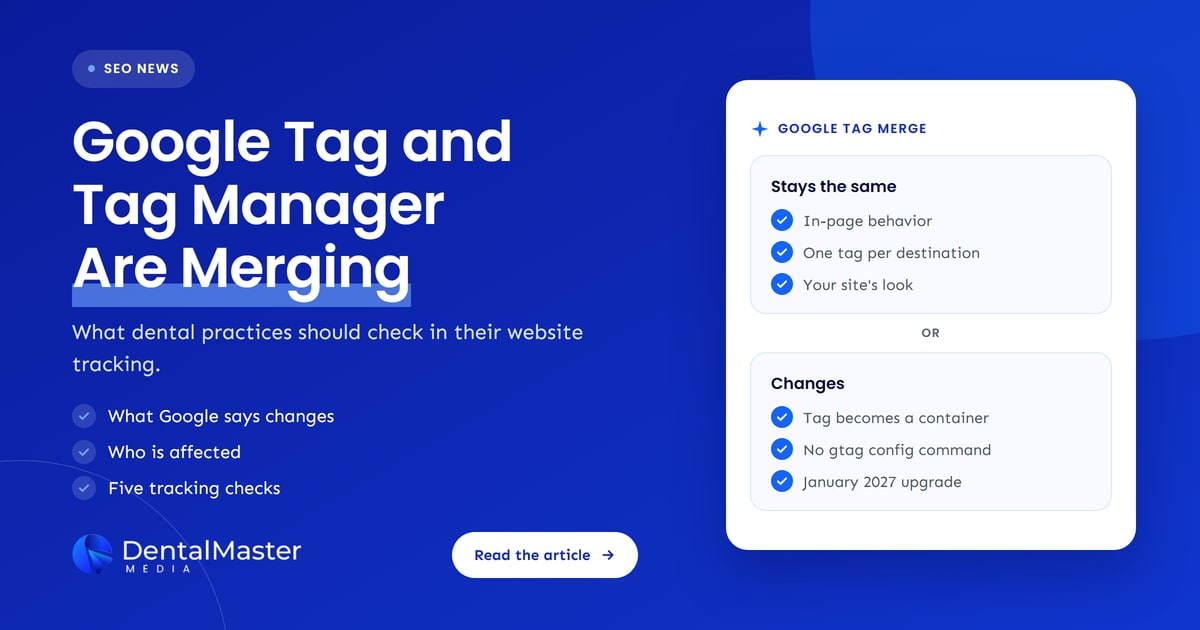
Two things stay the same and four things change in the Google tag upgrade, according to Google’s Tag Manager Help page and release notes. The in-page behavior of your Google tags does not change, and each Google destination keeps its own tag, while the container, the snippet, the permissions model and the timing of the upgrade are new.
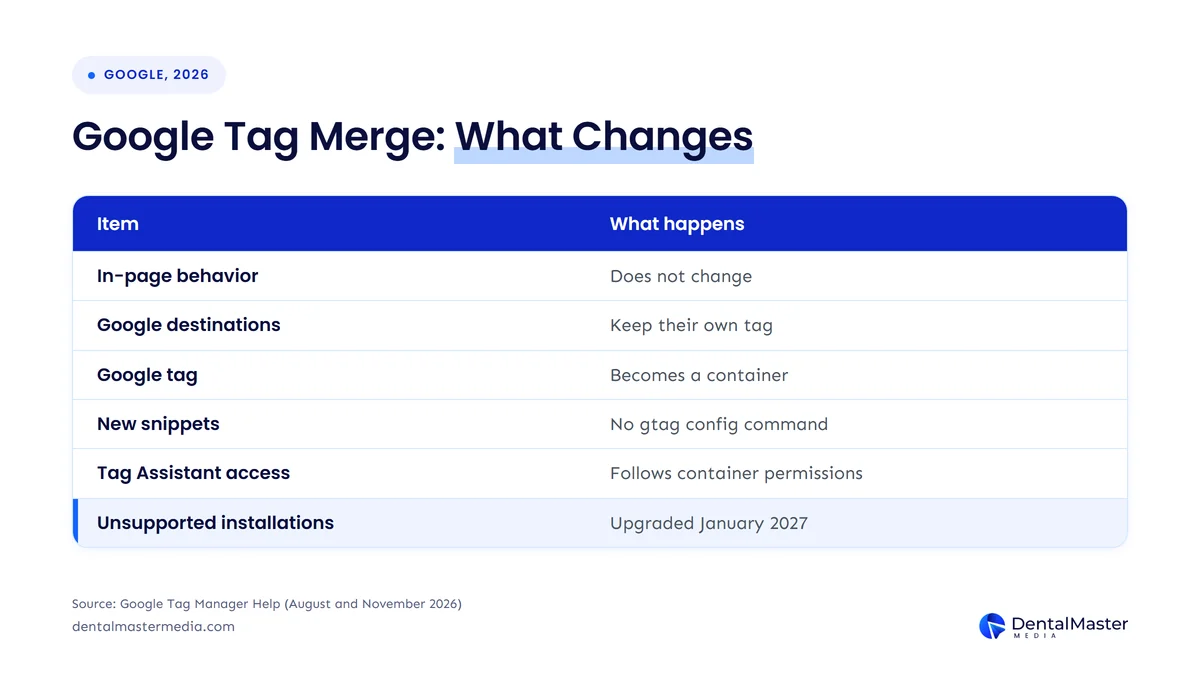
| Item | What Google says happens | Source |
|---|---|---|
| In-page behavior of Google tags | Does not change | Tag Manager Help, August 20, 2026 |
| Google destinations | Each destination keeps its own tag | Tag Manager release notes, November 17, 2026 |
| Google tag | Becomes a Tag Manager container | Tag Manager release notes, November 17, 2026 |
| New deployment snippets | Identical, with no gtag config command | Tag Manager Help, August 20, 2026 |
| Tag Assistant data access | Follows Tag Manager container permissions | Tag Manager release notes, November 17, 2026 |
| Unsupported installations | Upgraded in January 2027 | Tag Manager release notes, November 17, 2026 |
The table shows that the merge is mainly a change in how tags are managed, not in what your visitors see on a dental website.
What is the gtag config command and why does it matter?
The gtag config command is the line in a Google tag snippet that sets up the tag when a page loads, and new Google tag snippets will no longer include it. Google recommends that you configure initialization behavior with the standard Tag Manager Initialization triggers, and the Initialization trigger can also make a tag wait for the config command if you want to keep a legacy setup.
The release notes add a related change from October 8, 2026: all gtm.js container snippets now initialize on container load, regardless of gtag(‘config’) commands. Config commands now appear in the dataLayer as gtag.config events, which may fire wildcard custom event triggers. A practice with a custom setup should ask whoever built it to review that point.
Who is affected by the Google tag upgrade on a dental website?
Any dental practice whose website uses a Google tag or a Google Tag Manager container is affected. Google’s Tag Manager Help page says advertisers using the Google tag will have it upgraded and advertisers using Google Tag Manager will be prompted to optimize their containers. The 3 groups below are the likeliest on a practice site.
- Practices that use only the Google tag: the tag becomes a Tag Manager container, and the practice gains the Tag Manager interface for tagging, debugging and version control.
- Practices that already use Google Tag Manager: Google prompts them to optimize their containers, and Google says no changes will be made automatically.
- Practices with an unsupported installation: these receive the upgrade in January 2027, and Google advises adjusting the setup before then.
Google’s pages do not list which installations count as unsupported, so ask the person who manages your website to check how your tags are installed. Our post on how to track calls and bookings from your dental website explains the tracking that this setup supports.
When does the Google tag upgrade happen?
The Google tag upgrade has 4 dates that matter to a dental practice, from the August 2026 announcement to the January 2027 upgrade of unsupported installations. The dates below come from the Tag Manager Help page and the Tag Manager release notes.
- August 20, 2026: Google announces the update to the Google tag and Google Tag Manager on its Tag Manager Help page.
- October 8, 2026: all gtm.js container snippets initialize on container load, regardless of gtag(‘config’) commands.
- October 12, 2026: containers can send data directly to Google measurement products instead of loading extra gtag.js code.
- November 17, 2026: the unification appears in the Tag Manager release notes, and unsupported installations receive the upgrade in January 2027.
What should a dental practice check in its website tracking?
A dental practice should run 5 checks on its website tracking before January 2027: list the installed tags, find the account owners, review how tags initialize, test call and form tracking, and review who has access. The steps below use only what you can verify yourself or ask your web team to confirm.
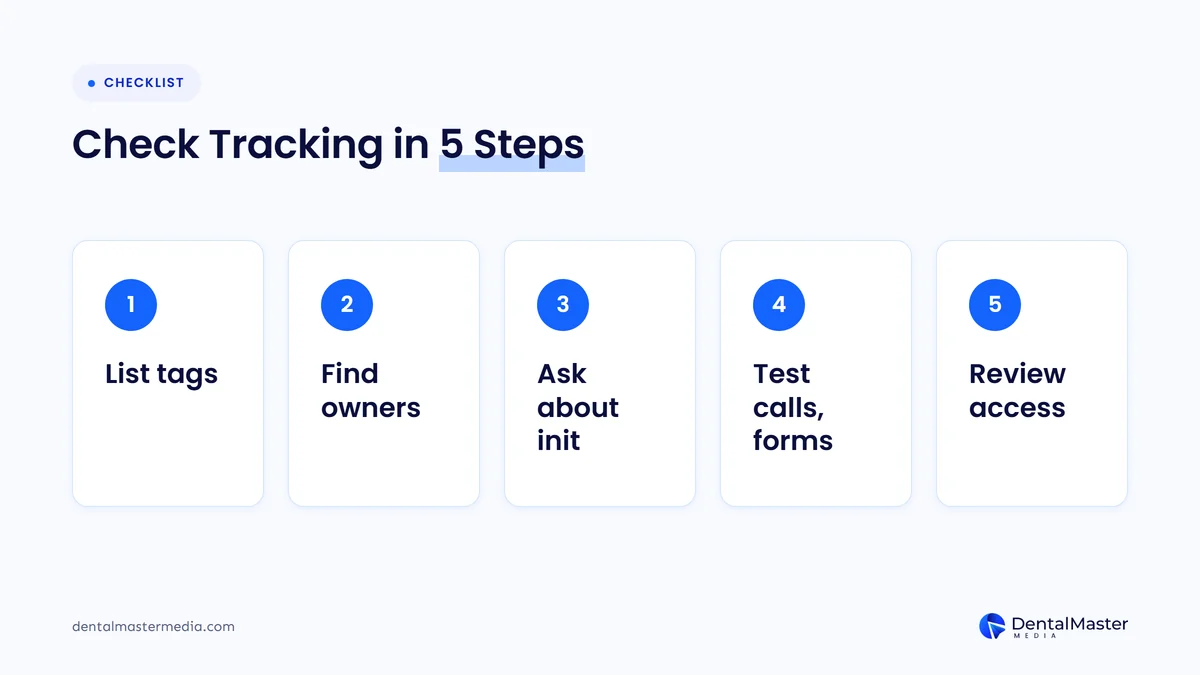
The 5 tracking checks for a dental website are listed below.
- List the tags installed on your dental website. Ask your web team for a list of every Google tag and Tag Manager container on the site, with the account each one belongs to.
- Find out who owns each account. Confirm that the Google Analytics 4 property, the Google Ads account and the Tag Manager account are owned by the practice, not only by a former web designer.
- Ask how tags initialize. Ask whether the setup relies on the gtag config command, and whether it should move to a Tag Manager Initialization trigger, as Google recommends.
- Test call tracking and form tracking. Click your phone number, submit a test appointment form, and confirm that each action still shows in your reports after any change.
- Review access. Google’s Tag Manager Help page says account links get “Read” access by default during container optimization, and Tag Assistant data access follows container permissions, so remove users who no longer work with you.
Optimizing a container is optional, and Google says you can preview the changes before publishing them to a workspace. Make a note of who approved each change so that your website tracking stays easy to explain later.
Who should own the Google tag and Tag Manager accounts for a dental practice?
The dental practice should own its Google tag, Google Tag Manager, Google Analytics 4 and Google Ads accounts, with agencies and web designers added as users. Tag Manager permission settings apply across the board after the merge, so the account owner decides who can see Tag Assistant data and who can publish changes.
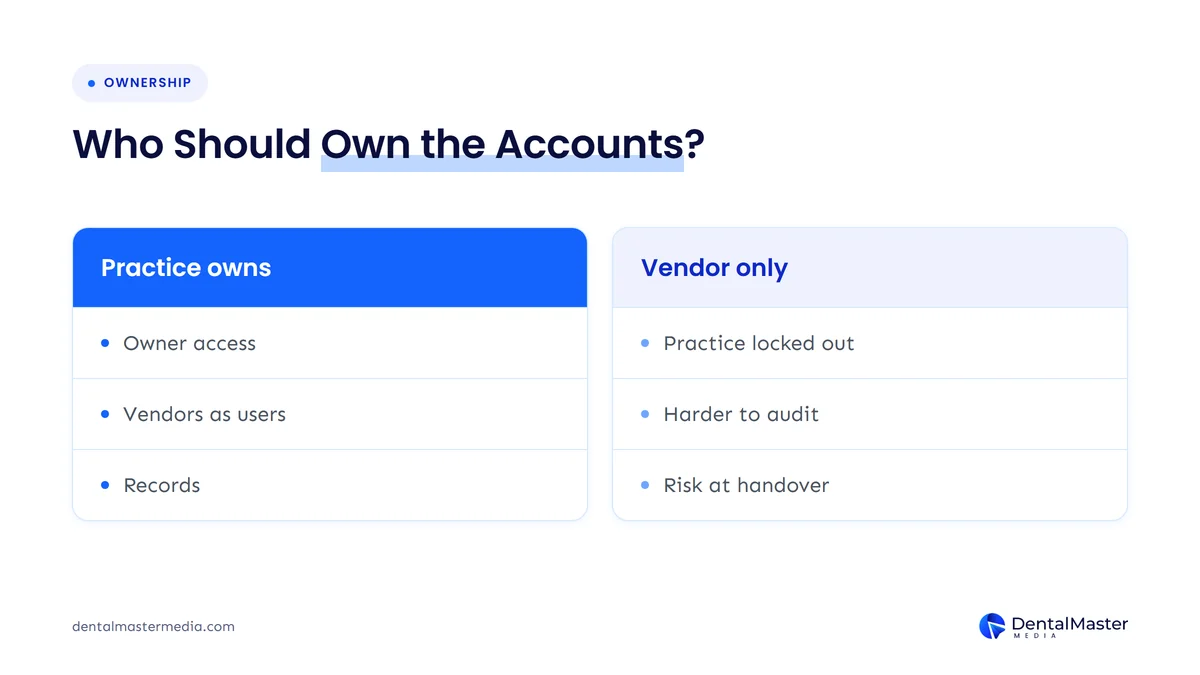
If your accounts sit under a vendor’s login, ask for owner access before the January 2027 upgrade, and keep a written record of who holds each account. Our post on AI traffic to dental practice websites shows another reason to keep your measurement clean.
Frequently asked questions
Will the Google tag merge change how my dental website looks?
No, the Google tag merge will not change how your dental website looks. Google says the upgrade will not change the in-page behavior of Google tags. The change affects how tags are managed, not what patients see on a page.
Do I need to do anything before January 2027?
Yes, you should check your setup before January 2027 if your installation may be unsupported. Google says unsupported installations receive the upgrade in January 2027 and advises adjusting the setup before then. Ask your web team to confirm how your tags are installed.
Does the Google tag merge affect my Google rankings?
No, Google’s pages do not describe any effect of the Google tag merge on rankings. The merge is a tag management change. Tracking data feeds your reports, so a broken tag can hide patient calls and bookings, but it does not change where your pages rank.
What is Tag Assistant and why does access matter?
Tag Assistant is Google’s tool for testing and debugging tags. After the merge, access to Tag Assistant data follows your Tag Manager container permissions, so the people with container access decide who can debug your dental website’s tags.
Is container optimization automatic?
No, container optimization is optional. Google’s Tag Manager Help page says no changes will be made automatically, and users with edit, approve or publish permissions can start the flow from a banner and preview the changes before publishing.
Check the Google tag setup before the upgrade, not after
Google is merging the Google tag into Google Tag Manager, and the change is mostly about management: each Google tag becomes a Tag Manager container, in-page behavior stays the same and unsupported installations are upgraded in January 2027. A dental practice should list its tags, test its call tracking and form tracking, and keep its accounts in the practice’s name.
Clean tracking is part of the work we do at Dental Master Media, alongside our dental SEO services. For a wider view of measurement, read our guide on tracking calls and bookings from your dental website, and our post on the new Search Console AI Overviews report.
Not sure your dental website tracking is set up right?
Book a free dental SEO strategy call and we will talk through how your website tracks calls and appointment requests, who owns your Google accounts and what to fix first.
Sources
- Google Tag Manager Help, “Updates to Google tag and Google Tag Manager”, August 20, 2026. https://support.google.com/tagmanager/answer/17079602?hl=en
- Google Tag Manager Help, “Release notes”, entry of November 17, 2026. https://support.google.com/tagmanager/answer/4620708?hl=en
- Search Engine Roundtable (Barry Schwartz), “Google Tag & Google Tag Manager Unification”, November 17, 2026. https://www.seroundtable.com/google-tag-manager-unification-42562.html

Suraj Rana is the owner of Dental Master Media and a leading expert in SEO for dental practices. With a passion for dental marketing, he has successfully helped numerous dental clinics climb the search engine ranks. Suraj’s expertise makes him a go-to resource for effective, results-driven dental marketing.