
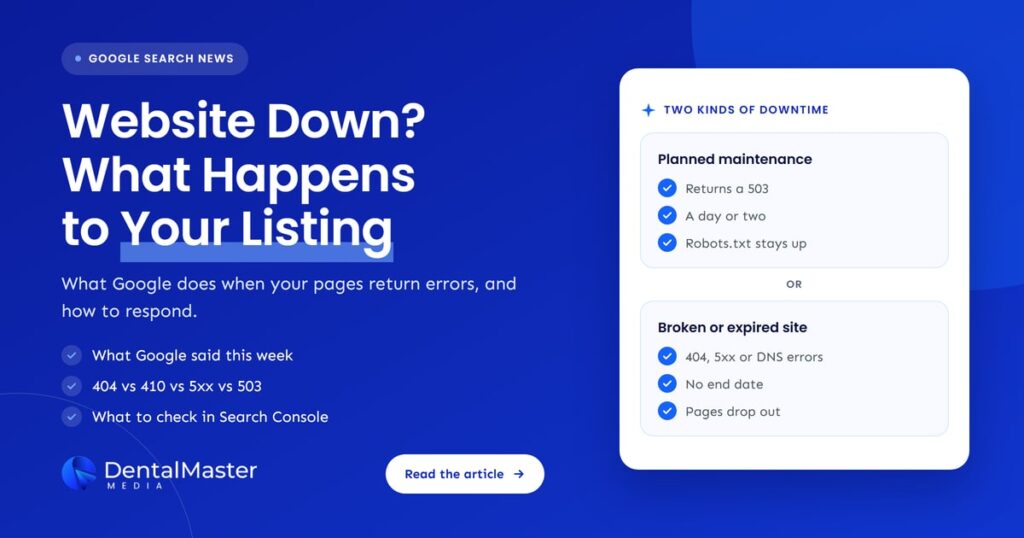
Quick answer: When a dental website goes down or returns errors, Google can no longer read its pages. The listing can lose its snippet and favicon first, then pages that keep returning 404, 410 or server errors are removed from the index. Fix the cause quickly, use a 503 only for short planned maintenance, and check Search Console.
Key takeaways
- Google confirmed this week that it can briefly keep very important URLs in the index while they return errors. An ordinary practice website should not count on that protection.
- While Google can’t read a page, it can drop the snippet and favicon and show only a bare link with the last title it knew.
- Pages that return 404 or 410 are removed from Google’s index. Pages that keep returning server errors are eventually dropped too, and unreachable sites can lose indexed pages within days.
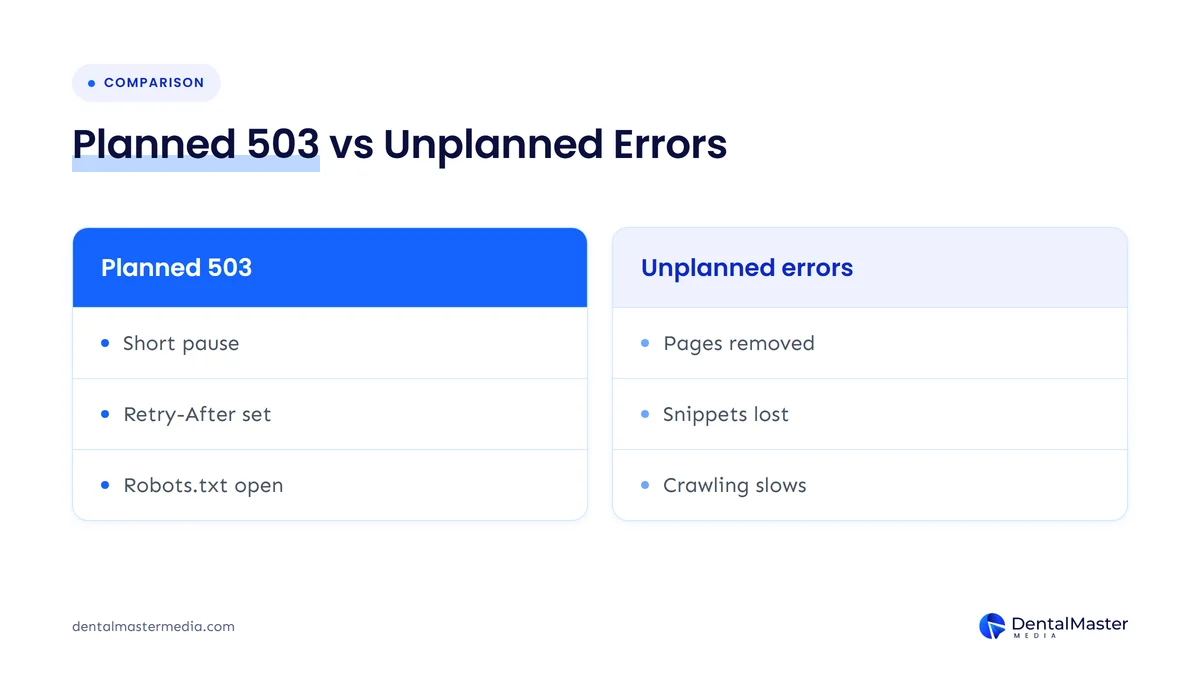
- For planned maintenance, Google recommends keeping the site online where possible. If you must take it down, return a 503 for a day or two at most, and never on robots.txt.
- Expired domains, lapsed SSL certificates and hosting failures cause many outages. Auto-renewal, uptime alerts and a named contact for each service prevent most of them.
What changed?
On November 5, 2026, Search Engine Roundtable reported that Google’s Gary Illyes explained why the VLC media player website lost its favicon in Google results. The site was returning a 4xx error, so Google kept the URL indexed for a short time but showed only the link and the last good title, with no snippet or favicon.
The site was returning a 418 status code, an error code that Google treats like any other 4xx “not found” response. According to the Search Engine Roundtable report, Illyes said Google Search can temporarily protect important URLs from falling out of the index right away. He gave VLC’s standing as one of the most important pages on the internet as the reason it received that protection. Because Google could no longer read the page, it stopped showing the favicon and the snippet. Once the site returned a normal 200 status with content again, Illyes said the listing should sort itself out.
The lesson for dental practices is in the exception. That short grace period was described as something for very important URLs. A local practice website is important to its patients, but it is not VLC. The normal rules in Google’s documentation are what apply to you, and they are less forgiving.
What is an HTTP status code, and why does it matter for your listing?
An HTTP status code is the three-digit reply your web server sends every time a browser or Googlebot asks for a page. A 200 means the page loaded. A 301 means it moved. A 404 means it wasn’t found, and a 5xx means the server failed. Google decides whether to keep, refresh or remove each page largely on that reply.
Patients never see most of these codes, but Google reads every one. A page can look fine in your browser while it returns the wrong code to Googlebot, and a page can show a friendly “page not found” message while returning 200, which Google may flag as a soft 404. That is why “the site works for me” is not proof that Google sees a working site.
How does Google treat 404, 410, 5xx and 503 errors?
Google removes already indexed pages that return 404 or 410, and it treats every 4xx code except 429 the same way. Server errors such as 500, 502 and 503 slow Google’s crawling. Indexed pages are kept for a while, but pages that persistently return server errors are eventually dropped. Unreachable sites can lose indexed pages within days.
Here is how Google’s crawling documentation describes each response, and when a dental website should use it:
| Response | What it means | What Google does | When a dental site should use it |
|---|---|---|---|
| 200 OK | The page loaded | Passes the content on for indexing (indexing is not assured) | Every live page |
| 301 or 308 | Moved permanently | Treats the redirect as a strong signal that the new URL should be processed | A page has moved for good |
| 302 or 307 | Moved temporarily | Follows it, but treats it as a weak signal | Short-term moves only |
| 404 or 410 | Not found or gone | Ignores the content and removes the URL from the index if it was indexed | A page removed with no replacement |
| 500 or 502 | Server error | Slows crawling, keeps indexed URLs for a time, then drops URLs that keep failing | Never on purpose |
| 503 | Service unavailable | Handled like other server errors; Google suggests it only for urgent outages of one to two days | Short, planned maintenance |
| DNS or connection failure | No reply at all | Can’t index anything; unreachable indexed URLs are removed within days | Never; fix it with your host or registrar |
Sources: Google, “How HTTP status codes affect Google’s crawlers” (updated February 2026) and “Debug network and DNS errors for Google’s crawlers” (updated December 2025).
Is a 410 better than a 404 for removing a page?
For Google Search, no. Google’s documentation says all 4xx errors except 429 are treated the same: the content is ignored and an indexed URL is removed. Use a 404 or 410 only when a page is gone with no replacement. If the treatment page has moved, a 301 redirect to the new page is the better choice.
The Page indexing report help adds a useful detail: Googlebot may keep trying a 404 URL for some time and crawls it less and less often. A 404 on an old page you deliberately removed is normal and is not something to panic about.
Should you redirect every page to a “site maintenance” page?
No. A redirect sends Google to a different page instead of telling it your pages are briefly unavailable. Google’s advice for short outages is to return a 503 on the pages themselves. A permanent 301 to a maintenance page is the worst option, because a 301 hands ranking signals to the new URL as if the move were permanent.
In a Search Engine Journal report published November 5, 2026, Illyes explained that Google passes ranking signals through a 301 but not through a 302, and that with a 302 Google assumes you will go back and keeps the old URL in its results. Neither redirect gives Google the content of your service pages while the work is happening. If you are moving pages permanently as part of a rebuild, that is a different job, covered in our guide to why dental practices lose rankings after a website redesign.
Who is affected?
Any dental practice whose website returns errors for more than a few hours can be affected. The usual causes are not dramatic: a lapsed domain or SSL certificate, a hosting outage, a plugin or theme update that breaks the server, a firewall that blocks Googlebot, or a maintenance mode that someone forgot to switch off.
These are the situations we would check first:
- Expired domain. When the registration lapses, the name usually stops pointing to your website. To Google that looks like a DNS failure, the type of error where unreachable pages can drop out within days.
- Expired SSL certificate. Patients see a full-page browser security warning instead of your site, and the secure version of the site stops loading normally.
- Hosting outage or overloaded server. Google sees 5xx errors or timeouts and slows its crawling.
- Broken update. A plugin, theme or PHP update that causes a 500 error can take down every page at once.
- Security rules that block Google. Google’s DNS and network guide warns that overly broad firewall rules can block Google’s IP addresses.
- Deleted pages with no redirect. Removing treatment pages without a 301 to a matching page turns them into 404s, and they leave the index.
- Maintenance mode left on. A “coming soon” screen that stays up for weeks either errors or replaces your real content.
What happens when a dental domain or SSL certificate expires?
An expired domain is one of the most damaging outages because nothing loads at all: no website, no email on that domain and no pages for Google to crawl. An expired SSL certificate may leave the server running, but browsers warn patients away before the page loads. Both are avoidable with auto-renewal and an up-to-date billing card.
Check who owns the registrar and hosting accounts, too. If a former web developer or a staff member who has left holds the login, renewal emails may be going to an inbox nobody reads. Once a domain fully lapses past the registrar’s grace period, it can be released and registered by someone else.
What does a website outage mean for your Google listing?
An outage usually shows in Google in stages. First, Google can’t refresh the page, so the snippet, favicon and other details may disappear, as happened to VLC. Next, crawling slows. If the errors continue, indexed pages are removed, and getting them back takes a recrawl that you can’t speed up on demand.
Google’s guide to temporarily pausing a website lists what a business can lose when its site is unavailable for a long time:
- Patients can’t find first-hand information about your practice and fall back on third-party sites that may be less accurate.
- Knowledge Panels may lose details such as contact phone numbers and the site logo.
- Search Console verification can fail, and reports lose data as pages drop from the index.
- Recovery after a full removal has no fixed timeline, and Google says there is no way to speed it up.
What about your Google Business Profile? Google’s documentation on HTTP errors is about web search results, and it does not say that a website outage removes a Business Profile. The practical problem is simpler: every patient who taps the Website button on your profile, or a link to a treatment page, lands on an error instead of a booking form.
What should you check in Search Console?
Start with the Page indexing report and look for server errors, not found errors, soft 404s and redirect errors. Then open the Crawl Stats report and check host status for robots.txt fetching, DNS resolution and server connectivity. Test your key pages with URL Inspection, and once fixed, ask Google to validate.
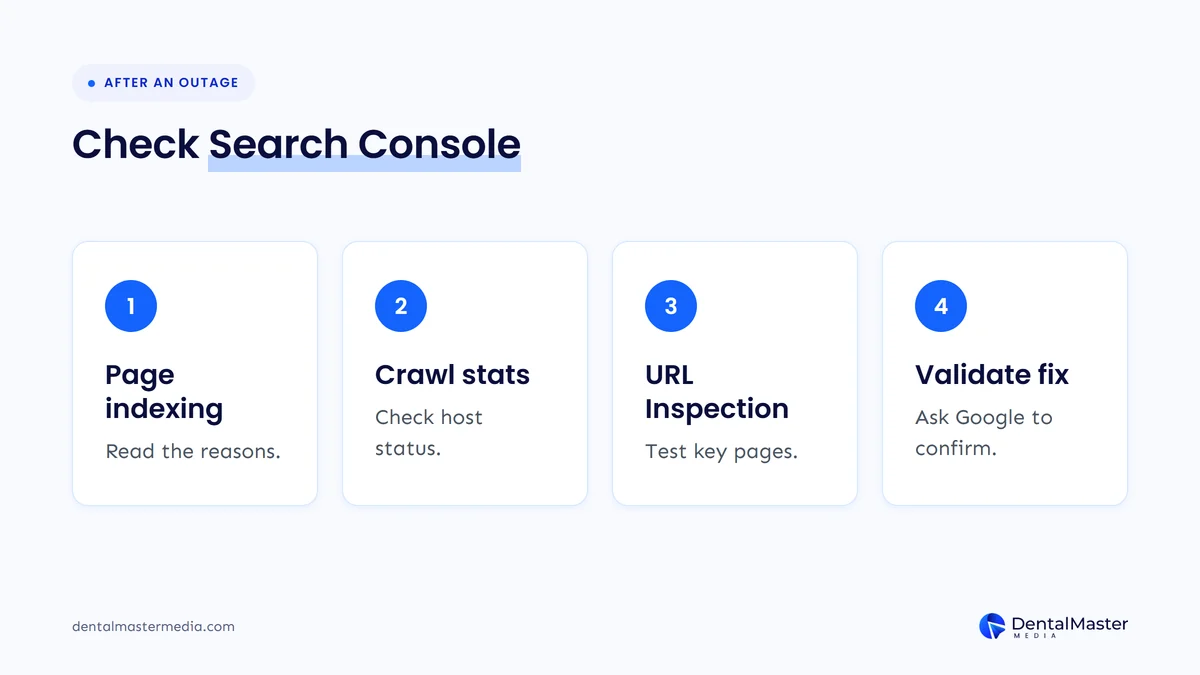
- Page indexing report. Look for “Server error (5xx)”, “Not found (404)”, “Soft 404” and “Redirect error”. A 404 is not always a problem if the page was removed on purpose, but a moved page should have a 301 to its new location.
- Crawl Stats report, Host status. Google checks three categories: robots.txt fetching, DNS resolution and server connectivity. The report shows whether a significant availability issue happened in the last week or the last 90 days.
- URL Inspection. Run a live test on your homepage and your most valuable treatment pages, such as implants, aligners and emergency dentistry, to confirm Google now gets a normal response.
- Validate the fix. After every instance of an issue is fixed, use Validate Fix in the Page indexing report so Google confirms it.
If Search Console shows pages dropping out for reasons that are not errors, such as only your homepage staying indexed, our guide to Google indexing only your dental homepage covers that diagnosis.
How should you handle planned maintenance?
Google recommends keeping a site online with limited functionality rather than taking it down. If you must disable it, return an informational page with a 503 status for one to two days at most, keep robots.txt available, and add a Retry-After header. For longer closures, keep an indexable homepage that returns 200.
Most dental “downtime” doesn’t need the website offline at all. A holiday closure, a renovation or a move to a new address can be handled with a banner, updated opening hours and an updated Google Business Profile. Google’s pause guide suggests updating LocalBusiness structured data to reflect current opening hours, and using the data-nosnippet attribute so a temporary banner doesn’t show as your search snippet.
When the site really must go offline, for example during a server migration, follow these steps:
- Keep it short. Google describes disabling a site as an extreme measure for a few days at most, and suggests a 503 for urgent outages of one to two days.
- Return a 503, not a 200 or a redirect. Show patients a simple page with your phone number and when you expect to be back.
- Add a Retry-After header with your best estimate of when the site will return.
- Leave robots.txt alone. Google’s documentation warns that a 503 on robots.txt blocks all crawling. Its robots.txt rules also say Google stops crawling the site for the first 12 hours if it can’t fetch the file because of a server error.
- Confirm the status code. Ask your developer to check that pages really return 503, for example with a quick curl request.
- Remember the trade-off. Google can’t refresh titles, descriptions or structured data while a page returns 503, so don’t schedule maintenance the same week you publish important changes.
What should you do now?
Check that your site loads with normal status codes today, then remove the common causes of outages before they happen: turn on domain and SSL auto-renewal, set up uptime alerts that reach a real person, record who controls your hosting and registrar, and prepare a 503 maintenance page in advance.
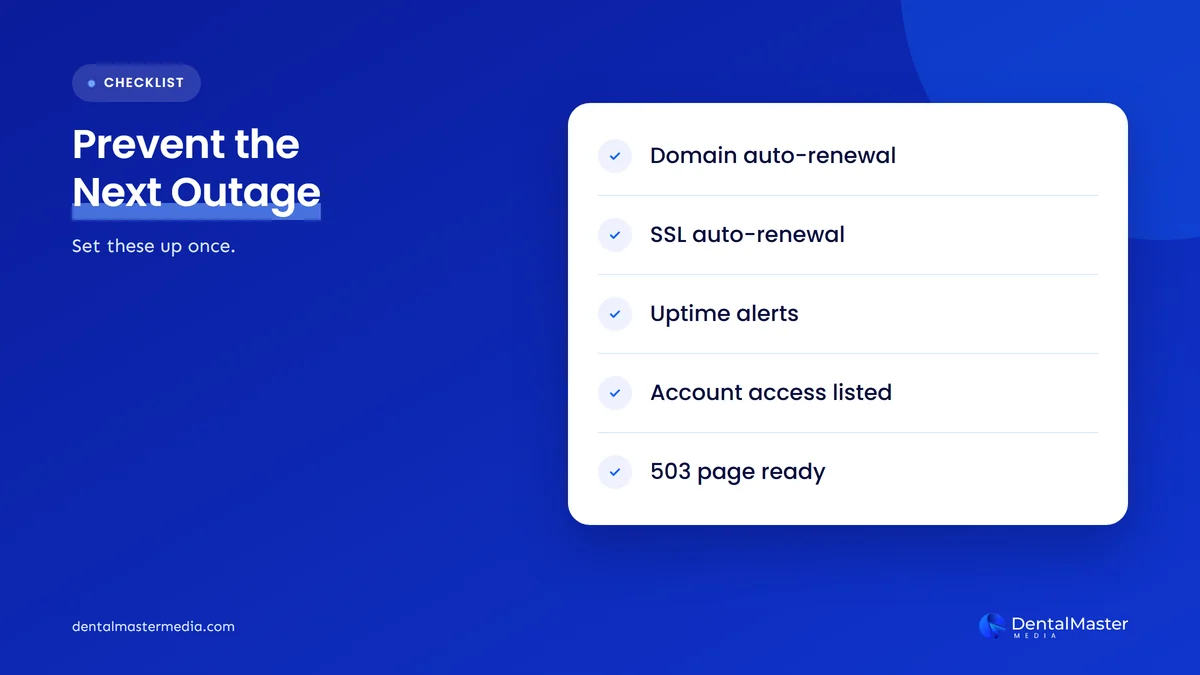
- Test your site today. Load your homepage and a few treatment pages, then test a made-up URL to confirm it returns a real 404, not a soft 404.
- Turn on domain auto-renewal and check that the registrar has a current card and an email address someone reads.
- Confirm SSL auto-renewal with your host, and note the certificate’s expiry date in the practice calendar as a backup.
- Set up uptime monitoring that alerts the practice manager as well as your web team, so an outage on a Friday evening isn’t found on Monday.
- Write down who to call. Keep the host, registrar and developer contacts, and the account owners, in one place.
- Prepare a 503 page now, so maintenance never means a blank screen or a redirect.
- Check Search Console after any outage, using the four checks above.
For the wider list of technical checks, see our technical SEO checklist for dental websites.
What’s likely next?
This section is our view, not Google’s. We don’t expect Google to publish which URLs qualify for the short protection Illyes described, so practices should plan as if they don’t qualify. We also expect a missing snippet and favicon to stay the first visible sign of trouble, so a quick look at your listing is worth doing regularly.
Frequently asked questions
How long can a dental website be down before Google drops it?
Google doesn’t give one fixed number. It says unreachable sites can lose indexed pages within days, that pages which persistently return server errors are eventually dropped, and that disabling a site should last a few days at most. Treat any outage longer than a few hours as urgent.
Will my rankings come back after the website is fixed?
Usually they can, but not instantly. Once your server returns normal responses, Google gradually increases its crawl rate. Pages that were removed must be recrawled, and Google says there is no fixed time for recovery from a full removal. Test key pages with URL Inspection and keep your sitemap current.
Should I use a 404 or a 410 for deleted treatment pages?
Google treats them the same, so either works for a page that is gone for good. If the treatment is still offered on a different page, use a 301 redirect to that page instead, so patients and Google land somewhere useful.
Does a website outage remove my Google Business Profile?
Google’s documentation on HTTP errors doesn’t say a website outage removes a Business Profile. The bigger risk is that patients who tap your Website button land on an error page. Fix the site quickly, and keep your profile’s hours and phone number current so patients can still call.
Why did my practice’s favicon disappear from Google?
Google needs to crawl your homepage and your favicon file to show it. If the homepage returns errors, is blocked, or the favicon URL keeps changing, the icon can drop out. The VLC case showed it can disappear while a page returns errors and return once the site works again.
The bottom line
A website outage costs a dental practice more than one bad day. Google first loses the ability to show your snippet and favicon, then slows crawling, then removes pages that keep failing. The protection Google gave VLC was described as something for very important URLs, so plan as if your site won’t get it. Keep your domain, SSL and hosting on auto-renewal, use a short 503 only for planned work, and check Search Console after every outage. If you are rebuilding the site, read our guide on losing rankings after a redesign before launch day. To see how we handle technical health as part of ongoing dental SEO services, visit Dental Master Media.
Is Google seeing errors on your dental website?
At Dental Master Media, our free dental SEO audit checks how Google actually sees your site, including status codes, indexing problems and technical issues that keep pages out of search. You get a clear list of what to fix first, before an outage or error costs you patient calls.
Sources
- Search Engine Roundtable (Barry Schwartz), “Google Search Can Temporarily Protect Important URLs From Dropping Out Of The Index”, November 5, 2026. https://www.seroundtable.com/google-protected-important-urls-index-42464.html
- Google Crawling Infrastructure, “How HTTP status codes affect Google’s crawlers”, updated February 4, 2026. https://developers.google.com/crawling/docs/troubleshooting/http-status-codes
- Google Crawling Infrastructure, “Debug network and DNS errors for Google’s crawlers”, updated December 18, 2025. https://developers.google.com/crawling/docs/troubleshooting/dns-network-errors
- Google Search Central, “Temporarily pause or disable a website”, updated December 10, 2025. https://developers.google.com/search/docs/crawling-indexing/pause-online-business
- Google Crawling Infrastructure, “How Google interprets the robots.txt specification”, updated October 23, 2026. https://developers.google.com/crawling/docs/robots-txt/robots-txt-spec
- Google Search Central, “Define a favicon to show in search results”, updated October 27, 2026. https://developers.google.com/search/docs/appearance/favicon-in-search
- Search Console Help, “Page indexing report”, accessed November 6, 2026. https://support.google.com/webmasters/answer/7440203
- Search Console Help, “Crawl Stats report”, accessed November 6, 2026. https://support.google.com/webmasters/answer/9679690
- Search Engine Journal (Roger Montti), “Google Explains How Redirects Affect Ranking Signals”, November 5, 2026. https://www.searchenginejournal.com/google-explains-how-redirects-affect-ranking-signals/595967/

Suraj Rana is the owner of Dental Master Media and a leading expert in SEO for dental practices. With a passion for dental marketing, he has successfully helped numerous dental clinics climb the search engine ranks. Suraj’s expertise makes him a go-to resource for effective, results-driven dental marketing.