
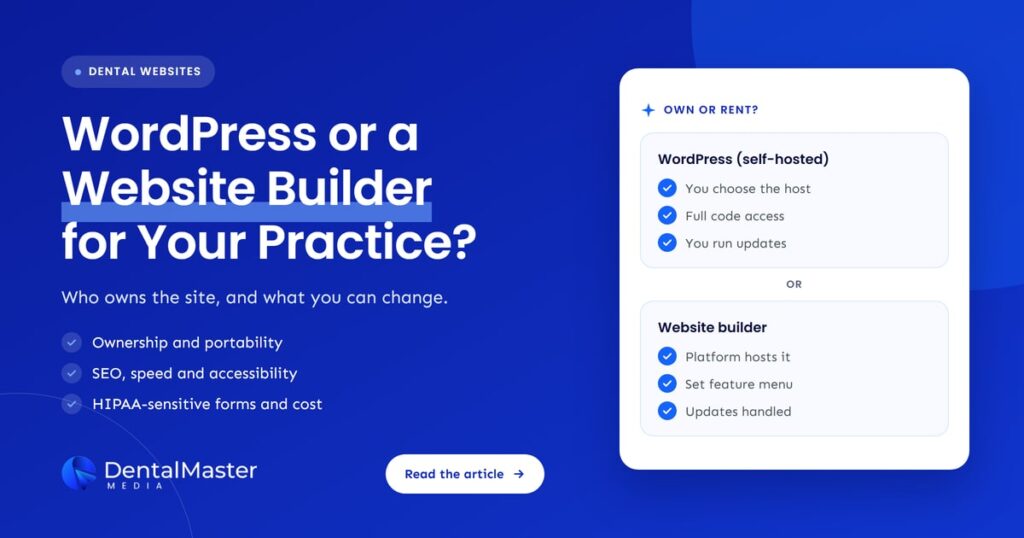
Quick answer: For most dental practices that plan to grow through search, self-hosted WordPress gives the most ownership, SEO control and freedom to move. Wix and Squarespace are quicker to launch and handle hosting for you, but the site stays on their servers. Dental template platforms can be convenient, so check who owns the domain, content and design before signing.
Key takeaways
- The biggest difference is ownership. WordPress is open source software you can host anywhere. Wix says its sites must be hosted on Wix’s servers, and Squarespace exports only part of a site.
- All three platforms let you edit titles, descriptions and URLs and set up 301 redirects. WordPress adds full access to code and hosting, while builders limit what you can change.
- Speed and accessibility depend more on how the site is built than on the platform’s name. None of the three vendors promises an accessible site by default.
- Patient forms need care in the US. Wix offers a business associate agreement (BAA) on certain plans, Squarespace limits its HIPAA support to Acuity Scheduling, and on WordPress it depends on the form tool you choose.
- With a dental template platform, read the contract for who holds the domain, who owns the copy and photos, and what you can take with you if you leave.
What is the difference between WordPress and a website builder?
WordPress is free, open source software that you install on hosting you choose, so you control the files, the database and the code. A website builder such as Wix or Squarespace is a hosted service: you rent the software, hosting and templates together, and you edit the site through their editor within the features they offer.
There is a third option that many dentists are offered: a dental template platform. These are dental marketing companies that build practice websites on their own system, often bundled with hosting, a template library and other marketing services. Some build on WordPress, some on their own software. The label on the proposal tells you little, so the questions later in this article matter more than the brand name.
In this article, “WordPress” means self-hosted WordPress from WordPress.org. The platforms keep changing: WordPress 7.0, released on May 20, 2026, added a core AI client that connects sites to generative models, and Wix is rolling out Harmony, an editor that lets AI generate designs you then refine by hand. Neither change alters the core trade-off between owning your site and renting it.
How do WordPress, Wix, Squarespace and dental template platforms compare?
WordPress leads on ownership and control, while Wix and Squarespace lead on convenience because hosting, security and updates are handled for you. Dental template platforms sit in between: easy to start, but control depends on the contract. The table below compares them on what matters most to a practice.
| Factor | WordPress (self-hosted) | Wix | Squarespace | Dental template platform |
|---|---|---|---|---|
| Who hosts the site | Any host you choose | Wix only | Squarespace only | Usually the vendor |
| Can you move the whole site? | Yes, files and database | No, the site runs on Wix’s servers | Partly, through a WordPress-format export | Depends on the contract |
| 301 redirects | Yes, through plugins or the server | Yes, up to 5,000 per site | Yes, through URL mappings | Ask the vendor |
| Code and server access | Full | Limited to what Wix exposes | Limited to what Squarespace exposes | Usually none |
| Who runs updates | You or your developer | Wix | Squarespace | Usually the vendor |
| HIPAA path for forms (US) | Depends on the form tool and host | BAA on certain plans | Acuity Scheduling only | Ask for a signed BAA |
Who owns your dental website on each platform?
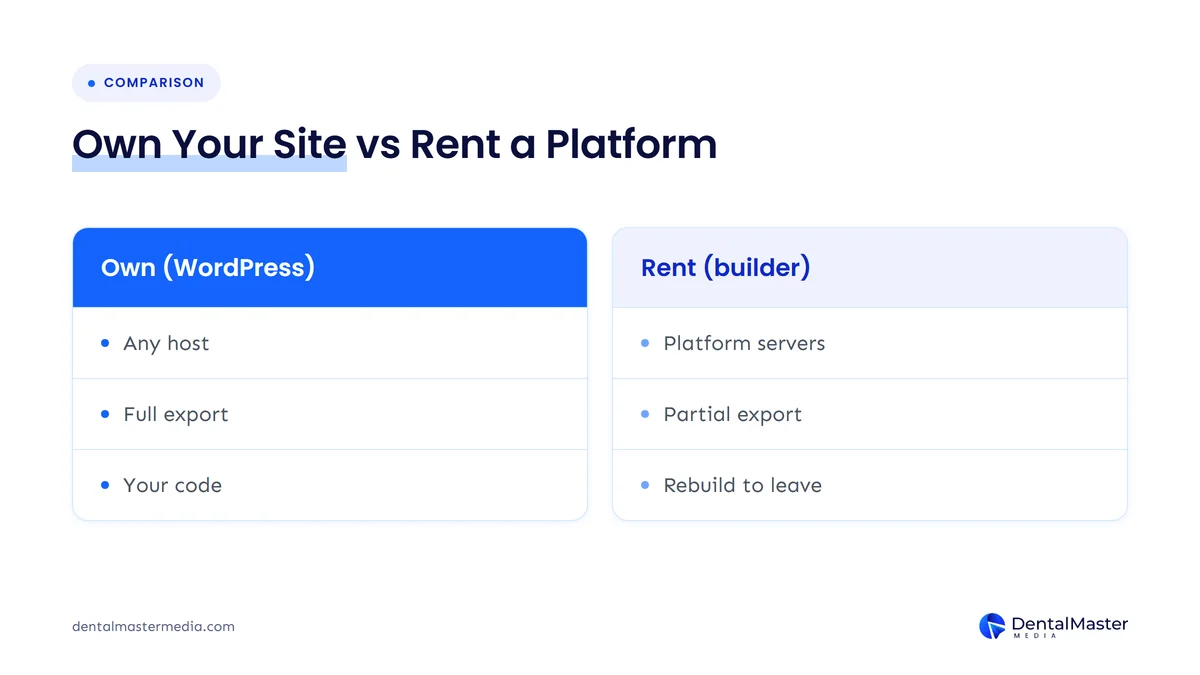
On self-hosted WordPress, your practice can own everything: the domain, the hosting account, the files and the database. On Wix and Squarespace, you own your content, but the working website only runs on their platform. On a dental template platform, ownership is whatever the contract says, so it can range from full ownership to a license you lose when you cancel.
WordPress: you own the software and the site
WordPress.org describes WordPress as open source software licensed under the GPLv2 or later, with the freedom to run, study, change and redistribute it. In practice, that means you can copy your site to another host or hand it to another developer without asking permission. The catch is that ownership only helps if the hosting account and domain are in your practice’s name, not your designer’s.
Wix: your content, Wix’s servers
Wix’s help center says the content you build on Wix belongs to you, but a Wix site has to be hosted and run on Wix’s servers because its architecture does not support external hosting. You can move a domain you bought through Wix to another registrar, but moving the website itself means rebuilding it elsewhere.
Squarespace: a partial export
Squarespace lets you export some content as a WordPress-format XML file. According to its help center, the export covers layout pages, one blog with its posts, and text and image blocks. It leaves out store pages, video and audio blocks, page-specific headers and footers, style settings and custom CSS. You would rebuild the design and those missing parts on the new platform.
Dental template platforms: read the contract
These platforms vary too much to judge by name. Before you sign, ask four questions and get the answers in writing:
- Is the domain registered in the practice’s name, and can you transfer it at any time?
- Who owns the copy, photos and design if you cancel?
- Can you get a full export of the site, or only the text?
- Will the vendor set up redirects to your new site if you leave?
Our guide to questions to ask a dental website designer covers ownership and exit terms in more detail.
How much SEO control does each platform give you?
All three platforms cover the SEO basics: page titles, meta descriptions, editable URLs, sitemaps and 301 redirects. WordPress goes further because you can change the code, the server settings and the structured data with plugins or custom development. Builders give you less control, but most dental sites don’t need everything WordPress allows.
Google’s own SEO Starter Guide notes that most content management systems turn the titles you write into title tags and that some create sitemaps automatically. In other words, Google does not require a particular platform. What differs is how much you can fix when something goes wrong.
Redirects are a good example, because they protect your rankings when page addresses change:
- Wix creates a 301 redirect automatically when you change a page’s URL slug, but not for Wix Blog posts, and it allows up to 5,000 redirects per site.
- Squarespace handles redirects through URL mappings, capped at 400 KB (about 2,500 lines). You can’t redirect the homepage, or image and file URLs.
- WordPress has no fixed limit of its own. Redirects can be set in a plugin or on the server, so the limit depends on your setup.
This matters most when you move. Google’s site move guidance says to map every old URL to its new one, use permanent server-side redirects and keep them for at least a year, and to expect rankings to fluctuate during the move. If you are thinking of switching platforms, read why dental practices lose rankings after a website redesign first.
Which platform makes the fastest dental website?
No platform is fast or slow by default. Speed depends on the theme, the number of scripts and plugins, image sizes and the hosting. Builders manage hosting and caching for you, which removes some risk. WordPress can be very fast or very slow, depending on how carefully it is built and hosted.
Google recommends good Core Web Vitals for success in Search. Its targets are:
- Largest Contentful Paint (LCP): 2.5 seconds or less, for loading.
- Interaction to Next Paint (INP): under 200 milliseconds, for responsiveness.
- Cumulative Layout Shift (CLS): under 0.1, for visual stability.
On a builder, the main speed risks are heavy templates, large images and too many add-on apps. On WordPress, they are page builders that load a lot of code, too many plugins and cheap shared hosting. On any platform, test your live site with Google’s tools rather than trusting a demo.
Which platform is best for accessibility?
None of the three platforms makes a dental website accessible automatically. Each gives you tools, but each also says the site owner is responsible for the result. Accessibility depends on your theme, colors, headings, image descriptions, forms and how you write each page, so the people who build the site matter more than the platform.
Here is what each vendor says about its own role:
- WordPress aims to make its admin screens and bundled themes meet WCAG 2.2 AA where possible. Only themes tagged “accessibility-ready” have been checked against basic accessibility requirements, and plugins are not covered.
- Wix offers an Accessibility Wizard that scans for issues, but says it cannot promise that using it will make your site comply with your region’s accessibility laws.
- Squarespace lists built-in accessibility features and says you are responsible for making sure your site meets the legal requirements that apply to your business.
Whatever you choose, ask your developer to build to the WCAG 2.2 guidelines and to test the booking form, menus and phone links with a keyboard and a screen reader before launch. The U.S. Department of Justice publishes guidance on web accessibility under the ADA that is worth reading.
Can a dental website’s forms be HIPAA compliant on these platforms?
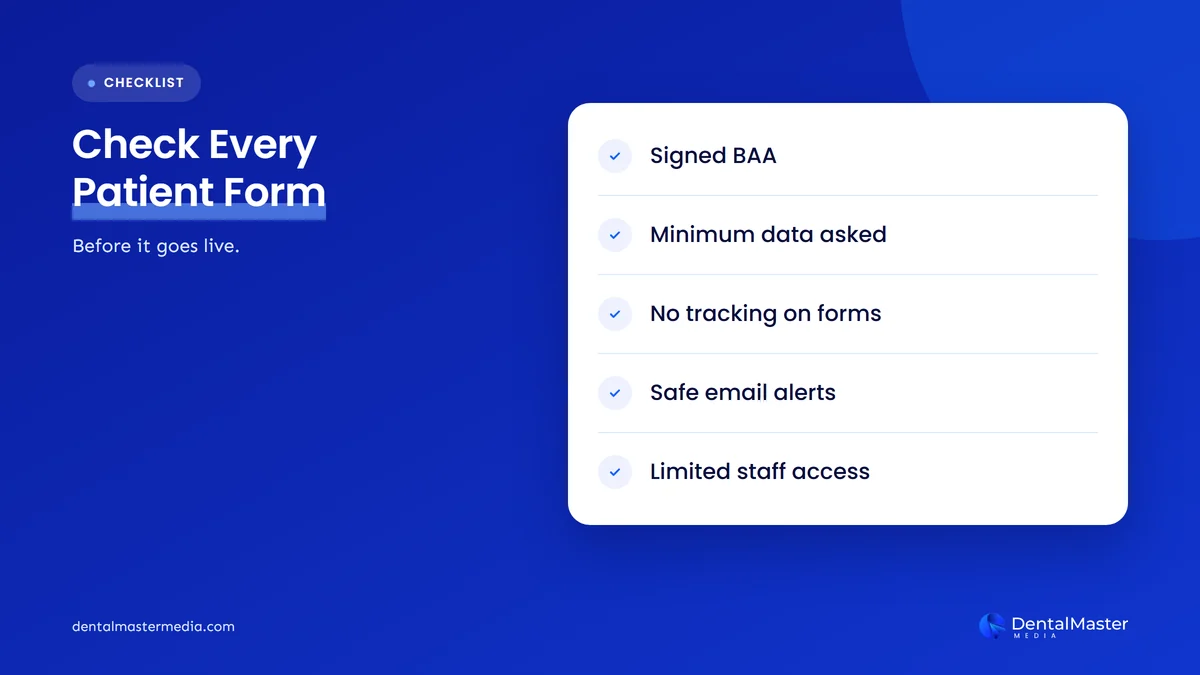
It depends on the form, not just the platform. If a form collects health information, such as symptoms, treatment interests or insurance details, any vendor that receives it needs to sign a business associate agreement (BAA). Wix offers one on certain plans, Squarespace limits its HIPAA support to Acuity Scheduling, and on WordPress the answer depends on your form tool and host.
Here is what the official help pages say:
- Wix: HIPAA compliance is available on the Business, Plus, Elite, Business Elite and Enterprise plans. You activate PHI protection and sign the BAA in the dashboard, and forms built with the old Wix Forms need to be rebuilt with the new version. Wix adds that you stay responsible for how you set up and use the site.
- Squarespace: Its help center says Acuity Scheduling is the only Squarespace feature designed for HIPAA obligations, and the BAA does not cover other Squarespace features. Contact features such as the form block can’t be used as part of a HIPAA compliant setup.
- WordPress: WordPress itself does not sign BAAs. You would need a form tool, and any service that stores or emails the submissions, that will sign one.
Tracking needs the same care. HHS guidance on online tracking technologies warns that tracking code on pages where patients book appointments or share health information can send protected health information to third parties. A simple rule helps on any platform: ask only for what you need to call the patient back, keep clinical questions for your secure practice management system, and get advice from your compliance adviser. This article is general information, not legal advice.
What does each platform really cost to own?
The subscription price is only part of the cost. The true cost of a dental website over several years includes hosting, paid themes and plugins or apps, maintenance and updates, developer time for changes, and the cost of rebuilding if you ever need to leave. Prices change often, so check each vendor’s current pricing page rather than relying on figures in articles.
| Cost item | WordPress (self-hosted) | Wix or Squarespace | Dental template platform |
|---|---|---|---|
| Software | Free and open source | Included in the plan | Included in the fee |
| Hosting | Paid separately, you choose the level | Included in the plan | Usually included |
| Themes, plugins or apps | Some free, some paid | Some apps paid, some features need a higher plan | Set by the vendor |
| Updates and security | Your job or your developer’s | Handled by the platform | Usually handled by the vendor |
| Changes and new pages | Anyone who knows WordPress | You or a builder-savvy designer | Often through the vendor’s support |
| Cost of leaving | Low: move host, keep the site | Rebuild the site elsewhere | Depends on the contract |
WordPress’s software is free, but running it isn’t. WordPress.org recommends hosting with PHP 8.3 or later, MySQL 8.0 or MariaDB 10.11 or later, and HTTPS support. It also advises keeping WordPress updated to the latest version and backing up before every update. Minor and security updates can apply automatically, but someone still needs to manage major releases, themes and plugins.
Builders fold most of that work into the subscription, which is why they suit practices that want a simple site with no developer on call. The trade-off shows up later: if you outgrow the platform, the cost of leaving is a rebuild.
How do you choose the right platform for your practice?
Choose based on where your practice is going, not on which editor looks easiest today. If search is a main source of new patients, or you plan to add locations or many treatment pages, WordPress usually fits best. If you want a small, simple site and have no plans to invest in SEO, a builder can be a sensible choice.
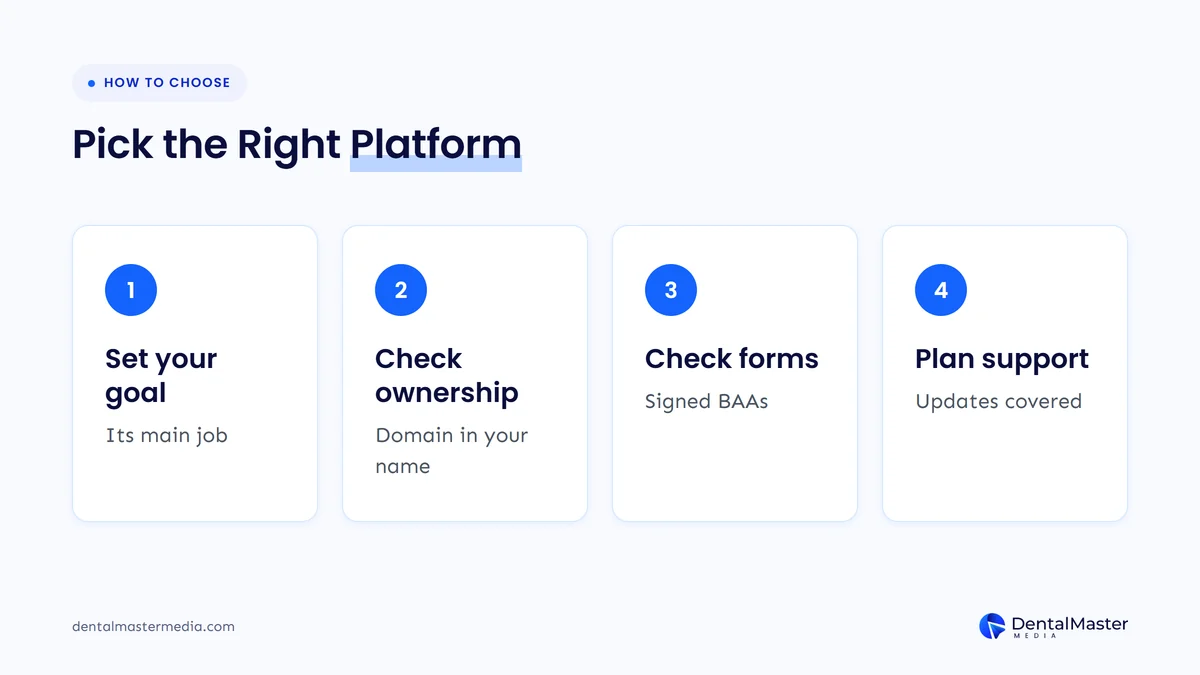
- Set your goal. Decide whether the website is a digital business card or a main source of new patients. The more it has to do, the more control you need.
- Check ownership. Make sure the domain, hosting or platform account, and all content are in the practice’s name, with admin access for you.
- Check your forms. List every form and booking tool, what it collects and whether each vendor will sign a BAA if you are a US practice.
- Plan who looks after it. Decide who will run updates, fix problems, add pages and watch speed and accessibility each month.
If you already have a website and aren’t sure whether to switch, start with the signs your dental website needs a redesign. Moving platforms is a big job, and it only makes sense when the current one is holding you back.
Frequently asked questions
Is WordPress better than Wix for dental SEO?
WordPress gives more SEO control, including full access to code, server settings and structured data, and it can be moved to any host. Wix covers the SEO basics, such as titles, descriptions, sitemaps and 301 redirects. A well-built Wix site can rank, but WordPress gives you more room to fix problems as your site grows.
Can I move my Wix website to WordPress?
Not directly. Wix says its sites must be hosted on Wix’s servers, so there is no full export of the working site. You can transfer a domain bought through Wix to another registrar, but the pages need to be rebuilt in WordPress, with 301 redirects from the old URLs to the new ones.
Is Squarespace good for a dental practice website?
Squarespace suits a small, simple practice site where design and ease of editing matter most. Its limits are partial exports, no redirects from the homepage or image URLs, and HIPAA support that covers only Acuity Scheduling. If you plan to grow through search or need patient intake forms, check those limits first.
Do I own my website on a dental template platform?
Only if your contract says so. Some vendors register the domain in the practice’s name and hand over the site if you leave, while others license the design and keep the content on their system. Ask who owns the domain, copy, photos and design, and get the answer in writing before you sign.
Does Google rank WordPress sites higher than website builder sites?
No. Google’s guidance does not name a preferred platform. It focuses on helpful content, crawlable pages, good Core Web Vitals and correct redirects, which you can achieve on WordPress, Wix or Squarespace. The platform affects how much control you have over those things, not whether Google will rank the site.
The bottom line on WordPress vs website builders for dentists
Wix and Squarespace are quick to launch and look after hosting for you, but you rent the platform, and leaving means a rebuild. Self-hosted WordPress takes more care, but you own the site and can take it anywhere, which is why it suits most practices that want to grow through search. With any dental template platform, the contract decides what you really own. If you would like help choosing or building the right platform, see our dental website design and development services and our dental SEO services at Dental Master Media.
Find out if your website platform is holding you back
Before you switch platforms or sign a new website contract, know what your current site actually needs. Our free audit checks speed, redirects, ownership of key accounts and the technical gaps that affect your rankings, so you can decide with facts.
Sources
- WordPress.org, “About”, updated October 22, 2026. https://wordpress.org/about/
- WordPress.org, “Requirements”, updated May 7, 2026. https://wordpress.org/about/requirements/
- WordPress.org, “Updating WordPress”, updated September 15, 2024. https://wordpress.org/documentation/article/updating-wordpress/
- WordPress.org, “Accessibility”, updated September 19, 2024. https://wordpress.org/about/accessibility/
- WordPress.org, “WordPress 7.0 Armstrong” (release announcement), May 20, 2026. https://wordpress.org/news/2026/05/wordpress-7-0-armstrong/
- Wix Help Center, “Exporting or Embedding Your Wix Site Elsewhere”, accessed November 7, 2026. https://support.wix.com/en/article/exporting-your-wix-site-elsewhere
- Wix Help Center, “Transferring Your Wix Domain Away from Wix”, accessed November 7, 2026. https://support.wix.com/en/article/transferring-your-wix-domain-away-from-wix-2477749
- Wix Help Center, “Setting Up a 301 Redirect for a Page on Your Site”, accessed November 7, 2026. https://support.wix.com/en/article/setting-up-301-redirects
- Wix Help Center, “Accessibility: Using the Accessibility Wizard”, accessed November 7, 2026. https://support.wix.com/en/article/accessibility-using-the-accessibility-wizard
- Wix Help Center, “Enabling HIPAA Compliance for Your Wix Site”, accessed November 7, 2026. https://support.wix.com/en/article/enabling-hipaa-compliance-for-your-wix-site
- Wix Help Center, “About the New Wix Harmony Editor”, accessed November 7, 2026. https://support.wix.com/en/article/about-the-new-wix-harmony-editor
- Squarespace Help Center, “Export your site content”, updated October 9, 2026. https://support.squarespace.com/hc/en-us/articles/206566687-Exporting-your-site
- Squarespace Help Center, “URL mappings”, updated September 8, 2026. https://support.squarespace.com/hc/en-us/articles/205815308-URL-mappings
- Squarespace Help Center, “Make your site accessible with built-in features”, updated July 22, 2026. https://support.squarespace.com/hc/en-us/articles/215129127-Making-your-site-more-accessible
- Squarespace Help Center, “Acuity Scheduling and HIPAA”, updated November 5, 2026. https://support.squarespace.com/hc/en-us/articles/360028867231-Acuity-Scheduling-and-HIPAA
- Google Search Central, “SEO Starter Guide”, updated December 10, 2025. https://developers.google.com/search/docs/fundamentals/seo-starter-guide
- Google Search Central, “Site moves with URL changes”, updated August 20, 2026. https://developers.google.com/search/docs/crawling-indexing/site-move-with-url-changes
- Google Search Central, “Understanding Core Web Vitals and Google search results”, updated December 10, 2025. https://developers.google.com/search/docs/appearance/core-web-vitals
- U.S. Department of Health and Human Services, “Use of Online Tracking Technologies by HIPAA Covered Entities and Business Associates”, updated March 18, 2024. https://www.hhs.gov/hipaa/for-professionals/privacy/guidance/hipaa-online-tracking/index.html
- W3C, “Web Content Accessibility Guidelines (WCAG) 2.2”, W3C Recommendation, December 12, 2024. https://www.w3.org/TR/WCAG22/
- U.S. Department of Justice, ADA.gov, “Guidance on Web Accessibility and the ADA”, March 18, 2022. https://www.ada.gov/resources/web-guidance/

Suraj Rana is the owner of Dental Master Media and a leading expert in SEO for dental practices. With a passion for dental marketing, he has successfully helped numerous dental clinics climb the search engine ranks. Suraj’s expertise makes him a go-to resource for effective, results-driven dental marketing.