Quick answer: The most common accessibility problems on websites are low-contrast text, images without alt text, unlabeled form fields, and links or buttons with no readable name, according to the WebAIM Million 2026 report. A dental practice fixes them by following WCAG 2.2: raise contrast, add alt text, label booking forms, make everything work by keyboard and caption videos.
Key takeaways
- WebAIM’s 2026 scan of the top one million home pages found detectable WCAG failures on 95.9% of them, and 96% of all detected errors fell into just six types.
- Those six types are simple to find and fix: low contrast, missing alt text, missing form labels, empty links, empty buttons and a missing page language.
- For a dental practice, the parts that matter most are the ones patients use to act: the click-to-call button, the booking form and the contact page.
- Automated checkers and overlay widgets help, but they don’t find or fix everything. Manual keyboard and zoom tests are still needed.
- US rules differ by who you are. This article explains what the official sources say, but it is not legal advice, so check your own obligations with an advisor.
What does accessibility mean for a dental website?
Website accessibility means people with disabilities can find, read and use your site, including patients who are blind and use a screen reader, who have low vision and zoom in, who can’t use a mouse, or who are deaf. For a dental practice, that means every patient can read your treatment pages, call you and book an appointment online.
The standard most people use is the Web Content Accessibility Guidelines (WCAG), published by the World Wide Web Consortium (W3C). The current version, WCAG 2.2, became a W3C Recommendation in October 2023. It sets out testable rules called success criteria at three levels:
- Level A: the basics, such as text alternatives for images and keyboard access.
- Level AA: the level most organizations aim for, adding rules such as minimum color contrast.
- Level AAA: the strictest level, which W3C does not recommend requiring for whole sites.
Accessibility work also helps patients without a disability: a parent holding a toddler while booking on a phone, an older patient who enlarges text, or someone reading your hours in bright sunlight.
How common are accessibility problems on websites?
Accessibility problems are on almost every website. WebAIM’s 2026 report, which ran an automated scan of the top one million home pages in February 2026, found detectable WCAG 2 failures on 95.9% of them, with an average of 56.1 errors per page. Both figures were worse than in 2025.
WebAIM found that 96% of all detected errors fell into six types. Nothing about dental websites protects them from these problems, so the six shape most of the list below.
| Most common WCAG failure | Home pages affected (2026) | Home pages affected (2025) |
|---|---|---|
| Low-contrast text | 83.9% | 79.1% |
| Missing alternative text for images | 53.1% | 55.5% |
| Missing form input labels | 51.0% | 48.2% |
| Empty links | 46.3% | 45.4% |
| Empty buttons | 30.6% | 29.6% |
| Missing document language | 13.5% | 15.8% |
Source: WebAIM Million, 2026 report. WebAIM also points out that automated tools can’t detect every failure, so the real numbers are likely higher.
How did we choose these 8 fixes?
We chose fixes that meet three tests: each one maps to a WCAG 2.2 success criterion, each one appears in WebAIM’s most common failures or the US Department of Justice’s list of common website barriers, and each one affects a step a patient takes to read about care, call or book an appointment.
Here are all eight at a glance, with the WCAG rule behind each one and a quick way to check it:
| Fix | Main WCAG 2.2 criteria | Quick check |
|---|---|---|
| 1. Raise text contrast | 1.4.3 Contrast (Minimum), AA | Run a contrast checker on buttons and light gray text |
| 2. Add alt text to images | 1.1.1 Non-text Content, A | Look for images with no description in a free checker |
| 3. Label every form field | 3.3.2 Labels or Instructions, A | Click each field label and see if the cursor moves into the field |
| 4. Name every link and button | 2.4.4 Link Purpose, A; 4.1.2 Name, Role, Value, A | Check icon-only phone, map and social links |
| 5. Make the site work by keyboard | 2.1.1 Keyboard, A; 2.4.7 Focus Visible, AA | Reach and submit the booking form using only Tab and Enter |
| 6. Make tap targets big enough | 2.5.8 Target Size (Minimum), AA | Tap every button on a phone without zooming |
| 7. Caption videos | 1.2.2 Captions (Prerecorded), A | Play each video with the sound off |
| 8. Set the page language and headings | 3.1.1 Language of Page, A; 1.3.1 Info and Relationships, A | Check the page’s code for a lang attribute and real headings |
What are the 8 accessibility fixes every dental website should make?
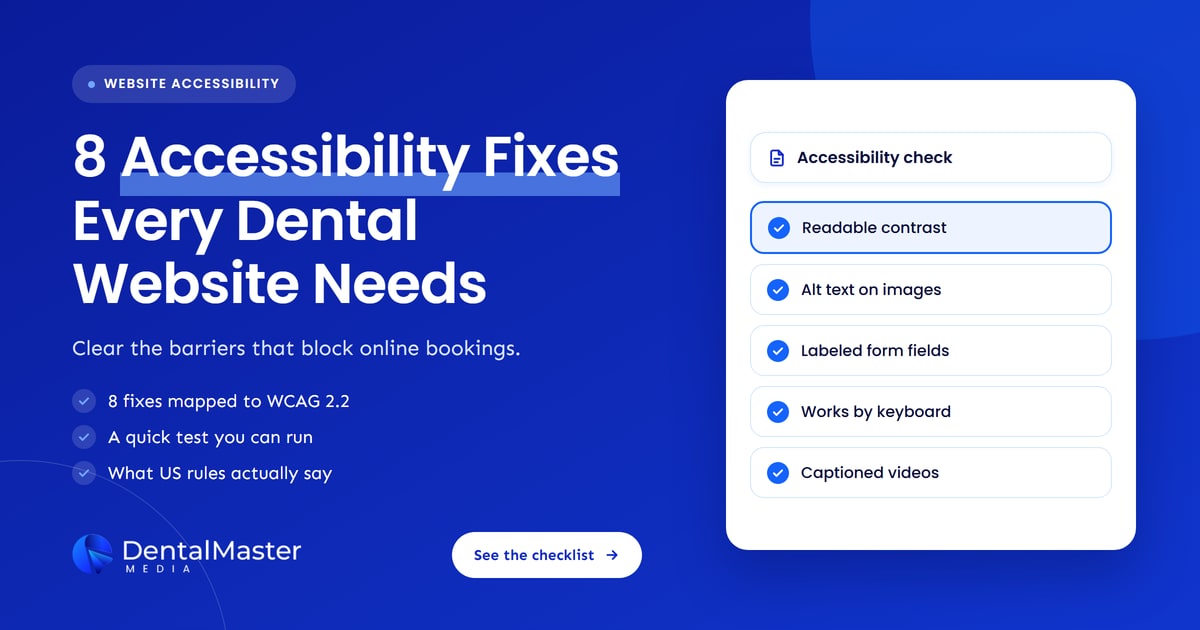
The eight fixes are: raise text contrast, add alt text to images, label every form field, give every link and button a clear name, make the whole site work with a keyboard, make tap targets big enough, caption videos, and set the page language and heading structure. Most are small code or content changes, not a redesign.
1. Raise the contrast of text and buttons
Low-contrast text is the most common accessibility failure on the web, found on 83.9% of home pages in WebAIM’s 2026 scan, with an average of 34 instances per page. WCAG 2.2 asks for a contrast ratio of at least 4.5:1 for normal text and 3:1 for large text at Level AA.
Dental websites often fail here by design: pale gray body text, white text on light teal or mint buttons, and words placed over photos of smiling patients. Ask your designer to check the brand colors against the 4.5:1 rule before anything else, because changing the palette once fixes the problem across every page. Check text placed on photos too, and add a solid or darkened background behind it where needed.
2. Add alt text to every meaningful image
Alt text is a short written description of an image that screen readers read aloud. WebAIM found that 53.1% of home pages had images missing alt text in 2026, and 16.2% of all home page images had none. WCAG 2.2 success criterion 1.1.1 requires a text alternative for meaningful images.
On a dental website, write alt text that says what the image shows and why it is there: “Treatment room with a dental chair and a ceiling-mounted TV” is useful, while “image1.jpg” or a list of keywords is not. Before-and-after photos need a description of the change shown. Purely decorative images, such as background patterns, should have empty alt text so screen readers skip them. If your logo is also the home link, its alt text should name the practice.
The most important rule: never put key details only inside an image. Opening hours, insurance notes, offers and phone numbers shown as a picture can’t be read by a screen reader, and they are harder for search engines and AI tools to read as well.
3. Label every form field and explain errors clearly
Every field in a booking, contact or new-patient form needs a visible label that is linked to the field in the code. WebAIM found missing form labels on 51% of home pages in 2026. Without a label, a screen reader user hears “edit text” and has no idea whether to type a name, a phone number or a date.
Placeholder text inside the box is not a label, because it disappears as soon as the patient starts typing. The US Department of Justice’s guidance also lists online forms without labels, clear instructions or error messages as a common barrier, and gives one example dental forms often copy: marking required fields only in red. Use the word “required” or a clearly explained symbol as well as color.
When a patient makes a mistake, the form should say which field is wrong and how to fix it, in text. WCAG 2.2 also added two rules worth knowing for longer forms: 3.3.7 Redundant Entry, which means patients shouldn’t have to type the same information twice in one process, and 3.3.8 Accessible Authentication (Minimum), which limits puzzle-style tests at login. If your new-patient forms are PDFs, ask whether they can be filled in with a screen reader, or offer an accessible online version.
4. Give every link and button a clear name
An “empty” link or button has no text a screen reader can announce. WebAIM found empty links on 46.3% of home pages and empty buttons on 30.6% in 2026. On dental websites, the usual culprits are icon-only phone buttons, map pins, social media icons and menu buttons shown as three lines.
Each of these needs an accessible name, either visible text or a hidden label in the code, such as “Call the practice” or “Open menu”. Link text should also make sense on its own. A page full of “Click here” and “Learn more” links forces screen reader users to guess where each one goes. “Read about dental implants” or “Book a cleaning” tells them straight away.
5. Make the whole site work with a keyboard
Some patients can’t use a mouse and move through a site with the Tab key, a switch device or voice control. WCAG 2.2 requires every function to work by keyboard, with a visible focus indicator showing where you are. The Department of Justice lists mouse-only websites as a common barrier.
Test it yourself: put the mouse aside, press Tab from the top of your homepage and try to reach the booking form, fill it in and submit it. Watch for three common problems on dental websites:
- No visible focus: the outline that shows where you are has been removed for looks.
- Keyboard traps: pop-ups, chat widgets or date pickers that you can’t close or leave without a mouse.
- Hidden focus: a sticky header or cookie banner covering the item you have tabbed to. WCAG 2.2 added success criterion 2.4.11 Focus Not Obscured (Minimum) for exactly this.
6. Make buttons and links big enough to tap
Small, crowded buttons are hard to tap for anyone with a tremor, limited dexterity or large fingers. WCAG 2.2 added success criterion 2.5.8 Target Size (Minimum) at Level AA, which asks for targets of at least 24 by 24 CSS pixels, or enough spacing around smaller ones, with a few exceptions.
Check the click-to-call button, the booking button, the menu icon and the links in your footer on a real handset. Tightly packed links, such as a row of location or treatment links, are a common failure. Bigger tap targets help every patient, not only those with a disability.
7. Caption videos and add transcripts
Videos without captions shut out patients who are deaf or hard of hearing, and the Department of Justice names them as a common website barrier. WCAG 2.2 success criterion 1.2.2 requires captions for prerecorded video with sound at Level A, so a dentist introduction or a treatment explainer needs accurate captions.
Automatic captions are a starting point, but they often get dental terms and names wrong, so review and correct them before publishing. A short text summary or transcript under the video also helps patients who prefer to read, and it gives search engines the same information. Avoid videos that autoplay with sound, which can interfere with screen readers.
8. Set the page language and use real headings
The page language tells screen readers which voice and pronunciation to use. WebAIM found a missing document language on 13.5% of home pages in 2026, and WCAG 2.2 success criterion 3.1.1 requires it at Level A. It is usually a one-line fix in the site’s template.
Headings matter just as much. Screen reader users often jump from heading to heading to scan a page, the same way sighted patients skim. Use one main heading per page and real heading tags in order, rather than bold text made to look like a heading. If your practice publishes pages in a second language, such as Spanish, mark those pages with the right language too.
How do you test a dental website for accessibility?
Test a dental website in three passes: a keyboard test of the booking path, a zoom test at 200% on desktop and phone, and a scan with a free automated checker such as WAVE. Then fix what you find and retest. For a full review, ask a specialist who also tests with screen readers.
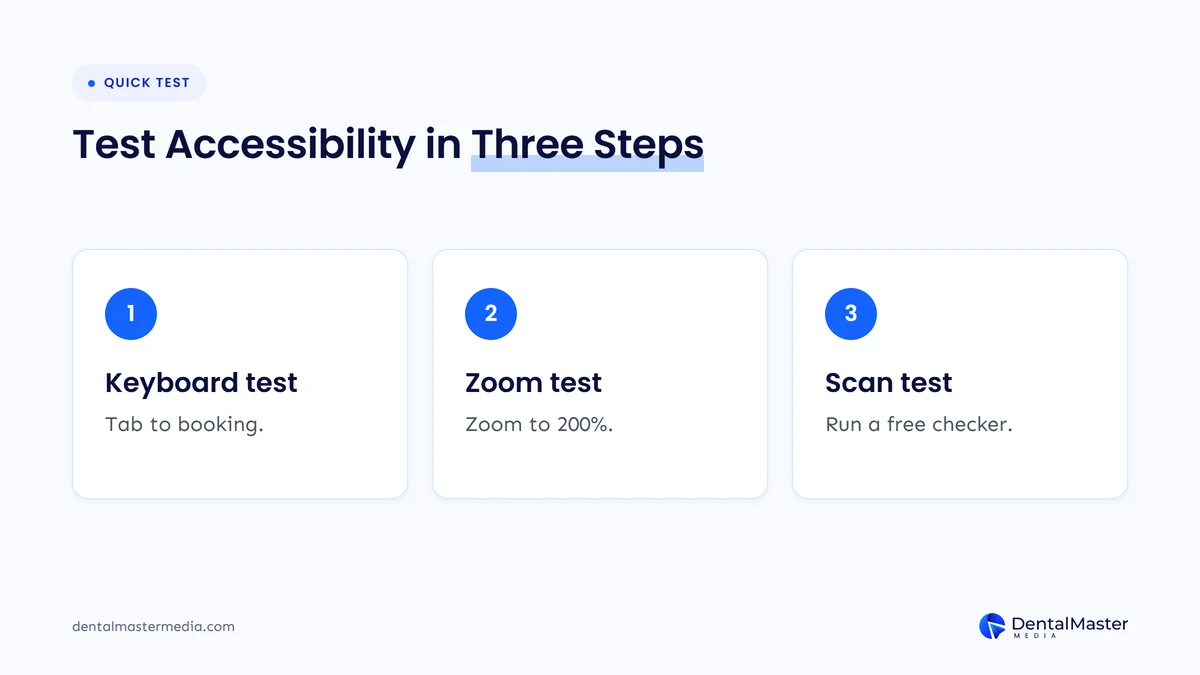
- Keyboard test. Using only Tab, Shift+Tab and Enter, go from the homepage to a submitted booking request. Note anywhere you get stuck or lose track of where you are.
- Zoom test. Zoom your browser to 200%. WCAG asks that text can be resized to 200% without losing content or function, so check that menus, forms and buttons still work and nothing overlaps.
- Automated scan. Run a free checker on your homepage, booking page and a treatment page. It will flag missing alt text, labels, empty links and contrast problems quickly.
- Manual review. Automated tools can’t judge everything. WebAIM states that the absence of detected errors does not mean a page is accessible, and the Department of Justice says the same about automated checkers.
Accessibility testing fits naturally into a wider website review. Our guide to the signs your dental website needs a redesign covers the other checks worth running at the same time.
Can an accessibility overlay widget fix a dental website?
An overlay widget on its own is unlikely to fix a dental website. Overlays add a script on top of the page, but missing labels, poor contrast and keyboard traps usually need changes to the site’s own code and content. In 2025 the Federal Trade Commission finalized an order against one overlay seller over its compliance claims.
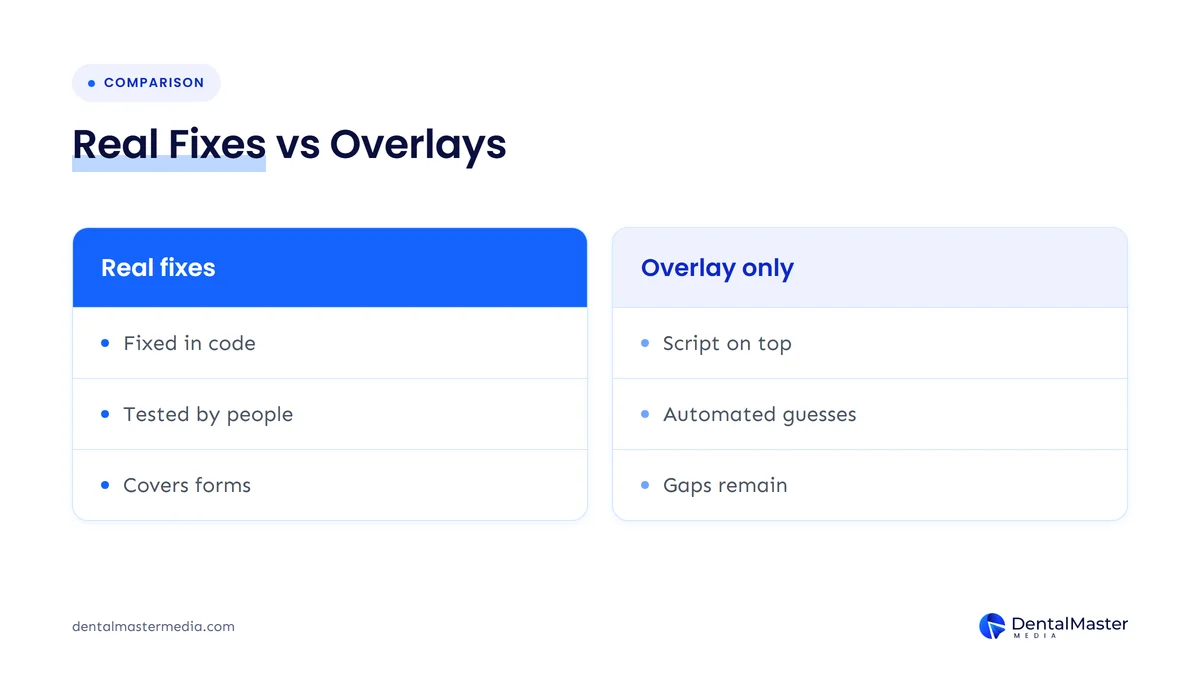
In April 2025, the FTC approved a final order requiring accessiBe to pay $1 million. The FTC alleged that the company’s accessWidget tool did not make all customer websites compliant with WCAG, as its marketing claimed. The order bars the company from claiming its automated products can make a site WCAG-compliant unless it has evidence to support the claim.
If a website vendor offers a widget as the whole answer, ask what they will change in the site itself and how they will test it. Our list of questions to ask a dental website designer includes the accessibility questions to put in writing.
What do US accessibility rules say about dental websites?
In the US, the Department of Justice says the ADA applies to what businesses open to the public offer online, but it has no detailed technical regulation for private businesses and points to WCAG as helpful guidance. Separate federal rules set WCAG 2.1 Level AA for state and local governments and for recipients of HHS funding, with compliance dates in 2027 and 2028.
This section summarizes what the official sources say. It is not legal advice, and your obligations depend on your practice’s structure, location and funding, so check them with a qualified advisor.
| Rule or guidance | Who it covers | What it says about websites | Dates |
|---|---|---|---|
| DOJ guidance on web accessibility and the ADA (2022) | Businesses open to the public, including private practices, and state and local governments | The ADA applies to goods and services offered online. No detailed technical regulation for businesses; WCAG is named as helpful guidance. | Guidance, no compliance date |
| DOJ ADA Title II web rule (April 2024, dates extended April 2026) | State and local governments, such as public hospital or county dental clinics | Web content and mobile apps must meet WCAG 2.1 Level AA. | April 26, 2027 (population 50,000 or more); April 26, 2028 (smaller entities and special districts) |
| HHS Section 504 rule (May 2024, dates extended May 2026) | Recipients of HHS federal financial assistance | Web content and mobile apps must meet WCAG 2.1 Level AA. | May 11, 2027 (15 or more employees); May 10, 2028 (fewer than 15) |
Does the HHS Section 504 rule apply to dental practices?
The HHS Section 504 rule applies to dental practices that receive HHS federal financial assistance, directly or indirectly. In May 2026, ADA News, the American Dental Association’s news service, listed Medicaid and CHIP dental providers, community health centers with dental services and dental schools among the groups covered.
HHS’s interim final rule, published May 11, 2026, moved the compliance dates back by one year: to May 11, 2027 for recipients with 15 or more employees, and to May 10, 2028 for those with fewer than 15. The technical standard stays WCAG 2.1 Level AA. W3C designed WCAG 2.2 to be backward compatible with 2.1, so a site that meets WCAG 2.2 Level AA generally meets WCAG 2.1 Level AA as well.
Does the ADA Title II rule apply to private dental practices?
The Title II rule applies to state and local governments, not to private dental practices. The Department of Justice’s fact sheet describes it as covering state and local governments and their agencies. In April 2026, an interim final rule extended its compliance dates to April 26, 2027 and April 26, 2028.
Private practices fall under a different part of the ADA, Title III, which covers businesses open to the public. The Department of Justice’s 2022 guidance says businesses open to the public must make their online offerings accessible, but that they have flexibility in how they do so. The cautious approach is to build and test to WCAG 2.2 Level AA and keep a record of what you fixed and when.
Which accessibility fixes should a dental practice make first?
Fix the patient path first: the click-to-call button, the booking form, the contact page and your main treatment pages, because those pages turn visitors into appointments. Then fix site-wide template issues such as contrast, headings and page language, which correct every page at once.
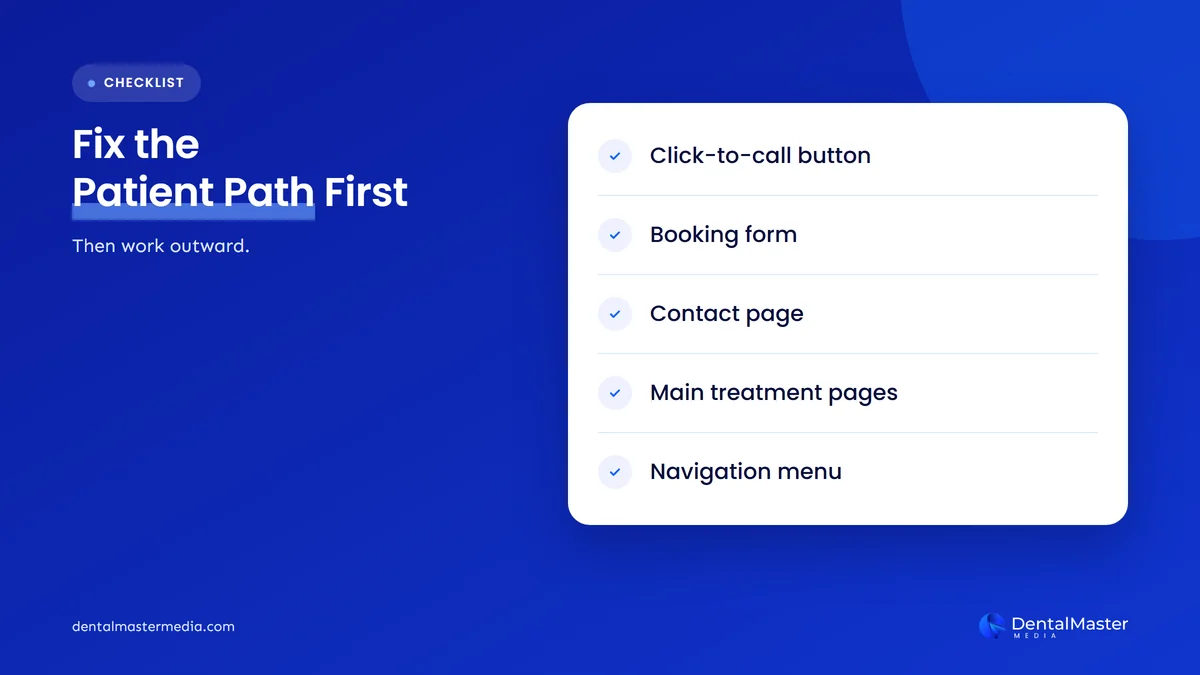
At Dental Master Media, we suggest this order because it protects the pages that bring in calls and bookings while the wider clean-up happens:
- Click-to-call and booking buttons: clear names, big enough to tap, reachable by keyboard.
- Booking and contact forms: visible labels, clear error messages, required fields marked in text.
- Site template: color contrast, focus outlines, page language and heading structure.
- Treatment pages: alt text for photos, captions for videos, descriptive link text.
- Everything else: blog posts, PDFs, older pages and third-party widgets.
Your homepage is where most patients start, so it deserves the first full pass. Our guide to what a dental website homepage should include covers the other elements to check while you are there. If the site needs deeper changes, our dental website design and development services page explains how we build sites for practices.
Frequently asked questions
What is the most common accessibility problem on dental websites?
We could not find a study of dental websites alone. Across the top one million home pages, WebAIM’s 2026 report found low-contrast text was the most common failure, on 83.9% of pages. Pale gray text and white text on light-colored buttons are frequent causes on dental sites.
Which version of WCAG should a dental website follow?
WCAG 2.2 is the current W3C version. The US federal rules for state and local governments and HHS funding recipients name WCAG 2.1 Level AA, and W3C designed WCAG 2.2 to be backward compatible with 2.1. Building to WCAG 2.2 Level AA is a sensible target for most practices.
Is an automated accessibility checker enough?
No. Automated checkers are useful for finding missing alt text, labels and contrast problems quickly, but WebAIM and the US Department of Justice both say that a clean automated report does not mean a site is accessible. Add keyboard, zoom and screen reader testing.
Do I need to rebuild my dental website to make it accessible?
Not usually. Most of the common failures, such as contrast, alt text, labels, empty links and page language, can be fixed on an existing site. A rebuild makes more sense when the theme or booking system can’t be fixed or the site has other major problems.
Does website accessibility help SEO?
Some accessibility fixes overlap with good SEO practice. Descriptive alt text, real headings, clear link text and key details written as text instead of images help search engines and AI tools read a page too. The main reason to do the work is still that patients can use the site.
The bottom line on dental website accessibility
Most dental websites share the same handful of accessibility problems, and WebAIM’s 2026 data shows how widespread they are. Fix contrast, alt text, form labels, link and button names, keyboard access, tap targets, captions and page language, starting with the pages patients use to call and book. Test by hand as well as with a checker, and check your legal position with an advisor rather than relying on an overlay. Accessible pages and strong dental SEO services work best together, and that is how we approach websites at Dental Master Media.
Find out what is holding your website back
At Dental Master Media, every website project starts with an audit. Our free dental SEO audit shows the technical, local and content gaps on your website and Google Business Profile, so you know which fixes to make first and can judge any quote against real priorities.
Sources
- WebAIM, “The WebAIM Million: The 2026 report on the accessibility of the top 1,000,000 home pages”, updated March 30, 2026. https://webaim.org/projects/million/
- W3C, “Web Content Accessibility Guidelines (WCAG) 2.2”, W3C Recommendation, December 12, 2024. https://www.w3.org/TR/WCAG22/
- W3C Web Accessibility Initiative, “What’s New in WCAG 2.2”, October 5, 2023. https://www.w3.org/WAI/standards-guidelines/wcag/new-in-22/
- U.S. Department of Justice, ADA.gov, “Guidance on Web Accessibility and the ADA”, March 18, 2022. https://www.ada.gov/resources/web-guidance/
- U.S. Department of Justice, ADA.gov, “Fact Sheet: New Rule on the Accessibility of Web Content and Mobile Apps Provided by State and Local Governments”, April 8, 2024. https://www.ada.gov/resources/2024-03-08-web-rule/
- Federal Register (Department of Justice), “Extension of Compliance Dates for Nondiscrimination on the Basis of Disability; Accessibility of Web Information and Services of State and Local Government Entities”, April 20, 2026. https://www.federalregister.gov/documents/2026/04/20/2026-07663/extension-of-compliance-dates-for-nondiscrimination-on-the-basis-of-disability-accessibility-of-web
- Federal Register (Department of Health and Human Services), “Extension of Compliance Dates for Nondiscrimination on the Basis of Disability; Accessibility of Web Content and Mobile Applications of Recipients of Departmental Financial Assistance”, May 11, 2026. https://www.federalregister.gov/documents/2026/05/11/2026-09266/extension-of-compliance-dates-for-nondiscrimination-on-the-basis-of-disability-accessibility-of-web
- ADA News (American Dental Association), “HHS Office for Civil Rights extends compliance deadline for digital accessibility final rule to May 2027”, May 6, 2026. https://adanews.ada.org/ada-news/2026/may/hhs-office-for-civil-rights-extends-compliance-deadline-for-digital-accessibility-final-rule-to-may-2027/
- Federal Trade Commission, “FTC Approves Final Order Requiring accessiBe to Pay $1 Million”, April 22, 2025. https://www.ftc.gov/news-events/news/press-releases/2025/04/ftc-approves-final-order-requiring-accessibe-pay-1-million

Suraj Rana is the owner of Dental Master Media and a leading expert in SEO for dental practices. With a passion for dental marketing, he has successfully helped numerous dental clinics climb the search engine ranks. Suraj’s expertise makes him a go-to resource for effective, results-driven dental marketing.