Quick answer: A dental SEO audit is a structured review of how well Google can crawl, read and rank a dental practice website and Google Business Profile. This 50-point checklist groups the checks into 6 stages: crawling and indexing, speed and security, on-page elements, content and trust, local profile data, and reviews and tracking.
Key takeaways
- A dental SEO audit is a review of 6 areas: indexing, speed and security, on-page elements, content and trust, Google Business Profile data, and reviews and tracking.
- The 50-point checklist below ties every point to a named source from Google Search Central, Google Business Profile Help, web.dev, the W3C or Schema.org.
- The 8 crawling and indexing checks come first because a page that Google has not indexed cannot appear in search results.
- Google judges Core Web Vitals at the 75th percentile of page loads: Largest Contentful Paint within 2.5 seconds, Interaction to Next Paint of 200 milliseconds or less and Cumulative Layout Shift of 0.1 or less.
- Google says local results rest on relevance, distance and prominence, and that businesses with complete and accurate information are more likely to show up.
- A practice owner can run most checks with tools Google provides, then fix problems in the order set out in the last section.
What is a dental SEO audit?
A dental SEO audit is a structured review of the technical setup, pages, content and local listings that decide how a dental practice appears in Google Search, Google Maps and AI answers. The audit ends with a pass, fail or not-applicable mark on each check, so the practice owner knows exactly what to fix.
An audit does not change rankings by itself, and Google states there is no way to request or pay for a better local ranking. The audit finds the problems that stop Google from reading, trusting and showing a dental website, and the fixes come afterwards.
Each point in this 50-point checklist names the document that supports it, so you can check the source yourself. If you would rather have a team run the audit and fix what it finds, that is part of our dental SEO services.
How is the 50-point dental SEO audit checklist organized?
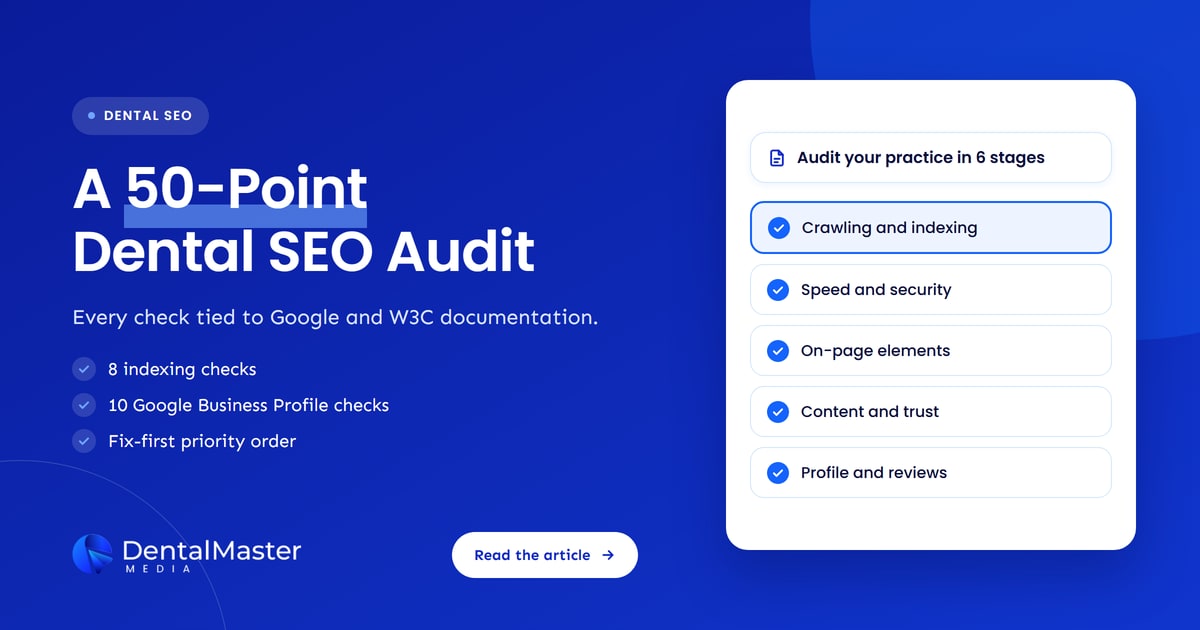
The 50-point dental SEO audit checklist is organized into 6 stages that run from the technical base to patient-facing signals: 8 crawling and indexing checks, 10 speed, mobile and security checks, 8 on-page checks, 7 content and trust checks, 10 Google Business Profile checks and 7 review, tracking and AI visibility checks.
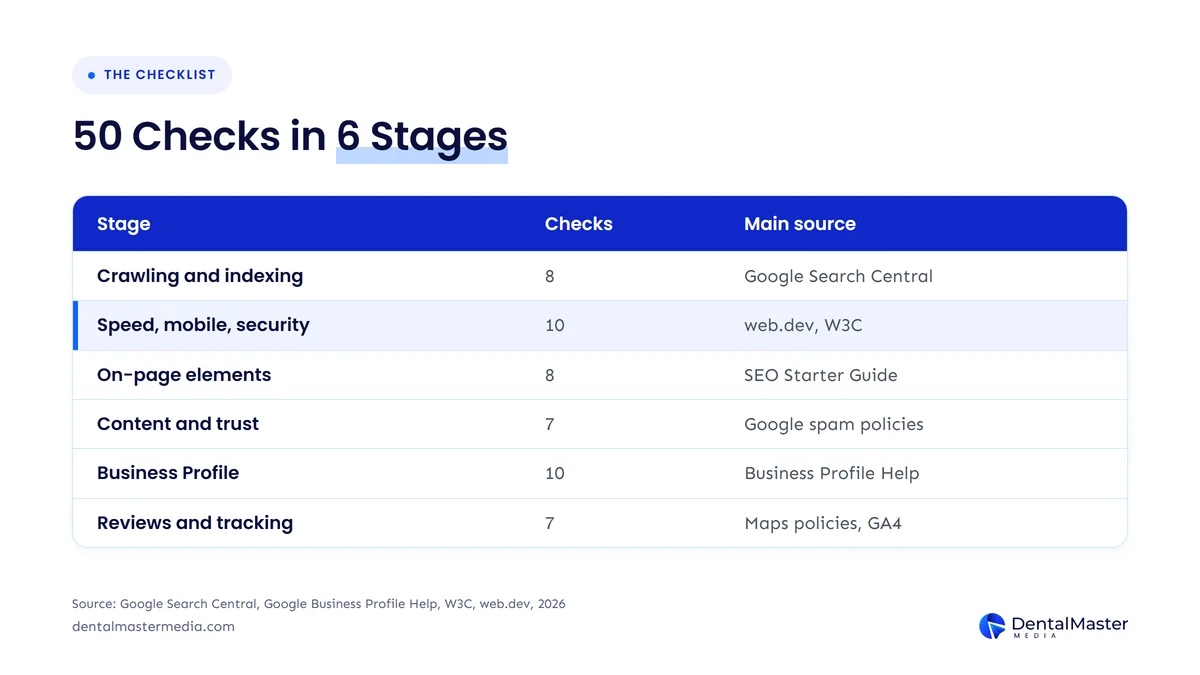
| Stage | Checks | Main source | Tool to use |
|---|---|---|---|
| 1. Crawling and indexing | 8 | Google Search Central, Search Console Help | Google Search Console |
| 2. Speed, mobile and security | 10 | web.dev, Google Search Central, W3C WCAG 2.2 | Lighthouse |
| 3. On-page elements | 8 | Google SEO Starter Guide, Google image and title documentation | Page source view |
| 4. Content and trust | 7 | Google helpful content guidance, Google spam policies | Manual page review |
| 5. Google Business Profile | 10 | Google Business Profile Help, Google LocalBusiness documentation, Schema.org | Google Business Profile dashboard |
| 6. Reviews, tracking and AI visibility | 7 | Google Maps policies, Search Console Help, Google Analytics Help | Search Console, Google Analytics 4 |
| Total | 50 | 12 named documentation sets | 5 tools |
The table shows that the stage with the most checks, speed, mobile and security, and the stage on the Google Business Profile each hold 10 of the 50 points. Use it as a tickable list: mark each check pass, fail or not applicable, and count the fails per stage at the end. For a plain-English explanation of what a full audit covers, read what a dental SEO audit should include.
What are the 8 crawling and indexing checks in a dental SEO audit?
The 8 crawling and indexing checks in a dental SEO audit confirm that Google can find, fetch and index every page that should bring in new patients. The 8 checks are listed below, and each one starts with an action.
- Inspect the homepage in the Google Search Console URL Inspection tool. Google’s Page indexing guidance says to confirm first that important pages, especially the homepage, are indexed.
- Review every not-indexed reason in the Page indexing report. Google explains that a robots.txt block, a noindex tag or a duplicate page can be a legitimate reason, and that validating a fix can take about 2 weeks.
- Read the robots.txt file for rules that block service pages. Google states that a robots.txt file tells crawlers which URLs they can access.
- Search the page source for a noindex tag on any page that should rank. Google says robots.txt is not a mechanism for keeping a page out of Google and recommends noindex for that job, so a stray noindex tag removes a page.
- Check the XML sitemap if your site uses one. Google says a site of about 500 pages or fewer might not need one when internal links reach every important page, and many content management systems generate one automatically.
- Click from the homepage to every service page through internal links. Google lists pages reachable through internal links from the home page as the case where a sitemap may be unnecessary.
- Replace temporary redirects on moved pages with a 301 or 308 permanent redirect. Google says to use permanent redirects when the move will not be reverted.
- View the rendered page of a service page in the URL Inspection tool. Google recommends the tool to confirm that the rendered mobile page shows your content.
The deeper crawl and index fixes sit in our technical SEO checklist for dental websites.
What are the 10 speed, mobile and security checks in a dental SEO audit?
The 10 speed, mobile and security checks in a dental SEO audit confirm that the dental website loads quickly, works on phones and is served securely. The 10 checks are listed below.
- Measure Largest Contentful Paint (LCP) on the homepage and top service pages. Google’s web.dev defines a good LCP as within 2.5 seconds of when the page first starts loading.
- Measure Interaction to Next Paint (INP) on pages with forms and menus. A good INP is 200 milliseconds or less, according to web.dev.
- Measure Cumulative Layout Shift (CLS) on pages with banners and pop-ups. A good CLS is 0.1 or less, according to web.dev, and Core Web Vitals are judged at the 75th percentile of page loads across mobile and desktop.
- Confirm every page loads over HTTPS with the HTTPS report in Google Search Console. Google’s page experience guidance asks whether pages are served in a secure fashion.
- Test how each page displays on a phone with Lighthouse. Google’s page experience guidance names Lighthouse as a tool that flags mobile usability issues.
- Remove intrusive interstitials such as pop-ups that cover the content. Google’s page experience guidance asks whether pages avoid them.
- Match the mobile page to the desktop page. Google uses the mobile version for mobile-first indexing, so headings, titles, structured data and robots meta tags should be the same on both versions.
- Load main content without a tap or swipe. Google does not swipe, click or type to reveal lazy-loaded content, so primary content must load on its own.
- Test text contrast at a ratio of at least 4.5:1 for normal text and 3:1 for large text, the minimums in W3C WCAG 2.2 success criterion 1.4.3 at level AA.
- Size tap targets at 24 by 24 CSS pixels or larger, the minimum in W3C WCAG 2.2 success criterion 2.5.8, so phone users can tap the call and booking buttons.
Google also states that Core Web Vitals are used by its ranking systems, and that good scores alone do not ensure top rankings because overall page experience matters.
What are the 8 on-page checks in a dental SEO audit?
The 8 on-page checks in a dental SEO audit confirm that every page tells Google and patients what it is about through its title, description, headings, links and images. The 8 checks are listed below.
- Give every page a unique title element that describes its content. Google’s title documentation says identical titles make pages hard to tell apart.
- Keep titles short and free of repeated phrases. Google advises against keyword stuffing and says to put the full brand description on the homepage and only the site name at the start or end of other titles.
- Write a unique meta description for each page. Google’s SEO Starter Guide says a good meta description is short, unique to one page and includes its most relevant points.
- Break long pages into sections with headings. The Starter Guide recommends headings for readers and states that Google does not depend on heading semantics.
- Use descriptive anchor text for internal links. The Starter Guide says descriptive anchor text tells users and Google what the linked page contains.
- Use standard img elements for photos. Google finds images in the src attribute of img tags and does not index CSS background images.
- Write useful alt text for each photo, such as “dentist explaining a treatment plan to a patient”. Google calls alt text the most important image metadata and warns against filling it with keywords.
- Name image files descriptively, for example dental-implant-consultation.jpg, not IMG00023.JPG. Google recommends short descriptive file names.
What are the 7 content and trust checks in a dental SEO audit?
The 7 content and trust checks in a dental SEO audit confirm that dental website pages are written for patients, show who wrote them and follow Google’s spam policies. The 7 checks are listed below.
- Answer the “why” for every page. Google’s helpful content guidance says to create content mainly for people, and it flags content made primarily to attract visits from search engines.
- Show the “who” with a byline and author background where readers would expect one. Google says fabricated creator profiles are deceptive.
- Disclose the “how” when automation or AI helped produce a page and readers would expect to know.
- Treat treatment pages as health topics. Google says its systems give extra weight to strong experience, expertise, authoritativeness and trust for topics that affect health, and that trust is the most important of the four.
- Review city and area pages for doorway abuse. Google’s spam policies name city- or region-targeted pages that funnel users to one page as an example.
- Remove scaled content that adds no value. Google defines scaled content abuse as generating many pages primarily to manipulate search rankings, including with generative AI.
- Remove hidden text, such as text colored to match the background or placed off-screen. Google’s spam policies list both as hidden text, and accordions and tabs are acceptable.
What are the 10 Google Business Profile checks in a dental SEO audit?
The 10 Google Business Profile checks in a dental SEO audit confirm that Google holds accurate, complete details about the practice, because Google says businesses with complete and accurate information are more likely to show up in local search results.
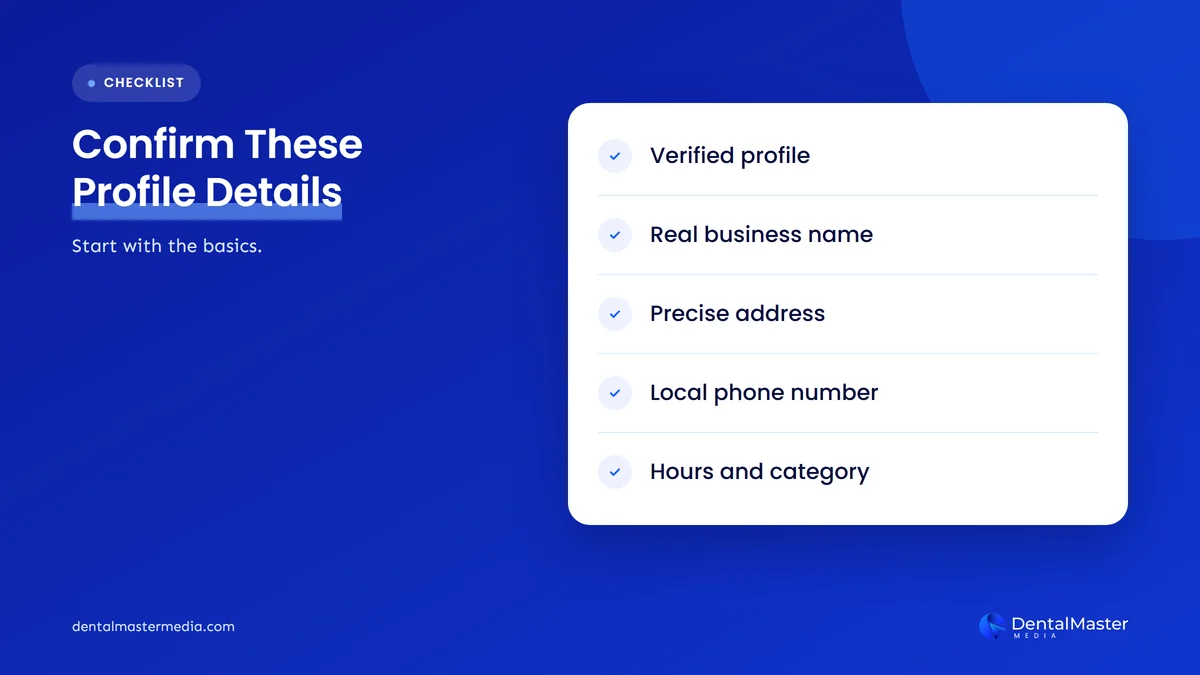
Google bases local ranking on relevance, distance and prominence, and the 10 checks are listed below.
- Claim and verify the profile. Google states that you must add or claim your business, then verify your Business Profile, to show it on Search, Maps and other Google services.
- Use the real-world business name that appears on your storefront. Google does not permit extra details in the name, such as taglines, hours, phone numbers or service descriptions.
- Enter a precise street address. Google does not accept P.O. boxes or virtual offices and allows one profile per location.
- List a local phone number that connects to the practice location, not a central helpline, where possible.
- Link a website that represents the location, and not a URL that redirects visitors to other pages.
- Set regular and special hours. Google asks for regular customer-facing hours and allows special hours for holidays.
- Choose the most specific primary category and as few categories as possible. Google’s test is “This business IS a”, not “This business HAS a”.
- Add photos and videos that show the practice and its services, because Google lists them as part of complete business information.
- Add Dentist structured data to the homepage. Schema.org defines Dentist as a type under LocalBusiness, and Google’s LocalBusiness documentation requires name and address.
- Add the recommended properties telephone, url, geo and openingHoursSpecification, which Google’s LocalBusiness documentation lists, and make them match the profile.
Read our post on 7 Google Business Profile settings dental practices often get wrong for the settings that most often fail this stage.
What are the 7 review, tracking and AI visibility checks in a dental SEO audit?
The 7 review, tracking and AI visibility checks in a dental SEO audit confirm that the practice earns and answers reviews within Google’s rules and can measure what search brings in. The 7 checks are listed below.
- Share a review request link or QR code. Google says to use one to encourage customers to leave reviews.
- Reply to reviews. Google says helpful, positive replies show that you are responsive, and it checks each reply against its content policies, which can take up to 30 days in some cases.
- Stop offering incentives for reviews. Google’s fake engagement policy bans offering payment, discounts or free goods or services in exchange for a review.
- Stop selecting who you ask. Google’s rating manipulation policy bars discouraging negative reviews or selectively soliciting positive reviews.
- Record a baseline from the Search Console Performance report, which shows clicks, impressions, click-through rate and average position.
- Mark patient actions as key events in Google Analytics 4. Google defines key events as the events that measure actions important to your business, such as a booking request.
- Confirm pages are indexed and crawlable before adding anything for AI answers. Google’s guide on generative AI features says you do not need new machine-readable files, AI text files or special markup to appear in those features.
Google’s reply check applies to AI-written replies too, which we covered in the hidden local SEO risk in AI-generated review responses.
How do you prioritize fixes after a dental SEO audit?
You should fix the failed checks in this order: indexing first, then profile accuracy, then speed and mobile, then pages and content. A page that Google has not indexed cannot appear in search results, so indexing problems block every other gain.
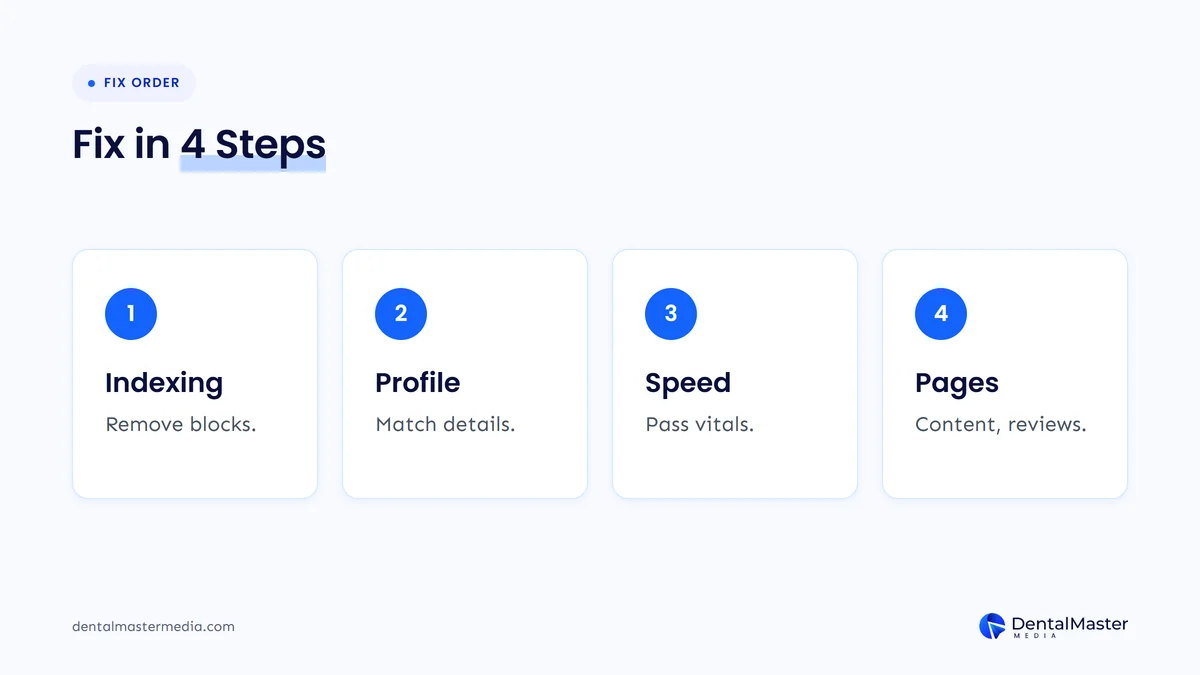
The 5 steps for fixing a dental SEO audit’s failed checks are listed below.
- Fix indexing blocks first: remove noindex tags and robots.txt rules on pages that should rank (checks 1 to 8).
- Correct the Google Business Profile next: make the name, address, phone number, hours and category match the website (checks 34 to 43).
- Repair speed and mobile problems: bring Core Web Vitals into the good range and match mobile to desktop (checks 9 to 18).
- Improve titles, content and reviews: rewrite duplicate titles, remove thin pages and reply to reviews (checks 19 to 33 and 44 to 50).
- Run the audit again after the changes and compare the fail count per stage with your first table.
The full picture of what this work achieves is in Dental SEO Explained: What It Is, What It Is Not and How It Brings Patients.
Frequently asked questions
Can I run a dental SEO audit myself?
Yes, a practice owner can run most of the 50 checks with tools Google provides: Google Search Console, the URL Inspection tool, Lighthouse and the Google Business Profile dashboard. The structured data, redirect and rendering checks are easier with a web developer.
Does a dental SEO audit raise my rankings?
No, an audit alone does not raise rankings: it finds the problems, and the fixes make the difference. Google also says good Core Web Vitals scores alone do not ensure top rankings, and that there is no way to request or pay for a better local ranking.
Is robots.txt enough to keep a page out of Google?
No, robots.txt is not a mechanism for keeping a web page out of Google. A blocked URL can still appear in search results if other sites link to it, and Google recommends a noindex directive or password protection instead.
Do I need an llms.txt or other special file for AI answers?
No, a dental practice does not need special files for AI answers. Google’s guide on generative AI features says you do not need new machine-readable files, AI text files or special markup, and a missing page cannot be cited if Google has not indexed it.
Is the Google Business Profile part of a dental SEO audit?
Yes, the Google Business Profile belongs in every dental SEO audit, because Google uses relevance, distance and prominence to rank local results. The 10 profile checks above cover claiming, name, address, phone number, website, hours, category, photos and structured data.
Conclusion
A dental SEO audit works best as a numbered, sourced checklist: 8 crawling and indexing checks, 10 speed, mobile and security checks, 8 on-page checks, 7 content and trust checks, 10 Google Business Profile checks and 7 review, tracking and AI visibility checks. Fix indexing first, then the profile, then speed, pages and reviews, and run the audit again to compare the fail count.
At Dental Master Media, our dental SEO services start from checks like these and then fix what they find in priority order.
Have us run the 50 checks for your practice
Book a free dental SEO strategy call and we will go through your dental website and Google Business Profile with you, show which checks fail and set out which fixes to make first.
Sources
- web.dev (Google), “Web Vitals”, accessed November 23, 2026. https://web.dev/articles/vitals
- Google Search Central, “SEO Starter Guide”, accessed November 23, 2026. https://developers.google.com/search/docs/fundamentals/seo-starter-guide
- Google Search Central, “Understanding page experience in Google Search results”, accessed November 23, 2026. https://developers.google.com/search/docs/appearance/page-experience
- Google Search Central, “Mobile-first indexing best practices”, accessed November 23, 2026. https://developers.google.com/search/docs/crawling-indexing/mobile/mobile-sites-mobile-first-indexing
- Google Search Central, “Introduction to robots.txt”, accessed November 23, 2026. https://developers.google.com/search/docs/crawling-indexing/robots/intro
- Google Search Central, “Build and submit a sitemap” (sitemaps overview), accessed November 23, 2026. https://developers.google.com/search/docs/crawling-indexing/sitemaps/overview
- Google Search Central, “Redirects and Google Search”, accessed November 23, 2026. https://developers.google.com/search/docs/crawling-indexing/301-redirects
- Google Search Central, “Influencing your title links in search results”, accessed November 23, 2026. https://developers.google.com/search/docs/appearance/title-link
- Google Search Central, “Google Image SEO best practices”, accessed November 23, 2026. https://developers.google.com/search/docs/appearance/google-images
- Google Search Central, “Creating helpful, reliable, people-first content”, accessed November 23, 2026. https://developers.google.com/search/docs/fundamentals/creating-helpful-content
- Google Search Central, “Spam policies for Google web search”, accessed November 23, 2026. https://developers.google.com/search/docs/essentials/spam-policies
- Google Search Central, “Local Business structured data”, accessed November 23, 2026. https://developers.google.com/search/docs/appearance/structured-data/local-business
- Google Search Central, “Optimizing your website for generative AI features on Google Search”, May 15, 2026. https://developers.google.com/search/docs/fundamentals/ai-optimization-guide
- Google Search Console Help, “Page indexing report”, accessed November 23, 2026. https://support.google.com/webmasters/answer/7440203
- Google Search Console Help, “Performance report (Search)”, accessed November 23, 2026. https://support.google.com/webmasters/answer/7576553
- Google Business Profile Help, “Improve your local ranking on Google”, accessed November 23, 2026. https://support.google.com/business/answer/7091
- Google Business Profile Help, “Guidelines for representing your business on Google”, accessed November 23, 2026. https://support.google.com/business/answer/3038177
- Google Business Profile Help, “Verify your business” and edit your profile, accessed November 23, 2026. https://support.google.com/business/answer/3039617
- Google Business Profile Help, “Read and reply to reviews”, accessed November 23, 2026. https://support.google.com/business/answer/3474050
- Google Maps contribution policy, “Fake engagement” and “Rating manipulation”, accessed November 23, 2026. https://support.google.com/contributionpolicy/answer/7400114
- Google Analytics Help, “About key events”, accessed November 23, 2026. https://support.google.com/analytics/answer/9267568
- W3C, “Understanding Success Criterion 1.4.3: Contrast (Minimum)”, WCAG 2.2, accessed November 23, 2026. https://www.w3.org/WAI/WCAG22/Understanding/contrast-minimum.html
- W3C, “Understanding Success Criterion 2.5.8: Target Size (Minimum)”, WCAG 2.2, accessed November 23, 2026. https://www.w3.org/WAI/WCAG22/Understanding/target-size-minimum.html
- Schema.org, “Dentist”, accessed November 23, 2026. https://schema.org/Dentist

Suraj Rana is the owner of Dental Master Media and a leading expert in SEO for dental practices. With a passion for dental marketing, he has successfully helped numerous dental clinics climb the search engine ranks. Suraj’s expertise makes him a go-to resource for effective, results-driven dental marketing.