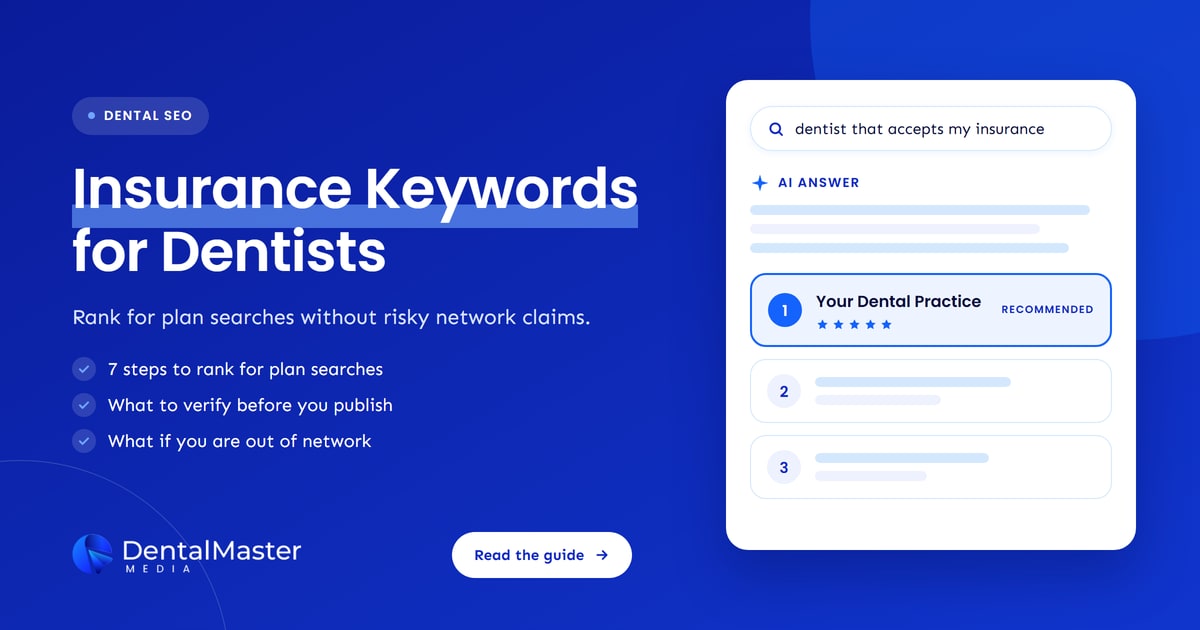
Quick answer: To rank for patients who search for a dentist that accepts their insurance, publish one insurance page that names only the plans your dental practice has confirmed in writing, match that list on your Google Business Profile, and re-check it every month. Never imply in-network status you do not hold. Plan names are plain, factual search terms.
Key takeaways
- Insurance keywords are searches that pair a dentist with a plan, such as “dentist that accepts Delta Dental” or “Cigna dentist near me”.
- Insurance keywords matter because 68% of 2,000 US adults in a June 2025 Humana survey said they are more likely to choose an in-network dentist.
- The 4 types of insurance keywords worth targeting are plan name plus dentist, plan name plus location, in-network questions and new-patient questions.
- You rank for insurance keywords in 7 steps: confirm network status, list real searches, build an insurance page, name each plan, match your Google Business Profile, update treatment pages and re-verify monthly.
- Only name a plan when you hold a current contract with it. Verify network status with the plan, and follow the directory and advertising rules that apply to you.
- If your practice is out of network, rank for payment options and fees instead of plan names.
What are insurance keywords for dentists?
Insurance keywords for dentists are search phrases in which a patient pairs a dentist with a dental plan, such as “dentist that accepts Delta Dental” or “Cigna dentist near me”. Patients type these phrases to find out which dental practice will take their benefits before they book a first visit.
The carrier name in an insurance keyword is a plain factual search term. A patient who types “Delta Dental” is naming the plan they hold, and a dental practice that appears for that search is not endorsed by Delta Dental or Cigna just because the name is on the page. The practice may only say it takes a plan when it has a current agreement with that plan.
What do patients type when they search by insurance?
Patients type 4 kinds of insurance searches: a plan name with “dentist”, a plan name with “dentist near me”, a general in-network question and a new-patient question. The 4 search kinds are listed below with a neutral example of each.
- Plan name plus dentist: “dentist that accepts Delta Dental” names one carrier and carries the clearest insurance keywords.
- Plan name plus location: “Cigna dentist near me” adds local intent, so a Google Maps result can answer it.
- In-network question: “in-network dentist near me” names no plan, and the patient checks the plan afterward.
- New-patient question: “dentists accepting new patients with my insurance” combines insurance keywords with availability.
Why do insurance keywords matter for a dental practice?
Insurance keywords matter for a dental practice because patients with dental benefits prefer a dentist in their plan’s network, and they filter by plan before they compare dentists. In a June 2025 survey of 2,000 US adults who make household dental insurance decisions, Humana reported that 68% were more likely to choose an in-network dentist.
That survey was run by Opinium Research for Humana, an insurer, so treat the figure as one carrier’s research and not a market-wide measure. It still explains why insurance searches carry intent: the patient has already chosen a plan and is looking for the practice that fits it.

Ranking for these searches follows the same 3 factors Google Business Profile Help gives for all local results: relevance, distance and prominence. Relevance is how well your profile matches the search, distance is how far you are from the searcher and prominence reflects links, reviews and ratings. Google also says there is no way to request or pay for a better local ranking. Our dental SEO services treat insurance searches as a normal part of that local work, not a separate trick.
Which insurance keywords should a dental practice target?
A dental practice should target insurance keywords only for plans it has a current contract with, starting with the plans that bring the most patients. The table below sorts insurance keywords into 4 types and states what each needs before you publish it.
| Insurance keyword type | Example search | Page that answers it | Needed before publishing |
|---|---|---|---|
| Plan name plus dentist | dentist that accepts Delta Dental | Insurance page | Written confirmation of your network status |
| Plan name plus location | Cigna dentist near me | Insurance page and Google Business Profile | Same plan listed on both |
| In-network question | in-network dentist near me | Insurance page | A line telling patients to verify with their plan |
| New-patient question | dentists accepting new patients with my insurance | Insurance page and contact page | Current new-patient status |
The table shows that every type of insurance keyword needs a verified fact behind it, which is why the steps below start with network status. Patients also look for the same dentist on a map, so the work overlaps with local SEO for dentists that covers profile, reviews and location pages.
How do you rank for insurance keywords in 7 steps?
You rank for insurance keywords by confirming network status first, then building one insurance page, matching your Google Business Profile and re-checking both every month. The 7 steps are listed below, and each step produces one outcome you can check.

1. Confirm your network status in writing for each plan
Confirm your network status with every plan by checking your current participation agreement or asking the plan in writing, and keep the reply on file. Plans enroll dentists through their own credentialing process, and a plan’s contract is the only proof that your dental practice takes that plan.
Delta Dental of Colorado, for example, runs enrollment through its own online credentialing process and lists the network options a dentist can choose. Network status can differ by plan, by network and by office location, so confirm each office separately.
2. List the plan searches patients actually use
List the plan searches patients use by combining Google Search Console queries with your front-desk call log. Google Search Console shows which plan names already appear in queries that reach your site, and your reception team knows which plans patients ask about by name.
Write each search as a plain phrase, such as “Delta Dental dentist” or “Cigna dentist near me”. Keep only the plans you confirmed in step 1, and drop the rest from the list.
3. Build one insurance page for the practice
Build one insurance page that lists the plans your practice takes, explains how patients verify benefits and links to the contact page. A single insurance page gives all insurance keywords one answer, so you avoid thin duplicate pages for every plan name.
Use the layout rules in our guide to dental service page design: a short answer first, then the plan list, then the steps a patient takes to check coverage. Add one line that benefits depend on the patient’s own plan and that the plan has the final say on coverage.
4. Name each plan as a plain fact, with a check date
Name each plan on the insurance page as a plain fact, with the date you last verified it. A line such as “We are in the Delta Dental PPO network (confirmed with the plan on the date shown)” lets a patient and a search engine read the claim, and the date shows it is current.
Do not use plan logos, the words “preferred” or “official partner”, or any wording that suggests the plan endorses your practice unless the plan’s own written terms allow it. Leave out any plan whose status is unconfirmed, and write “ask us about your plan” instead.
5. Match the plans on your Google Business Profile
Match the plans on your Google Business Profile to the plans on your insurance page, and use the same plan names in both places. Search Engine Roundtable reported on December 7, 2021 that Google lets health providers select the insurance payers and networks they accept on their Business Profile.
If your Business Profile dashboard shows an accepted insurance field, fill it only with plans you confirmed, and remove any plan you have left. Google Business Profile Help says inaccurate business information can stop a profile from showing for relevant searches, so a mismatch hurts both trust and rankings. Our post on Google Business Profile settings dental practices get wrong covers the other fields to check at the same time.
6. Add insurance details to treatment pages only where they are true
Add insurance details to a treatment page only when you can state them accurately for that treatment, because coverage differs by plan and by procedure. A short line on the page, followed by a link to the insurance page, gives patients the answer without repeating the plan list.
A page such as Denture SEO shows where patients ask about benefits for a specific treatment. State what your practice does, such as “we submit claims to your plan”, and avoid promising what a plan will pay.
7. Re-verify the plan list and the page every month
Re-verify the plan list every month by checking your agreements, your insurance page and your Google Business Profile against each other. Plans update their provider directories on their own schedules, so a quick monthly check catches a plan you have left before a patient does.
Record the check date on the insurance page each time. If a plan lists your office wrongly, ask the plan to correct its directory and fix duplicate or wrong listings on your side, as we explain in our post on how to fix duplicate or wrong Google listings for a dental practice.
What rules apply to insurance keywords and network claims?
Two sets of rules apply to insurance keywords: advertising law, which requires truthful claims, and provider directory rules, which govern how plans list dentists. The Federal Trade Commission says advertising must be truthful and not misleading, and claims need evidence before they run.
The table below sets side by side the survey figure and the directory timing rules found in this research, and the figures differ by who is bound. Your state and each plan’s own contract can add more, so confirm the rules that apply to you with the plan and your state insurance department.

| Source | Who it covers | Figure | What it means for a practice |
|---|---|---|---|
| Humana, Opinium Research survey, June 2025 | 2,000 US adults who decide household dental insurance | 68% more likely to choose an in-network dentist | Insurance keywords carry strong intent |
| 29 U.S.C. 1185i (federal) | Group health plans and issuers, plan years from January 1, 2022 | Verify provider data at least every 90 days; update the online directory within 2 business days | Respond to plan verification requests quickly |
| Maine Title 24-A, section 4303-D | Carriers, with limits for stand-alone dental plans | Update each directory at least monthly | Check your listing every month |
| Delta Dental of Colorado | Its own provider directory | Updated daily; patients are told to verify participation | Expect patients to double-check you |
The table shows that directory timing ranges from daily to every 90 days depending on the plan and rule, so no one schedule fits every plan. Whether a federal or state directory rule covers a given dental plan depends on the plan type, so ask the plan which rules govern its directory.
Delta Dental of Colorado also says its directory leaves out in-network dentists who choose not to be listed and warns that patients should contact the provider or plan to verify participation. A patient who cannot find you in a directory may therefore still call you, so make your insurance page easy to reach.
What if your practice is out of network for the plans patients search?
If your practice is out of network for a plan, do not use that plan’s name as a claim on your site, and rank for payment options and fees instead. Patients without an in-network option still search for ways to afford care, and a clear explanation of your fees and payment choices answers that need honestly.
Describe what you offer in plain terms: how you submit claims if you do, what payment plans or in-house membership options exist, and how a patient can get a written estimate. Our post on whether to show prices on a dental website explains what to publish and why. Never write that you are “in network” with a plan, or hint at it, to catch the search.
Frequently asked questions
How do I find a dentist that accepts my insurance?
Search your plan’s own dentist directory first, then call the practice to confirm. Plans such as Delta Dental and Cigna publish directories, and Delta Dental of Colorado tells patients to contact the provider or the plan to verify participation because directory data can lag.
Can a dental practice use Delta Dental or Cigna in its page title?
Yes, a practice can name a plan in a page title only if it holds a current agreement with that plan and the title states the fact plainly. Do not use plan logos or wording that suggests the carrier endorses your practice, and keep the claim dated and verifiable.
Does adding insurance to my Google Business Profile help me rank?
No source in this research shows that listing accepted insurance raises rankings by itself. Google Business Profile Help names relevance, distance and prominence as the ranking factors and says accurate, complete information helps your profile show for relevant searches, so list only what you confirmed.
Should I create a separate page for every insurance plan?
No, one insurance page is enough for most practices. A single page lists every confirmed plan, so patients and search engines find one answer. Separate pages for each plan name add upkeep and create more places for outdated claims to appear.
How often should I update my insurance page?
Update your insurance page every month and whenever a contract starts or ends. Plans refresh their own directories on different schedules, from daily at Delta Dental of Colorado to at least monthly under the Maine rule, so a monthly check keeps your page ahead of them.
Conclusion
Insurance keywords bring ready-to-book patients to a dental practice when the claims behind them are true and current. Confirm network status in writing, publish one insurance page, match your Google Business Profile and re-check every month.
At Dental Master Media, we build insurance pages inside our dental SEO services, with plans from $749, $1,250 and $1,999 a month, so the page matches your contracts and your profile.
Check your insurance searches before patients do
Book a free strategy call and we will review how your practice appears for plan-name searches, which claims on your site and profile need verifying, and what to fix first.
Sources
- Humana, “Why in-network dentists are still the first choice” (Opinium Research survey, June 2025), June 29, 2026. https://news.humana.com/news/articles/why-in-network-dentists-are-still-the-first-choice
- Google Business Profile Help, “Improve your local ranking on Google”, accessed November 28, 2026. https://support.google.com/business/answer/7091
- Search Engine Roundtable, “Google Business Profile Accepted Health Insurance Attribute”, December 7, 2021. https://www.seroundtable.com/google-business-profile-accepted-health-insurance-attribute-32547.html
- Delta Dental of Colorado, “Find a Dentist Search”, accessed November 28, 2026. https://www.deltadentalco.com/dentist-search.html
- Delta Dental of Colorado, “Join our network”, accessed November 28, 2026. https://www.deltadentalco.com/dentists/join-our-network.html
- Cornell Legal Information Institute, “29 U.S. Code 1185i: Provider directories”, accessed November 28, 2026. https://www.law.cornell.edu/uscode/text/29/1185i
- Maine Legislature, “Title 24-A, section 4303-D: Provider directories”, accessed November 28, 2026. https://legislature.maine.gov/legis/statutes/24-A/title24-Asec4303-D.html
- Federal Trade Commission, “Advertising FAQ’s: A Guide for Small Business”, accessed November 28, 2026. https://www.ftc.gov/business-guidance/resources/advertising-faqs-guide-small-business

Suraj Rana is the owner of Dental Master Media and a leading expert in SEO for dental practices. With a passion for dental marketing, he has successfully helped numerous dental clinics climb the search engine ranks. Suraj’s expertise makes him a go-to resource for effective, results-driven dental marketing.