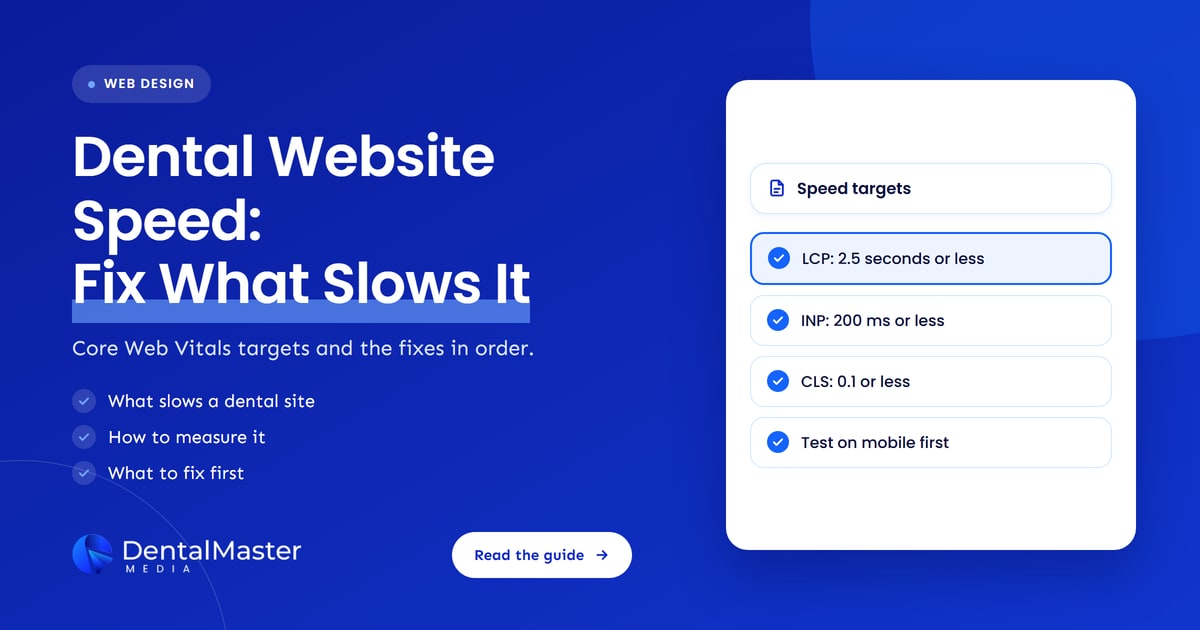
Quick answer: A dental website should show its main content within 2.5 seconds (Largest Contentful Paint), respond to taps within 200 milliseconds (Interaction to Next Paint) and keep layout shift at 0.1 or less (Cumulative Layout Shift), measured at the 75th percentile of real visits, according to Google’s web.dev. Oversized images, render-blocking code and third-party scripts are the usual causes of a slow dental website.
Key takeaways
- Dental website speed is measured by 3 Core Web Vitals: Largest Contentful Paint (loading), Interaction to Next Paint (responsiveness) and Cumulative Layout Shift (visual stability).
- The “good” targets are 2.5 seconds or less, 200 milliseconds or less and 0.1 or less, and a page passes only when all 3 are met at the 75th percentile.
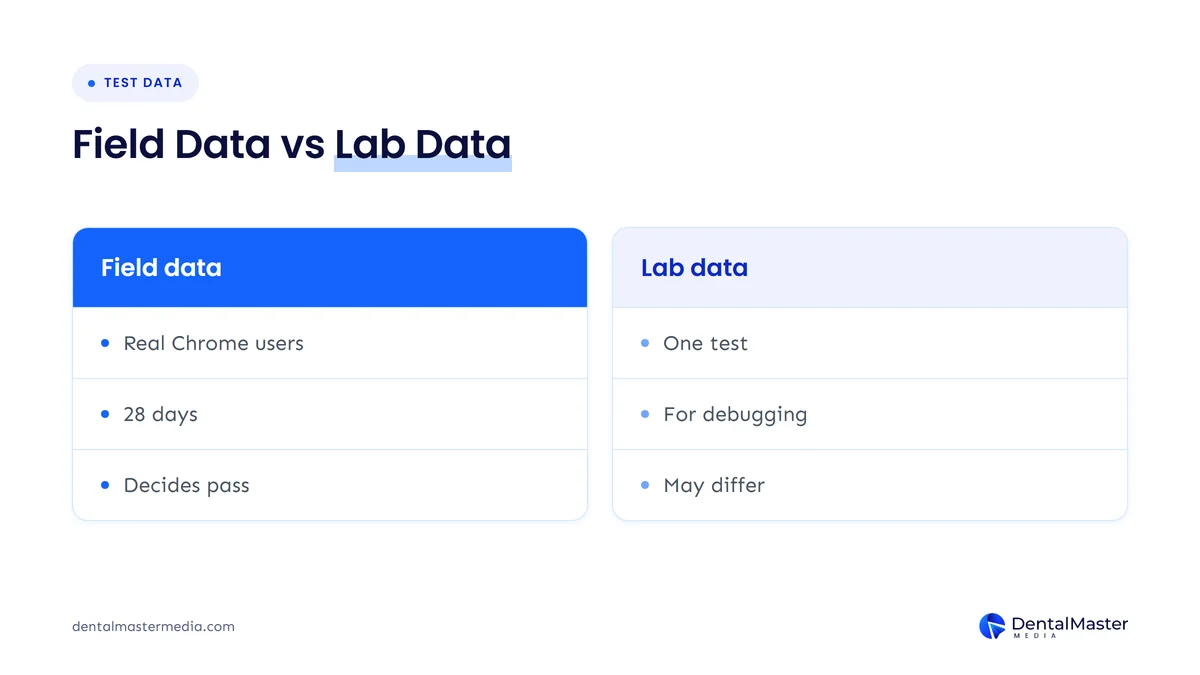
- PageSpeed Insights shows both field data from real Chrome users (a trailing 28 days) and lab data from a single Lighthouse test, so check both.
- Slow dental websites are usually slowed by large images, a late-loading hero image, render-blocking CSS and scripts, third-party widgets and unstable layouts.
- Fix the Largest Contentful Paint image first, then scripts, then layout shift, and re-test on mobile after each change.
- Core Web Vitals are used by Google’s ranking systems, but good scores do not ensure top rankings. The HTTP Archive found only 48% of mobile websites passed in July 2025.
What is dental website speed?
Dental website speed is how quickly a dental practice website loads, responds to a tap and stays visually stable while a patient uses it. Google measures dental website speed with 3 Core Web Vitals: Largest Contentful Paint, Interaction to Next Paint and Cumulative Layout Shift.
Largest Contentful Paint (LCP) measures how long the biggest visible element, usually the hero photo or headline on a dental practice homepage, takes to appear. Interaction to Next Paint (INP) measures how long the page takes to react after a patient taps a menu, a phone number or a booking button. Cumulative Layout Shift (CLS) measures how much the page jumps around while it loads. INP became a stable Core Web Vital in 2024 and is the successor to First Input Delay, according to web.dev.
Speed is one part of the technical work behind a site that patients can find and use, and it sits alongside crawlability and structured data in our dental SEO services. The rest of this guide gives the exact targets, the tools to measure them and the fixes in the order we would apply them.
How fast should a dental website load?
A dental website should load its main content in 2.5 seconds or less, respond to interactions in 200 milliseconds or less and keep layout shift at 0.1 or less. Google’s web.dev rates a page as passing only when it meets all 3 targets at the 75th percentile of page loads, segmented across mobile and desktop.
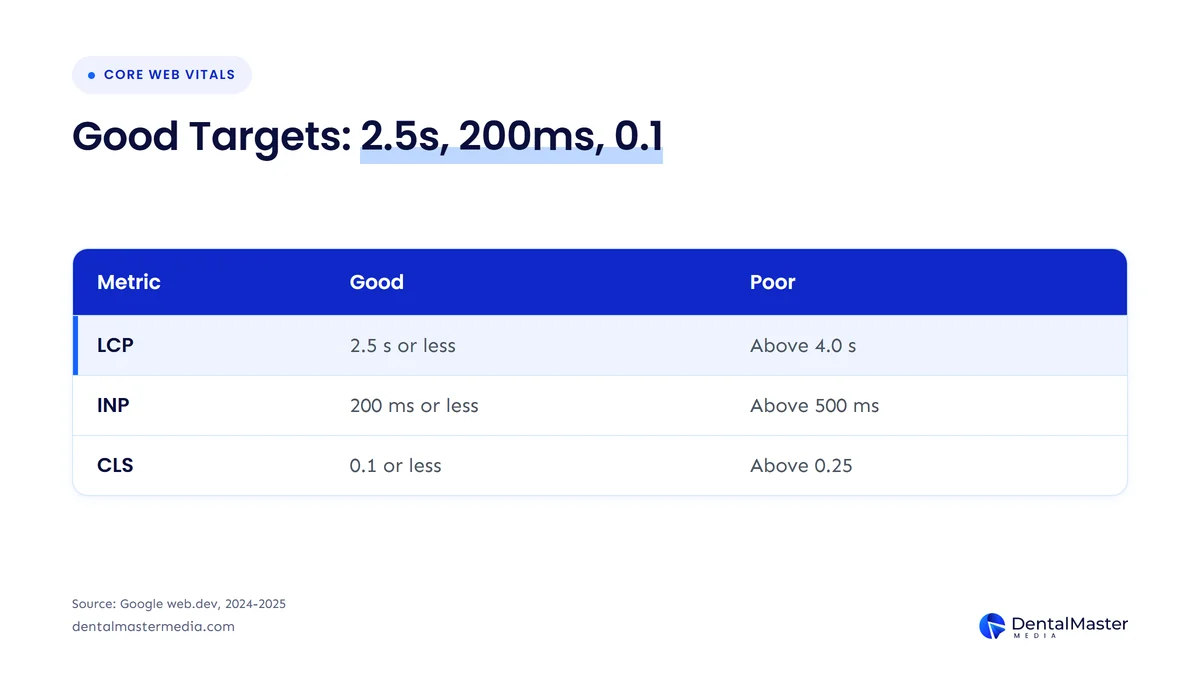
| Metric | Good | Needs improvement | Poor | What it measures |
|---|---|---|---|---|
| Largest Contentful Paint (LCP) | 2.5 seconds or less | 2.5 to 4.0 seconds | Above 4.0 seconds | How fast the main content appears |
| Interaction to Next Paint (INP) | 200 milliseconds or less | 200 to 500 milliseconds | Above 500 milliseconds | How fast the page responds to taps and clicks |
| Cumulative Layout Shift (CLS) | 0.1 or less | 0.1 to 0.25 | Above 0.25 | How much the layout jumps while loading |
The table shows that a hero photo that takes 3 seconds to appear already misses the good LCP target by 0.5 seconds. Sources: Google web.dev, Largest Contentful Paint, Interaction to Next Paint and Cumulative Layout Shift guides.
How do you measure dental website speed?
You measure dental website speed by running your homepage and your top service pages through PageSpeed Insights, which reports Core Web Vitals field data from real Chrome users and lab data from Lighthouse. Test the mobile tab first, because most of the checks below apply to the mobile result.
The 4 checks a practice owner can run in 10 minutes are listed below.
- PageSpeed Insights field data: read the Core Web Vitals assessment, which comes from the Chrome User Experience Report (CrUX) over a trailing 28 days at the 75th percentile and is rated Good, Needs Improvement or Poor.
- PageSpeed Insights lab data: read the Lighthouse performance score, where 90 to 100 is good, 50 to 89 needs improvement and 0 to 49 is poor.
- Google Search Console: open the Core Web Vitals report to see which groups of pages Google rates as poor or needing improvement.
- Page-by-page tests: test the homepage, one treatment page and the contact page separately, because each has a different largest element.
Field data and lab data can disagree. Field data is a record of many real devices and networks, while lab data is one simulated load (Lighthouse mobile tests use a mid-tier Moto G4 on a mobile network), so Google’s own documentation says the values may not match. When PageSpeed Insights has too few visits for a page, it falls back to whole-site data, and for a small practice site it may show no field data at all. In that case, use lab data to find problems and Search Console to confirm them later.
What slows dental website speed down?
Dental website speed is slowed down most often by a late or heavy Largest Contentful Paint image, render-blocking CSS and scripts, third-party scripts and unstable layouts. The HTTP Archive Web Almanac 2025 found that an image was the LCP element on 76.0% of mobile pages and 85.3% of desktop pages, so images are the first place to look.
The 6 causes of a slow dental website are listed below, each with the Core Web Vital it hurts.
- Oversized images: a hero photo or smile gallery saved at a large file size delays Largest Contentful Paint. In the Web Almanac, 57% of LCP images were JPG and only 11% were WebP.
- Lazy-loaded hero image: an LCP image that is lazy-loaded starts loading late. The Web Almanac found about 16% to 17% of pages lazy-load their LCP image.
- Render-blocking CSS and scripts: code in the page head that must finish before anything shows adds render delay to Largest Contentful Paint.
- Third-party scripts: chat widgets, booking tools, review badges, tracking tags and pop-ups can block the main thread and raise Interaction to Next Paint.
- Slow server response: redirects and uncached pages raise Time to First Byte, which web.dev says should take about 40% of the LCP time.
- Layout shift: images or videos without set dimensions, web fonts that swap in at a different size and widgets that resize after loading push content around and raise Cumulative Layout Shift.
Web.dev splits Largest Contentful Paint into 4 parts, and the ideal shares of the 2.5-second budget are about 40% for Time to First Byte, under 10% for resource load delay, about 40% for resource load duration and under 10% for element render delay. If your hero image waits for a script before it starts to download, the delay sits in the first 10% slice and no amount of image compression will fix it.
How do you improve dental website speed?
You improve dental website speed by fixing the Largest Contentful Paint image first, then removing render-blocking code and unneeded third-party scripts, then stopping layout shift, and re-testing on mobile after each change. The 6 steps below follow the order that usually produces the biggest gain first.
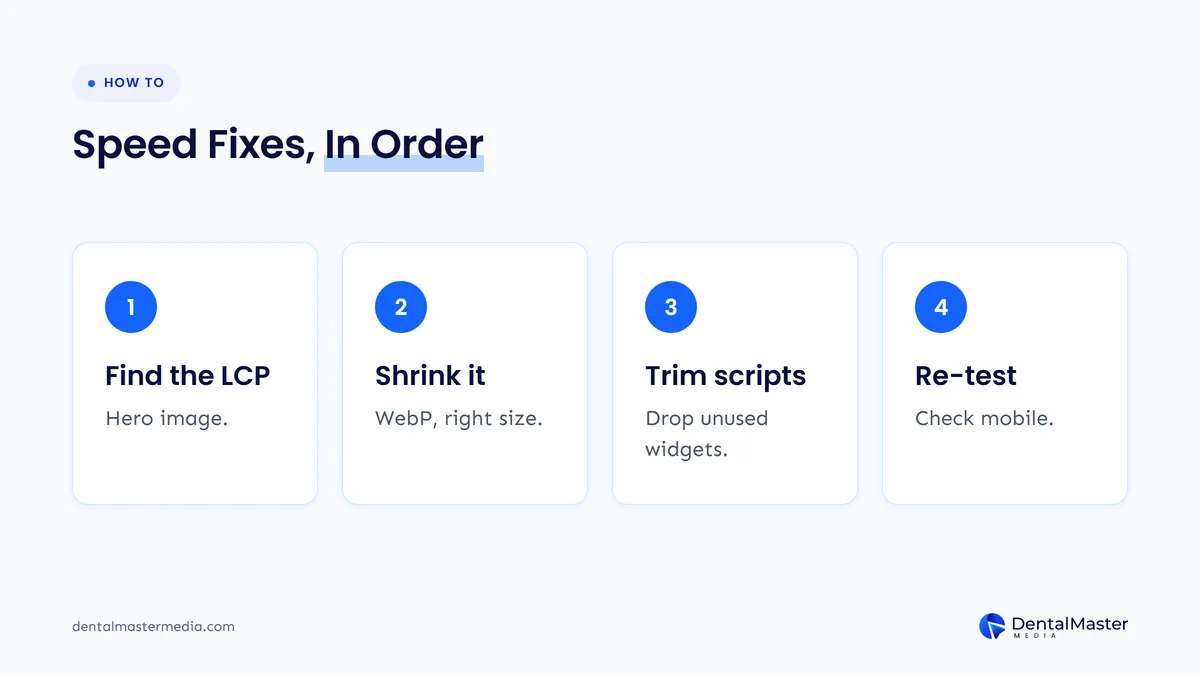
The 6 steps to speed up a dental practice website are listed below.
- Find the LCP element: run PageSpeed Insights on the homepage and note which element is reported as the Largest Contentful Paint, usually the hero image.
- Shrink and modernize the hero image: resize it to the size it is displayed at, use a modern format such as WebP or AVIF and serve it with compression and caching.
- Make the hero image load first: keep it in the initial HTML, remove lazy-loading from it and add fetchpriority=”high”. The Web Almanac found this on only 17.3% of mobile pages.
- Remove render-blocking code: inline only very small stylesheets, avoid synchronous scripts in the page head and defer what is not needed for the first screen.
- Audit third-party scripts: remove every chat, tracking or widget script that no one uses and load the rest after the first screen has painted.
- Reserve space and re-test: set width and height on images and videos, use a fallback font close to your web font and re-test on mobile.
Rebuilding the theme is rarely the first step. Our dental website design guide covers when a rebuild is the better choice than tuning an existing site, and the fixes above are the cheapest place to start on a site that is otherwise sound.
Does dental website speed affect Google rankings?
Yes, dental website speed affects Google rankings, but only as one signal among many. Google Search Central says Core Web Vitals are used by its ranking systems, that there is no single page experience signal and that good scores do not ensure that a page ranks at the top of Google Search results.
Google also says that, beyond Core Web Vitals, other page experience aspects do not directly help a website rank higher, and that a great page experience can contribute to success in Search when content is otherwise comparable. Google advises against chasing a perfect score only for SEO reasons. Speed matters most as a patient experience issue: a slow page loses the visitor before the booking button appears. If speed problems come with a drop in visibility, check whether a redesign is the cause, as we explain in when a dental website needs a redesign.
How many dental websites pass Core Web Vitals?
Across all websites, 48% of mobile sites and 56% of desktop sites passed all 3 Core Web Vitals in the HTTP Archive Web Almanac 2025. The Web Almanac does not report a dental-only figure, so a dental practice should compare itself with these sitewide numbers and its own Search Console report.
| Metric (share of sites rated good, July 2025) | Mobile | Desktop |
|---|---|---|
| All 3 Core Web Vitals | 48% (44% in 2024) | 56% (55% in 2024) |
| Largest Contentful Paint | 62% | 74% |
| Interaction to Next Paint | 77% | 97% |
| Cumulative Layout Shift | 81% | 72% |
The table shows that Largest Contentful Paint is the hardest target on mobile, with 38% of mobile sites missing it, which matches the advice to fix the hero image first. Source: HTTP Archive, Web Almanac 2025, Performance chapter, published January 15, 2026.
Frequently asked questions
What is a good page load time for a dental website?
A good page load time for a dental website is a Largest Contentful Paint of 2.5 seconds or less, measured at the 75th percentile of real visits. Google does not set a single full-load time, so judge the page by all 3 Core Web Vitals.
Is a PageSpeed Insights score of 90 required?
No, a PageSpeed Insights score of 90 is not required. A score of 90 to 100 is shown as good, but the Lighthouse score is lab data, and the Core Web Vitals assessment from real visitors decides whether a page passes.
Why is my dental website slow on mobile but fast on desktop?
A dental website is slower on mobile because mobile devices and networks are slower, and the Web Almanac 2025 shows it: 62% of mobile sites had a good Largest Contentful Paint against 74% on desktop. Lighthouse mobile tests also simulate a mid-tier phone on a mobile network.
Do I need to fix Interaction to Next Paint on a dental website?
Yes, a dental website should keep Interaction to Next Paint at 200 milliseconds or less. Most sites already do on desktop (97% good in the Web Almanac 2025), but third-party scripts such as chat widgets can push mobile results over the line.
How long does it take for speed fixes to show in PageSpeed Insights?
Speed fixes show in lab data straight away, but field data takes longer because PageSpeed Insights reports a trailing 28 days of Chrome User Experience Report data. Expect the Core Web Vitals assessment to update over about 4 weeks.
Conclusion
Dental website speed comes down to 3 targets: Largest Contentful Paint at 2.5 seconds or less, Interaction to Next Paint at 200 milliseconds or less and Cumulative Layout Shift at 0.1 or less. Measure them in PageSpeed Insights, fix the hero image first, trim third-party scripts and reserve space for images, and remember that Google treats Core Web Vitals as one signal, not a promise of rankings.
If your site needs more than tuning, Dental Master Media builds and rebuilds dental sites through our dental website design service: a new website is $999 for 10 pages, a redesign is $999 for up to 100 pages, the build takes about 30 days and we include 30 days of support.
Find out how fast your dental website really is
Book a free dental SEO strategy call and we will walk through your PageSpeed Insights results, show which fix to make first and tell you honestly whether tuning or a rebuild makes sense for your practice.
Sources
- Google web.dev, “Web Vitals”, published May 4, 2020, last updated October 31, 2024. https://web.dev/articles/vitals
- Google web.dev, “Largest Contentful Paint (LCP)”, accessed November 21, 2026. https://web.dev/articles/lcp
- Google web.dev, “Interaction to Next Paint (INP)”, last updated September 2, 2025. https://web.dev/articles/inp
- Google web.dev, “Cumulative Layout Shift (CLS)”, accessed November 21, 2026. https://web.dev/articles/cls
- Google web.dev, “Optimize Largest Contentful Paint”, accessed November 21, 2026. https://web.dev/articles/optimize-lcp
- Google Search Central, “Understanding page experience in Google Search results”, accessed November 21, 2026. https://developers.google.com/search/docs/appearance/page-experience
- Google for Developers, “About PageSpeed Insights”, accessed November 21, 2026. https://developers.google.com/speed/docs/insights/v5/about
- Chrome for Developers, “Chrome User Experience Report (CrUX)”, accessed November 21, 2026. https://developer.chrome.com/docs/crux
- HTTP Archive, “Web Almanac 2025: Performance”, published January 15, 2026, last updated May 5, 2026, data from July 2025. https://almanac.httparchive.org/en/2025/performance

Suraj Rana is the owner of Dental Master Media and a leading expert in SEO for dental practices. With a passion for dental marketing, he has successfully helped numerous dental clinics climb the search engine ranks. Suraj’s expertise makes him a go-to resource for effective, results-driven dental marketing.