Quick answer: To get more appointments from your dental website, make one booked appointment the goal of every page. Show a call and book button on every page, load pages within 2.5 seconds, keep forms short, show real trust signals, offer online booking beside your phone number, and track every call, form and booking.
Key takeaways
- Dental website conversion means a visitor becomes a booked appointment, a phone call or a form request, and your conversion rate is those actions divided by visits.
- A dental website converts when it has a clear call and book action, a mobile layout built for thumbs, fast page speed, real trust signals and a short contact form.
- Offer online booking and a phone number together, because patients choose different ways to reach a dental practice.
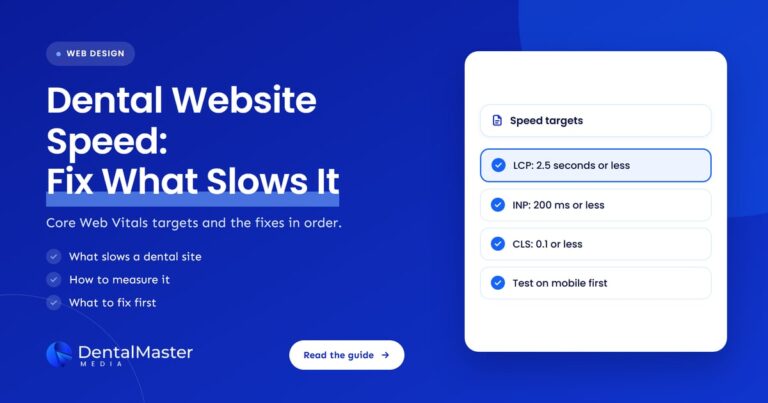
- Google’s Core Web Vitals give you 3 pass marks: Largest Contentful Paint of 2.5 seconds or less, Interaction to Next Paint of 200 milliseconds or less and Cumulative Layout Shift of 0.1 or less.
- Track calls, form submissions and booking clicks as separate events, and check with a compliance advisor before putting tracking tools on appointment pages.
- Start with 5 fixes in order: measure, simplify the call and book action, fix the mobile layout, speed up pages, then shorten the form.
What is dental website conversion?
Dental website conversion is the share of visitors to a dental website who take an action that can lead to a patient visit. A dental practice usually counts 3 actions as conversions: a booked appointment, a phone call and a completed contact form.
The 3 conversions are not equal, so rank them before you measure anything. A booked appointment on the schedule is the strongest, a phone call that reaches the front desk is next, and a form request comes after because someone still has to reply to it. Every page on a dental website should push toward one of the 3, and a page with no clear next step is a page that loses visitors.
Design and build choices decide most of this, which is why our dental web development work starts from the action a patient should take on each page, not from how the page looks. The full picture of what a good practice site includes is in our dental website design guide.
How do you calculate a dental website conversion rate?
A dental website conversion rate is the number of conversions divided by the number of website visits in the same period, multiplied by 100. If 500 visits produce 20 calls, 10 form requests and 5 online bookings, the conversion rate is 35 actions divided by 500 visits, or 7%.
That 7% is an example of the arithmetic, not a benchmark. None of the sources used in this article publishes a conversion rate for dental websites, so the useful number is your own baseline for last month. Count each of the 3 conversions separately, because a rise in form requests can hide a fall in booked appointments.
What makes a dental website convert visitors into booked appointments?
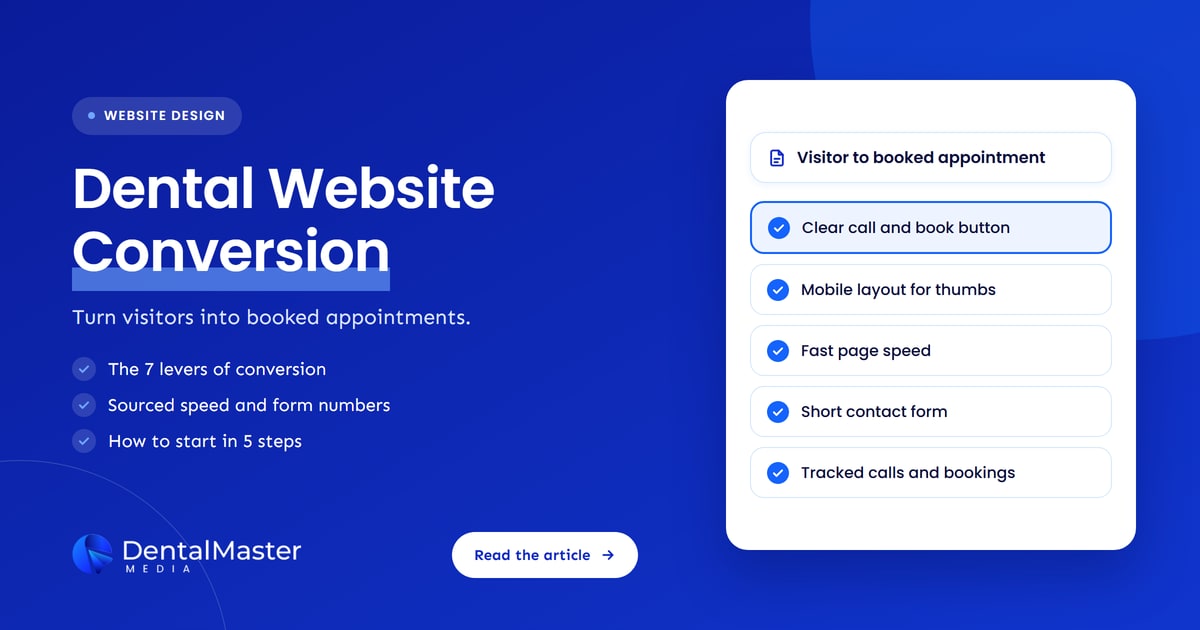
A dental website converts visitors into booked appointments when each page makes the next step obvious, loads quickly on a phone and gives the patient a reason to trust the practice. The 7 levers of dental website conversion are listed below, in the order a visitor meets them.
- Call and book action: one primary button for booking and one for calling, visible without scrolling.
- Mobile layout: a design built for phone screens, since patients often search on a phone.
- Page speed: pages that load and respond within Google’s Core Web Vitals pass marks.
- Trust signals: real dentist names, photos, address, hours and patient reviews.
- Contact form: only the fields a front desk needs to reply.
- Online booking: a way to pick a time without a phone call, shown beside the phone number.
- Conversion tracking: a count of calls, forms and bookings, so you can see what works.
How should a dental website show the call and book action?
A dental website should show one primary call and book action on every page, placed in the header and repeated after each main section. The call button should be a tap-to-dial link and the book button should open the booking page or form in one step.
Keep the wording specific, such as “Book an appointment” and “Call the practice”, and avoid sending a patient to a generic contact page. When the main action competes with 5 other buttons, none of them get used. Our dental website conversion page explains how we place these actions on each template.
Does a dental website need a mobile layout built for phones?
Yes, a dental website needs a mobile layout built for phones, because Google uses the mobile version of a site’s content for indexing and ranking, a system Google Search Central calls mobile-first indexing. A patient who searches “dentist near me” on a phone sees the mobile layout first, and so does Google.
Google Search Central also advises that the mobile site contain the same content as the desktop site. Make buttons large enough to tap: web.dev recommends a tap target of about 48 by 48 pixels, with about 8 pixels between targets, so a thumb does not hit the wrong button. A phone number that is plain text, not a tap-to-dial link, is a lost phone call.
How much does page speed affect dental website conversion?
Page speed affects dental website conversion because visitors leave slow pages before they see the book button. Google’s Core Web Vitals set 3 pass marks, measured at the 75th percentile of page loads: Largest Contentful Paint of 2.5 seconds or less, Interaction to Next Paint of 200 milliseconds or less and Cumulative Layout Shift of 0.1 or less.
A study by 55 and Deloitte for Google, covering 37 brand websites and more than 30 million sessions, found that a 0.1 second improvement in mobile site speed raised conversion rates by 8.4% for retail sites and 10.1% for travel sites. Those are retail and travel results, not dental ones, so treat them as evidence that speed can move conversion, not as a promise for your practice. The fixes are covered on our dental website speed page.
Which trust signals help a dental website convert?
The trust signals that help a dental website convert are real, checkable facts about the practice that appear near the call and book action. The 6 trust signals a dental practice should show are listed below.
- Dentist names and photos: actual team members, with their qualifications as the dental board lists them.
- Address, phone number and hours: identical to your Google Business Profile, so a patient sees one set of facts.
- Patient reviews: real review text copied from your Google Business Profile, with the date.
- Insurance and payment information: a plain list of the plans you accept and the payment options you offer.
- Treatment pages: clear descriptions of each service, written by the practice.
- Privacy and contact details: a privacy policy and a named person or desk to contact.
How long should a dental website contact form be?
A dental website contact form should be as short as the front desk allows, usually a name, a phone number or email address and the reason for the visit. Baymard Institute research on checkout flows found that 17% of users abandoned a purchase because the process felt too difficult, and a long dental form creates the same friction.
Baymard studies online checkout, not dental forms, so use its number as a warning and test your own form. Remove every field you do not need to reply, and do not ask for health history or symptoms in a first-contact form. Forms that collect health details raise HIPAA questions, which the tracking section below covers.
Online booking or phone calls: which should a dental website offer?
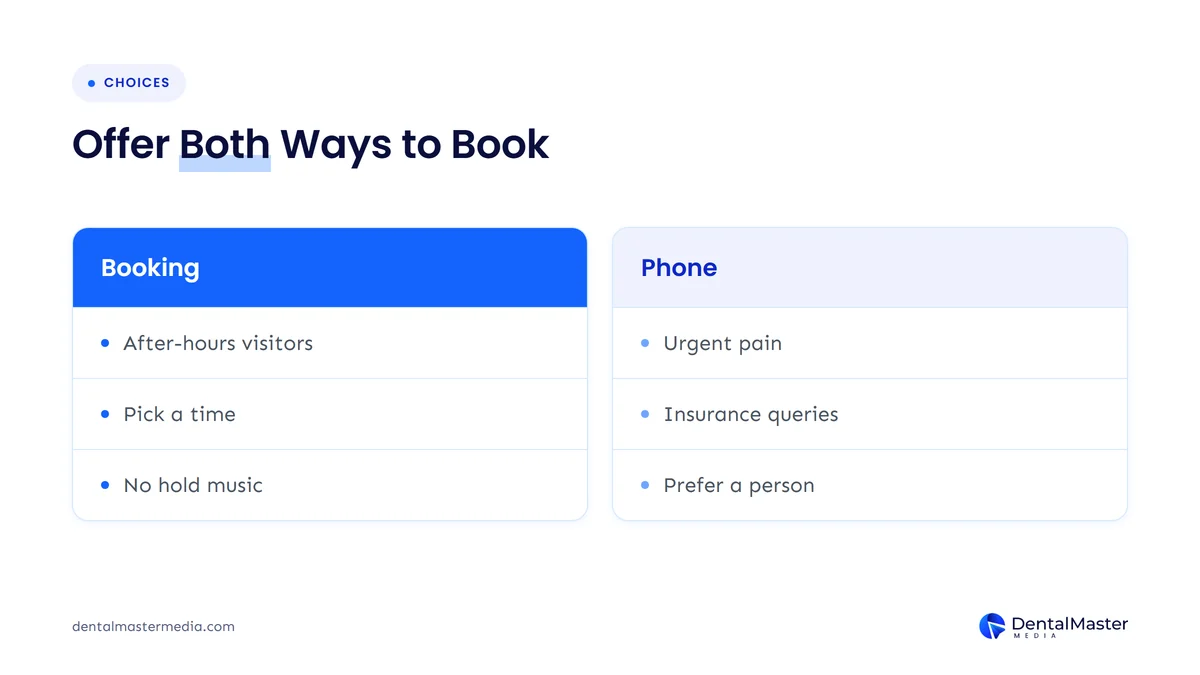
A dental website should offer both online booking and a phone number, because each serves a different patient. Online booking suits a patient who searches after hours and wants to pick a time, and a phone call suits a patient with an urgent problem or a question about insurance.
Link your booking page from your Google Business Profile as well. Google Business Profile Help says you can add up to 10 links per category from Google Search or Google Maps, by choosing Booking or Edit profile and then Add link. Our guide to Google Business Profile booking links for dental practices shows how patients book from Google, and our dental online booking page covers the website side.
Which numbers should a dental website be measured against?
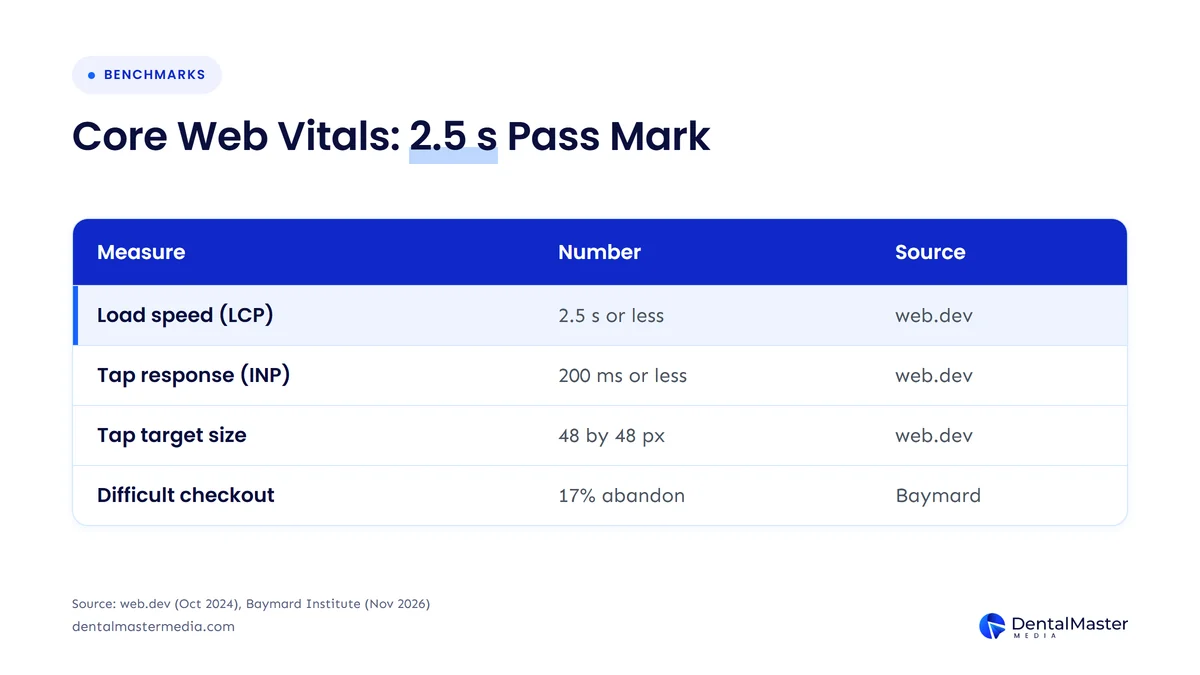
A dental website should be measured against published pass marks for speed and layout, plus your own baseline for calls, forms and booked appointments. The table below lists the 7 sourced numbers used in this article and what each means for a dental practice.
| Measure | Number | What it means for a dental website | Source |
|---|---|---|---|
| Largest Contentful Paint | 2.5 seconds or less | The main content, and the book button, appear quickly. | web.dev, updated Oct 31, 2024 |
| Interaction to Next Paint | 200 milliseconds or less | A tap on call or book responds at once. | web.dev, updated Oct 31, 2024 |
| Cumulative Layout Shift | 0.1 or less | Buttons do not jump while the page loads. | web.dev, updated Oct 31, 2024 |
| Tap target size | About 48 by 48 pixels, 8 pixels apart | Call and book buttons are easy to hit on a phone. | web.dev, Accessible tap targets |
| Mobile speed gain of 0.1 second | 8.4% retail, 10.1% travel conversion lift | Speed can raise conversion, though these are not dental results. | web.dev, Milliseconds make millions (55 and Deloitte, 2019 data) |
| Users who abandoned a difficult checkout | 17% | A long or confusing form can lose patients. | Baymard Institute, updated Nov 2, 2026 |
| Booking links on a Business Profile | Up to 10 per category | You can link booking pages from Google Search and Maps. | Google Business Profile Help |
The table shows that 4 numbers describe speed, 1 describes phone layout, 1 describes form friction and 1 describes how Google lets you link booking pages.
How do you track bookings and calls from a dental website?
You track bookings and calls from a dental website by counting each conversion as its own event: a click on the phone number, a submitted contact form and a click on the booking button. Call tracking adds a count of calls that actually connect, using a tracking phone number on the website.
The 4 things to track are listed below, each with the question it answers.
- Phone call clicks: the count of mobile visitors who tap the phone number.
- Call tracking numbers: the count of calls that reach the front desk and the page that sent each one.
- Form submissions: the count of contact form requests, kept without storing what patients typed.
- Booking clicks: the count of visitors who open the online booking page.
Be careful with tools that send data to third parties. HHS Office for Civil Rights guidance on online tracking technologies says that tracking tools on an unauthenticated page where people schedule appointments may have access to protected health information in certain circumstances. A federal court in Texas vacated one part of that guidance, the “Proscribed Combination” of an IP address and a visit to a public health page, on June 20, 2024, and the rest of the guidance stands, according to Holland & Knight. Ask your compliance advisor before placing analytics or advertising pixels on booking and form pages, and send only counts, never patient details. Our guide to dental call tracking explains the setup.
How do you start improving dental website conversion?
You start improving dental website conversion by measuring your current numbers and fixing the biggest friction first. Work through the 5 steps below in order, and change one thing at a time so you can see what moved the numbers.
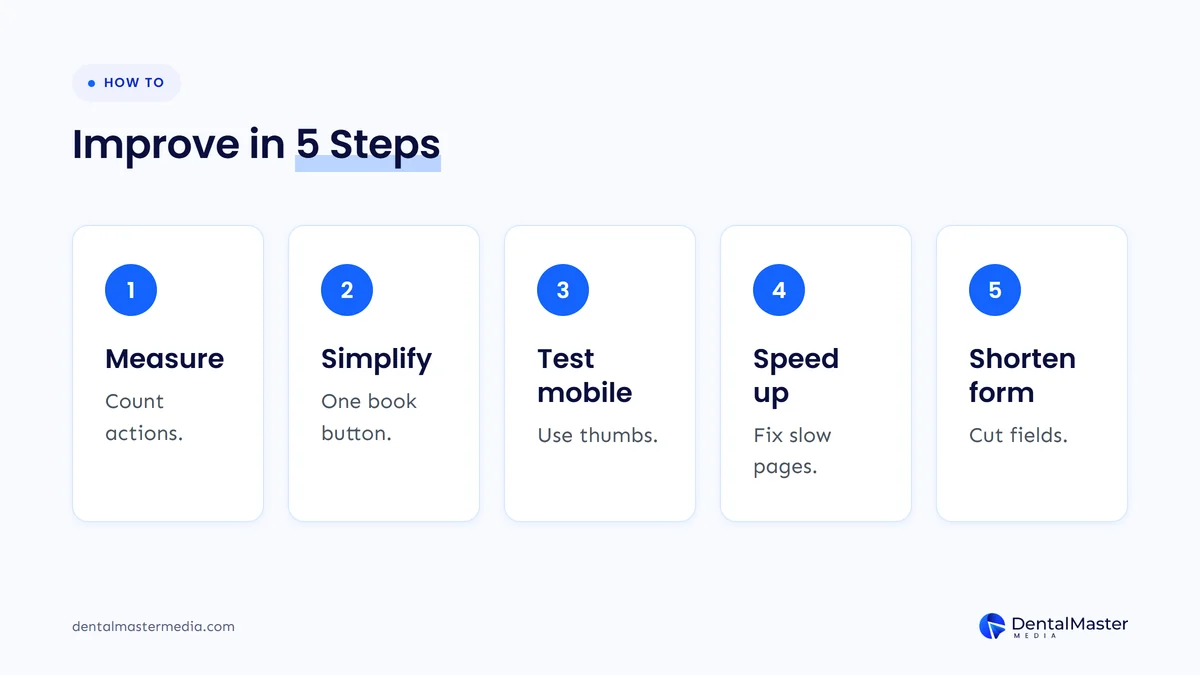
The 5 steps for improving dental website conversion are listed below.
- Measure the baseline: record last month’s calls, form requests and bookings for your dental website.
- Simplify the call and book action: keep one booking button and one tap-to-dial phone number on every page.
- Test the mobile layout: open your dental website on a phone and tap every button with your thumb.
- Check page speed: run the main pages against the 3 Core Web Vitals pass marks and fix the slowest.
- Shorten the contact form: remove every field the front desk does not need.
Does a dental website redesign fix low conversion?
A dental website redesign fixes low conversion only when the problem is the site’s structure, speed or phone layout, not when it is a missing button or a long form. Fix the small items first, then redesign if the pass marks still fail or the layout cannot hold a clear call and book action.
Our post on when a dental website needs a redesign gives 6 tests with numbers, so you can decide without guessing.
Frequently asked questions
What is a good conversion rate for a dental website?
A good conversion rate for a dental website is one you have measured and then improved, because no source used in this article publishes a dental benchmark. Record calls, form requests and booked appointments for a month, divide each by visits and aim to beat that baseline the next month.
Should a dental website show a phone number or a booking form?
A dental website should show both a phone number and a booking option on every page. Patients with urgent pain tend to call, and patients searching after hours may prefer to pick a time online, so offering both captures each group.
Does page speed affect dental appointments?
Yes, page speed can affect dental appointments because slow pages lose visitors before they reach the book button. A 55 and Deloitte study for Google found a 0.1 second mobile speed gain lifted conversion by 8.4% for retail sites and 10.1% for travel sites, and Google’s Core Web Vitals pass marks give a target for your own pages.
How does HIPAA affect a dental website’s appointment form?
HIPAA can apply to an appointment form on a dental website when the form collects identifiable health information. HHS Office for Civil Rights guidance says tracking tools on an unauthenticated scheduling page may have access to protected health information in certain circumstances, so keep the form short and ask a compliance advisor to review it and any tracking tools.
How many fields should a dental appointment form have?
A dental appointment form should have only the fields the front desk needs to reply, usually 3: a name, a phone number or email address and the reason for the visit. Baymard Institute found 17% of users abandoned a checkout because the process felt too difficult, so every extra field adds friction.
Dental website conversion is a count you can improve
Dental website conversion is the share of visitors who book an appointment, call or send a form, and 5 steps improve it: measure the baseline, simplify the call and book action, fix the mobile layout, meet the Core Web Vitals pass marks and shorten the form. Offer online booking beside your phone number, show real trust signals and track each conversion as its own event.
At Dental Master Media, a new dental website with 10 pages is $999, a redesign of up to 100 pages is $999, the build takes about 30 days and 30 days of support follow. You can see how we build for conversion on our dental website design service page.
Talk through your dental website’s numbers
Book a free strategy call and we will look at how patients move through your dental website, where they drop out and which fixes should come first.
Sources
- web.dev (Google), “Web Vitals”, published May 4, 2020, updated October 31, 2024. https://web.dev/articles/vitals
- web.dev (Google), “Accessible tap targets”, accessed November 22, 2026. https://web.dev/articles/accessible-tap-targets
- web.dev (Google), “Milliseconds make millions”, study by 55 and Deloitte, mobile data from late 2019, accessed November 22, 2026. https://web.dev/case-studies/milliseconds-make-millions
- Google Search Central, “Mobile-first indexing best practices”, accessed November 22, 2026. https://developers.google.com/search/docs/crawling-indexing/mobile/mobile-sites-mobile-first-indexing
- Google Business Profile Help, “Manage your local business links”, accessed November 22, 2026. https://support.google.com/business/answer/6218037
- Baymard Institute, “How to Reduce Cart Abandonment (Data-Backed UX Strategies)”, published May 19, 2026, updated November 2, 2026. https://baymard.com/blog/reduce-cart-abandonment
- U.S. Department of Health and Human Services, Office for Civil Rights, “Use of Online Tracking Technologies by HIPAA Covered Entities and Business Associates”, revised March 18, 2024. https://www.hhs.gov/hipaa/for-professionals/privacy/guidance/hipaa-online-tracking/index.html
- Holland & Knight, “American Hospital Assn. v. Becerra: Are Tracking Tools OK Again? Court Dials Back OCR Bulletin”, June 2024. https://www.hklaw.com/en/insights/publications/2024/06/american-hospital-assn-v-becerra-are-tracking-tools-ok-again

Suraj Rana is the owner of Dental Master Media and a leading expert in SEO for dental practices. With a passion for dental marketing, he has successfully helped numerous dental clinics climb the search engine ranks. Suraj’s expertise makes him a go-to resource for effective, results-driven dental marketing.