Quick answer: When a dental practice moves, update the address on your existing Google Business Profile once you are open at the new site, and expect to verify the profile again. Then change the address everywhere else: website footer, contact and location pages, LocalBusiness schema, directories and booking tools. Matching details help Google trust the new location.
Key takeaways
- Google’s help pages tell most relocating businesses to update the existing Business Profile rather than create a new one, so your reviews can move with you.
- Google says a business that moves after it is verified must verify again. Plan for that before moving day, with signage and proof of management ready.
- Distance is one of Google’s three local ranking factors, so map rankings will shift toward patients near the new address. That is expected, not a penalty.
- Your website, schema markup and directory listings should show the new address within days of the Business Profile change, so every source agrees.
- Never run two live profiles for one practice. Close or merge any duplicate, and keep tracking calls from Maps for at least three months.
What counts as a practice move on Google?
For Google, a move means the same dental practice, with the same name and owners, now sees patients at a different physical address. That is different from fixing a wrong address, opening a second location, or a new practice taking over your old premises. Each of those follows a different process in Google Business Profile.
Getting the category right matters, because Google treats each case differently:
| Situation | What Google expects |
|---|---|
| Same practice, new address | Update the address on the existing profile, then verify again |
| Address was always wrong, practice hasn’t moved | Contact Google Business Profile support to fix it |
| Opening a second site, old one stays open | A separate, new profile for the new location |
| A different practice now uses your old premises | The old listing is marked permanently closed, not renamed |
If you are buying or merging with another practice at the same time as moving, treat the name and ownership change as its own step. Google updated its identity change policy in April 2026 to say that edits which significantly change the nature of a business are often treated as fraudulent and may be rejected.
Will moving your dental practice affect your Google rankings?
Yes, your map rankings will change, mainly because of distance. Google ranks local results on relevance, distance and prominence, and distance is how far your practice is from the person searching. After a move you will tend to show more often for patients near the new address and less often near the old one.
How much that matters depends on how far you move. A move a few streets away inside the same neighborhood usually changes little. A move across town, or into another city, means you are now competing with a different set of nearby practices in the map pack, and your old patients’ “dentist near me” searches may show someone closer to them. Our guide on how Google decides which dentist to show in the map pack explains the three factors in more detail.
The parts you control are relevance and prominence. Google also says that businesses with complete and accurate information are more likely to show in local results, and that inaccurate information can stop a profile from showing for relevant searches. A move is the moment when information most often becomes inconsistent, so most of the work below is about keeping every source in agreement.
Should you edit your Business Profile or create a new one?
For most dental practices, edit the existing profile. Google’s help page on duplicate profiles says a relocating business should not create a new profile and should update the existing one instead. Google’s reviews page also says reviews transfer automatically when you move to a new address and keep the same business name.
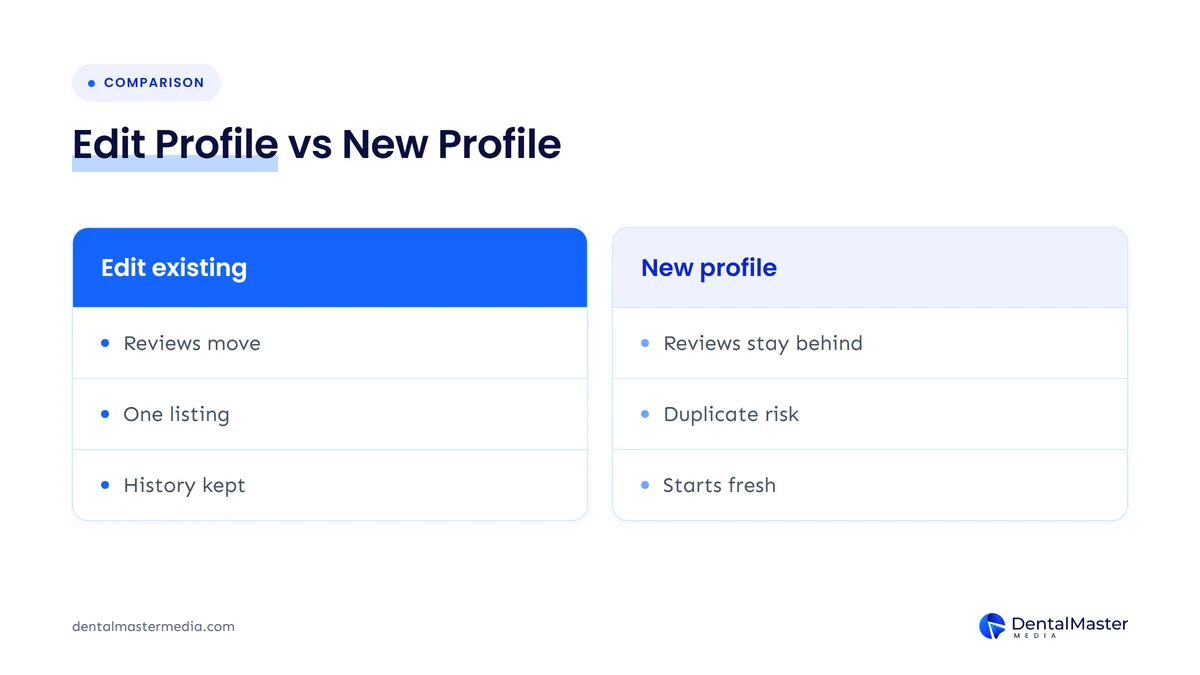
There is one wrinkle you should know about. Google’s policy overview page has a “Location change” section that says location edits are rejected for businesses whose identity is tied to the in-person experience, such as dining, lodging and entertainment venues, and that a relocated business should mark the old profile permanently closed and create a new one. The two pages read differently, and the policy page doesn’t say which business types the closure route is meant for.
In practice, we suggest this order:
- Try the edit first. Change the address on the existing, verified profile and complete any verification Google asks for.
- If Google rejects the edit, follow the route it gives you: mark the old profile permanently closed and add the practice at the new address.
- If you end up with two profiles, contact Google support and ask for the reviews to be moved to the new one. Google’s reviews page describes this for duplicates created after a location change.
- Don’t reopen a profile that was closed as part of a location change. Google’s help says to add a new business instead.
Whichever route you take, the end state is the same: one live profile for the practice, at the address where patients actually visit.
How do you change your address on Google Business Profile?
Wait until you are open and seeing patients at the new address. Then open your Business Profile, choose Edit profile, go to Location, edit “Business location”, enter the new address and save. Google reviews the change before it goes live, and you should expect to verify the practice again.
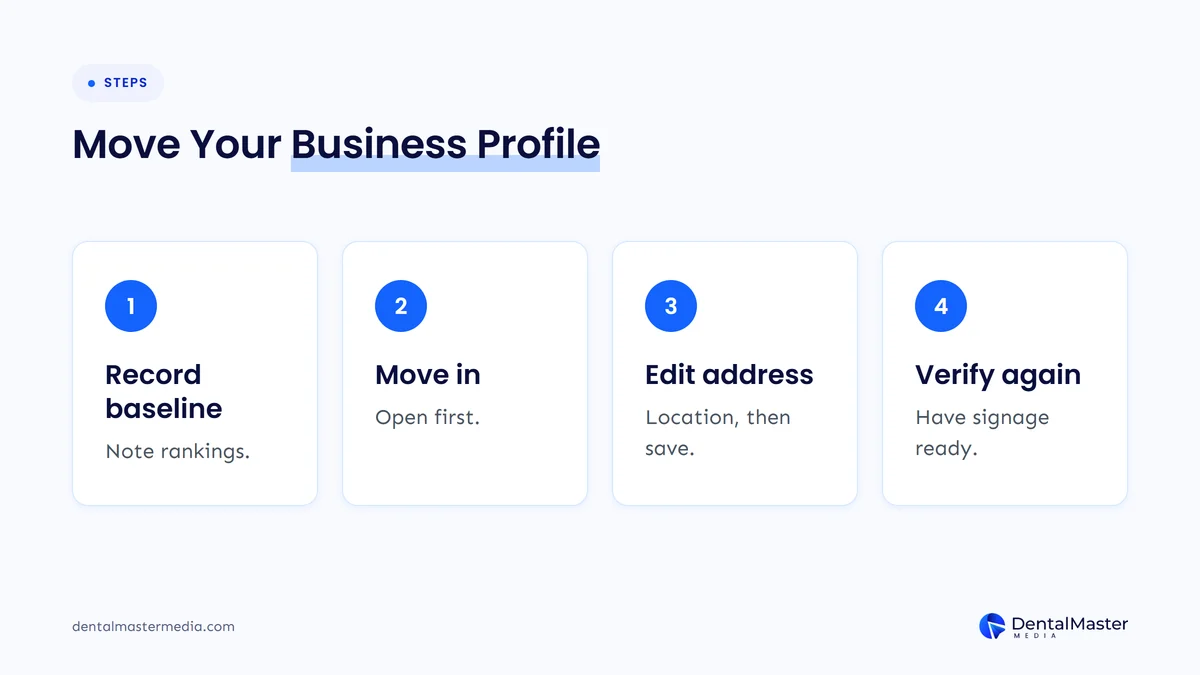
- Record where you stand. Before you touch anything, note your current map rankings for your main searches, screenshot your profile’s performance figures and save a copy of every field: categories, services, hours, phone, booking link and description.
- Move in first. Your address on Google should match where patients can walk in today. Set the edit for the day you start seeing patients at the new site.
- Edit the address. In the Location section, edit “Business location” and save. If Google can’t find the address, re-enter the parts highlighted in red or use Adjust to place the pin on the map. Google says changes usually show within about 10 minutes, but some take up to 30 days.
- Verify again. Google’s edit page says that if you move your business to a new address after it’s verified, you must verify your business again. Google chooses the method, and verification reviews can take up to 5 business days.
- Leave everything else alone until verification is done. Google warns that editing the name, address or category while a postcard code is pending stops the code from working. Change one thing at a time.
How should you prepare for verification at the new address?
Have the new premises look like a working practice before you change the address on Google. For live video verification, Google asks you to show that you are at the business, with a street sign or nearby businesses for location and access to staff-only areas as proof that you manage it.
That means permanent signage with the practice name, a staffed reception, and keys to the back office on the day you verify. Avoid listing a suite number or opening hours on Google that a reviewer couldn’t confirm in person. A mismatch between what Google sees and what your profile says is one of the common causes of suspension, which we cover in our guide to a suspended Google Business Profile. Google has also been testing new ID-based verification options this autumn, so check which methods your dashboard offers before moving week.
What happens to your reviews when you move?
If you keep the same practice name and edit the existing profile, Google says your reviews transfer automatically. Google lists hotels, golf courses and scenic attractions as categories where reviews might not move automatically, and dentists aren’t among them. If reviews end up on a second, duplicate profile, you can ask Google support to move them.
Once you are verified at the new address, ask a few patients from the first weeks to leave a review. Fresh reviews that mention the new building, parking or access tell both Google and new patients that the practice is active at its new home.
What should you change on your dental website when you move?
Every place your website shows the address should change the same day your Business Profile does. That means the footer, contact page, location or “visit us” page, embedded Google map, directions text, structured data and any page titles that name your old neighborhood. If a location page’s URL changes, redirect the old URL permanently.
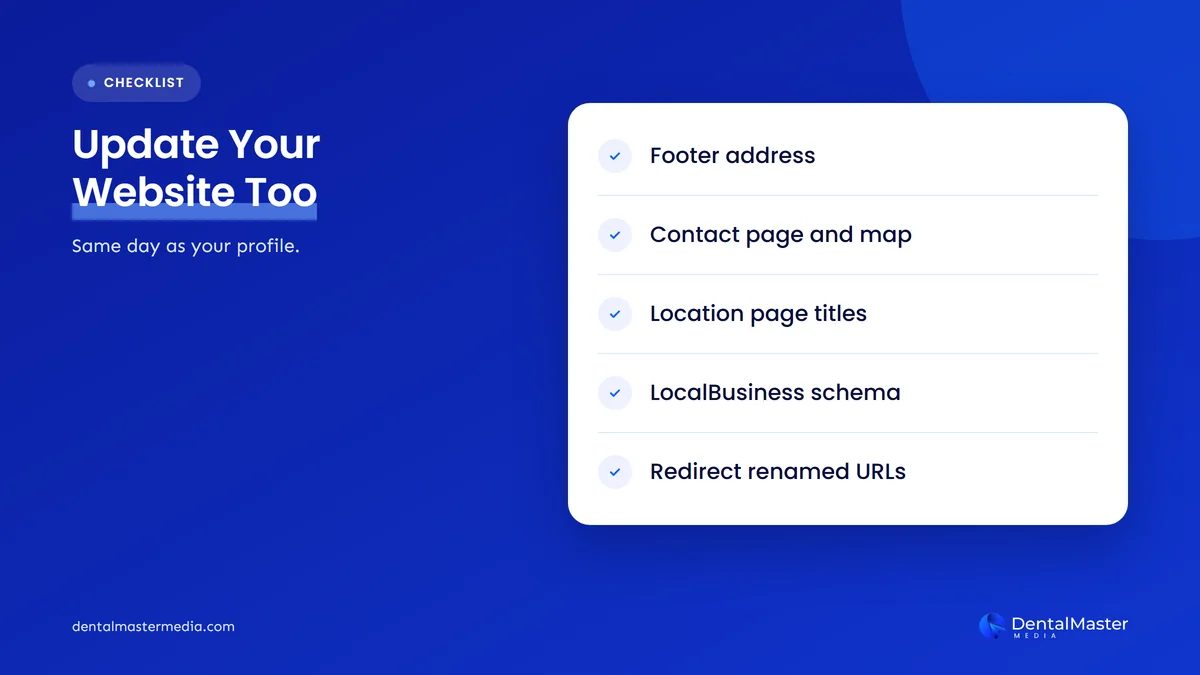
| Website element | What to change |
|---|---|
| Footer and header | New street address, suite number and, if it changed, phone number |
| Contact and location pages | Address, embedded map, parking, public transport and accessibility notes |
| Page titles and headings | Any mention of the old neighborhood or landmark |
| Structured data | LocalBusiness or Dentist schema: address, geo, telephone, url and hours |
| Location page URL | If the URL names the old area, publish a new one and 301 redirect the old URL |
| Booking and forms | Confirmation emails, reminders and intake forms that print the address |
How do you update LocalBusiness schema after a move?
Update the address property first, because Google lists it as required for LocalBusiness structured data, along with name. Then update the recommended geo coordinates, which Google says should have at least five decimal places, plus telephone, url and opening hours.
Google advises using the most specific LocalBusiness type available, and Schema.org includes a Dentist type for exactly this. Make sure the url points to a working page for the new location, then test the page in Google’s Rich Results Test. Our guide to schema markup for dental websites covers the other properties worth adding.
Do you need redirects or a site move in Search Console?
Only if URLs change. If your domain and page addresses stay the same, there is nothing to redirect. If you rename a location page, for example from an old suburb name to a new one, Google recommends a permanent server-side redirect, which it calls the best way to send both Google Search and people to the correct page.
Some practices rebrand or redesign their website at the same time as the move. If you do, keep the two projects apart where you can. A move and a redesign both change signals Google relies on, and doing them together makes it hard to tell what caused any drop. Our article on why practices lose rankings after a website redesign explains what to protect.
Where else does your address need updating?
Update every listing that shows your practice details: other map apps, health and dental directories, insurance provider directories, your dental association’s “find a dentist” listing, social media profiles, online booking platforms and any Google Ads location assets. Start with the sources patients use most, and keep a list of every login.
- Other map platforms: Apple Maps (through Apple Business Connect) and Bing Places, because patients use more than one map app.
- Health directories and booking sites: any doctor-finder, review or online booking platform where your practice has a listing.
- Insurance and association directories: provider lists for the plans you accept, and your professional association’s directory.
- Social profiles: Facebook, Instagram and LinkedIn pages that show your address or map pin.
- Your own systems: practice management software, appointment reminders, letterheads and email signatures.
- Paid ads: location assets and any radius targeting set around the old address.
Old listings at the old address are one of the most common reasons a move goes badly, because they keep sending conflicting signals for months. Our guide to NAP consistency for dental clinics shows how to find and fix them.
How do you protect your rankings in the months after a move?
Watch three things for at least three months: whether your profile stays verified and shows the new address, how your map rankings look from the new location, and how many calls and booking requests arrive from Google. Fix any old listing, duplicate profile or wrong pin as soon as you see it.
| When | What to do |
|---|---|
| Before the move | Record rankings and profile data, list every directory login, order permanent signage |
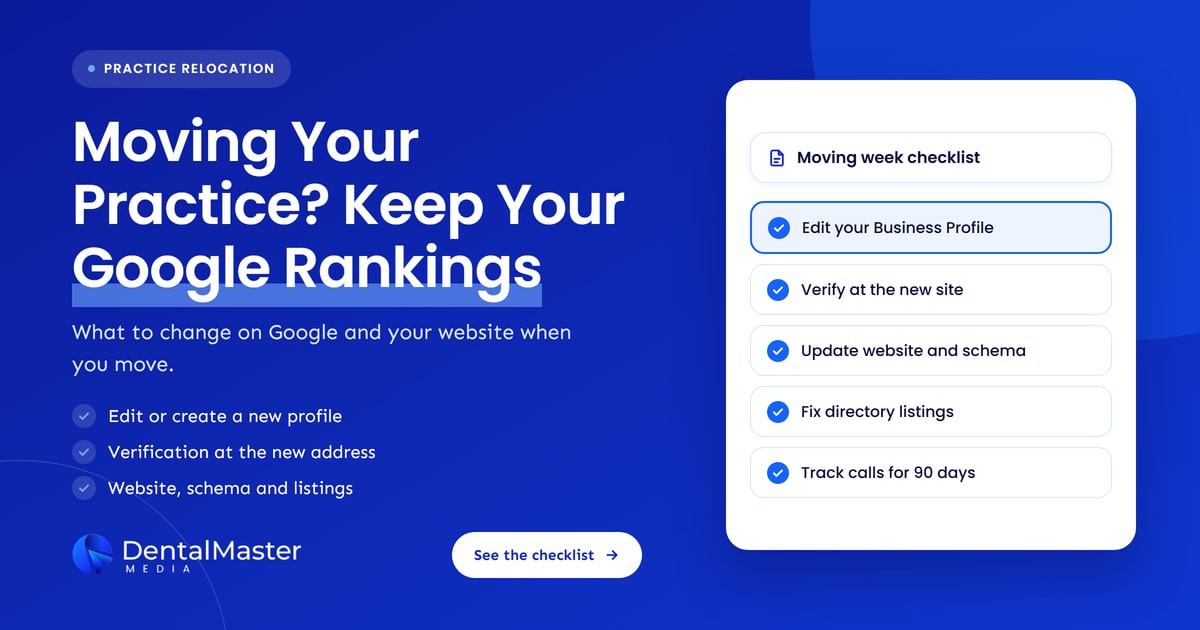
| Moving week | Update the Business Profile, verify, then update the website and schema |
| First 30 days | Update directories, check the map pin, ask early patients for reviews |
| Days 30 to 90 | Compare calls and rankings with your baseline, search for any listing still showing the old address |
Judge the move by patients, not only by positions. Map rankings measured from your old street will fall, and that is expected. The useful questions are whether patients near the new address can find you and whether calls and bookings from Google recover. If you don’t track those yet, our guide on tracking calls and bookings from your dental website shows how to set it up before moving day.
Frequently asked questions
When should I change my address on Google Business Profile?
Change it when you are open and seeing patients at the new address, not before. Your profile should show where patients can visit today. Updating early can confuse patients and cause problems if Google asks you to verify at a site that isn’t open yet.
Will I lose my Google reviews if my dental practice moves?
Usually not. Google says that if you move to a new address and keep the same business name, your reviews transfer automatically. If reviews end up on a separate, duplicate profile, you can contact Google support and ask for them to be moved.
Do I have to verify my Google Business Profile again after moving?
Yes. Google’s help page says that if you move your business to a new address after it’s verified, you must verify your business again. Google decides the method, and reviews can take up to 5 business days, so prepare signage and proof of management before you edit the address.
Should I keep my old Google Business Profile open after moving?
No. One practice should have one live profile at the address patients actually visit. If you edit the existing profile, there is nothing left to close. If Google rejects the edit and you create a new profile, mark the old one permanently closed so patients aren’t sent to an empty building.
How long does it take for rankings to settle after a move?
There is no fixed timeline from Google. Address changes usually show within minutes but can take up to 30 days, and verification adds time. Rankings then depend on your new competition. Track calls, bookings and map rankings from the new address for at least three months before judging the result.
Moving without losing your patients on Google
A practice move doesn’t have to cost you your place on Google. Edit the existing Business Profile once you have moved in, prepare for verification, then bring your website, schema and directory listings into line within days. Expect map rankings to follow the new address, and judge the move by calls and bookings over the following three months. If you want help planning a move, our dental SEO services team at Dental Master Media works on Business Profiles, websites and local listings together.
Moving soon? Check your local listings first
Our free dental SEO audit shows how your Google Business Profile, website and local listings look today, and where conflicting details could slow you down after a move. Start the move with a clean record of what needs changing.
Sources
- Google Business Profile Help, “Edit your Business Profile”, accessed November 11, 2026. https://support.google.com/business/answer/3039617?hl=en
- Google Business Profile Help, “Manage your business address”, accessed November 11, 2026. https://support.google.com/business/answer/2853879?hl=en
- Google Business Profile Help, “Resolve duplicate profiles & ownership issues”, accessed November 11, 2026. https://support.google.com/business/answer/12756178?hl=en
- Google Business Profile Help, “Overview of Google Business Profile policies”, accessed November 11, 2026. https://support.google.com/business/answer/13762416?hl=en
- Google Business Profile Help, “Move your reviews across Business Profiles”, accessed November 11, 2026. https://support.google.com/business/answer/3098204?hl=en
- Google Business Profile Help, “Mark your business as reopened”, accessed November 11, 2026. https://support.google.com/business/answer/15300571?hl=en
- Google Business Profile Help, “Verify your business on Google”, accessed November 11, 2026. https://support.google.com/business/answer/7107242?hl=en
- Google Business Profile Help, “Tips to improve your local ranking on Google”, accessed November 11, 2026. https://support.google.com/business/answer/7091?hl=en
- Google Search Central, “Local business (LocalBusiness) structured data”, accessed November 11, 2026. https://developers.google.com/search/docs/appearance/structured-data/local-business
- Google Search Central, “Redirects and Google Search”, accessed November 11, 2026. https://developers.google.com/search/docs/crawling-indexing/301-redirects
- Schema.org, “Dentist”, accessed November 11, 2026. https://schema.org/Dentist
- Search Engine Roundtable, “Google Business Profile Updates Identity Change Language”, April 14, 2026. https://www.seroundtable.com/google-business-profile-updates-identity-change-language-41150.html
- Search Engine Roundtable, “Google Business Profiles Asking For Government ID For Verification”, October 20, 2026. https://www.seroundtable.com/google-business-profiles-verification-government-id-42329.html

Suraj Rana is the owner of Dental Master Media and a leading expert in SEO for dental practices. With a passion for dental marketing, he has successfully helped numerous dental clinics climb the search engine ranks. Suraj’s expertise makes him a go-to resource for effective, results-driven dental marketing.