
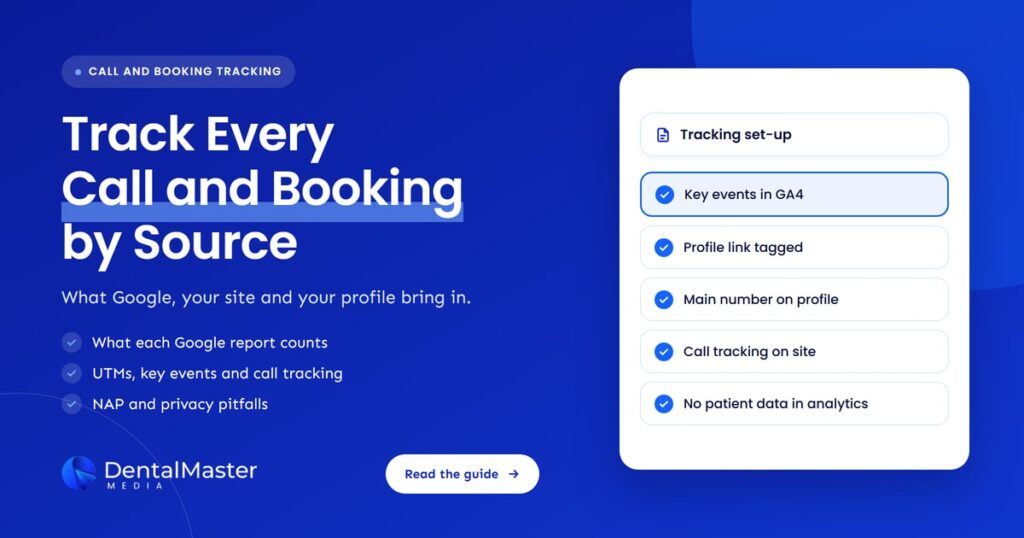
Quick answer: Use three tools together. Your Google Business Profile performance report counts calls, bookings and website clicks from the profile. Google Analytics 4 records website bookings and call clicks as key events, with UTM tags marking profile visits. Call tracking numbers on your website show which source made each call, while your main number stays on the profile.
Key takeaways
- No single report shows every call and booking. Your Business Profile, Google Analytics 4, Search Console and any call tracking tool each see a different part of the journey.
- Add UTM parameters to the website link on your Business Profile, so profile visits stop blending into general Google traffic in Analytics.
- Mark only real outcomes as key events in Google Analytics 4: a booking confirmation, a submitted form or a tap on your phone number.
- Use dynamic call tracking numbers on your website, but keep your main practice number on your Business Profile and directory listings.
- Keep patient details out of analytics. Names, phone numbers and reasons for a visit should never reach a URL, page title or event.
What does tracking calls and bookings actually mean?
Tracking calls and bookings means connecting each new-patient phone call, online booking and form request to the place it came from: Google search, Google Maps, your Business Profile, ads or another website. It turns “the phones were busy this month” into a count by source that you can compare month to month.
For a dental practice, these are the actions worth counting:
- Calls from your Business Profile: patients who tap Call on your listing in Search or Maps.
- Calls from your website: patients who find your site and then phone the practice.
- Online bookings: appointments made through your booking page or an integrated booking provider.
- Form requests: contact or appointment request forms that your team follows up.
- Messages: chats started from your profile, if you have messaging switched on.
Rankings and traffic are useful early signs. These five actions are what show whether marketing is bringing in patients, which is why we suggest building every monthly report around them.
Where does each Google tool show calls and bookings?
Each Google tool sees a different slice. The Business Profile performance report counts actions on your listing. Google Analytics 4 counts what visitors do on your website. Search Console shows which searches led to clicks on your site. Google Ads call tracking counts calls linked to your ads. Together they cover most of the journey.
| Tool | What it counts | What it can’t tell you |
|---|---|---|
| Business Profile performance | Taps on the Call button, website clicks, direction requests, message conversations and bookings made through a booking provider | Whether a call was answered or turned into an appointment, and bookings made through your own booking link |
| Google Analytics 4 | Website visits by source and the key events you set up, such as bookings, form submissions and phone number clicks | Calls dialed by hand from a number seen on your site, unless you use call tracking |
| Search Console | Clicks and impressions from Google Search results, by search query and page | Anything that happens after the click, including calls and bookings |
| Google Ads call tracking | Calls from ads and from a Google forwarding number shown on your website to ad visitors | Calls from organic search, Maps or your profile |
The gaps are why one report rarely matches another. A patient might find you in Maps, visit your website, read your implants page and call two days later from a number they wrote down. Each tool records a different moment of that visit, so the aim is to line them up, not to make the numbers agree exactly.
What does the Business Profile performance report count?
The Business Profile performance report counts actions taken on your listing in Google Search and Maps. Google defines Calls as the number of times someone clicked the call button on your profile. Website clicks count taps on your website link, and Bookings only count bookings managed through a booking provider.
A few details matter when you read it:
- Data comes from both organic results and Google Ads, so the profile’s call count is not purely organic.
- Only verified profiles get performance data, and you need to sign in with an account that manages the profile.
- A tap on Call is not an answered call. It shows intent, not a booked patient.
- Custom booking links are not counted in the Bookings metric. Our guide to booking links on your Business Profile explains how to track those instead.
What does Search Console add?
Search Console shows the searches that brought people to your website from Google Search results. It reports clicks, impressions, click-through rate and average position by query and page. It tells you which treatments and searches drive visits, but it stops at the click, so it never shows a call or booking.
Use it to answer a different question: are more local patients finding your treatment pages over time? Pair it with Google Analytics 4 to see whether those visits then turn into bookings and calls.
How do you track bookings and form requests in Google Analytics 4?
You track bookings in Google Analytics 4 by sending an event when a booking or form is completed, then marking that event as a key event. The cleanest signal is a visit to a thank-you or confirmation page. Google Analytics 4 then reports how many key events each traffic source produced.
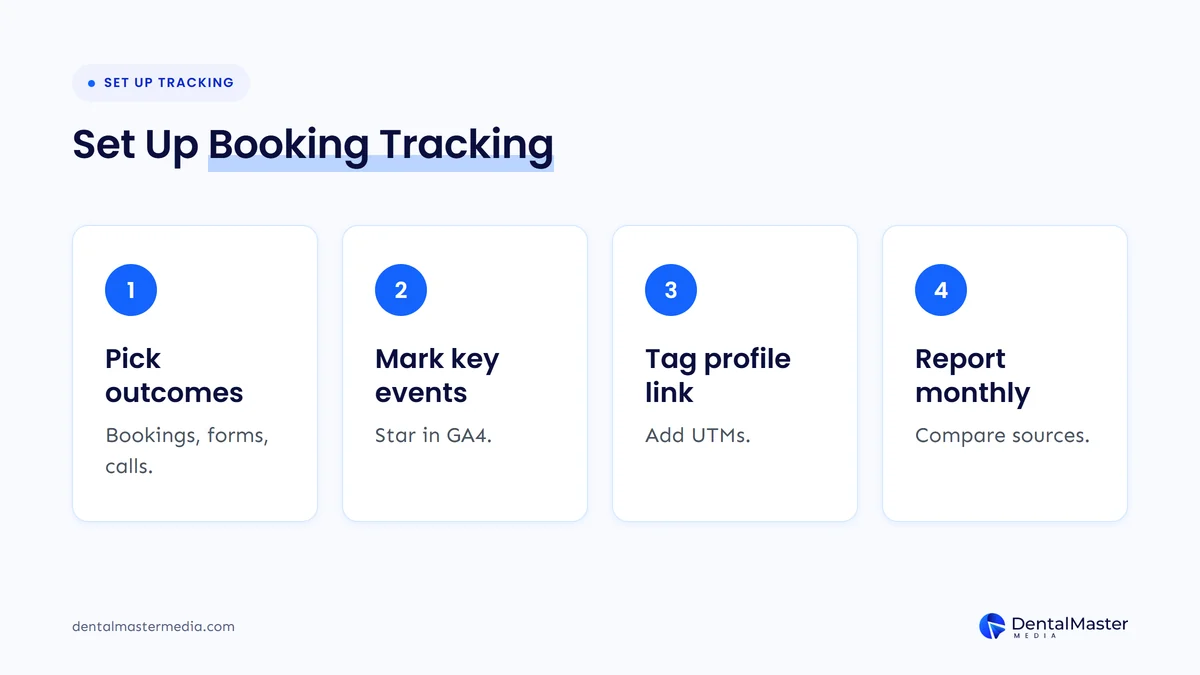
- Decide what counts. Pick the few actions that mean a likely new patient: a completed booking, a submitted appointment form and a tap on your phone number.
- Create the events. A booking confirmation page is easiest to measure. Google warns against marking a general event such as
page_viewas a key event, because every page view would then count. - Mark them as key events. In Admin, under Data display, open Events and click the star next to the event. Standard properties can have up to 30 key events.
- Check the Traffic acquisition report. It shows sessions and key events by source and medium, so you can compare Google organic, your profile and ads side by side.
If you also run Google Ads, you can create Ads conversions from your Google Analytics 4 key events, so your campaigns are judged on bookings and calls rather than clicks.
Phone number clicks deserve their own event. On a phone, most patients tap the number instead of filling in a form, so a website that only tracks forms will undercount demand. Our article on why a dental website gets traffic but no phone calls covers the page fixes that help once you can see the numbers.
How do UTM parameters separate Business Profile visits from other Google traffic?
Without tags, a click on your Business Profile website link usually looks like any other Google visit in Google Analytics 4. Adding UTM parameters to that link labels those visits, so you can see how many sessions, bookings and form requests came from the profile rather than from regular search results.
Google Analytics says you should always use three parameters together: utm_source, utm_medium and utm_campaign. A tagged profile link might look like this:
https://yourpractice.com/?utm_source=google&utm_medium=organic&utm_campaign=gbp-listing
Three practical points:
- Keep the medium as “organic”. Google Analytics 4 puts a session in the Organic Search channel when the medium exactly matches “organic”, so the profile still counts as organic traffic while the campaign name tells it apart.
- Use lowercase every time. Values are case sensitive, so “Google” and “google” would show up as two separate sources.
- Tag other profile links too. Use a different campaign name for your booking link and any appointment link, such as
gbp-booking, so you can compare them.
For multi-location practices, give each location’s profile link its own campaign name. That shows which location’s listing drives the most website bookings.
What is call tracking, and how does it work on a dental website?
Call tracking shows which marketing source led to a phone call. It assigns phone numbers to different sources and forwards each one to your practice line. With dynamic number insertion, a script swaps the number on your website based on how each visitor arrived, so a call from a Google organic visitor is logged separately.
There are two common set-ups:
- Google Ads forwarding numbers. Google Ads can replace the number on your website with a free Google forwarding number for visitors who arrive from your ads. It shows which keywords, ads and campaigns led to calls, counts a call as a conversion only when it lasts longer than a minimum length you set, and is available in eligible countries.
- Third-party call tracking. A call tracking provider runs numbers for every source, including organic search, your profile, ads and email. Google notes that its automated system can’t verify your phone number when your site uses dynamic number insertion or third-party call tracking, so you verify your domain through Search Console or your Google tag instead.
Call tracking adds what Google Analytics 4 can’t see: calls dialed by hand, call length and, with some providers, whether the call was answered. Ask your provider how calls flow back into your reports, and check the call settings before you switch it on.
Will call tracking numbers hurt your NAP consistency?
They can if they leak onto your listings. Your name, address and phone number should match across your website, Business Profile and directories. The safe pattern is to keep your main practice number on the profile and directories, and use dynamic numbers only on your website, where the script swaps them per visitor.
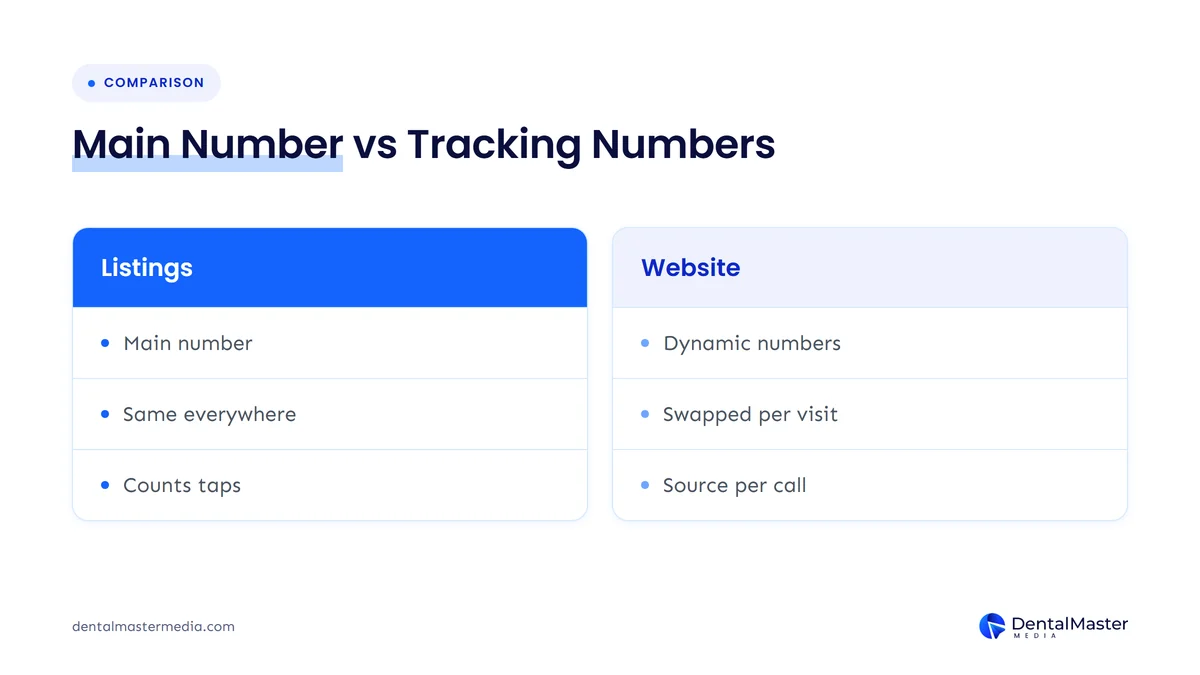
Google’s guidelines for representing a business say the phone number must be under the direct control of the business, that you should use a local number instead of a central call center helpline whenever possible, and that you shouldn’t provide numbers that redirect users to phone numbers other than those of the actual business. Additional phone numbers can be added to a profile.
Here is how we suggest handling it:
- Keep your main local number as the primary number on your Business Profile. The profile’s own Calls metric already counts taps on the Call button.
- Hard-code your main number in your website’s source code, including the footer and your LocalBusiness schema, and let the script swap it only in the visitor’s browser. The number in your page code then stays the same for everyone.
- Never submit a tracking number to directories, review sites or citation services. Once a tracking number spreads, it is hard to clean up.
- Own your numbers. If you leave a provider, make sure you can keep or port any number that patients have saved.
For more on keeping your details aligned across the web, read our guide to NAP consistency for dental clinics.
How do you keep patient data out of your analytics?
Treat analytics as a place for counts, never for patient information. Google Analytics policy says no data should be passed to Google that it could recognize as personally identifiable information. Booking and contact forms are where that most often goes wrong, so check them before you add any tracking.
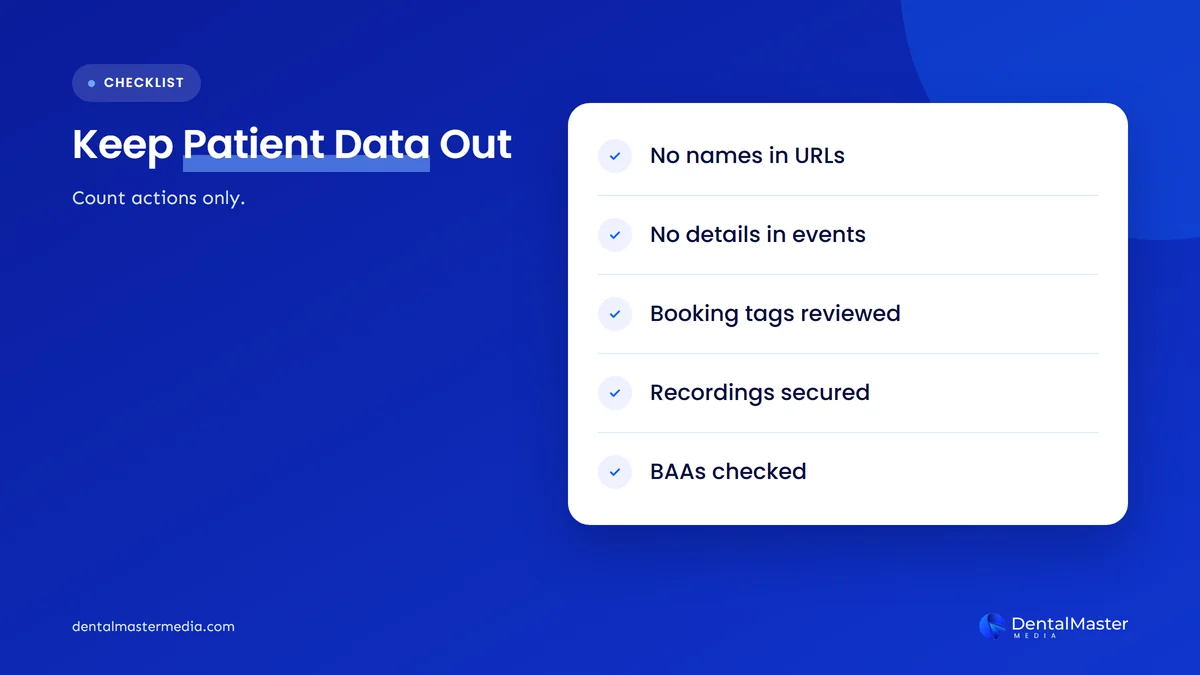
Google says personal information is often sent by accident in page URLs and titles, and that visitors sometimes type personal details into search boxes and form fields. For a dental practice, check these points:
- URLs and page titles: a confirmation page should not carry a name, email, phone number or treatment in its address.
- Event details: send “booking completed”, not the reason for the visit or the patient’s details.
- Ad pixels on booking pages: decide with your compliance adviser whether any marketing tags should run there at all.
- Call recordings and transcripts: if your call tracking provider records calls, find out where recordings are stored and who can hear them.
In the US, HIPAA rules shape how practices handle patient information. HHS issued guidance on online tracking technologies, and in June 2024 a federal court in Texas vacated part of it. The American Hospital Association reported in August 2024 that HHS would not appeal. The rest of HIPAA still applies, so ask vendors that handle patient information about a business associate agreement, and check your set-up with your compliance adviser. This is general information, not legal advice.
What should a monthly call and booking report include?
A useful monthly report puts every patient action in one table by source: Business Profile calls and website clicks, website bookings and forms from Google Analytics 4, and tracked calls by source. It compares each figure with last month and the same month last year, and notes any changes to the website or profile.
| Metric | Where to find it | What it tells you |
|---|---|---|
| Profile calls | Business Profile performance | How often patients tap Call on your listing |
| Profile website clicks | Business Profile performance, plus UTM-tagged sessions in Google Analytics 4 | How many patients move from your listing to your website |
| Website bookings and forms | Google Analytics 4 key events by source | Which channels produce booking requests |
| Tracked calls by source | Your call tracking tool | Which channels make the phone ring, including calls dialed by hand |
| Search clicks by page | Search Console | Which treatment pages are bringing in local searchers |
Then close the loop with your front desk. Ask the team to note how new patients heard about the practice, and compare that with the reports each quarter. When the two broadly agree, you can trust the tracking. When they don’t, something in the set-up needs checking. Our guide to measuring dental SEO ROI shows how to turn these counts into a return on your marketing spend.
Frequently asked questions
Can Google Business Profile tell me how many patients booked?
Only for bookings made through an integrated booking provider. Google’s Bookings metric counts completed bookings managed through a booking provider, so bookings through your own website link won’t appear there. Tag that link with UTM parameters and track completed bookings as a key event in Google Analytics 4.
Does the Calls number on my profile mean answered calls?
No. Google counts the number of times someone clicked the call button on your profile, so it measures intent rather than answered calls or new patients. Some taps are existing patients, missed calls or people who hang up. Call tracking or front desk notes fill that gap.
Should I put a call tracking number on my Google Business Profile?
We suggest keeping your main practice number as the primary number on your profile. Google’s guidelines say the number must be under the business’s direct control and shouldn’t redirect patients to numbers other than the business’s own. The profile’s Calls metric already counts taps, and UTM tags cover website visits.
How many key events should a dental website have?
Keep it to the actions that signal a likely new patient, usually a completed booking, a submitted appointment form and a tap on your phone number. Standard Google Analytics 4 properties allow up to 30 key events, but fewer, cleaner events make reports easier to read and act on.
Is it safe to use Google Analytics on a dental website?
It can be used for counting visits and actions, as long as no patient information reaches it. Google Analytics policy prohibits sending personally identifiable information. Check that names, phone numbers and treatment details never appear in URLs, page titles or events, and ask your compliance adviser about tracking on booking pages.
The bottom line on tracking calls and bookings
You can’t see every patient’s path in one place, but you can get close. Use the Business Profile report for profile calls and clicks, tag the profile link with UTM parameters, mark bookings, forms and phone clicks as key events in Google Analytics 4, and add call tracking numbers to your website while your main number stays on your listings. Keep patient details out of every tool. Measurement like this sits at the heart of our dental SEO services at Dental Master Media, because reports should show calls and bookings, not just rankings.
See which calls and bookings you are missing
Many practices can’t tell which marketing makes the phone ring. Our free dental SEO audit reviews your website, Google Business Profile and local visibility, and points out the tracking gaps that hide where new patients come from.
Sources
- Google Business Profile Help, “Understand your Business Profile performance & insights”, accessed November 8, 2026. https://support.google.com/business/answer/9918094?hl=en
- Google Business Profile Help, “Guidelines for representing your business on Google”, accessed November 8, 2026. https://support.google.com/business/answer/3038177?hl=en
- Google Analytics Help, “Create or modify key events”, accessed November 8, 2026. https://support.google.com/analytics/answer/12844695?hl=en
- Google Analytics Help, “Mark events as key events”, accessed November 8, 2026. https://support.google.com/analytics/answer/13128484?hl=en
- Google Analytics Help, “URL builders: Collect campaign data with custom URLs”, accessed November 8, 2026. https://support.google.com/analytics/answer/10917952?hl=en
- Google Analytics Help, “Default channel group”, accessed November 8, 2026. https://support.google.com/analytics/answer/9756891?hl=en
- Google Analytics Help, “Best practices to avoid sending Personally Identifiable Information (PII)”, accessed November 8, 2026. https://support.google.com/analytics/answer/6366371?hl=en
- Google Ads Help, “Set up Tracking calls to a phone number on a website”, accessed November 8, 2026. https://support.google.com/google-ads/answer/6095883?hl=en
- Search Console Help, “Performance report (Search results): Overview and basic setup”, accessed November 8, 2026. https://support.google.com/webmasters/answer/7576553?hl=en
- American Hospital Association, “HHS will not appeal AHA court victory in online tracking case”, August 29, 2024. https://www.aha.org/news/headline/2024-08-29-hhs-will-not-appeal-aha-court-victory-online-tracking-case

Suraj Rana is the owner of Dental Master Media and a leading expert in SEO for dental practices. With a passion for dental marketing, he has successfully helped numerous dental clinics climb the search engine ranks. Suraj’s expertise makes him a go-to resource for effective, results-driven dental marketing.