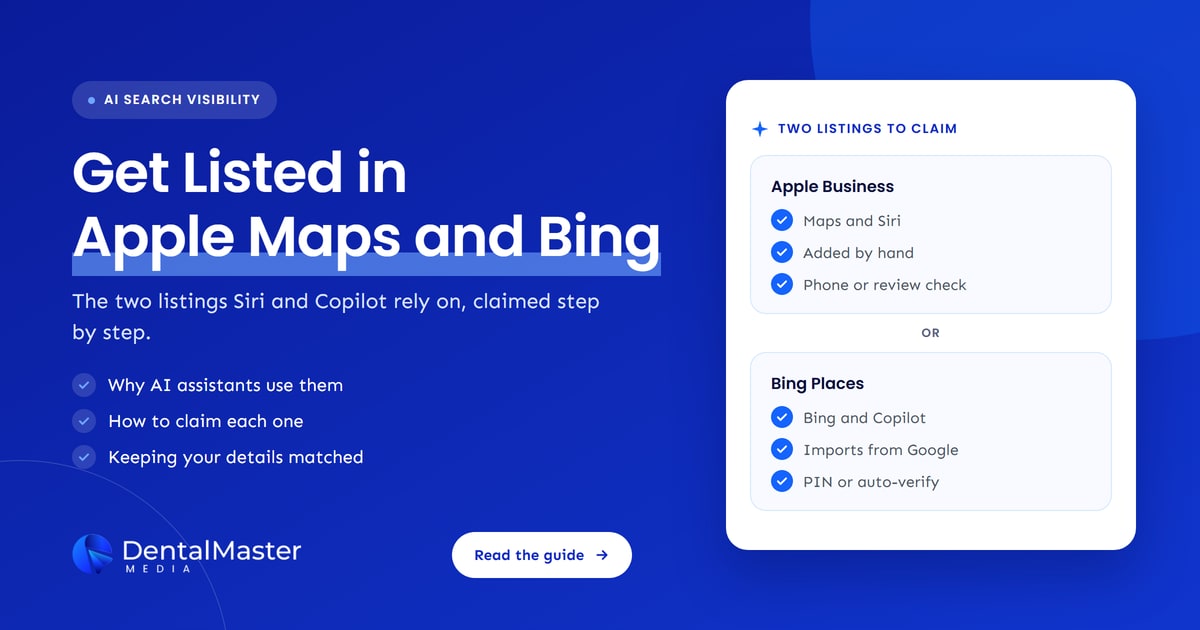
Quick answer: Claim your practice in Apple Business (formerly Apple Business Connect) and in Bing Places for Business. Both are free. Apple’s place card shows in Maps and Siri, and Microsoft Copilot can pull answers from Bing. Bing lets you import your Google Business Profile. Keep your name, address, phone and hours identical everywhere.
Key takeaways
- Apple folded Apple Business Connect into a new free platform called Apple Business in April 2026. Your Apple Maps listing is now managed there, under Brands and Locations.
- Apple says a place card appears across its software, from Maps to Siri, Calendar and Messages. A claimed card lets you control what Siri and Maps users see.
- Microsoft documents that Microsoft Copilot and Copilot Chat can fetch information from the Bing search service. Bing Places is how you manage your practice’s details in Bing Search and Bing Maps.
- Bing Places can import your Google Business Profile, which is the fastest route for most practices. Apple has no import, so you add or claim the location by hand.
- OpenAI has not published a full list of the business data sources behind ChatGPT. Consistent details across Google, Apple, Bing and the big directories are the safest bet.
What are Apple Business and Bing Places for Business?
Apple Business and Bing Places for Business are the free dashboards Apple and Microsoft give business owners to manage how their locations appear. Apple Business controls your place card in Apple Maps and other Apple apps. Bing Places controls your listing in Bing Search and Bing Maps. Both work much like Google Business Profile.
Two name changes cause confusion, so here is where things stand in November 2026:
- Apple Business replaced Apple Business Connect and Apple Business Manager. Apple announced it in March 2026 and says it is free for new and existing users in the US and more than 200 countries and regions. Your old Apple Business Connect data moved across automatically.
- Bing Places for Business moved from bingplaces.com to bing.com/forbusiness in October 2025. Microsoft calls it “a free online platform” and migrated existing listings to the new experience automatically.
A place card is Apple’s name for the panel patients see when they tap your practice in Maps: name, photos, hours, phone, website and action buttons. Bing’s equivalent is the local listing shown in Bing results and on Bing Maps.
Why do Apple Maps and Bing Places matter for AI assistants?
AI assistants answer local questions from business data they can trust, and Apple and Microsoft both run their own. Apple says its place card appears in Siri as well as Maps. Microsoft says Copilot can ground answers in the Bing search service. If those records are missing or wrong, the assistant has less to work with, or the wrong details.
Here is what each company has said on the record, and what it means for a dental practice:
| Assistant or surface | What the official source says | What it means for your practice |
|---|---|---|
| Siri and Apple Maps | Apple’s guide says the place card “appears in many parts of Apple’s software, from Maps to Siri to Calendar, Messages, and more.” Apple’s newsroom adds Safari and Spotlight. | Your Apple Business details are what iPhone users see when they ask Siri or search Maps for a dentist. |
| Microsoft Copilot | Microsoft’s documentation says Microsoft Copilot and Copilot Chat “may fetch information from the Bing search service” to ground a response. | What Bing knows about your practice can shape Copilot’s answers. |
| Bing Places roadmap | Microsoft’s Bing blog lists “deeper integrations with Bing Maps and Copilot” as coming next. | Expect Bing listings to matter more inside Copilot over time. |
| ChatGPT | OpenAI has not published a full list of its business data sources. MarTech reported in July 2026 that Yelp licensed reviews, ratings, photos and business information to OpenAI for ChatGPT’s local answers. | No single listing controls ChatGPT. Consistency across the web, including Yelp, matters more than any one profile. |
We are careful with the ChatGPT row on purpose. You will read online that ChatGPT “uses Bing Places”. Whitespark’s Bing Places guide describes early research suggesting Bing listings influence the web results ChatGPT looks at, but we could not find an OpenAI statement that confirms a direct feed. Our advice doesn’t depend on it: a claimed, accurate Bing listing helps in Bing and Copilot either way.
These two listings are easy to overlook. One SEO put it simply on X:
“Good call on Apple Business Connect, it gets skipped a lot.”
Pankaj Gupta (@iguptapankaj) on X, November 9, 2026 (source)
Google Business Profile tends to get regular attention because it drives Google Maps, while Apple and Bing listings are easier to forget until something goes wrong. For the bigger picture on how AI tools choose which practice to name, read why ChatGPT may recommend another dentist instead of your practice.
How do you claim your dental practice in Apple Maps?
Sign in to Apple Business at business.apple.com, go to Brands, then Locations, and choose Add Location. Search for your practice and claim the existing listing, or add a new one. Confirm the details, set your hours, then verify your organization or take Apple’s verification phone call.
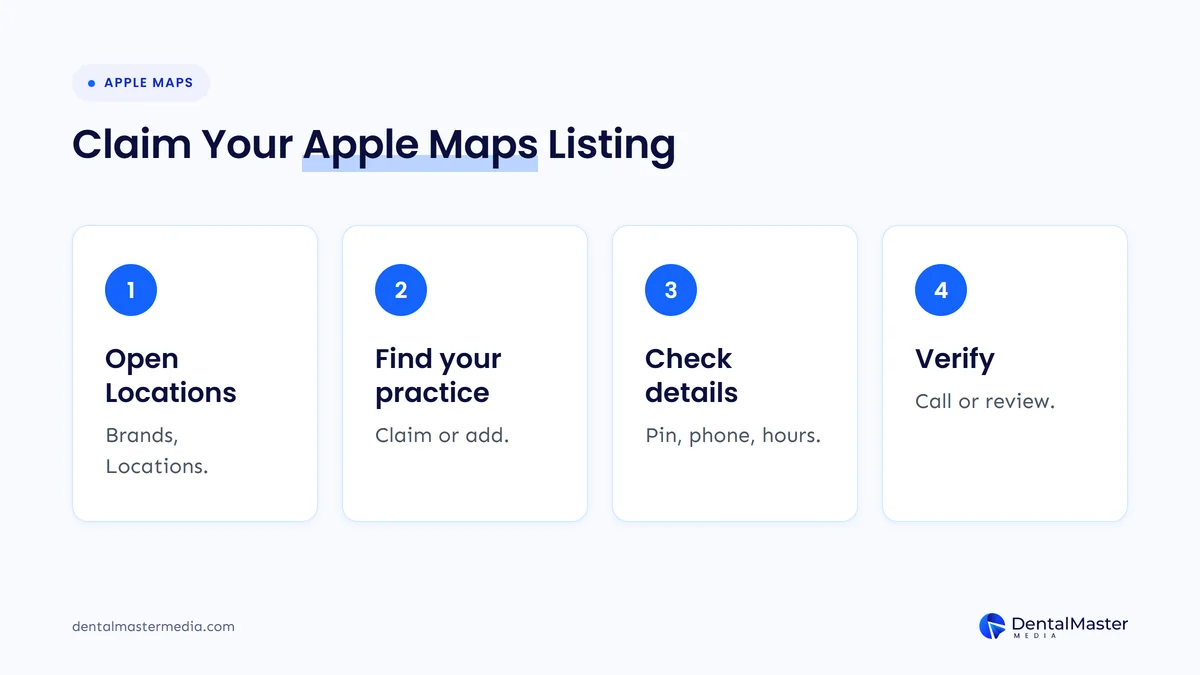
These steps follow Apple’s own guide, “Add a single location in Apple Business”:
- Sign in with the right role. Use an account whose role can manage locations. Ideally that is an account the practice owns, not a staff member’s personal login or your agency’s account.
- Open Brands, then Locations. Select Add Location, choose Add single location, then Next.
- Search for your practice name. If Apple already has a listing, select locate and choose the matching one. If not, choose to add a new location with that name.
- Check the map marker. Apple wants the pin on top of your building, not on the road or sidewalk. Drag the map or enter coordinates if it’s off, and use Satellite view to find the entrance.
- Enter your details. Phone number is required when claiming. Add your website, primary category and hours, then choose or create your brand.
- Verify. If your organization is already verified, select Done. For an existing listing, Apple may offer a phone call: you enter the four-digit code it reads out. Otherwise, verify your organization and send it to Apple for review.
- Add more once you’re approved. Select Get Started to add photos, a logo and other location details.
Two practical points from Apple’s guide. First, the verification call goes to “the one that Apple has on record for this location”. If that is an old number or a call tracking line that routes through a phone menu, plan who will answer it. Second, if you see “This location is already managed”, someone else controls it, perhaps a former agency or listing service. You can request a transfer with supporting documents such as a business license or utility bill, and Apple says that review can take up to five business days.
Apple’s naming and address rules
Apple’s location rules are strict, and they double as good consistency rules. The display name must match your storefront, signage or official website and can’t contain descriptions or symbols such as ® or ™. The address should be the one officially listed on your website, and hours should match your website whenever possible.
In practice, that means your plain practice name only. Adding “Best Implant Dentist” or “Emergency Dentist” after it breaks Apple’s rules, and keyword stuffing in the name can cause problems on Google too.
How do you get your practice listed in Bing Places?
Go to bing.com/forbusiness and sign in with a Microsoft account. Import your profile from Google if you have one, or search for your practice and claim the existing Bing listing. Then complete verification, check every field and fill the gaps Bing’s recommendation tool flags.
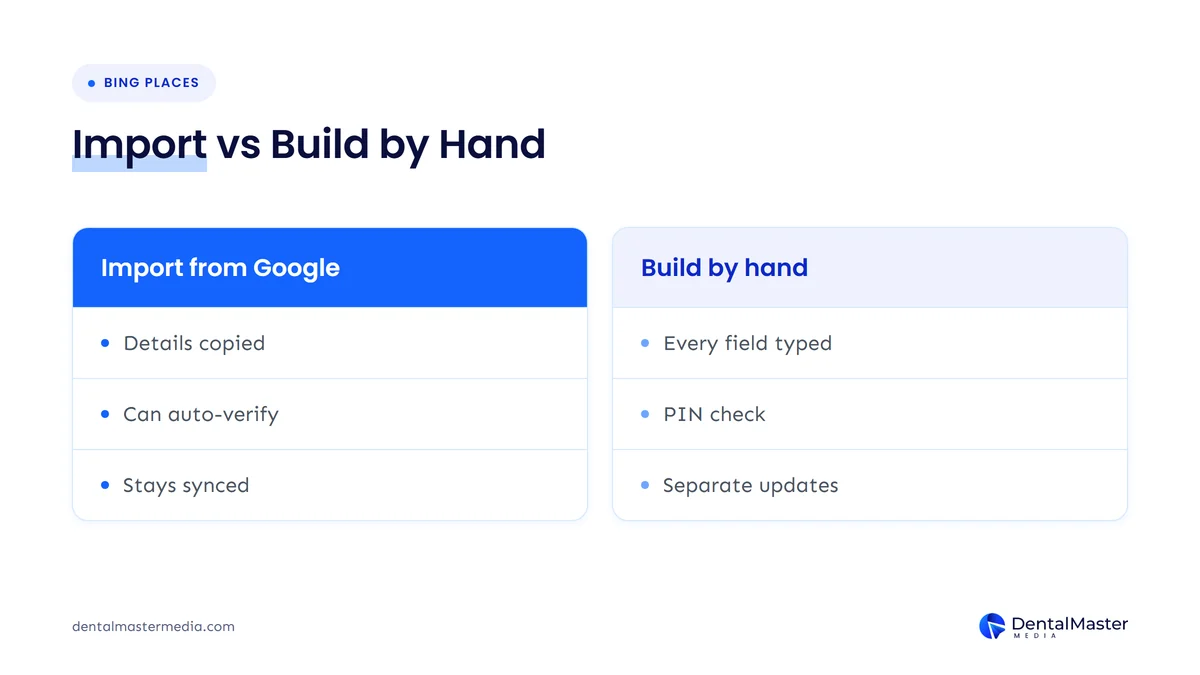
Option 1: Import from Google Business Profile
Microsoft says the new Bing Places import better preserves your business name, hours and contact details. Whitespark’s Bing Places guide adds that a listing imported from a verified Google Business Profile is verified automatically, and that the import can keep Bing in sync when you edit Google.
- Open bing.com/forbusiness and choose to import from Google Business Profile.
- Sign in with the Google account that manages your practice’s profile and allow access.
- Select the location, or the group of locations, to bring across.
- Review the imported listing. Check the category, services, photos and website link, since not every field maps neatly from Google to Bing.
Option 2: Claim or create the listing by hand
If you don’t have a verified Google profile, or you don’t want to connect the two accounts, search for your practice in Bing Places. Claim the listing if it appears, or create a new one if it doesn’t. Whitespark’s guide says Bing then asks whether you want a verification PIN by phone, email or postal mail. A postcard is the slowest option, so pick phone or email if Bing offers them for your listing.
Once you’re in, use the recommendation tool Microsoft launched with the new platform. It suggests fields to complete, such as photos, hours, website and social links.
How do Apple Business and Bing Places compare?
Both are free and both feed a map app and an AI assistant, but they differ in set-up. Bing Places can import your Google Business Profile and may verify you automatically. Apple Business has no import, so you enter details by hand and verify through Apple’s review or a phone call.
| Feature | Apple Business | Bing Places for Business |
|---|---|---|
| Where to sign up | business.apple.com | bing.com/forbusiness |
| Cost | Free | Free |
| Where your listing shows | Apple Maps, Siri, Calendar, Messages, Safari and Spotlight | Bing Search and Bing Maps, with Copilot able to use Bing search |
| Import from Google Business Profile | No | Yes |
| Verification | Organization review, or a phone call for listings already on Maps | PIN by phone, email or post, or automatic when imported from a verified Google profile |
| If someone else manages it | Request a transfer with documents; review takes up to five business days | Contact Bing Places support |
| Extras | Logo, photos, showcases for offers, custom action buttons, insights | Photos, hours, links and a recommendation tool |
Sources: Apple Business User Guide and Apple Newsroom, 2026; Microsoft Bing Blog, October 2025; Whitespark, September 2025.
If you already have a strong Google Business Profile, start with Bing, because the import does most of the work. Then do Apple by hand, using your Google profile as the master copy.
How do you keep your practice details consistent across Google, Apple and Bing?
Pick one master version of your practice name, address, phone number, website and hours, usually your website and Google Business Profile, and copy it exactly into Apple Business and Bing Places. Then check Yelp and other directories. AI assistants compare these sources, and mismatches make your practice look less certain.
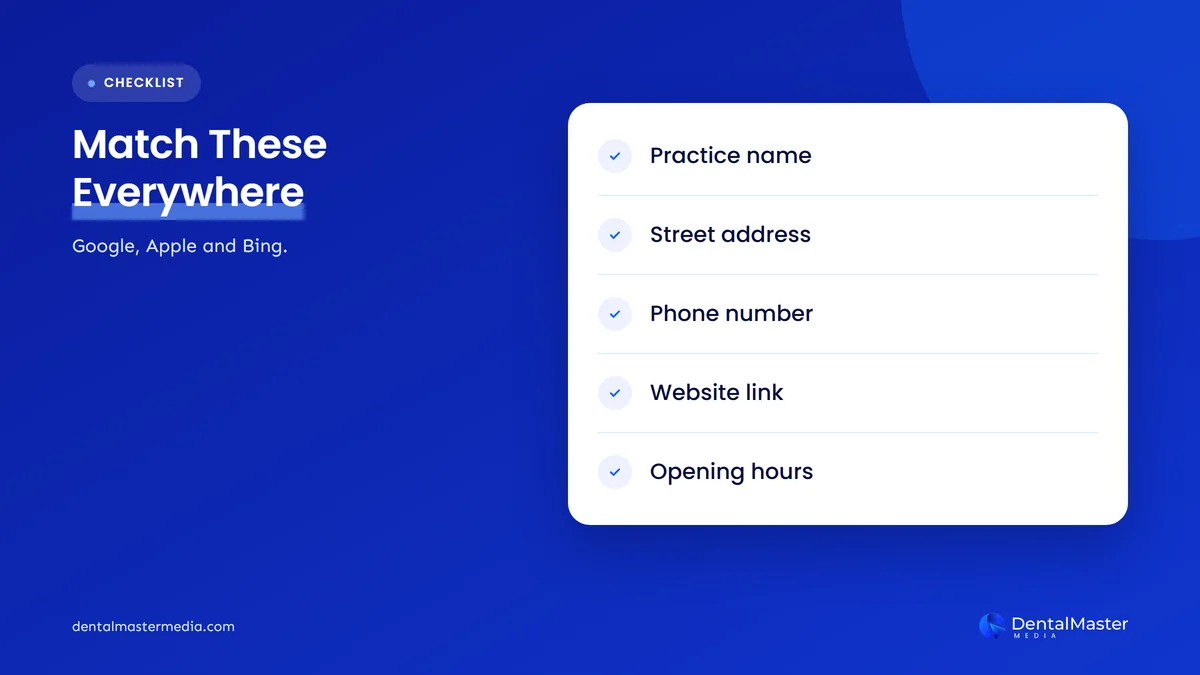
NAP stands for name, address and phone number. For AI search, we also treat website and hours as part of the set. Here is what to match and where practices usually slip:
| Field | Match it to | Common mismatch in dental listings |
|---|---|---|
| Practice name | Your signage and website | Keywords or a city added on one platform only, or an old name after a rebrand |
| Address | The address on your website | Suite number missing, or an old address after a move |
| Phone | The main number on your website | A tracking number on one listing and the main line on another |
| Website | Your live homepage or location page | An old domain, or http instead of https |
| Hours | The hours on your website | Holiday or lunch-break hours updated on Google only |
| Category | Your main service | “Dentist” on one platform and a narrower specialty on another |
A few habits keep this tidy over time:
- Keep a one-page record of the exact name, address, phone, website and hours, and use it every time you update a listing.
- Change all three at once. When hours, phone numbers or addresses change, update Google, Apple and Bing on the same day.
- Check Yelp. MarTech reports that Yelp shares its business data with Apple Maps and now licenses it to OpenAI, so a wrong Yelp listing can spread.
- Re-check every quarter. Listings can be edited by users or data suppliers. A quick review catches changes you didn’t make.
Our guide to NAP consistency for dental clinics goes deeper on directories, and our post on cross-platform consistency explains why AI search rewards matching details.
What mistakes should dental practices avoid?
The most common mistakes are letting an agency or ex-employee own the listing, adding keywords to the practice name, leaving an old phone number on Apple Maps so verification fails, and importing into Bing without checking the result. Each one is quick to fix once you know to look.
- Agency-owned accounts. Claim from a practice-owned account, then give your agency access. Getting a listing back from a former provider takes a transfer request.
- Different names on each platform. Apple rejects descriptions in the name, and a stuffed name on one platform makes the others look inconsistent.
- Forgotten second locations. Each location needs its own listing and verification on both platforms.
- Set and forget. Holiday hours and new phone numbers need updating on Apple and Bing as well as Google.
Since ChatGPT now has its own business listings too, add it to the same routine. Our guide to claiming your listing in ChatGPT covers the steps for US practices.
Frequently asked questions
Is Apple Business Connect still available?
Not under that name. Apple replaced Apple Business Connect and Apple Business Manager with Apple Business in April 2026, and moved existing data across automatically. If you claimed your Apple Maps listing before, sign in to Apple Business and check that your details are still correct.
Does it cost anything to list a dental practice on Apple Maps or Bing?
No. Apple says Apple Business is a free service, and Microsoft describes Bing Places for Business as a free online platform. Paid advertising is a separate product on both, so claiming and managing your listing costs nothing on either platform.
Does ChatGPT use Bing Places or Apple Maps data?
OpenAI has not published a full list of its business data sources. MarTech reported that OpenAI licensed Yelp’s reviews and business information for ChatGPT’s local answers. Some local SEO researchers believe Bing listings influence ChatGPT’s results, but we found no OpenAI confirmation. Accurate listings everywhere is the safe approach.
How long does verification take?
It depends on the method. A phone or email PIN is usually the quickest route, while a Bing postcard has to arrive by mail. Apple says a transfer review can take up to five business days. A Bing listing imported from a verified Google Business Profile may be verified automatically.
Should I use my call tracking number on Apple Maps and Bing?
Use the same number on every platform, and make sure it matches your website. If you use a tracking number on Google, check that someone can answer verification calls on it. Apple’s verification call goes to the number it has on record for your location.
The bottom line on Apple Maps and Bing Places
Claiming your practice in Apple Business and Bing Places is free, takes an afternoon and gives Siri, Apple Maps, Bing and Copilot accurate details to work with. Import your Google profile into Bing, add Apple by hand, and keep your name, address, phone, website and hours identical everywhere. Listings are one part of how we build AI search visibility into our dental SEO services at Dental Master Media.
Is your practice showing up correctly everywhere?
At Dental Master Media, our free dental SEO audit checks how your practice appears on Google, Apple Maps, Bing and in AI answers, and flags every mismatch in your name, address, phone and hours. You get a clear list of what to fix first.
Sources
- Apple Newsroom, “Introducing Apple Business: a new all-in-one platform for businesses of all sizes”, March 2026. https://www.apple.com/au/newsroom/2026/03/introducing-apple-business/
- Apple Business User Guide, “Add a single location in Apple Business”, April 14, 2026. https://support.apple.com/guide/business/abcb98816a34/web
- Apple Business User Guide, “Configure location attributes in Apple Business”, 2026, accessed November 14, 2026. https://support.apple.com/guide/business/abcbdc543423/web
- Microsoft Bing Blog, “Introducing the New Bing Places for Business: Built for Business Owners, Powered by Research”, October 3, 2025. https://blogs.bing.com/search/October-2025/Introducing-the-New-Bing-Places-for-Business-Built-for-Business-Owners,-Powered-by-Research
- Microsoft Learn, “Data, privacy, and security for web search in Microsoft Copilot and Microsoft Copilot Chat”, October 29, 2026. https://learn.microsoft.com/en-us/microsoft-365/copilot/manage-public-web-access
- Search Engine Journal (Matt G. Southern), “Microsoft Launches New Bing Places For Business”, October 3, 2025. https://www.searchenginejournal.com/microsoft-launches-new-bing-places-for-business/557520/
- Whitespark (Miriam Ellis), “The Ultimate Guide to Optimizing Your Bing Places Listing”, September 11, 2025. https://whitespark.ca/guides/the-ultimate-guide-to-your-bing-places-listing/
- MarTech (Constantine von Hoffman), “Yelp brings reviews and local leads to ChatGPT”, July 28, 2026. https://martech.org/yelp-brings-reviews-and-local-leads-to-chatgpt/
- Pankaj Gupta (@iguptapankaj) on X, post on Apple Business Connect, November 9, 2026. https://x.com/iguptapankaj/status/2119801453250514962

Suraj Rana is the owner of Dental Master Media and a leading expert in SEO for dental practices. With a passion for dental marketing, he has successfully helped numerous dental clinics climb the search engine ranks. Suraj’s expertise makes him a go-to resource for effective, results-driven dental marketing.