Quick answer: On November 12, 2026, Google published a guide to spotting Google Search visits in analytics and server logs. Visits from Search carry a Referer of google.com or a local Google domain. Check your analytics shows them as organic, expect some blank referers, then connect those visits to tracked calls and booking requests.
Key takeaways
- Google Search Central added a new page on November 12, 2026 that explains how to identify Google Search traffic using the HTTP Referer header.
- Google Search sends only the scheme and host, such as
https://www.google.com/orhttps://www.google.co.uk/. The search query is never included. - Some Google Search visits arrive with no referer at all, because browsers, privacy settings and ad blockers can strip it. Those visits often show up as direct traffic.
- Your analytics and Search Console will rarely match. Search Console counts clicks, analytics counts pages that loaded, and analytics may include Google Ads visits.
- For a dental practice, the useful question is not “how much traffic did Google send?” but “how many calls and booking requests came from those visits?”
What changed?
On November 12, 2026, Google Search Central added a help page called “Identify Google Search traffic in your web analytics or server logs.” It lists the Referer values Google Search sends, explains how to match them in analytics tools and server logs, why the referer is sometimes blank, and why the numbers can differ from Search Console.
Google’s Search Central changelog describes the update in one line: a new page about identifying traffic from Google Search using HTTP Referer headers. Barry Schwartz covered it the same day for Search Engine Roundtable, noting that site owners can use Search Console or their own analytics and logs to identify this traffic.
Nothing about how Google ranks or sends traffic has changed. What is new is that Google has written down, in one official place, how its referer works and what to expect from it. That makes it easier to check whether your own reports are counting Google Search visits correctly.
What is the HTTP Referer header?
The HTTP Referer header is a short piece of information a browser sends to your website when someone clicks a link to it. It tells your server which site the visitor came from. Analytics tools such as Google Analytics read it to decide whether a visit counts as organic search, a referral, social or direct traffic.
The word “Referer” is a long-standing misspelling of “referrer” in the web standards, and Google’s page uses that spelling. You will see both spellings in analytics tools and logs.
Google’s page explains that Google Search uses the origin referrer policy. In plain English, Google tells the browser to share only the address of the Google site, not the full search results page. That is why your analytics can see that someone came from Google but not what they searched for. For queries, Google points site owners to the Performance report in Search Console.
Which Referer values mean a visit came from Google Search?
A visit came from Google Search when its Referer is https://www.google.com/ or a local Google domain such as https://www.google.co.uk/. Visits from the Google app on Android can also show an android-app:// value. Discover and Google Images use the same values as the surface where they were viewed.
Here is how the values break down, based on Google’s new page:
| Where the click happened | Referer value you may see |
|---|---|
| Google Search in a web browser | https://www.google.com/ or a local Google domain, such as https://www.google.co.uk/ |
| Google app on Android | android-app://com.google.android.googlequicksearchbox/https/www.google.com when the link opens in a browser tab, otherwise https://www.google.com/ or a local domain |
| Google app on iOS | https://www.google.com/ or a local domain |
| Discover, Google Images and other Google services on the same domains | The same values as the surface where the result was viewed |
Source: Google Search Central, “Identify Google Search traffic in your web analytics or server logs”, November 12, 2026.
One practical point for practices in Australia, the UK, Canada, New Zealand or Singapore: patients searching on google.com.au, google.co.uk, google.ca, google.co.nz or google.com.sg will usually arrive with that local domain as the referer. A custom filter that only looks for “google.com” with nothing after it can miss them.
Who is affected?
Every dental practice that relies on Google Search for new patients is affected, because the guide explains how the traffic you pay an agency to grow is counted. It matters most for practices whose reports show suspiciously low organic traffic, a large share of direct traffic, or numbers that never line up with Search Console.
Three situations deserve a closer look:
- Practices with custom analytics settings. Google’s page says that if Google Search visits appear as referral or direct traffic, you should check custom channel rules, referral exclusions and filters. These are often set up once and never reviewed.
- Practices that run Google Ads. Paid clicks also come from Google’s domains. Google notes that Search Console excludes paid traffic while analytics may include it, so organic and paid need to be kept apart.
- Practices with redirects on their website. Google lists client-side and meta refresh redirects as a reason the referer, and query parameters such as
gclid, can be dropped. Old landing pages, booking widgets and short links are common places for these.
How do you check Google Search traffic in your analytics?
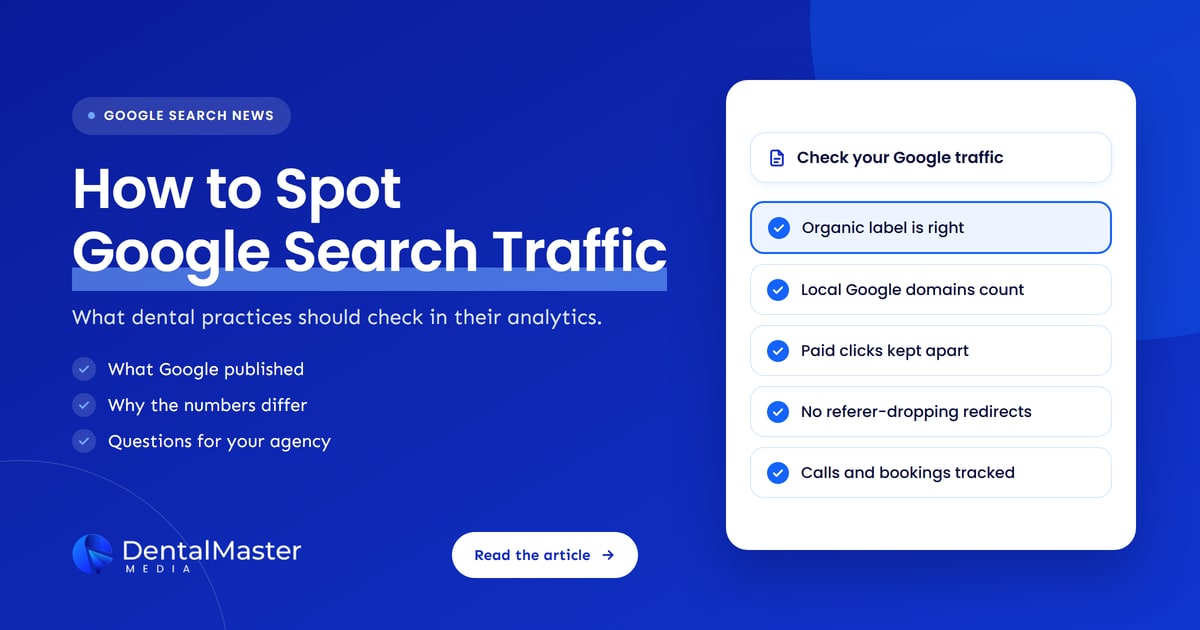
Open your analytics traffic acquisition report and confirm that Google visits sit under organic search. Then look for warning signs: Google listed as a referral, a large or rising share of direct traffic, or filters and channel rules nobody remembers creating. Finally, compare the trend with Search Console clicks rather than the exact totals.
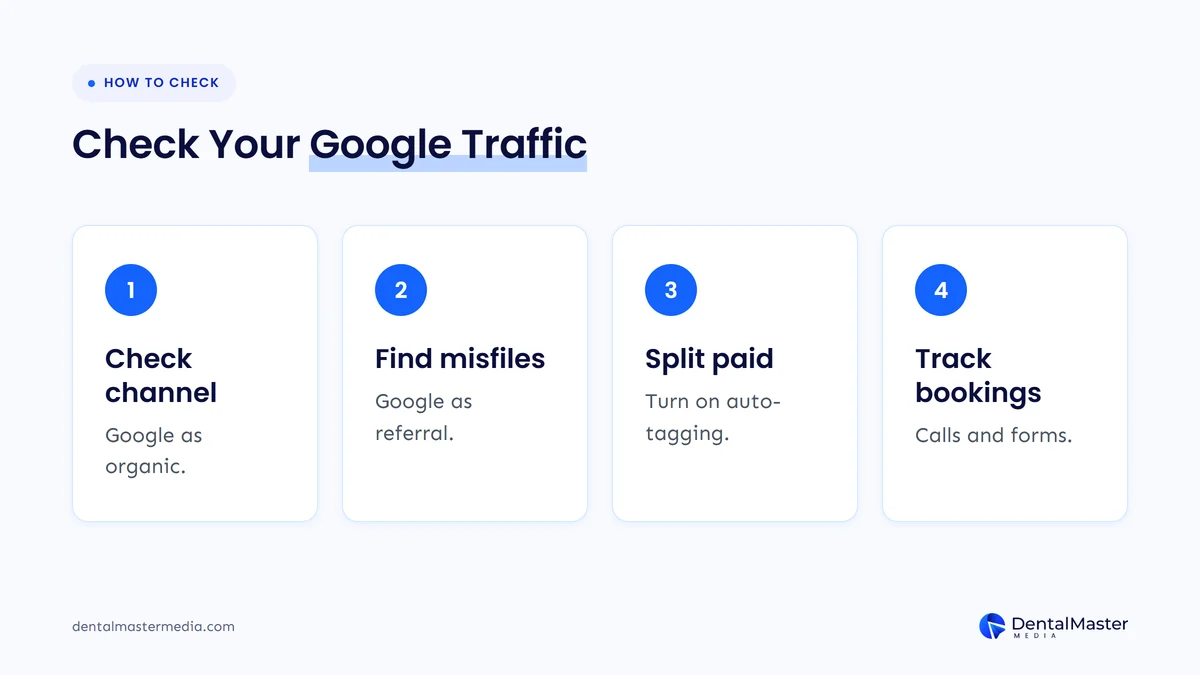
- Check the channel. Google’s page says most analytics tools label these visits as organic Google traffic automatically. In Google Analytics 4, that usually shows as “google / organic” in the Organic Search channel.
- Look for Google in the wrong place. If google.com or a local Google domain appears as a referral source, something in your setup is reclassifying it. Ask whoever manages your analytics to review custom channel groups, referral exclusions and filters, as Google suggests.
- Separate paid from organic. If you run Google Ads, make sure your Ads and Analytics accounts are linked and auto-tagging is on, so ad clicks are not counted as organic. Then check that no redirect on your landing pages strips the
gclidparameter. - Check server logs if you have them. Google’s page says to match the Referer field against the values above and count only requests for landing pages. Images, CSS and JavaScript files carry your own page as the referer, so they should be left out.
Your Google Business Profile needs its own treatment. Google’s new page does not cover how clicks from Google Maps or a Business Profile are labeled, so the safest approach is to tag your profile’s website link with UTM parameters. Our guide on how to track calls and bookings from your dental website shows how to set that up.
Why is the Google referer sometimes blank?
The Google referer is sometimes blank because browsers and operating systems can remove it for privacy. Google’s page lists private browsing, anti-fingerprinting protection, opening results in new tabs in some browsers, moving from a mobile widget to an external browser, and privacy extensions or strict settings. JavaScript tracking can also miss visits entirely.
When the referer is missing, analytics tools usually can’t tell where the visit came from, so it lands in direct traffic. That means some of your “direct” visitors, the people your reports suggest typed your address in, may actually have found you on Google.
Google also notes that JavaScript-based tracking can miss visits because of privacy settings, consent management and ad blockers. If your website uses a cookie consent banner, visitors who decline tracking may not appear in analytics at all, depending on how it is set up. That is a choice you make for privacy reasons, and it is worth knowing about when you read the numbers.
The practical lesson: don’t panic if Google-labeled traffic looks lower than expected, and don’t treat a rise in direct traffic as proof that your brand is growing. Look at both together, alongside Search Console.
Why don’t your analytics and Search Console numbers match?
Analytics and Search Console measure different things. Search Console counts clicks on Google Search results, while analytics counts pages that actually loaded and ran the tracking code. Privacy settings, ad blockers, redirects that drop the referer, stricter referrer policies and paid traffic all widen the gap, so some difference is normal.
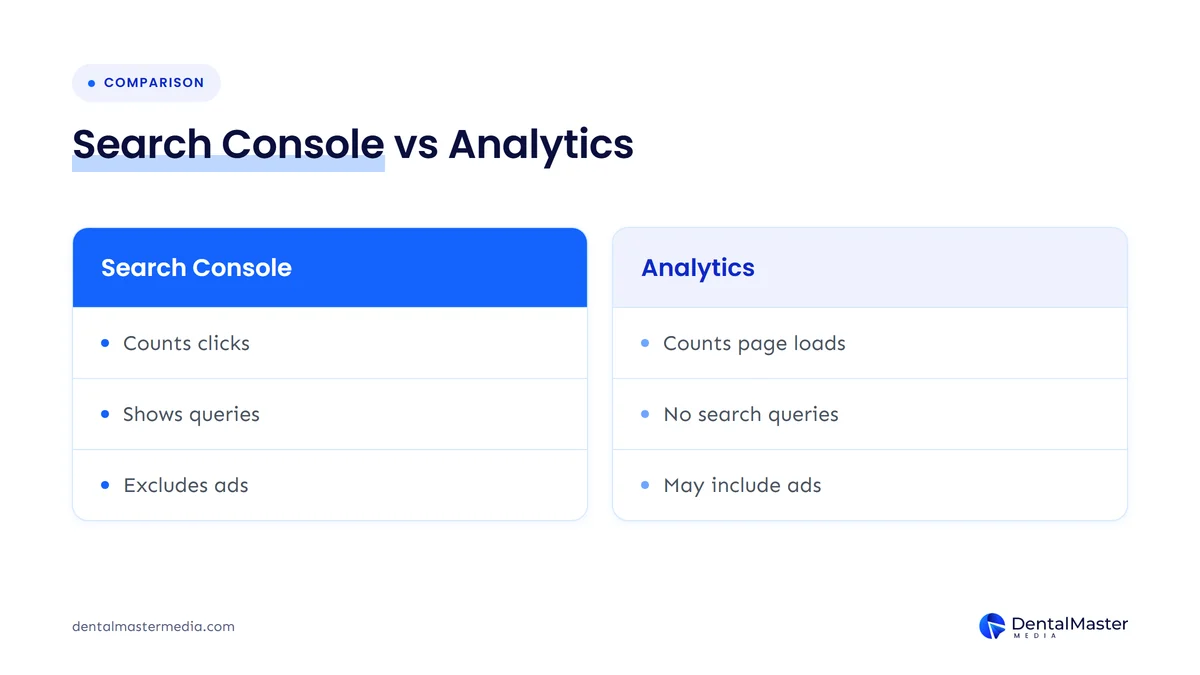
Here are the reasons Google gives, and what each one looks like on a dental website:
| Reason Google lists | What it can look like for a practice |
|---|---|
| Privacy settings and ad blockers | Fewer Google visits in analytics than clicks in Search Console |
| Client-side or meta refresh redirects | Visits to old or redirected pages showing as direct, and Google Ads clicks losing their gclid |
| A stricter Referrer-Policy on redirects | Google visits passing through a redirect arriving with no referer |
| Different measurement methods | Search Console counts a click even if the visitor leaves before your page loads; analytics does not |
| Paid traffic | Analytics showing more Google visits than Search Console because ad clicks are mixed in |
Source: Google Search Central, “Identify Google Search traffic in your web analytics or server logs”, November 12, 2026.
The gap itself isn’t a problem. A gap that suddenly widens is. If Search Console clicks are steady but Google visits in analytics drop sharply, something changed on the website, such as a new redirect, a new consent banner or a tracking code that stopped firing.
How do you connect Google Search visits to calls and bookings?
Connect Google Search visits to patients by tracking the actions that matter on your website: phone calls from the site, booking requests and contact forms. Set each one up as a key event in your analytics, then report them by channel, so you can see how many calls and booking requests came from organic Google visits each month.
The referer only tells you where a visit started. It doesn’t tell you whether that person became a patient. A report that shows organic sessions going up, with no view of calls or bookings, answers the wrong question. We cover why that happens in our post on why a dental website gets traffic but no phone calls.
Keep in mind that the blank-referer problem carries through. If some Google visitors land in direct traffic, the calls and bookings they make will land there too. Read organic and direct together, and compare the trend over several months. Once you can see calls and bookings from Google Search, you can judge your SEO by what it brings in, which is the approach in our guide to measuring dental SEO ROI.
What should you do now?
Ask whoever runs your website and analytics to confirm that Google Search visits are labeled as organic, that paid and Business Profile visits are separated, and that calls and booking requests are tracked as key events. Then agree on a monthly report that shows Google Search visits next to the calls and bookings they produced.
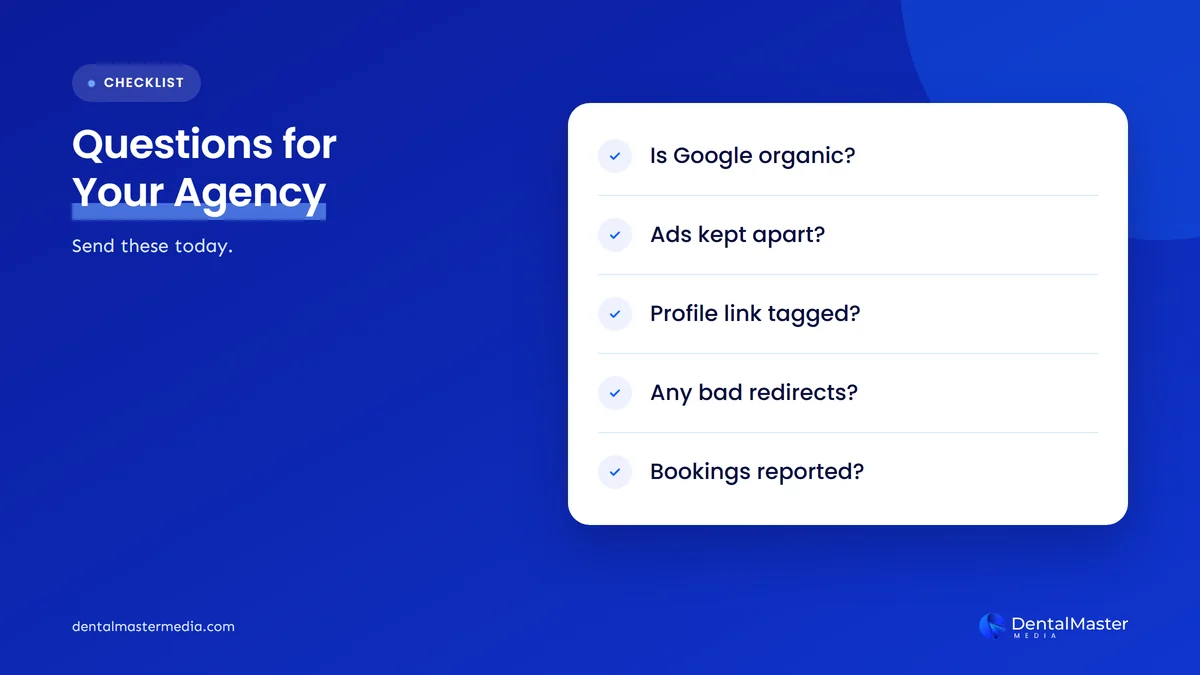
Here are the questions to send, in plain words your agency or web person will understand:
- “Are Google Search visits showing as organic search, including local Google domains?” Ask them to confirm there are no custom channel rules, referral exclusions or filters sending Google visits elsewhere.
- “Are Google Ads clicks kept out of our organic numbers?” Auto-tagging should be on, and landing pages shouldn’t use redirects that drop the
gclid. - “Is our Business Profile website link tagged?” UTM parameters keep profile visits separate from Search visits.
- “Do any of our pages use JavaScript or meta refresh redirects?” Google lists these as a reason the referer can be lost. Server-side redirects are the usual alternative.
- “Can our monthly report show calls and booking requests from organic search?” Rankings and sessions are useful, but bookings are the number that pays for the work.
If the answers are vague, ask for a short screen-share where they open the traffic acquisition report and the key events report with you. It takes a few minutes and tells you a lot about how your reporting works.
What’s likely next?
This section is our view, not Google’s. Barry Schwartz of Search Engine Roundtable questioned why Google published the page now, since he feels Google Search traffic is not as significant as it once was. We think the page is useful anyway: as AI features change how people search, practices need to know which visits really come from Google, and this page gives everyone the same official reference.
At Dental Master Media, we expect more practices to ask their agencies to prove where patients come from, not just how many visitors arrived. Google’s page doesn’t change your rankings, but it gives you a clear, official checklist for judging whether your traffic reports can be trusted.
Frequently asked questions
Can I see what patients searched on Google in my analytics?
No. Google Search uses the origin referrer policy, so it sends only the Google domain, not the search query. Google’s new page points site owners to the Performance report in Search Console for query data. Search Console shows the searches that led to clicks on your website.
Why does my analytics show fewer Google visits than Search Console?
Search Console counts clicks on Google results, while analytics counts pages that loaded and ran the tracking code. Privacy settings, ad blockers, consent choices and redirects that drop the referer all reduce what analytics sees. Some gap is normal. A sudden change in the gap is worth investigating.
Is direct traffic to my dental website really direct?
Not always. Google says browsers and privacy tools can remove the referer, for example in private browsing or when results open in new tabs in some browsers. Analytics usually files those visits as direct, so part of your direct traffic may have come from Google Search.
Do Google Ads clicks count as Google Search traffic?
Ad clicks come from Google’s domains too. Google notes that Search Console excludes paid traffic while analytics may include it. Link your Google Ads and Analytics accounts with auto-tagging on, and avoid redirects that strip the gclid parameter, so paid visits stay separate from organic.
Does Google’s new referer page change my rankings?
No. The page is documentation about how Google Search traffic is identified in analytics and server logs. It doesn’t change how Google ranks websites or how much traffic it sends. It helps you check whether the traffic you already get is counted correctly.
The bottom line
Google’s new referer guide confirms what Google Search visits look like in your analytics and logs, why some arrive with no referer and why your numbers won’t match Search Console exactly. Use it to check that Google visits are labeled as organic, that paid and Business Profile visits are separated, and that calls and booking requests are tracked. To see how we report on real patient enquiries in our dental SEO services, visit Dental Master Media.
Not sure your reports show where patients come from?
At Dental Master Media, our free dental SEO audit checks how your practice shows up on Google, whether your website tracking is set up to count calls and booking requests, and which fixes will make the biggest difference. You get a clear list of what to do first.
Sources
- Google Search Central, “Identify Google Search traffic in your web analytics or server logs”, November 12, 2026. https://developers.google.com/search/docs/monitor-debug/identify-google-search-traffic
- Google Search Central, “Latest Google Search documentation updates”, November 12, 2026. https://developers.google.com/search/updates
- Search Engine Roundtable (Barry Schwartz), “New Google Help Doc Explains How To Identifying Traffic From Google Search”, November 12, 2026. https://www.seroundtable.com/identify-traffic-from-google-search-42525.html

Suraj Rana is the owner of Dental Master Media and a leading expert in SEO for dental practices. With a passion for dental marketing, he has successfully helped numerous dental clinics climb the search engine ranks. Suraj’s expertise makes him a go-to resource for effective, results-driven dental marketing.