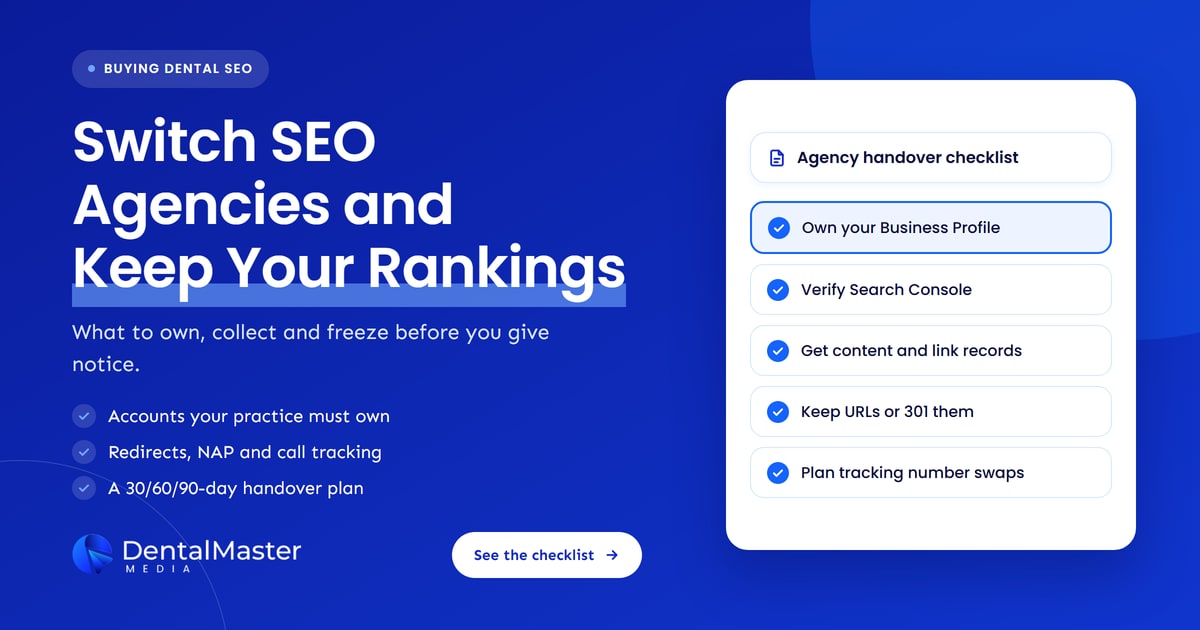
Quick answer: To switch dental SEO agencies without losing rankings, take owner-level control of every account first: Google Business Profile, Search Console, GA4, domain registrar, hosting, website admin and call tracking. Then export content and backlink records, keep every URL the same or 301-redirect it, keep your phone numbers consistent, and only then give notice.
Key takeaways
- Changing agencies does not move your rankings by itself. Rankings drop when access is lost, URLs change without redirects, or phone numbers and practice details change in a hurry.
- Your practice, not the agency, should be the primary owner of your Google Business Profile and a verified owner in Search Console. Google lets a profile have only one primary owner.
- Ask for records before you give notice: a list of pages, content files, links built, citations, tracking numbers and every change made to the site.
- If any URL changes, Google recommends permanent 301 or 308 redirects to the closest matching page, kept in place for at least one year.
- Google’s November 2026 core update began rolling out on November 10. Don’t judge a handover on ranking moves made while it rolls out.
What does switching dental SEO agencies actually involve?
Switching dental SEO agencies means moving the work, the records and the account access from one provider to another without breaking anything Google already trusts. The search work itself can pause for a few weeks without harm. What causes damage is losing access, changing URLs or changing your phone number and address details carelessly.
Most handovers have three parts:
- Access: making sure your practice owns every account and the old agency can be removed cleanly.
- Records: collecting the content, link, citation and tracking history so the new agency doesn’t start blind.
- Continuity: keeping the website, URLs, phone numbers and business details stable while the new team gets up to speed.
If you get all three right, the switch is usually a non-event as far as Google is concerned.
Which accounts should your practice own before you switch?
Your practice should hold owner or administrator access to seven accounts before you give notice: Google Business Profile, Google Search Console, Google Analytics 4, the domain registrar, website hosting, the website admin and the call tracking platform. Agencies should be added as users or managers on accounts you own, never the other way round.
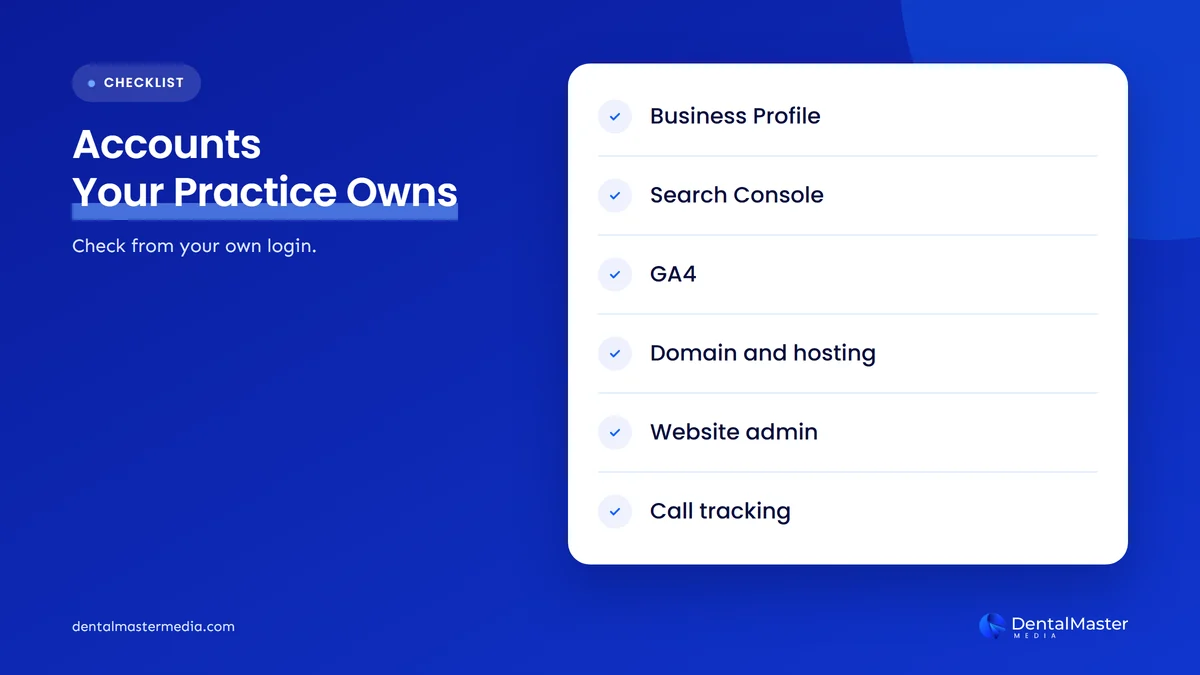
| Account | The level your practice needs | What to check |
|---|---|---|
| Google Business Profile | Primary owner | Your practice login shows as primary owner under People and access. The agency is a manager or owner you can remove. |
| Google Search Console | Verified owner | Your own verification method is in place, not only the agency’s token. |
| Google Analytics 4 | Administrator, ideally at account level | You can add and remove users yourself. |
| Domain registrar | Registrant and account holder | The domain is registered in your practice’s name, with a renewal card and email you control. |
| Hosting | Account holder | You can log in, see backups and pay the bill directly. |
| Website admin (for example WordPress) | Administrator | Your own admin user exists, separate from any agency login. |
| Call tracking | Account owner, or a written plan for the numbers | You know who owns each tracking number and what happens to it when the contract ends. |
Google Business Profile: who is the primary owner?
The primary owner of a Google Business Profile is the one account with final control over it. Google allows several owners but only one primary owner. Owners can add and remove people, while managers can edit the profile but cannot add or remove users or delete it. Your practice should hold the primary owner role.
To fix this, ask the agency to add your practice’s Google account as an owner, then have the current primary owner transfer primary ownership under Business Profile settings, People and access. Google’s help pages note two limits worth planning around:
- Only the current primary owner can transfer primary ownership, and the new primary owner must already be an owner or manager.
- New owners and managers wait 7 days before they can remove other users or transfer primary ownership.
That 7-day wait is one reason to start the access work well before your notice date. Google has also been testing government ID as a way for owners or managers to verify a profile, which Search Engine Roundtable reported in October 2026. If Google ever asks your profile to verify again, you want the person who answers to work at your practice.
Search Console: verified owner or delegated owner?
A verified owner in Google Search Console has proved control of the site with their own token, such as a DNS record or HTML file. A delegated owner was given ownership by a verified owner. Google says a property must keep at least one verified owner, so your practice should verify itself rather than rely on the agency.
When the old agency leaves, removing them as an owner ends their access straight away. Google also advises deleting their unused ownership tokens, because a person whose token is still on the site can verify again. Ask your developer to remove the old agency’s verification file, meta tag or DNS record once you no longer need it.
GA4, domain, hosting and website admin
In Google Analytics 4, only an Administrator can add or change users. Google’s help explains that a user added at account level gets the same access across every property in that account, so ask for Administrator at account level where you can.
The domain is the most important asset of all. ICANN, the body that oversees domain names, says your registrar must give you the transfer authorization code within five calendar days if you ask for it, and that changing the registrant’s details can block a move to another registrar for 60 days. If the agency registered your domain in its own name, change that before anything else.
Which content and backlink records should you collect?
Ask the outgoing agency for every record that explains what was done to your website and where your practice is listed: a full page list, content files, a log of site changes, backlinks and citations built, tracking numbers, report history and any redirect rules. These records let the new agency continue the work instead of guessing.
Here is the request list we suggest sending in writing:
- Page inventory: every live URL, ideally with a crawl export and the XML sitemap.
- Content files: the source documents for treatment pages and blog posts, plus images you paid for, with confirmation that your practice can keep using them.
- Change log: technical fixes, plugin changes, schema added and redirects created.
- Backlinks: links they built or earned, with the linking page, date and any paid placements.
- Citations: the directories where your practice is listed and the login for each one they created.
- Tracking: each call tracking number, where it appears and which number it forwards to.
- Reports: past monthly reports and keyword ranking exports, so you have a baseline.
You can export your own baseline too. Download the Search Console performance report for the last 16 months and save your GA4 reports before any access changes. A fresh dental SEO audit at handover gives the new agency an independent starting point.
How do URL changes cause ranking losses, and how do redirects prevent them?
When a page’s URL changes and the old address returns an error, Google loses the link between that page’s history and the new one. Rankings and links pointing at the old URL stop helping. A permanent 301 or 308 redirect from each old URL to its closest new match tells Google the page has moved.
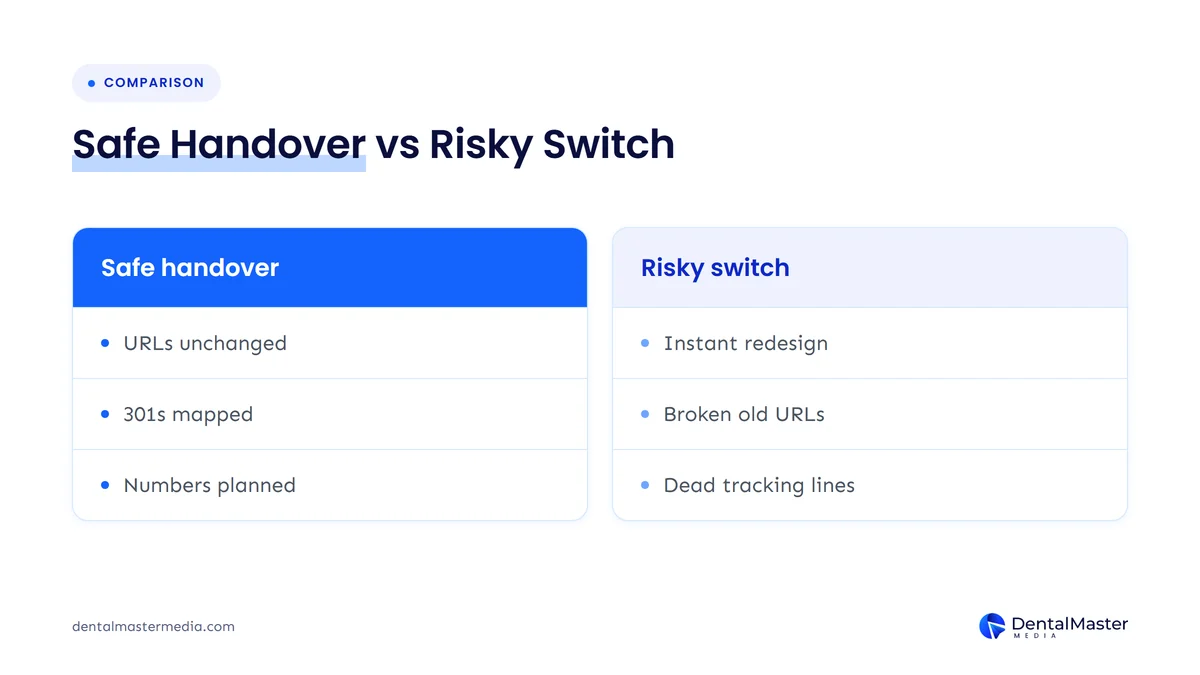
Google’s site move guidance sets out the rules most handovers need:
- Map every old URL to a new one before anything goes live, using your sitemap, analytics and CMS.
- Use server-side permanent redirects (301 or 308). Google says these are the most reliably interpreted.
- Avoid redirect chains. Point each old URL straight at its final destination.
- Don’t send many old pages to the homepage. Google says this can confuse users and may be treated as a soft 404.
- Keep redirects for at least one year so Google can pass signals to the new URLs.
Google also warns site owners to expect temporary ranking fluctuation during a move. That is why we suggest keeping URLs exactly as they are during an agency switch. If the new agency recommends a redesign, platform change or new URL structure, schedule it once the handover has settled and you have a clean baseline. We explain the risk in more detail in why dental practices lose rankings after a redesign.
What if the hosting moves too?
Moving to new hosting without changing URLs is lower risk, but it still needs care. Google’s guidance on changing hosting suggests lowering your DNS time-to-live at least a week before the move, keeping the old hosting running until its traffic drops to zero, and watching Search Console for crawl problems. A temporary dip in crawl rate after the move is normal.
How should you handle call tracking numbers and NAP consistency?
Keep your main practice phone number as the number patients and Google know you by, and treat call tracking numbers as something you own or can replace cleanly. If the old agency owns the tracking numbers, they may stop working when the contract ends, so plan the swap before notice and update every listing at once.
NAP stands for name, address and phone number. When those details differ across your website, Google Business Profile and directories, it becomes harder for Google and patients to trust which details are right. Google’s guidelines say the phone number on a profile must be under the direct control of the business. Google also lets you add up to two extra numbers alongside the primary one.
A safe sequence looks like this:
- List every place a tracking number appears: website, Google Business Profile, ads, directories and printed material.
- Ask the call tracking provider whether the numbers can move into an account in your practice’s name.
- If they can’t, choose replacement numbers before the old ones switch off, and keep your main practice number on the profile.
- Update the website, profile and directories on the same day, then test each number.
- Keep your name and address exactly as they are, and check them against our guide to NAP consistency for dental clinics.
Call routing is changing in Google’s own products too. In September 2026, Search Engine Roundtable reported that some Local Services Ads were showing the Business Profile number instead of the Google Ads number chosen by the advertiser, which can break call attribution. After a switch, check which number each surface shows, and see our guide to tracking calls and bookings from your dental website for setting tracking up again.
What should you check in your contract and notice terms?
Before you give notice, read the contract for the notice period, minimum term, early exit fees, who owns the content and website, and what the agency must hand back when you leave. These terms decide how smooth the switch can be, so check them first and get anything unclear confirmed in writing.
| Contract term | Question to answer | Why it matters |
|---|---|---|
| Notice period | How many days’ notice, and from what date? | Sets your handover window and the overlap with the new agency. |
| Minimum term and exit fees | Are you still inside a minimum term? | Avoids paying two agencies for longer than planned. |
| Content and website ownership | Do you own the pages, images and site build once paid for? | Some agencies license rather than transfer content or themes. |
| Account handover | Must the agency return admin access and data? | Gives you a written basis if access is slow to arrive. |
| Tracking numbers and tools | Who owns the phone numbers and software accounts? | Prevents numbers going dead on the last day of the contract. |
If the wording is unclear or the agency disputes ownership, ask a lawyer to review it. Our guide on how much dental SEO costs covers which scope and contract terms to ask for when you sign with the next provider.
What does a 30/60/90-day agency handover checklist look like?
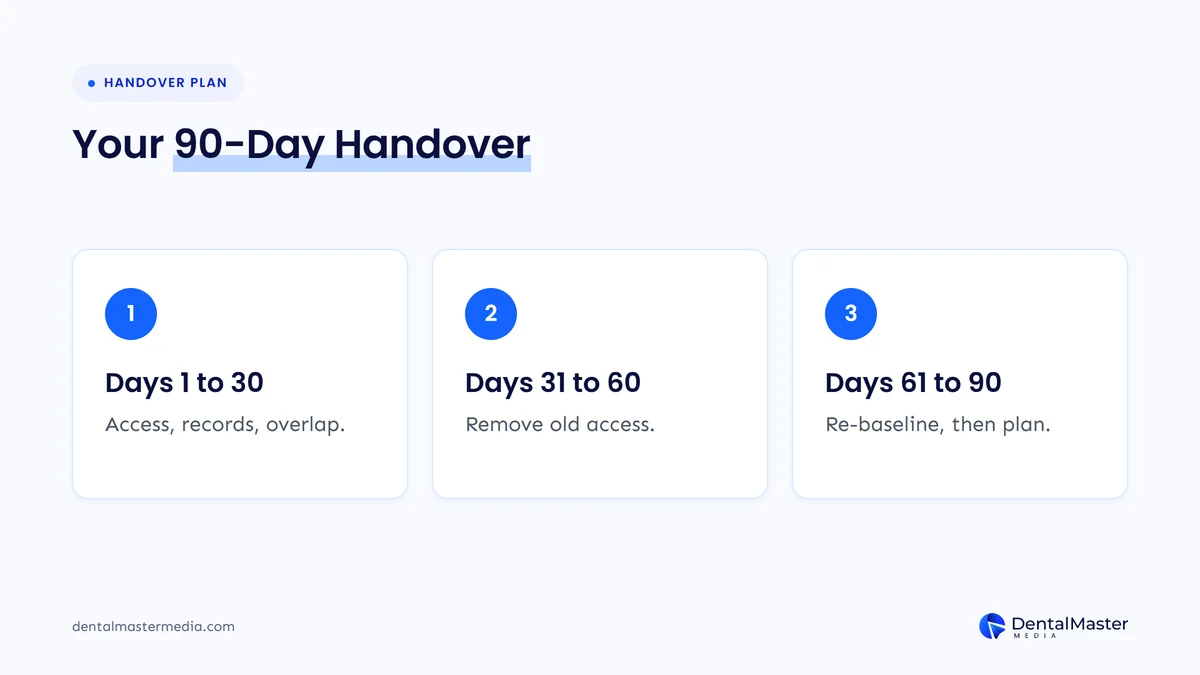
A 30/60/90-day handover starts before notice. Secure access and records first, give notice and run a short overlap in the first month, stabilize and re-baseline in the second, and only start bigger changes in the third. Keeping URLs and practice details frozen until day 60 protects rankings.
Before notice
- Confirm or take primary ownership of Google Business Profile and allow for the 7-day wait.
- Add your own verified ownership in Search Console and Administrator access in GA4.
- Confirm the domain registrant, hosting account and website admin are in your practice’s name.
- Export Search Console, GA4 and ranking baselines.
- Read the contract and send the written records request.
Days 1 to 30: notice and overlap
- Give notice in writing and agree a handover date.
- Add the new agency as a user or manager on accounts you own.
- Collect the page inventory, change log, backlink and citation records.
- Agree a plan for tracking numbers before the old account closes.
- Freeze URL changes, redesigns and changes to practice name, address or main phone number.
Days 31 to 60: remove access and stabilize
- Remove the old agency from Google Business Profile, Search Console, GA4, hosting and the website admin.
- Delete their unused Search Console verification tokens and change shared passwords.
- Swap or confirm tracking numbers and test every number.
- Run a fresh audit and compare it with the old agency’s records.
- Check Search Console for crawl errors, missing pages and drops in key treatment pages.
Days 61 to 90: re-baseline and plan
- Compare clicks, calls and bookings with the baseline, allowing for seasonality and any core update.
- Agree the new agency’s 6 to 12 month plan and reporting format.
- Schedule any redesign or URL changes with a full redirect map.
How do you tell a handover problem from a Google update?
A handover problem usually shows up on specific pages or accounts: a redirected page that lost its traffic, a profile with the wrong phone number or a tracking number that stopped working. A Google core update tends to shift rankings across many sites at once. Check the Search Status Dashboard dates before blaming either agency.
Timing matters this month. Search Engine Roundtable reported that Google’s November 2026 core update started rolling out on November 10, and Google said the rollout may take up to two weeks. Google recommends waiting at least a full week after a core update completes before analyzing your site in Search Console. If you switch agencies now, note the update dates in your baseline so nobody misreads normal update movement as a handover failure.
Frequently asked questions
Will my rankings drop when I change dental SEO agencies?
Not because of the change itself. Google doesn’t know or care which agency you use. Rankings drop when something on the site or profile changes badly during the switch, such as URLs changing without redirects, pages being removed, phone numbers changing in some places but not others, or tracking breaking so nobody notices a problem.
What if my old agency won’t hand over my Google Business Profile?
First check whether your practice is already an owner, because an owner can make changes without the agency. If you have no access at all, Google lets you request ownership of a verified profile from the current owner. The owner has three days to respond, and if they don’t, Google may let you claim the profile. Keep every request in writing and check your contract.
Should I tell the old agency before or after I hire a new one?
Secure your access and records before you give notice, and ideally choose the new agency first. That order lets the new agency join the accounts during a short overlap. It also means that, if the relationship ends badly, you already hold the logins and history you need.
Can the new agency redesign my website straight away?
It can, but we suggest waiting until the handover has settled and you have a clean baseline. A redesign often changes URLs, page content and internal links at once. Doing that during a switch makes it hard to tell what caused any change in rankings, calls or bookings.
Do I lose the backlinks the old agency built?
Links placed on other websites usually stay where they are, because they point to your domain, not the agency. Paid placements or links on sites the agency controls may be removed later. Ask for a full list so the new agency can check which links are still live and which carry risk.
Switch agencies on your terms
A safe switch comes down to order. Own every account, collect the records, keep URLs and practice details stable, then remove the old agency and let the new one build from a clean baseline. Leave redesigns and URL changes until the handover has settled. If you want to see how we take over existing campaigns, read about our dental SEO services at Dental Master Media.
Get an independent baseline before you switch
At Dental Master Media, we start every new campaign with an audit. A free dental SEO audit shows the state of your website, Google Business Profile and local listings before any agency change, so you have a clear record of where you stand and what the next provider needs to fix.
Sources
- Google Business Profile Help, “Manage your Business Profile owners & managers”, accessed November 16, 2026. https://support.google.com/business/answer/3403100
- Google Business Profile Help, “Transfer primary ownership of a Business Profile”, accessed November 16, 2026. https://support.google.com/business/answer/3415281
- Google Business Profile Help, “Request ownership of a Business Profile”, accessed November 16, 2026. https://support.google.com/business/answer/4566671
- Google Business Profile Help, “Guidelines for representing your business on Google”, accessed November 16, 2026. https://support.google.com/business/answer/3038177
- Google Business Profile Help, “Edit your Business Profile”, accessed November 16, 2026. https://support.google.com/business/answer/3039617
- Search Console Help, “Managing owners, users, and permissions”, accessed November 16, 2026. https://support.google.com/webmasters/answer/7687615
- Analytics Help, “Add, edit, and delete Analytics users and user groups”, accessed November 16, 2026. https://support.google.com/analytics/answer/9305788
- Google Search Central, “How to move a site”, updated August 20, 2026. https://developers.google.com/search/docs/crawling-indexing/site-move-with-url-changes
- Google Search Central, “Redirects and Google Search”, updated April 14, 2026. https://developers.google.com/search/docs/crawling-indexing/301-redirects
- Google Search Central, “Changing your hosting”, updated December 10, 2025. https://developers.google.com/search/docs/crawling-indexing/site-move-no-url-changes
- Google Search Central, “Google Search’s core updates and your website”, updated December 10, 2025. https://developers.google.com/search/docs/appearance/core-updates
- ICANN, “FAQs for Registrants: Transferring Your Domain Name”, accessed November 16, 2026. https://www.icann.org/resources/pages/name-holder-faqs-2017-10-10-en
- Search Engine Roundtable, “Google November 2026 Core Update Is Rolling Out”, November 10, 2026. https://www.seroundtable.com/google-november-2026-core-update-42504.html
- Search Engine Roundtable, “Google Business Profiles Verification With Government ID”, October 20, 2026. https://www.seroundtable.com/google-business-profiles-verification-government-id-42329.html
- Search Engine Roundtable, “Google LSAs Showing Google Business Profile Number, Not Google Ads Number”, September 25, 2026. https://www.seroundtable.com/google-lsa-phone-number-42160.html

Suraj Rana is the owner of Dental Master Media and a leading expert in SEO for dental practices. With a passion for dental marketing, he has successfully helped numerous dental clinics climb the search engine ranks. Suraj’s expertise makes him a go-to resource for effective, results-driven dental marketing.