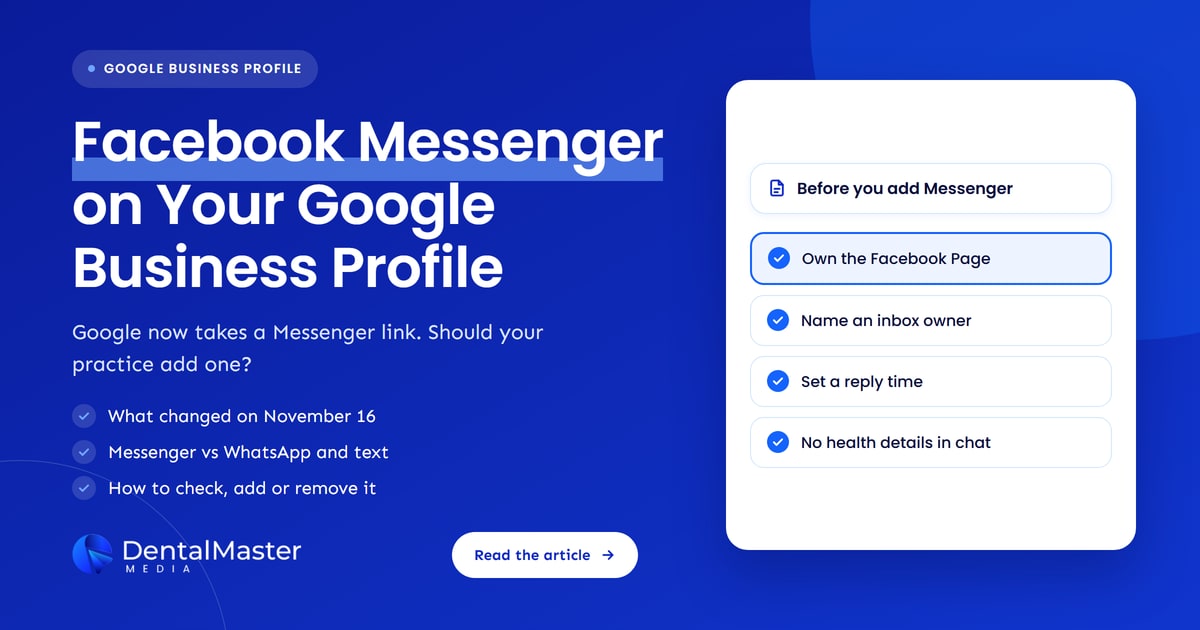
Quick answer: Google Business Profile now lets businesses add a Facebook Messenger link as a chat option, next to WhatsApp and text. Patients who tap it open a Messenger chat with your Facebook Page. A dental practice should add it only if someone monitors that inbox daily, replies fast and keeps health details out of chat.
Key takeaways
- What changed: since November 16, 2026, Facebook Messenger appears as a chat option in Google Business Profile, after Google emailed businesses on October 28, 2026 that it was adding Messenger m.me links to some profiles automatically.
- How it compares: a Facebook Messenger link sends patients to your Facebook Page inbox, while WhatsApp or text chat sends them to a phone. Google’s help page still documents only WhatsApp and text.
- Who is affected: practices whose profile already shows an automatic Messenger link, practices with an active Facebook Page, and practices whose patients use Facebook, which 70% of US adults do according to Pew Research Center.
- Should you add it: yes, if a named person on your front desk checks the Messenger inbox every working day and your team never asks for health details in chat.
- What to do now: check the Chat field under Edit profile, confirm the link opens your own Facebook Page, then track the Messages metric each month.
What changed with Facebook Messenger on Google Business Profile?
Google Business Profile now offers Facebook Messenger as a chat option, so a business can add its Messenger link to its Google listing by hand. Search Engine Roundtable reported the change on November 16, 2026, after Syed Amir spotted Facebook Messenger under the Chat feature in Google Business Profile, and Barry Schwartz confirmed he saw the same option in his own account.
The manual option is the second step of a rollout that started 19 days earlier. On October 28, 2026, Search Engine Roundtable reported that Google was emailing businesses to say it was automatically adding Facebook Messenger m.me links to their Google Business Profiles. Google Ads had offered the same Messenger option to advertisers since November 2025. The timeline below shows how messaging on Google has changed since 2024.
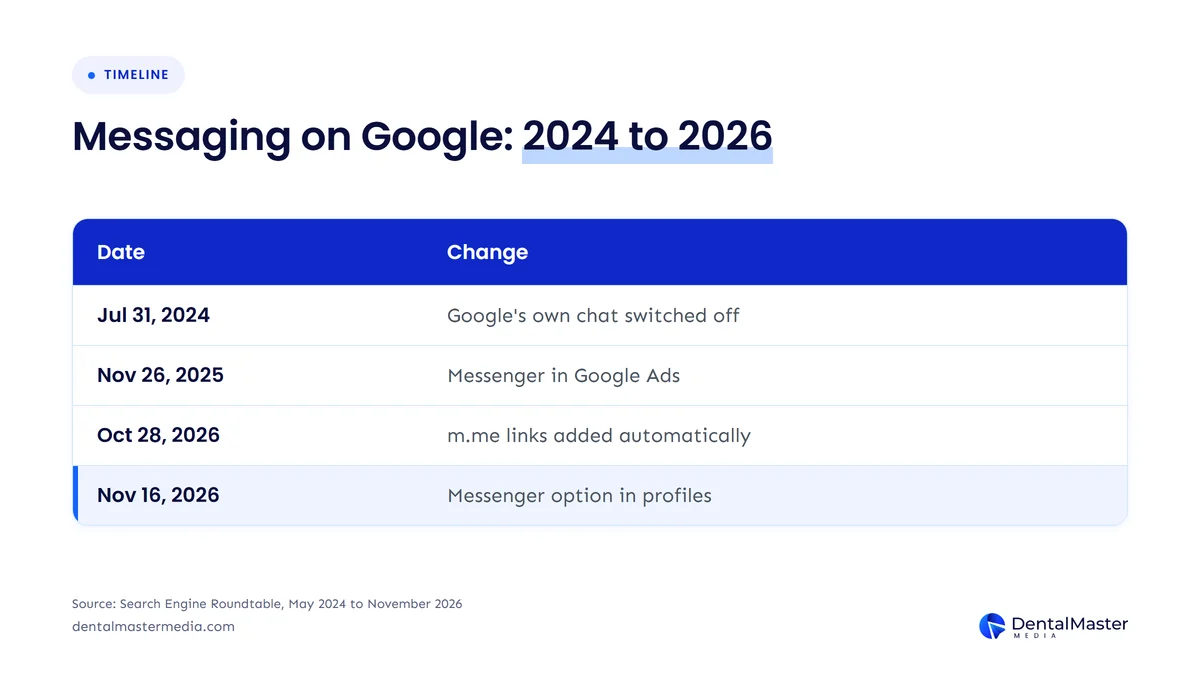
| Date | Change | Source |
|---|---|---|
| July 15, 2024 | Customers can no longer start new Business Profile chats | Search Engine Roundtable, May 29, 2024 |
| July 31, 2024 | Google’s built-in Business Profile chat is switched off | Search Engine Roundtable, May 29, 2024 |
| November 26, 2025 | Google Ads adds Facebook Messenger and Zalo to message assets | Search Engine Roundtable, November 26, 2025 |
| October 28, 2026 | Google emails businesses that Messenger m.me links are being added automatically | Search Engine Roundtable, October 28, 2026 |
| November 16, 2026 | Facebook Messenger appears as a manual chat option in Google Business Profile | Search Engine Roundtable, November 16, 2026 |
The table shows that Google closed its own chat tool in 2024, citing “relatively low usage”, and now points patients to messaging apps they already use. Google Business Profile Help, checked on November 18, 2026, still lists only WhatsApp and text message as chat options, so the Facebook Messenger option is live in accounts before Google has documented it.
Changes like this one are why we check every client’s profile settings each month as part of our dental SEO services. A setting that Google adds automatically can change what patients see without anyone at the practice noticing.
What is a Facebook Messenger m.me link?
A Facebook Messenger m.me link is a short web address from Meta that opens a direct chat with a Facebook Page in Messenger. The link uses the format m.me/ followed by the Page’s username, and Google Ads Help gives “https://m.me/username” as the format for a Facebook Messenger message asset.
The Messenger link belongs to your Facebook Page, not to a phone number. That detail matters for a dental practice: messages land in the Page inbox, so whoever manages the Facebook Page sees them, which may be a marketing agency or a former employee rather than your front desk.
How does Facebook Messenger compare with WhatsApp and text chat?
Facebook Messenger differs from WhatsApp and text chat because it routes patient messages to a Facebook Page inbox instead of a phone. All 3 chat options sit in the same Chat field of the Google Business Profile, and the table below compares them on the 4 points that matter to a practice.
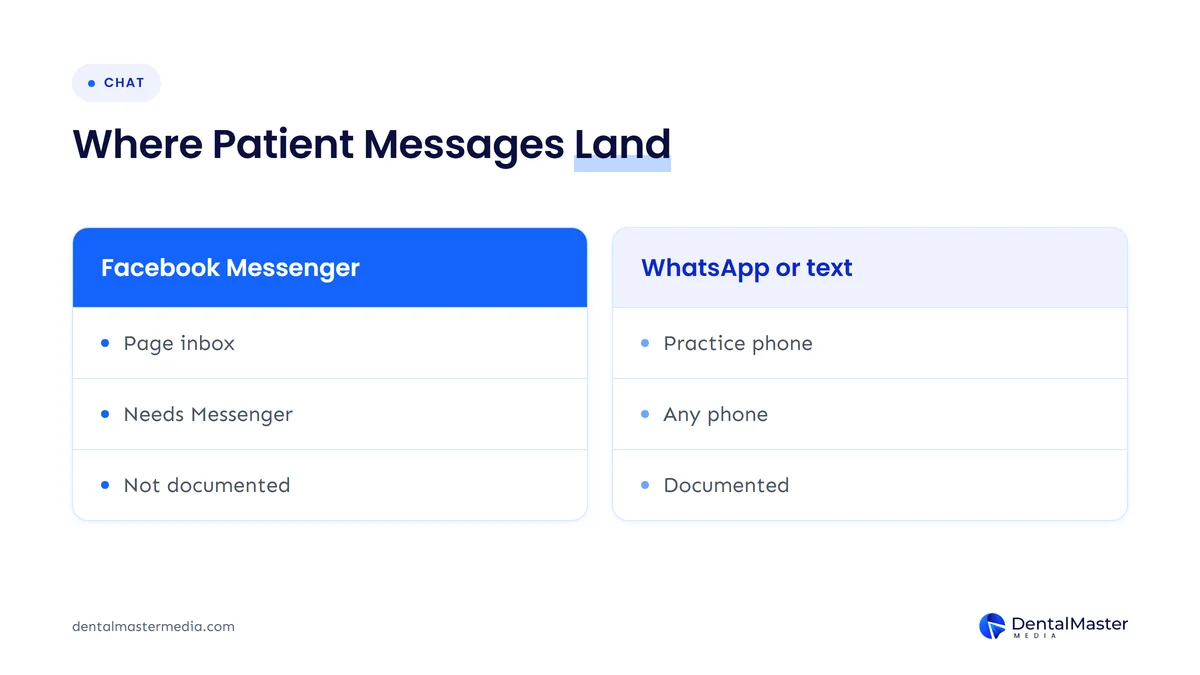
| Chat option | Where the chat happens | What the patient needs | In Google’s help page (November 18, 2026) |
|---|---|---|---|
| Facebook Messenger | Your Facebook Page inbox | Messenger or a Facebook account | Not yet listed |
| The WhatsApp account behind your click-to-chat link | Listed | ||
| Text message | The phone that receives your texts | Any phone that can text | Listed |
Text message is the only option that works for every patient with a phone, and Google’s help page says that when a profile has both WhatsApp and text, customers see only the text option. Google has not said how a Facebook Messenger link ranks against the other 2 options when a profile has more than one, so check what patients see on your live listing after any change.
None of the 3 options is an AI assistant. A person at your practice reads and answers each message, which is different from Google’s own AI-powered messaging test that we covered in Google’s AI messaging for Business Profiles.
Who is affected by the Facebook Messenger option?
The Facebook Messenger option affects every dental practice with a Google Business Profile, but 3 groups should act this week. Those 3 groups of practices are listed below.
- Practices with an automatic Messenger link: if Google added an m.me link to your profile after its October 2026 emails, patients may already be messaging a Facebook Page inbox that nobody at the practice watches.
- Practices with an active Facebook Page: a practice that already answers Facebook messages can add the Messenger link to its Google Business Profile with little extra work.
- Practices with patients aged 30 to 64: Facebook use is highest among adults aged 30 to 64, so the Messenger link fits practices whose new patients are mostly adults and parents.
Facebook remains a channel most US patients use. Pew Research Center’s “Americans’ Use of Social Media in 2026”, published October 19, 2026, found that 70% of US adults use Facebook, including 78% of adults aged 30 to 49, 71% of adults aged 50 to 64, 69% of adults aged 18 to 29 and 59% of adults aged 65 and over. Those figures measure Facebook use, not Messenger use, so they show reach, not how many patients will message a dental practice.
Practices outside the United States should check their own profile, because Google’s help page says chat options are available in select regions only.
Should a dental practice add Facebook Messenger to its Google Business Profile?
Yes, a dental practice should add Facebook Messenger to its Google Business Profile if its Facebook Page inbox is already answered every working day. If nobody checks that inbox, leave the Chat field on WhatsApp or text, or empty, because an unanswered message costs you the patient who sent it.
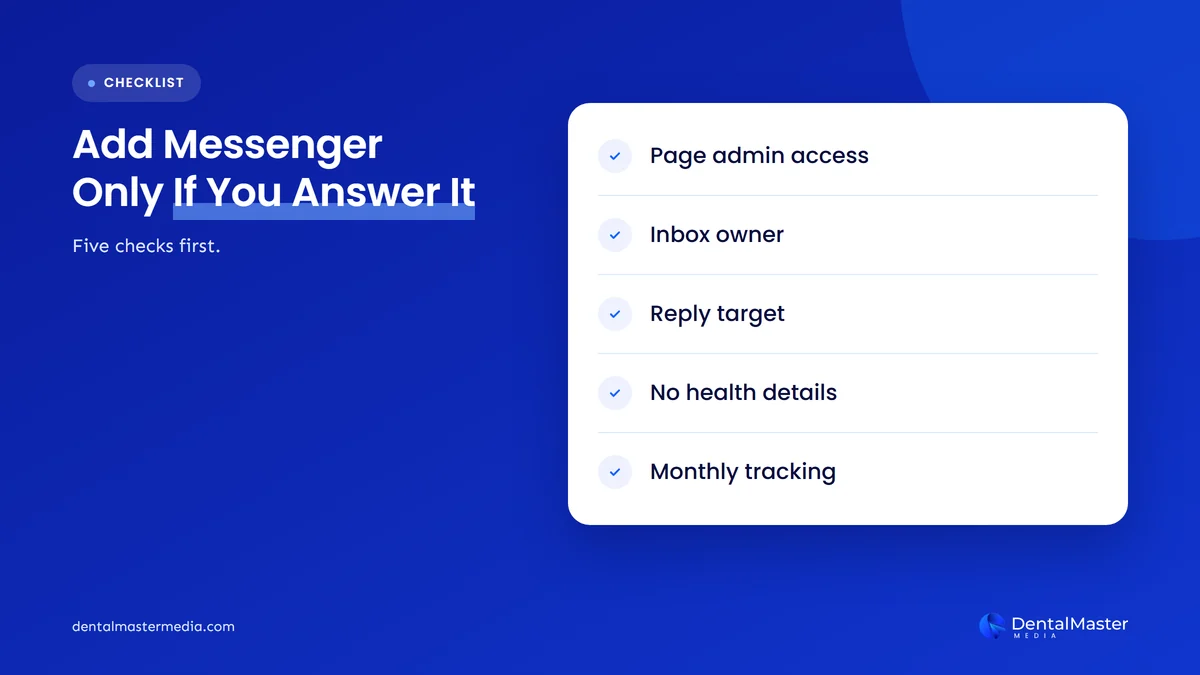
The 5 conditions a dental practice should meet before adding the Messenger link are listed below.
- Own Facebook Page access: the practice, not only an agency or one employee, holds admin access to the Facebook Page behind the m.me link.
- Named inbox owner: one front desk team member owns the Messenger inbox, with a named back-up.
- Reply time target: the practice has set its own reply time for Messenger during opening hours.
- Chat rules: the team knows which health details never go into Messenger.
- Tracking: someone reviews the Messages metric in the Google Business Profile each month.
Who should monitor the Messenger inbox?
A named member of the front desk team should monitor the Messenger inbox, because the front desk already books appointments and answers phone calls. Give that person access to the Facebook Page inbox on the device they use at the desk, and name a back-up for lunch breaks, holidays and sick days.
Check who else can see the inbox. Every admin of the Facebook Page can read patient messages, so remove former employees and review agency access before you add the Messenger link to Google.
How fast should a dental practice reply to Messenger messages?
A dental practice should reply to Messenger messages within a target it sets itself, such as 1 hour during opening hours, because Google sets no reply time for Business Profile chat. Google’s chat help page gives no response time requirement for any chat option, so the target is yours to choose and keep.
Patients who message instead of calling often have simple questions: whether you take new patients, whether there is an opening this week or whether you see emergencies today. A quick reply with a booking option turns those questions into appointments. Outside opening hours, an away message that gives your phone number and your emergency instructions is better than silence.
What should patients not send over Facebook Messenger?
Patients should not send health details over Facebook Messenger, and your team should never ask for them there. Keep Messenger for logistics such as opening times, parking, new patient availability and appointment requests.
The health details to keep out of Messenger chats are listed below.
- Symptoms and treatment history: descriptions of pain, diagnoses or past dental treatment.
- Photos of teeth: images of the mouth, X-rays or treatment results.
- Insurance and ID numbers: insurance member numbers, dates of birth and government ID numbers.
- Payment details: card numbers and billing information.
If your practice is a covered entity under HIPAA in the United States, or works under other patient privacy rules elsewhere, ask your own compliance adviser how Facebook Messenger fits your policies before you add the link. We are not lawyers, and the answer depends on where you are, how you use the channel and what your policies already say. The safest set-up is one where your team never needs health information in chat at all.
How do you add, check or remove the Facebook Messenger link?
You add, check or remove the Facebook Messenger link in the Chat field of your Google Business Profile, under Edit profile and then Contact. The 5 steps below follow the path Google’s chat help page gives for WhatsApp and text, which is where the Messenger option now appears.
- Open your profile: sign in at business.google.com with an owner or manager account for the practice.
- Go to Chat: select Edit profile, then Contact, then select Edit next to Chat.
- Check the current option: look for an m.me link that Google may have added automatically, and confirm it opens your practice’s own Facebook Page.
- Choose or remove the option: pick Facebook Messenger and enter your m.me link, keep WhatsApp or text, or remove the chat option if nobody can answer it.
- Save and test: select Save, then send a test message from a personal phone and confirm it reaches the inbox your front desk watches.
Your Facebook Page details should match your Google Business Profile: the same practice name, address, phone number and hours. A Messenger link that opens a Page with an old address or a closed location sends patients mixed signals, and AI search tools read the same mismatch, as we explain in how AI search learns to trust a dental practice.
How do you track Facebook Messenger chats from Google?
You track Facebook Messenger chats from Google with the Messages metric in your Google Business Profile performance report, plus a source question when patients book. Google’s help page “Understand your Business Profile performance & insights” lists Messages alongside Calls, Website clicks, Bookings and Directions.
The 3 tracking habits that show whether the Messenger link brings patients are listed below.
- Monthly Messages metric: record the Messages count in your Google Business Profile performance report each month, starting from the month you add the Messenger link.
- Source question at booking: ask every new patient who books through Messenger how they found the practice, and note “Google” or “Facebook” in your practice management system.
- Booked appointments, not chats: compare Messenger chats with appointments that came from them, because a busy inbox with no bookings means the replies need work.
Google’s performance data is not instant. The same help page says the Searches metric updates at the start of each month and can take up to 5 days to appear, so judge the Messenger link over 3 months rather than 3 days.
What else changes when patients can message from Google Maps?
Patients can now message a dental practice from Google Maps with one tap, because Google Maps on Android and iOS shows a Message button next to Call for profiles with a chat option, as Search Engine Roundtable reported on November 6, 2026. That report names WhatsApp and text as the channels behind the button, and Google has not confirmed whether a Facebook Messenger link triggers the same button as WhatsApp and text, so check your listing in the Google Maps app after you add it.
The Message button changes how often patients write instead of calling, and it raises the stakes for the inbox rules above. We cover the button, after-hours messages and when to switch chat off in Google Maps’ new Message button for dental practices.
Frequently asked questions
Can I add Facebook Messenger to my Google Business Profile?
Yes, you can add Facebook Messenger to your Google Business Profile if the option appears in the Chat field under Edit profile and Contact. Search Engine Roundtable reported the option on November 16, 2026, but Google’s help page does not list it yet, so it may not show for every profile or region.
Why did Google add a Messenger link to my profile automatically?
Google added Messenger links to some profiles automatically as part of a rollout it announced to businesses by email in October 2026. Search Engine Roundtable reported those emails on October 28, 2026. Check that the link opens your own Facebook Page, and remove it if nobody answers that inbox.
Does adding Facebook Messenger help my local ranking?
No, Google has not said that adding Facebook Messenger or any chat option changes local rankings. Add the Messenger link for patients who prefer to message, not for rankings, and only if your team can answer it.
What happens if I add Facebook Messenger and WhatsApp?
Google has not documented which option patients see when a profile has Facebook Messenger and another chat option. Its help page says that when a profile has both WhatsApp and text, customers see only text. Choose the one channel your front desk answers fastest.
Is Facebook Messenger safe for patient conversations?
No, Facebook Messenger should not carry health details from patients, such as symptoms, photos of teeth or insurance numbers. Use it for logistics like opening times and appointment requests, move clinical questions to a phone call, and ask your compliance adviser how Messenger fits your privacy policies.
Facebook Messenger on your profile: add it only if you answer it
Facebook Messenger is now a chat option on Google Business Profile, after Google added m.me links to some profiles automatically in October 2026 and opened a manual option on November 16, 2026. It sends patients to your Facebook Page inbox instead of a phone. Add the Messenger link if a named front desk owner checks that inbox every working day, health details stay out of chat and you track the Messages metric. If not, keep WhatsApp or text, or remove chat.
Keeping Google Business Profile settings like this one accurate is part of the work our dental SEO services cover at Dental Master Media.
Is your Google Business Profile sending patients to the right place?
Google can now add a Messenger link to your profile without asking. Our free dental SEO audit checks your Google Business Profile settings, chat options, booking links and contact details, and shows which fixes will bring more patients from Google Search and Maps.
Sources
- Search Engine Roundtable (Barry Schwartz), “Google Business Profiles Now Lets You Add Facebook Messenger Number”, November 16, 2026. https://www.seroundtable.com/google-business-profiles-facebook-messenger-42549.html
- Search Engine Roundtable (Barry Schwartz), “Google Business Profiles Adds Facebook Messenger M.me Links”, October 28, 2026. https://www.seroundtable.com/google-facebook-messenger-mme-links-42377.html
- Google Business Profile Help, “Chat with customers from your Business Profile”, accessed November 18, 2026. https://support.google.com/business/answer/15013580
- Google Business Profile Help, “Understand your Business Profile performance & insights”, accessed November 18, 2026. https://support.google.com/business/answer/9918094
- Google Ads Help, “About message assets”, accessed November 18, 2026. https://support.google.com/google-ads/answer/14888522
- Search Engine Roundtable (Barry Schwartz), “Google Ads Gains Facebook Messenger & Zalo Messenger”, November 26, 2025. https://www.seroundtable.com/google-ads-facebook-zalo-messenger-40493.html
- Search Engine Roundtable (Barry Schwartz), “Google Business Profile Call History & Chat Going Away”, May 29, 2024. https://www.seroundtable.com/google-business-profile-call-history-chat-going-away-37465.html
- Search Engine Roundtable (Barry Schwartz), “Google Expands Business Messaging To Google Maps On iOS & Android”, November 6, 2026. https://www.seroundtable.com/google-maps-messaging-android-ios-42472.html
- Pew Research Center, “Americans’ Use of Social Media in 2026”, October 19, 2026. https://www.pewresearch.org/internet/fact-sheet/social-media/

Suraj Rana is the owner of Dental Master Media and a leading expert in SEO for dental practices. With a passion for dental marketing, he has successfully helped numerous dental clinics climb the search engine ranks. Suraj’s expertise makes him a go-to resource for effective, results-driven dental marketing.