Quick answer: Dental SEO is working when you see 3 signs in order: fixes live and pages indexed in month 1, more Google impressions and Business Profile searches in month 3, and more clicks, phone calls and direction requests in month 6. If month 3 shows no movement, check indexing, tracking and your Google Business Profile before blaming Google.
Key takeaways
- Dental SEO is working when search work on your website and Google Business Profile produces more visibility, then more patient actions, then more booked appointments.
- Month 1 brings fixes, indexed pages, tracking and a saved baseline, not new patients.
- Month 3 brings more impressions in Google Search Console and more searches in your Business Profile. Google says some changes take months to show, so calls can lag.
- Month 6 should bring more clicks, phone calls, direction requests and booked consultations than your baseline.
- You can check every sign yourself with 3 free Google tools: Google Search Console, Google Business Profile and Google Analytics.
- Brand searches, one rising keyword and extra traffic without calls look good but do not prove dental SEO is working. If month 3 shows nothing, check indexing first.
What does it mean when dental SEO is working?
Dental SEO is working when the search work on your dental practice website and Google Business Profile produces more visibility on Google, more patient actions and, in the end, more booked appointments from search. A ranking screenshot alone does not show that.
The 3 stages of working dental SEO arrive in the order listed below.
- Visibility: your pages and Business Profile appear for more searches. Google Search Console counts this as impressions.
- Engagement: searchers click to your website, call from Maps or ask for directions.
- New patients: those actions turn into booked consultations that you can trace back to Google.
Rankings also differ from one searcher to the next. Google’s Business Profile Help names 3 local ranking factors, relevance, distance and prominence, and states that there is no way to request or pay for a better local ranking. Because distance changes by searcher, trends over months tell you more than one position on one day. Tracking those trends is part of the work in our dental SEO services.
What are the signs that dental SEO is working, month by month?
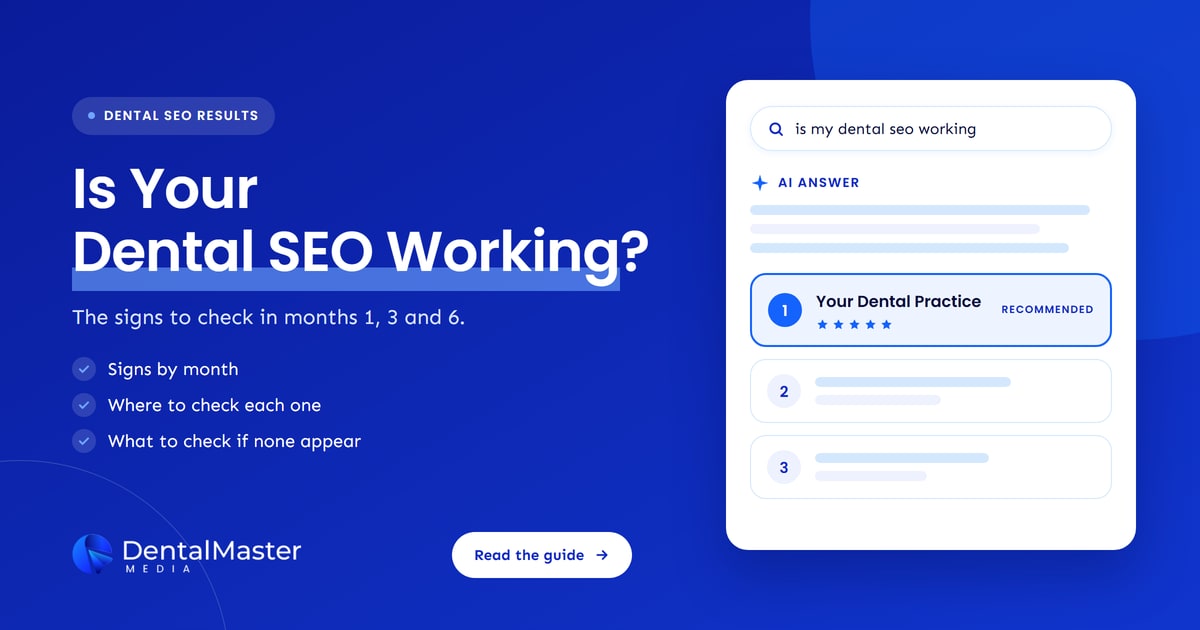
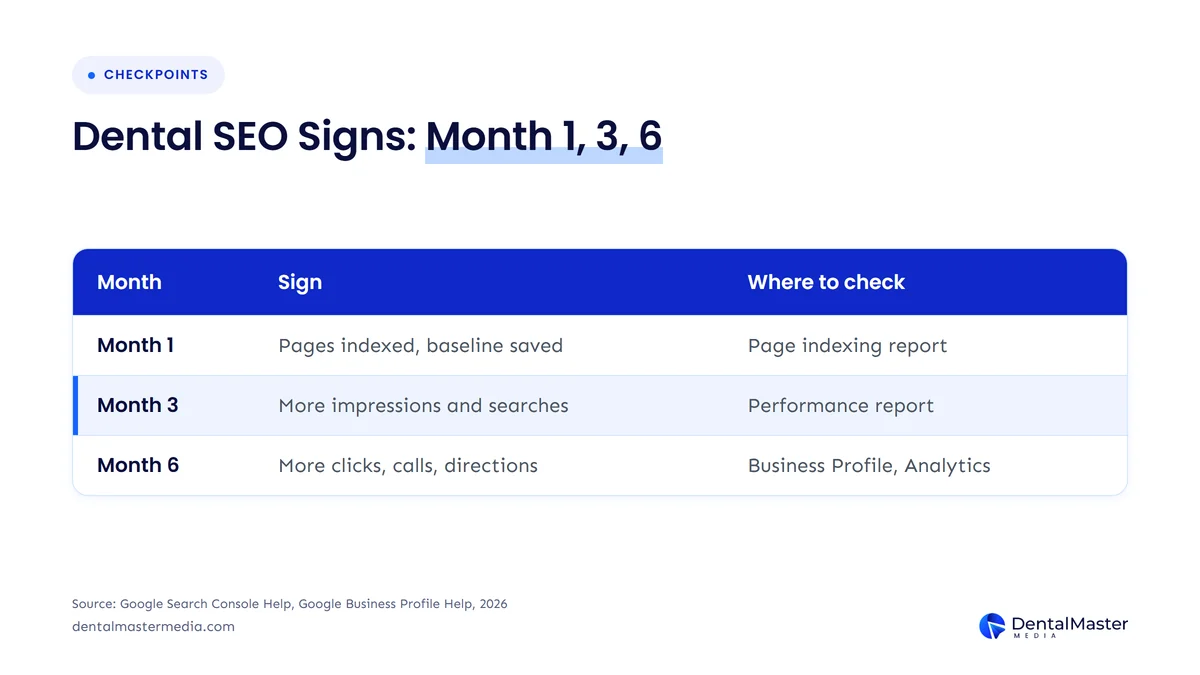
The signs that dental SEO is working arrive at 3 checkpoints: in month 1 your fixes are live and measured, in month 3 Google shows your pages to more searchers, and in month 6 more people click, call and ask for directions.
These checkpoints are our working guide, not a promise. Google’s SEO Starter Guide says some changes take effect in a few hours and others take months, and Google’s Maile Ohye said in 2017 that SEOs need 4 months to a year to see benefit. Read how long dental SEO takes for the timing evidence behind that range.
| Checkpoint | Sign you should see | Where to check it | Not yet expected |
|---|---|---|---|
| Month 1 | Fixes live, key pages indexed, tracking on, baseline saved | Google Search Console page indexing report, Business Profile performance | A change in phone calls |
| Month 3 | More impressions, more queries, more Business Profile searches | Google Search Console Performance report, Business Profile performance | Steady new-patient calls, since Ohye’s range starts at 4 months |
| Month 6 | More clicks, phone calls, direction requests and booked consultations than baseline | Search Console, Business Profile, Google Analytics key events | Full results in a competitive city, since the range runs to 12 months |
The table shows that each checkpoint adds one stage of proof, from setup to visibility to patient actions.
What should you see in month 1?
In month 1 you should see your fixes live, your key pages indexed and your tracking switched on, not more patients. Month 1 is the setup month, and its proof is a clean starting point to measure against.
The 4 signs of month 1 are listed below.
- Fixes: the fixes agreed at the start, such as page titles, broken pages and Business Profile details, are published, and your provider lists each one with its date.
- Indexing: your service pages show as indexed in the Google Search Console page indexing report. Google says validating a fix typically takes up to about 2 weeks, and in some cases much longer.
- Tracking: Search Console and your Business Profile are verified, because Google shows Business Profile performance data only for verified profiles. Call tracking and Google Analytics key events are on.
- Baseline: a saved copy of impressions, clicks, calls and direction requests from the period before the work began. Search Console data should be available in 2-3 days, so you can pull it in week 1.
What should you see in month 3?
In month 3 you should see more impressions in Google Search Console and more searches in your Google Business Profile than in your baseline, even if phone calls have not changed yet. Google defines an impression as how often someone saw a link to your site on Google, so impressions rise before clicks do.
The 4 signs of month 3 are listed below.
- Impressions: total impressions in the Performance report are higher than the baseline period.
- Queries: more different searches show your pages, including treatment searches that include your city.
- Average position: the average position of your treatment pages improves. Google defines average position as a relative ranking where 1 is the topmost position, averaged across queries.
- Business Profile searches: the Searches figure in Business Profile performance is rising. Google updates it monthly and says it can take up to 5 days to show.
What should you see in month 6?
In month 6 you should see more clicks, phone calls and direction requests than your baseline, plus booked consultations that you can trace to Google. Month 6 sits inside Google’s 4 months to a year range, so a practice in a quiet market may see all 4 signs, and one in a competitive city may see the first 2.
The 4 signs of month 6 are listed below.
- Clicks: Search Console clicks, which Google defines as how often someone clicked a link from Google to your site, are higher than baseline.
- Phone calls: Business Profile calls, which count clicks on the call button, are higher. Manually dialed calls are not counted, so use a tracking phone number to capture them.
- Direction requests: Business Profile directions, which show how many people asked for directions to your practice, are higher.
- Booked consultations: Google Analytics key events for booking forms or call clicks are higher. Business Profile bookings only count if a booking provider manages them.
How do you check each dental SEO sign yourself?
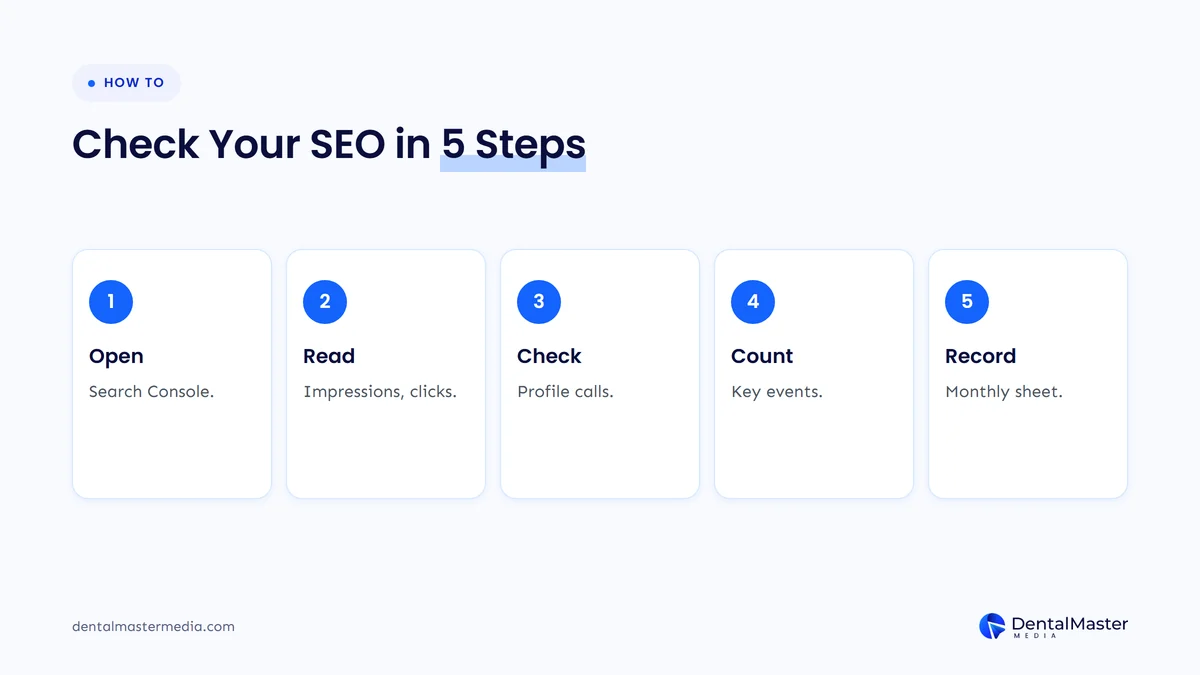
You check each dental SEO sign yourself in 5 steps, using 3 free Google tools: Google Search Console, Google Business Profile and Google Analytics. The whole check takes about as long as one monthly review of your own numbers.
The 5 steps for checking dental SEO signs are listed below.
- Open the Google Search Console Performance report and compare the last 3 months with the 3 months before your baseline. Wait for the 2-3 day data delay before you judge the latest days.
- Read impressions, clicks and average position for your treatment pages, and filter out brand searches.
- Open Business Profile performance and note calls, direction requests, website clicks and bookings.
- Count Google Analytics key events. Google defines a key event as an event that measures an action particularly important to the success of your business, such as a booking form submission.
- Record every number in one sheet each month, next to the baseline, so the trend is visible.
A good provider puts these same numbers in front of you every month. See 9 things a monthly dental SEO report should show to compare it with the report you receive.
Which signs look good but do not prove dental SEO is working?
Four signs look good but do not prove dental SEO is working: your practice name ranking first, one keyword rising, more traffic without more calls, and a better average position on its own. Each one can improve while no new patient books.
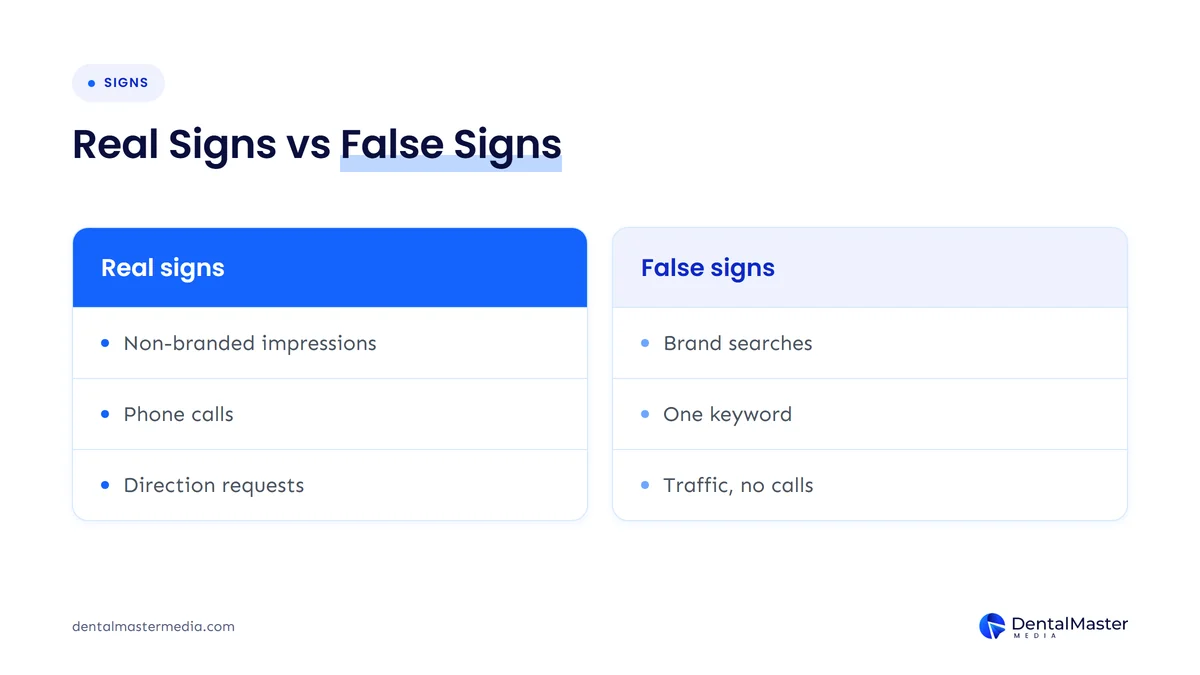
The 4 false signs of dental SEO are listed below.
- Brand searches: people who search your practice name already know you. Google announced a branded queries filter in Search Console on November 20, 2025 that splits the Performance report into branded and non-branded queries, so read the non-branded view. Our post on branded query filters in Google Search Console explains how to use it.
- One keyword: a single ranking changes with distance, one of the 3 local ranking factors, so one position tells you little. Track a set of 20 or more queries over months.
- Traffic without actions: more website visits count as a sign only when phone calls, direction requests or key events rise with them.
- Average position alone: the average can fall when new queries appear at lower positions, even while impressions and clicks rise, so read it next to impressions.
Why might dental SEO show no signs after 3 months?
The first thing to check when dental SEO shows no signs after 3 months is whether Google has indexed your pages. Indexing is the cheapest check and the one that blocks everything after it.
The 5 checks for missing dental SEO signs are listed below, in the order to run them.
- Indexing: open the Search Console page indexing report. Google says a URL may not be indexed because of an indexing error or a legitimate reason, so find out which applies to each service page.
- Measurement: confirm Search Console, call tracking and key events were on from month 1. Without them, signs can exist and still be invisible to you.
- Business Profile: confirm the profile is verified and complete. Google says relevance depends on how well complete, detailed information matches a search.
- Timing: compare your month with the 4 months to a year range. In a competitive city, 3 months can still be early.
- Scope: ask your provider for a dated list of every page and profile change made, and check that the pages earning patients, such as implants or aligners, were touched.
If checks 1 to 3 pass and the dated list is thin, the gap is in the work, not in Google’s timing. Our guide on what a dental SEO audit should include shows how to ask for a full review.
Frequently asked questions
How do I know if my dental SEO is working?
You know your dental SEO is working when impressions, clicks, phone calls and direction requests rise compared with a baseline saved before the work began. Check Google Search Console for impressions and clicks, Google Business Profile for calls and directions, and Google Analytics key events for booked consultations.
Should dental SEO show results in 3 months?
No, 3 months should show early signs, not a steady flow of patients. Expect more impressions and Business Profile searches at month 3. Google says changes take from hours to months, and Maile Ohye’s range for benefit is 4 months to a year.
Is more website traffic proof that dental SEO is working?
No, more website traffic is proof only when patient actions rise with it. Compare traffic with phone calls, direction requests and Google Analytics key events, and look at non-branded queries so existing patients searching your practice name do not inflate the picture.
Can I check dental SEO results without my provider?
Yes, you can check dental SEO results yourself with free Google tools. Search Console shows impressions, clicks and average position, Business Profile shows calls and direction requests, and Google Analytics shows key events. You need verified access to each one.
What if my rankings are up but the phone is not ringing?
If rankings are up but the phone is quiet, check that calls are being counted first. Business Profile does not count manually dialed calls, so a tracking phone number matters. Then compare clicks with key events to see whether visitors reach your booking page.
Dental SEO is working when the signs arrive in order
Dental SEO is working when month 1 delivers live fixes and a baseline, month 3 delivers more impressions and Business Profile searches, and month 6 delivers more clicks, calls, direction requests and booked consultations. Rankings, brand searches and traffic alone do not prove it, and no sign at month 3 means checking indexing, tracking, your Business Profile, timing and scope in that order.
That is how we report progress at Dental Master Media, through our dental SEO services. If you want to compare scope with price, read how much dental SEO costs.
Not sure your dental SEO is working?
Book a free strategy call and bring your Search Console, Business Profile and Analytics numbers. We will walk through which of the signs in this guide you can already see and which checks to run next.
Sources
- Google Search Central, “SEO Starter Guide”, accessed November 26, 2026. https://developers.google.com/search/docs/fundamentals/seo-starter-guide
- Search Engine Roundtable, “Google: Give SEOs 4-12 Months To See Positive Ranking Benefits”, February 16, 2017. https://www.seroundtable.com/google-give-seos-4-12-months-23419.html
- Google Search Console Help, “What are impressions, position, and clicks?”, accessed November 26, 2026. https://support.google.com/webmasters/answer/7042828
- Google Search Console Help, “About Search Console data”, accessed November 26, 2026. https://support.google.com/webmasters/answer/96568
- Google Search Console Help, “Page indexing report”, accessed November 26, 2026. https://support.google.com/webmasters/answer/7440203
- Google Search Central Blog, “Introducing the branded queries filter in Search Console”, November 20, 2025. https://developers.google.com/search/blog/2025/11/search-console-branded-filter
- Google Business Profile Help, “Understand your Business Profile performance & insights”, accessed November 26, 2026. https://support.google.com/business/answer/9918094
- Google Business Profile Help, “Tips to improve your local ranking on Google”, accessed November 26, 2026. https://support.google.com/business/answer/7091
- Google Analytics Help, “About key events”, accessed November 26, 2026. https://support.google.com/analytics/answer/9267568

Suraj Rana is the owner of Dental Master Media and a leading expert in SEO for dental practices. With a passion for dental marketing, he has successfully helped numerous dental clinics climb the search engine ranks. Suraj’s expertise makes him a go-to resource for effective, results-driven dental marketing.