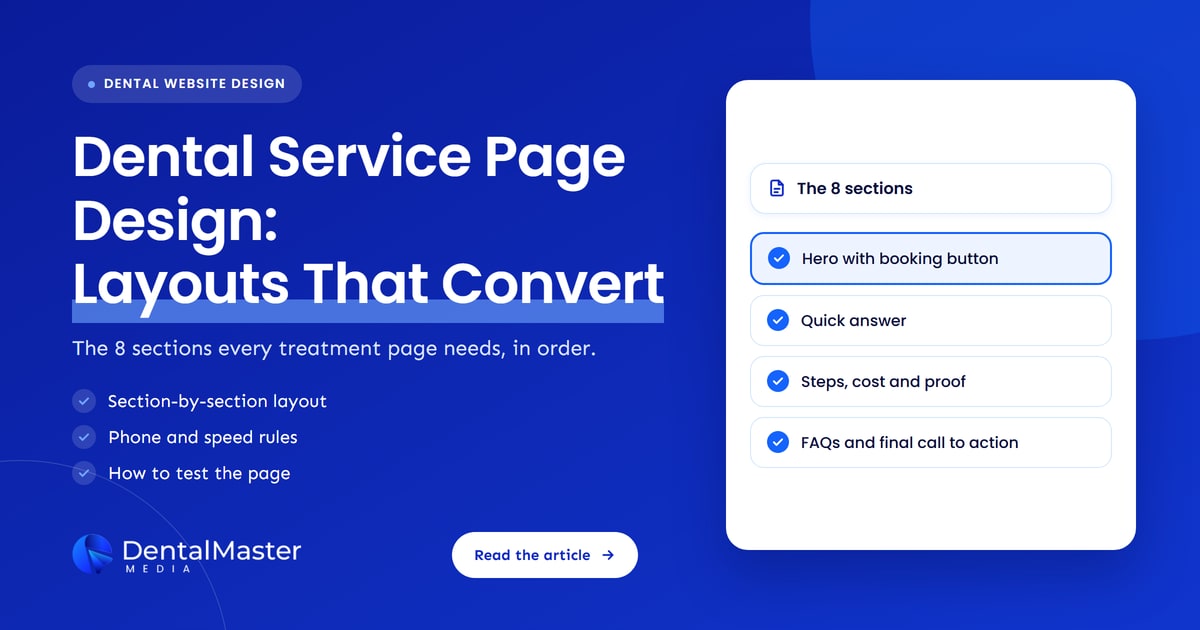
Quick answer: A dental service page converts best when it follows 8 sections in a fixed order: hero, quick answer, treatment explanation, steps, cost, proof, FAQs and a final call to action. Keep one booking button, a tap-to-call link and a Largest Contentful Paint of 2.5 seconds or less on mobile.
Key takeaways
- A dental service page layout is the fixed order of 8 sections on a treatment page, from the hero to the final call to action.
- The top of a dental service page needs the treatment name, a one-sentence answer, one booking button and a tap-to-call link.
- Patients scan: Jakob Nielsen’s Nielsen Norman Group analysis found users read at most 28% of the words on an average page, so each section must work on its own.
- Steps, cost and proof turn a treatment explanation into a booking, and proof must be real photos and real reviews.
- On a phone, every button needs a tap target of at least 24 by 24 CSS pixels and the same content as the desktop page.
- web.dev sets the Core Web Vitals targets a dental service page should meet: 2.5 seconds, 200 milliseconds and 0.1.
What is a dental service page layout?
A dental service page layout is the fixed order of sections on a dental treatment page, such as implants, clear aligners or teeth whitening, arranged so a patient can understand the treatment and book without leaving the page. The layout decides what a patient sees first, what comes next and where the booking button sits.
A dental service page is different from a blog post. A patient who lands on a treatment page already knows the problem and is deciding whether this dental practice is the right place to book. The layout answers that decision in order: what the treatment is, whether it suits the patient, what happens, what it costs, who will do it and how to book.
What sections does a dental service page need?
A dental service page needs 8 sections, in the order shown in the table below. The first section carries the booking button and the last section repeats it, so a patient never has to scroll back up to book.
| # | Section | Job | Design rule |
|---|---|---|---|
| 1 | Hero | Confirm the treatment and offer the next step | H1, one-sentence answer, one booking button, tap-to-call link |
| 2 | Quick answer | State what the treatment is and who it suits | 40 to 60 words in plain paragraph text, not inside a tab |
| 3 | Treatment explanation | Explain how the treatment works and who is a candidate | Short paragraphs under headings written as patient questions |
| 4 | Steps | Show what happens from the first visit to the finished result | Numbered list, one action per step |
| 5 | Cost | Show what drives the price and how patients pay | Short table or list; add figures only if the practice has fixed fees |
| 6 | Proof | Show the real dentist, real cases and real reviews | Original photos with alt text, used with patient consent |
| 7 | FAQs | Answer the objections that stop a booking | 5 to 8 questions, answers in the page text |
| 8 | Final call to action | Repeat the next step and the practice details | Same booking button as the hero, plus name, address, phone and hours |
The table shows that every section has one job and one rule. Our dental SEO services treat a service page the same way: the layout decides whether a patient who finds the page on Google goes on to book.
What goes at the top of a dental service page?
The top of a dental service page holds 4 things: the treatment name as the H1, a one-sentence answer, one booking button and a tap-to-call link. These sit above the fold, the part of the page visible before a patient scrolls, so a visitor from Google or a Google Business Profile link sees the next step immediately.
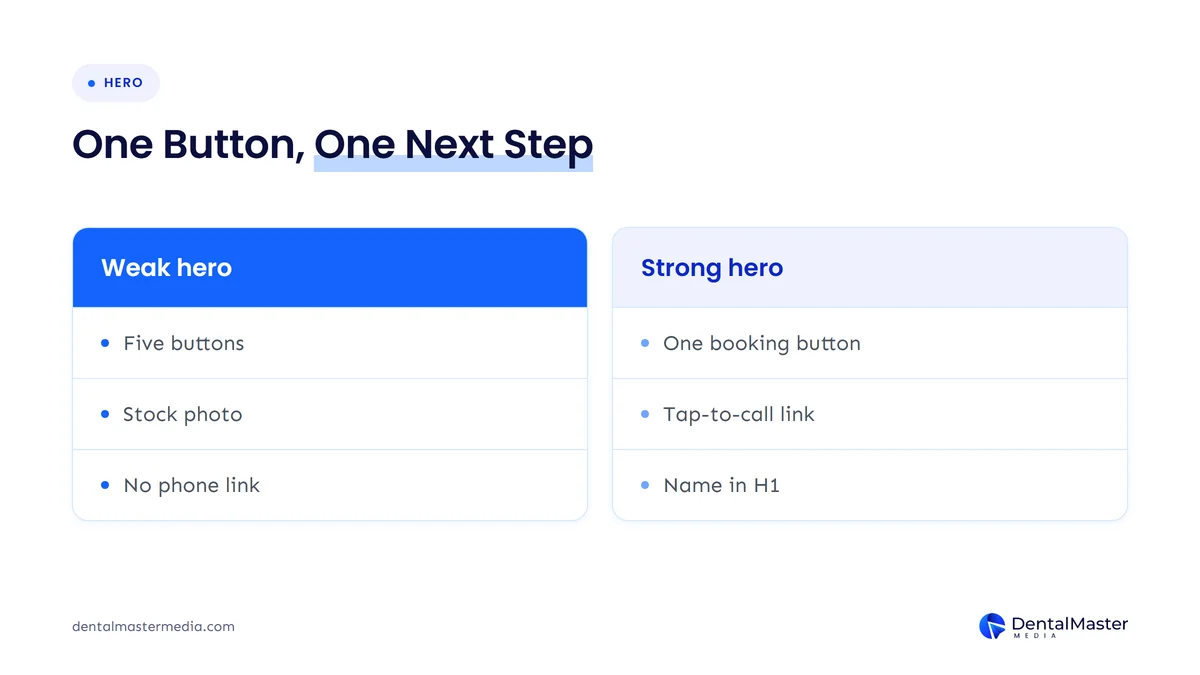
The H1 names the treatment in the words a patient uses, for example “Dental Implants” with the city, and the sentence under it says what the practice does for that patient. A single booking button works better than a menu of choices, because each extra option gives a patient another reason to delay. The tap-to-call link sits beside it for patients who prefer to phone.
The hero image deserves care. web.dev’s guide on optimizing Largest Contentful Paint says never to lazy-load the Largest Contentful Paint image and suggests fetchpriority=”high” on one or two images at most, so the hero photo should load first, not last. The same hero principles apply across the site, and the homepage version is covered in what a dental website homepage should include.
How should a dental service page explain the treatment?
A dental service page should explain the treatment in short, scannable blocks: a 40 to 60 word summary, then a section on who the treatment suits, each under a heading phrased as a patient question. Nielsen Norman Group’s 2008 article “How Little Do Users Read?” by Jakob Nielsen found that users have time to read at most 28% of the words on an average page, and 20% is more likely.
That study measured an average page of 593 words, and users read half the information only on pages of 111 words or fewer. A treatment page therefore cannot rely on a patient reading from top to bottom. Each heading must be followed by a direct answer, so a patient who reads only that sentence still gets the point.
Keep the explanation in plain paragraph text. Google Search Central’s mobile-first indexing guide says content in tabs or accordions on mobile is acceptable if it is equivalent to the desktop content, but the quick answer and the candidacy section are the parts patients must see, so leave them open. A full page-by-page content checklist for one treatment is in our guide on what a veneers and cosmetic dentistry page should include.
How should a dental service page show steps, cost and proof?
A dental service page shows steps, cost and proof as 3 separate blocks placed after the explanation: a numbered list of what happens, a short block on what drives the price and a block of real photos and reviews. These 3 blocks answer the questions a patient asks right before booking.
How should a dental service page show the steps?
A dental service page shows the steps as a numbered list with one action per step, so a patient can see the full journey from the first visit to the finished result. The 3 rules for the steps block are listed below.
- Start every step with a verb, such as “Book a consultation” or “Receive your treatment plan”.
- Limit the list to 3 to 6 steps, so the process looks manageable on a phone screen.
- State the visit count and timing for each step only when the dentist can confirm them for the treatment.
How should a dental service page show cost?
A dental service page shows cost by naming what drives the price and how patients pay, and by adding exact figures only when the practice has fixed fees. A table with one row per cost factor, such as the number of teeth, materials or the type of anesthesia, helps patients compare their own case with the page.
Hiding cost entirely sends patients to another practice that explains it. Whether to publish figures is a practice decision, and our post on whether your dental website should show prices covers it in full.
How should a dental service page show proof?
A dental service page shows proof with real photos of the practice, the real treating dentist and real patient reviews, because the page is judged on whether the practice looks trustworthy. Use original photos with descriptive alt text, placed next to the text they support.
Google Search Central’s image guidance calls alt text the most important attribute for image metadata and says images should be placed near relevant text. Before and after photos need written patient consent. Never use stock photos of smiles or invented reviews as proof, because a patient who finds out stops trusting the whole page.
How should a dental service page layout work on a phone?
A dental service page layout must work on a phone first, because Google Search Central says Google uses the mobile version of a site’s content for indexing and ranking, known as mobile-first indexing. The mobile page needs the same content, the same alt text and the same structured data as the desktop page.
Every button needs a large enough tap target. The W3C’s WCAG 2.2 success criterion 2.5.8, rated Level AA, sets a minimum target size of 24 by 24 CSS pixels, so the booking button and the phone link must be at least that size, with room around them. Make the booking button full width on a phone and keep it visible at the top and at the end of the page.
Links inside the page text also matter. Google Search Central’s link guidance says Google needs an HTML <a> element with an href attribute to crawl a link, and advises descriptive anchor text, not generic text such as “click here”. The same advice applies to a button that leads to the booking page. Add the practice name, address, phone number and opening hours to the final section, and add matching Local Business structured data: Google lists the address as a required property and the telephone and openingHoursSpecification as recommended.
How fast should a dental service page load?
A dental service page should meet 3 Core Web Vitals targets: a Largest Contentful Paint of 2.5 seconds or less, an Interaction to Next Paint of 200 milliseconds or less and a Cumulative Layout Shift of 0.1 or less. web.dev, Google’s web developer guidance site, sets these as the “good” thresholds, measured at the 75th percentile of page loads and segmented by mobile and desktop.
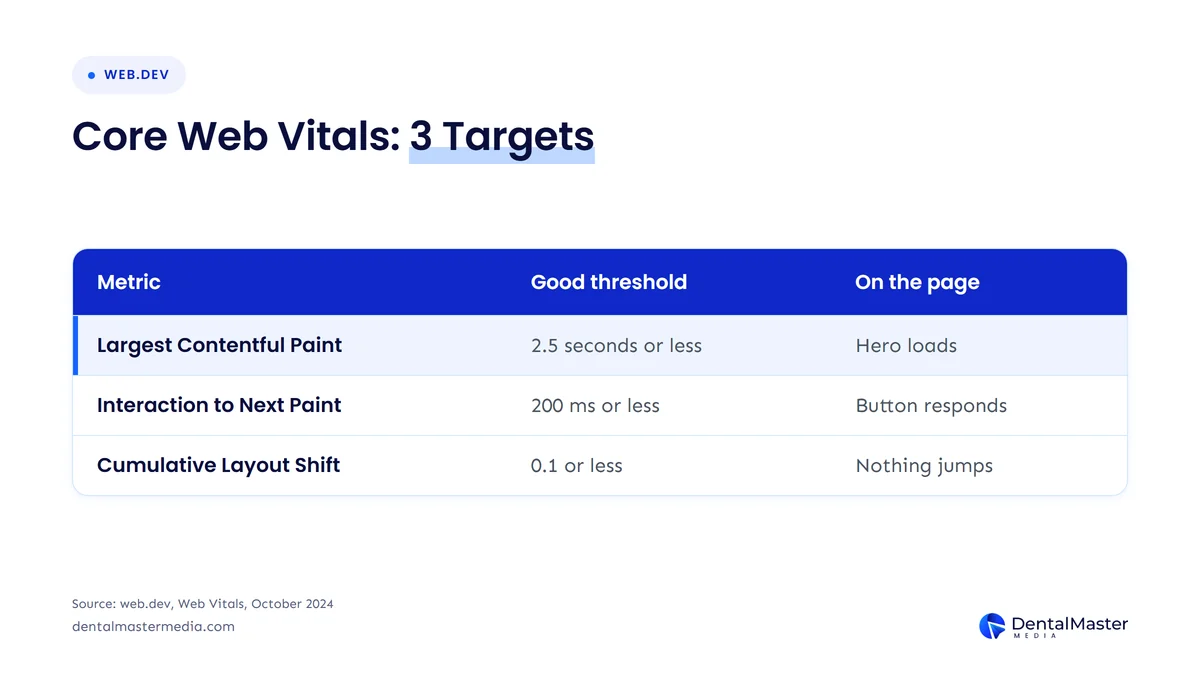
| Metric | Good threshold | What it means on a dental service page |
|---|---|---|
| Largest Contentful Paint | 2.5 seconds or less | The hero photo or headline appears quickly |
| Interaction to Next Paint | 200 milliseconds or less | The booking button responds when tapped |
| Cumulative Layout Shift | 0.1 or less | The button does not jump while the page loads |
The table shows that each metric maps to a part of the layout a patient touches. A page passes only if it meets all 3 targets at the 75th percentile. The fixes for a slow page, such as image sizes and scripts, are in our guide to dental website speed.
How do you test a dental service page layout after launch?
You test a dental service page layout by tracking one result, booking button clicks and phone taps, for each page, then changing one section at a time and comparing the numbers. The test has 4 steps.
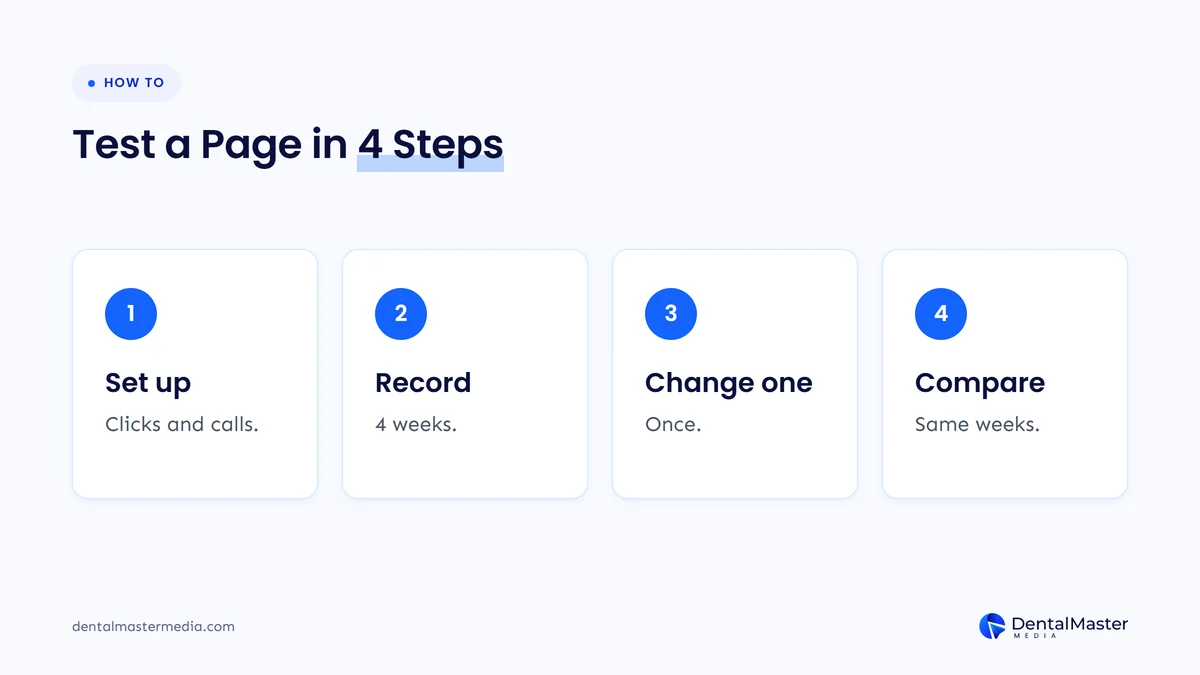
The 4 steps of the test are listed below, in the order that keeps it fair.
- Set up Google Analytics 4 events for booking button clicks and tap-to-call taps on every dental service page.
- Record a baseline of at least 4 weeks of clicks before changing anything.
- Change one section, such as the hero button text or the position of the proof block.
- Compare the new clicks with the baseline and check Google Search Console for changes in impressions and clicks on that page.
Compare the same weeks and the same page, so seasonal demand does not distort the result. How to turn those clicks into booked appointments is covered in dental website conversion: turning visitors into booked appointments.
Frequently asked questions
Should a dental service page have a booking button at the top?
Yes, a dental service page should have a booking button at the top. The hero is the first thing a patient sees, so one booking button and a tap-to-call link there give every visitor an immediate next step.
How long should a dental service page be?
A dental service page should be as long as it takes to cover the 8 sections, and no longer. Nielsen Norman Group’s research found users read at most 28% of the words on a page, so cut repetition and keep each section short.
Should every dental treatment have its own service page?
Yes, every treatment a dental practice wants patients to book should have its own service page. One page per treatment lets the layout, the questions and the booking button match one patient intent, instead of mixing several treatments on one page.
Can a dental service page hide content in tabs on mobile?
Yes, a dental service page can use tabs or accordions on mobile. Google Search Central says the content must be equivalent to the desktop version, and the quick answer and candidacy sections should stay visible.
Do before and after photos belong on a dental service page?
Yes, real before and after photos can belong on a dental service page when the patient has given written consent. Place them in the proof section, add descriptive alt text and never use stock images in their place.
Conclusion
A dental service page converts when it follows the 8 sections in order, keeps one booking button visible, works on a phone and loads within the Core Web Vitals targets.
Dental Master Media builds service pages in this layout as part of its dental website design service, which starts at $999 for a 10-page website, and ties the pages into dental SEO services so patients who find them on Google book.
Book a free strategy call
Tell us which treatments your dental practice most wants to book, and we will review how your current service pages are laid out and which sections to fix first. The call is free.
Sources
- web.dev, “Web Vitals”, originally published May 4, 2020, last updated October 31, 2024. https://web.dev/articles/vitals
- web.dev, “Optimize Largest Contentful Paint”, last updated March 31, 2025. https://web.dev/articles/optimize-lcp
- Jakob Nielsen, Nielsen Norman Group, “How Little Do Users Read?”, May 5, 2008. https://www.nngroup.com/articles/how-little-do-users-read/
- W3C, “Understanding Success Criterion 2.5.8: Target Size (Minimum)”, WCAG 2.2, updated November 2, 2026. https://www.w3.org/WAI/WCAG22/Understanding/target-size-minimum.html
- Google Search Central, “Mobile-first indexing best practices”, accessed November 26, 2026. https://developers.google.com/search/docs/crawling-indexing/mobile/mobile-sites-mobile-first-indexing
- Google Search Central, “SEO link best practices for Google”, accessed November 26, 2026. https://developers.google.com/search/docs/crawling-indexing/links-crawlable
- Google Search Central, “Google Images SEO best practices”, accessed November 26, 2026. https://developers.google.com/search/docs/appearance/google-images
- Google Search Central, “Local Business structured data”, accessed November 26, 2026. https://developers.google.com/search/docs/appearance/structured-data/local-business

Suraj Rana is the owner of Dental Master Media and a leading expert in SEO for dental practices. With a passion for dental marketing, he has successfully helped numerous dental clinics climb the search engine ranks. Suraj’s expertise makes him a go-to resource for effective, results-driven dental marketing.