Quick answer: A dental practice fixes a duplicate Google listing by keeping the verified profile and removing, reporting or merging the extra one. Google allows 1 Business Profile per business. Fix an outdated Google listing by editing the profile, which Google usually reviews within 10 minutes and sometimes within 30 days.
Key takeaways
- A duplicate Google listing is a second profile for the same dental practice. Google says a business can have only 1 Business Profile, and a profile marked as a duplicate doesn’t show on Google Search or Google Maps.
- Wrong Google listings come in 5 kinds: duplicates, dentist profiles, old locations, outdated details and listings built by a former agency.
- You find them by searching your practice name, phone number, street address, former names and each dentist’s name on Google Maps.
- The fix depends on the problem: remove a duplicate you own, request access to one someone else owns, report one you can’t claim, and edit a profile with wrong details.
- An edit to a Business Profile usually takes up to 10 minutes to review, but can take up to 30 days.
- Dentists can have their own Google listing next to the practice listing, and a quarterly check keeps new duplicates from building up.
What is a duplicate Google listing for a dental practice?
A duplicate Google listing is a second Business Profile for the same dental practice at the same address, under the same or a similar name. Google Business Profile Help states that you can have only 1 Business Profile for each business, and that a profile Google considers a duplicate won’t show on Google Search or Maps.
Google marks a profile as a duplicate for 3 reasons: a verified profile already exists for the business, 2 profiles share an address, or 2 profiles list different services for 1 business. A hidden duplicate can still cause trouble, because a practice may be updating the wrong profile while the visible one stays out of date.
Duplicate listings come from 4 sources, according to Whitespark’s guide to duplicate listings, and they are listed below.
- User-added places: a patient or visitor adds the practice to Google Maps when it already exists.
- Forgotten or previously verified listings: a former owner, office manager or agency verified a profile and nobody kept the login.
- Automated creation from scraped data: directories that copy business data create listings with slightly different details.
- Spam: another business creates a fake listing at your address.
Wrong details matter to patients as well as to Google. BrightLocal’s Local Business Discovery & Trust Report, published on October 11, 2023 after a survey of 1,138 US consumers, found that 62% would avoid using a business if they found incorrect information online, and 7% would abandon their search after finding a wrong address, up from 3% in 2021. Cleaning up listings is part of the local work in our dental SEO services, because a patient who finds the wrong phone number never reaches the front desk.
What kinds of wrong Google listings can a dental practice have?
A dental practice can have 5 kinds of wrong Google listings, and each kind needs a different fix. The 5 kinds of wrong Google listings are listed below.
- Duplicate profile: a second Business Profile for the same practice, often created by a former agency or a lost login.
- Dentist profile: a practitioner listing for a dentist, which is allowed in some cases and wrong in others.
- Old location listing: a profile for an address the practice left, which still appears on Google Maps.
- Outdated details: a correct profile that shows an old phone number, old hours or an old website link.
- Listing for a former name: a profile under the name the practice used before a rebrand, sale or merger.
How do you find duplicate and wrong Google listings?
You find duplicate and wrong Google listings by searching Google Maps for every detail a patient could use to reach your dental practice.
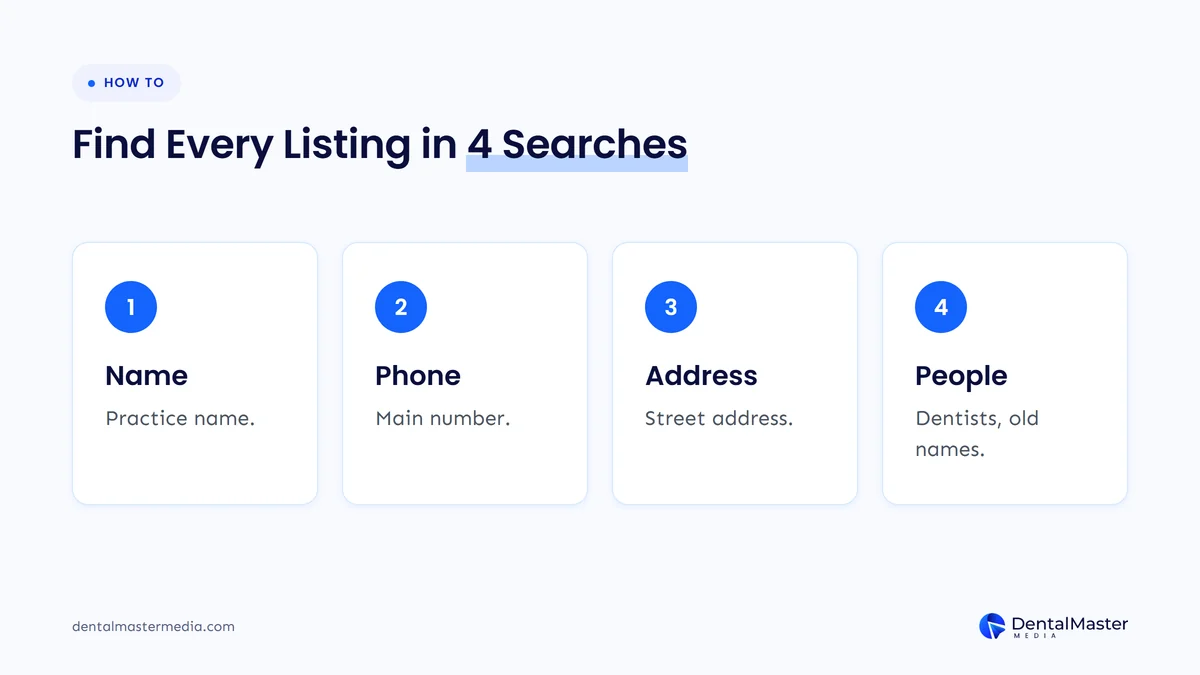
The 4 searches below cover the details that duplicates share with the real listing.
- Search your practice name on Google Maps and note every result that looks like your practice.
- Search your main phone number, because a duplicate often carries the same number.
- Search your street address and look for a profile on the same building or a pin on a neighboring spot.
- Search each former practice name and each dentist’s name, including dentists who have left.
Then open the listings on Apple Maps, Bing Places and Yelp, because a wrong detail on Google often appears on those directories too.
Whitespark lists 6 red flags for a duplicate at the same address: a missing suite number, a moved map pin, a Service Area Business label, the same phone number, the same building, or a pin in a parking lot or down the street. BrightLocal, in its guide updated in October 2026, advises keeping a log of every duplicate you find, how you fixed it and when you last checked.
Wrong details spread beyond Google, and our post on Apple Maps, Bing Places and Yelp for dentists shows which of those listings deserve an update.
Which fix does each Google listing problem need?
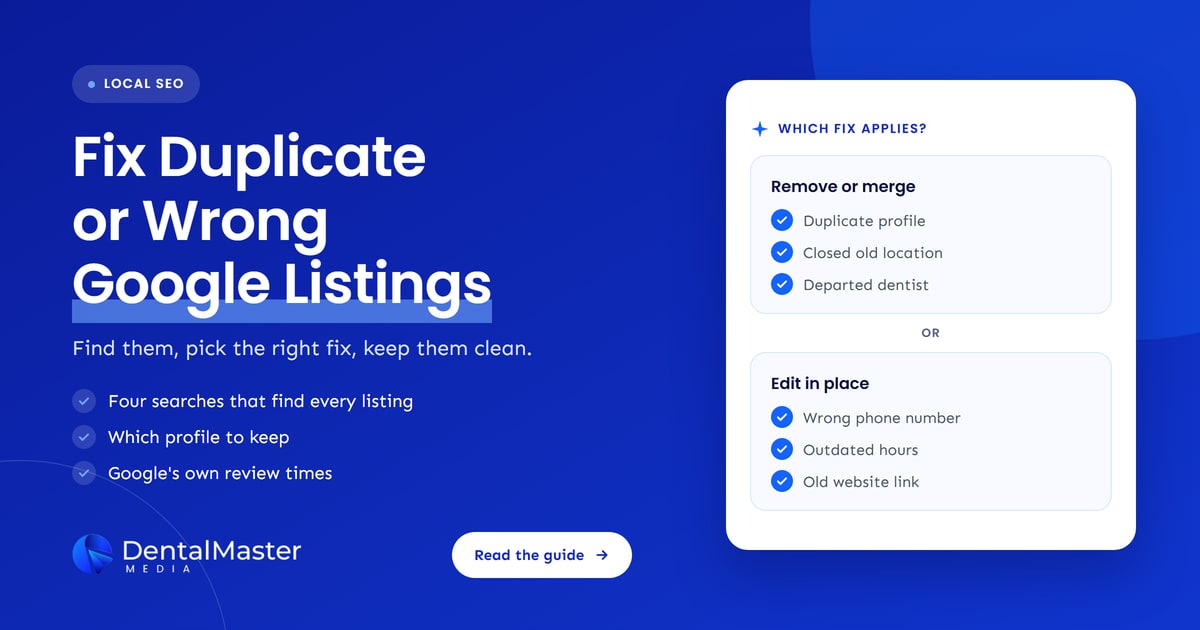
Each Google listing problem has 1 fix, and the right fix depends on who owns the profile and what is wrong with it. The table below matches the 5 most common problems to the fix and to the number Google gives for it.
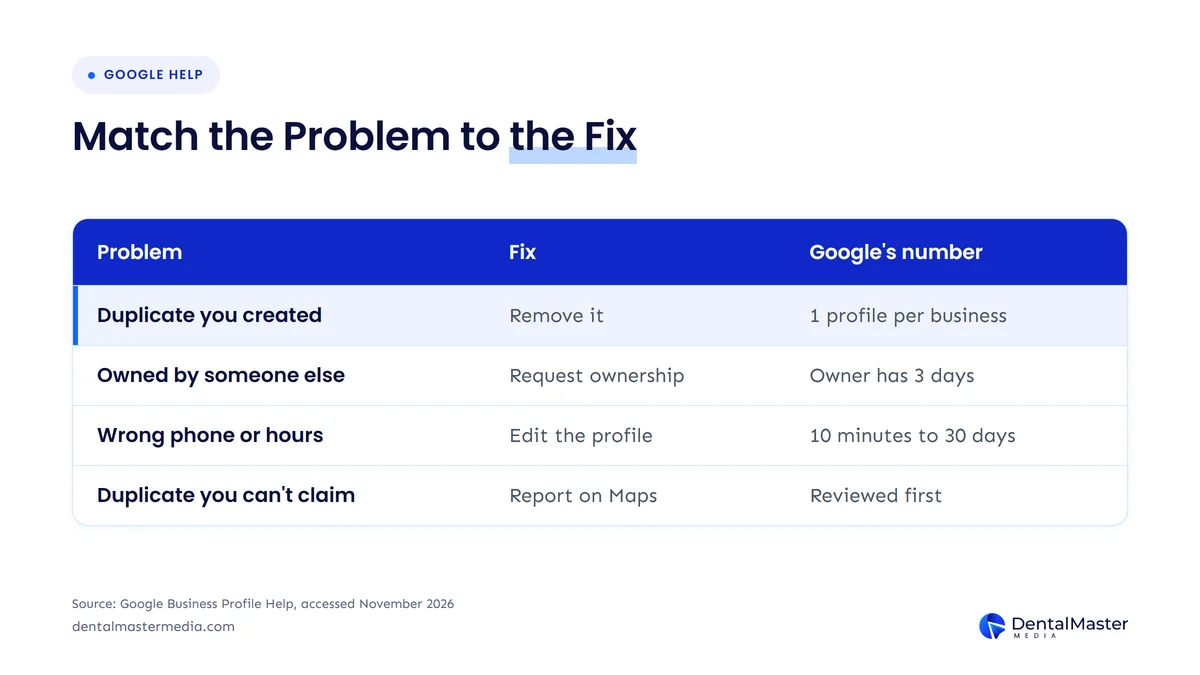
| Problem | Fix | Where you do it | Google’s number |
|---|---|---|---|
| Duplicate you created | Remove the duplicate | Your Google Account | 1 profile per business |
| Profile owned by someone else | Request ownership | Google Business Profile | Owner has 3 days to respond |
| Duplicate you can’t claim | Report “Duplicate of another place” | Google Maps | Reviewed, no fixed time given |
| Wrong phone number, hours or address | Edit the profile | Google Business Profile | Up to 10 minutes, sometimes up to 30 days |
| Old location still listed | Mark “Moved to a new location” or “Permanently closed” | Google Maps or Google Business Profile | Reviewed before it shows |
The table shows that only 1 of the 5 fixes is a removal, and the other 4 are edits or reports, so a practice should confirm which profile is verified before it deletes anything.
How do you remove a duplicate Google listing you own?
You remove a duplicate Google listing you own by keeping the verified profile and removing the extra profile from your Google Account, which does not affect the verified listing. Google Business Profile Help warns that removing a duplicate profile deletes all of its content and linked managers, so confirm you are removing the right one.
The 5 steps to remove a duplicate Google listing are listed below.
- Open both profiles and identify the verified profile with the correct address, phone number and reviews.
- Copy any photos, posts or review replies you want to keep from the duplicate before you remove it.
- Confirm the duplicate is the one you created and that it has no reviews you need.
- Remove the duplicate from your Google Account.
- Search your practice name on Google Maps again and confirm only the verified profile appears.
If someone else owns the verified profile for your practice, request ownership instead. Google gives the current owner 3 days to respond: if the owner approves, you get an email and can manage the profile; if the owner denies the request, you can appeal; and if the owner doesn’t respond, you may be able to claim the profile, although that option isn’t always available.
How do you report a duplicate Google listing you don’t own?
You report a duplicate Google listing you don’t own through Suggest an edit on Google Maps, and Google reviews the report before the listing changes. Google says all merge requests are subject to review, and the profiles must represent the same business and have the same information.
The steps to report a duplicate Google listing on Google Maps are listed below.
- Open Google Maps and search for the duplicate listing.
- Select Suggest an edit, then Place closed or not here.
- Select Duplicate of another place.
- Submit the report and note the date, so you can check the result.
Merged profiles combine their reviews, but Google warns that review replies may be lost, so save your replies before you submit a merge request. If you merge, check afterward that the review count, the address and the phone number on the remaining profile are correct.
How do you correct an outdated Google listing?
You correct an outdated Google listing by editing the existing Business Profile, not by creating a new profile. Google Business Profile Help says edits usually take up to 10 minutes to review, but sometimes it can take up to 30 days, and that Google might not approve a change it can’t confirm.
A practice that moved should update the address on its existing profile. Our guide on moving a dental practice without losing Google rankings covers that process in full. The 4 outdated details to check first are listed below.
- Practice name: the name must match the practice’s real-world name, and Google’s guidelines don’t allow taglines, services, phone numbers or hours in the name.
- Phone number and street address: both must match your website, your other listings and your signage.
- Hours: keep them current, because Google tells users not to mark a place closed based on its hours.
- Status: mark a location Permanently closed only when it has stopped operating, and use Moved to a new location when the practice has a new address.
An unverified profile limits what you can edit. Google lets you change only the name, category, address, hours, phone number and website, and says to verify the profile to edit all of your information.
Should a dentist have a separate Google listing from the practice?
Yes, a dentist can have a separate Google listing from the practice if the dentist works in a public-facing role and can be contacted directly at the verified location during stated hours. Google’s guidelines list dentists as individual practitioners and say the organization should create a Business Profile for the location, separate from the practitioner’s profile.
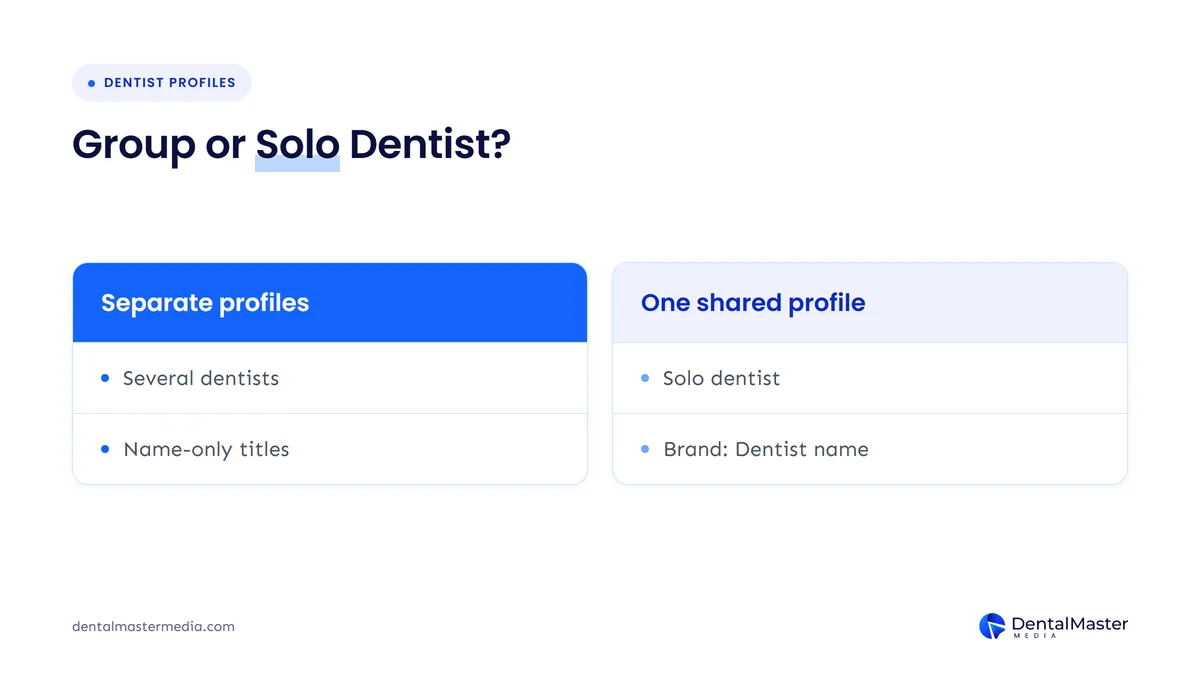
The rules differ for a group practice and a solo dentist, as listed below.
- Several dentists at one location: the practice has its own profile, each dentist can have a profile titled with the dentist’s name only, and no dentist should hold more than 1 profile.
- A solo dentist in a branded practice: Google says it is best for the practitioner to share one Business Profile with the organization, titled in the format brand: practitioner name.
- Support staff: hygienists and front desk staff should not create their own profiles.
Google’s guidelines don’t cover a dentist who has left a practice. A profile for that dentist is a wrong listing, because the dentist can’t be contacted at the verified location, so you should update the profile if you manage it or report it with Suggest an edit if you don’t. Our post on Google profiles for multi-location dental groups explains how that setup works across several offices.
How do you keep Google listings from going wrong again?
You keep Google listings from going wrong again by treating 1 verified Business Profile as the source of truth and checking every other listing against it every 3 months. Duplicates come back when a rebrand, a move, a new agency or a lost login goes undocumented, so a short routine prevents most of them.
The 5 habits that keep a dental practice’s Google listings clean are listed below.
- Record the owner of every profile: write down which Google Account owns the verified profile and who else has access.
- Edit instead of creating: update the existing profile when the address, name or hours change, as Google instructs.
- Check each quarter: repeat the 4 searches from the find section every 3 months and log what you find.
- Match every directory: keep the name, street address and phone number identical on Google, Apple Maps, Bing Places and Yelp.
- Brief every vendor: tell any new agency or website developer that the practice has 1 verified profile and no new profiles should be created.
Our post on Google Business Profile settings dental practices often get wrong lists the other settings worth checking during the same review.
Frequently asked questions
Do duplicate Google listings hurt my dental practice’s rankings?
Yes, duplicate Google listings can hurt a dental practice, but Google has not published how much. Google says a profile marked as a duplicate won’t show on Google Search or Maps, and Whitespark’s guide says duplicates can split ranking power and review counts and can outrank or hide the main listing.
How long does Google take to fix a wrong Google listing?
Google usually reviews an edit to a Business Profile within 10 minutes, and sometimes it takes up to 30 days. Reports made through Google Maps are also reviewed before they show, and Google gives no fixed time for them.
What happens to reviews on a duplicate Google listing?
Removing a duplicate Google listing deletes all of its content and linked managers, so any reviews on it go with it. If the duplicate holds reviews, request a merge instead, because Google says merged profiles combine reviews, although review replies may be lost.
Should I create a new Google listing when my practice moves?
No, you should update the address on your existing Business Profile. Google says not to create a new profile when a business moves, because a second profile for the same practice becomes a duplicate.
Can a dentist and the practice both have a Google listing?
Yes, a dentist and the practice can both have a Google listing when several dentists work at one location. A solo dentist in a branded practice should share one profile with the practice, according to Google’s guidelines.
Clean Google listings start with one verified profile
A duplicate or wrong Google listing is a second or outdated Business Profile that sends patients to the wrong details. A dental practice finds it by searching its name, phone number and street address, picks the fix that matches the problem, and checks its listings every 3 months. Google allows 1 Business Profile per business, so the verified profile always stays and the extra one is removed, reported, merged or edited.
Keeping local listings accurate is a standing part of the local work we do for dental practices at Dental Master Media, alongside the rest of our dental SEO services.
Find out which Google listings are hurting your practice
Our free dental SEO audit checks your Google Business Profile, looks for duplicate and outdated listings, and compares your name, address and phone number across the directories patients use. You get a clear list of what to fix first.
Sources
- Google Business Profile Help, “Resolve duplicate profiles & ownership issues”, accessed November 26, 2026. https://support.google.com/business/answer/4669139
- Google Business Profile Help, “Understand what happens to your Business Profile edits”, accessed November 26, 2026. https://support.google.com/business/answer/3038311
- Google Business Profile Help, “Guidelines for representing your business on Google”, accessed November 26, 2026. https://support.google.com/business/answer/3038177
- Google Maps Help, “Mark a place reopened or closed on Google Maps”, accessed November 26, 2026. https://support.google.com/maps/answer/10552932
- BrightLocal, “Local Business Discovery & Trust Report 2023”, published October 11, 2023 (survey of 1,138 US consumers, September 2023). https://www.brightlocal.com/research/local-business-discovery-trust-report/
- BrightLocal, “Duplicate Business Listings and How to Deal With Them”, last updated October 2026. https://www.brightlocal.com/learn/duplicate-business-listings-and-how-to-deal-with-them/
- Whitespark, “Google My Business Duplicates”, April 28, 2020. https://whitespark.ca/blog/google-my-business-duplicates/

Suraj Rana is the owner of Dental Master Media and a leading expert in SEO for dental practices. With a passion for dental marketing, he has successfully helped numerous dental clinics climb the search engine ranks. Suraj’s expertise makes him a go-to resource for effective, results-driven dental marketing.