Quick answer: Google is testing a “Show original results” button that appears when Google interprets a query, such as one with typo characters, and shows results for its own understanding. Google has not confirmed the test, and Barry Schwartz could not reproduce it. A dental practice should check how its name searches behave and should not change anything because of a test.
Key takeaways
- The “Show original results” button is an unconfirmed test that Search Engine Roundtable reported on November 19, 2026, and Google has made no statement about it.
- What we know about the “Show original results” test is thin: Khushal Bherwani spotted it on X, and Barry Schwartz could not reproduce it.
- Google already handles misspelled searches, and Google said in 2021 that 1 in 10 searches is misspelled.
- The searches a dental practice should test are its practice name, its dentist names, its treatment terms and “dentist near me” style queries.
- A dental practice should run 5 checks on name searches, Google Business Profile details and Google Search Console branded queries.
- A dental practice should not change its website because of a Google test.
What is the “Show original results” button Google is testing?
The “Show original results” button is a Google Search test that, according to Search Engine Roundtable, appears when Google interprets a query and shows results for its own understanding of it. The button lets a searcher go back to the results for the exact words typed. The report appeared on November 19, 2026, and no Google announcement has followed it.
Searches that Google changes or reinterprets before showing results are called interpreted searches in this article. Google already does this with misspellings, and the new button appears to be another way to undo that choice.
Has Google confirmed the “Show original results” button?
No, Google has not confirmed the “Show original results” button, so it is an unconfirmed test and not a launched feature. Barry Schwartz of Search Engine Roundtable reported that Google gave no statement, and tests like this one can change or disappear without notice. Treat every detail of this story as provisional until Google speaks.
What do we know about the “Show original results” test so far?
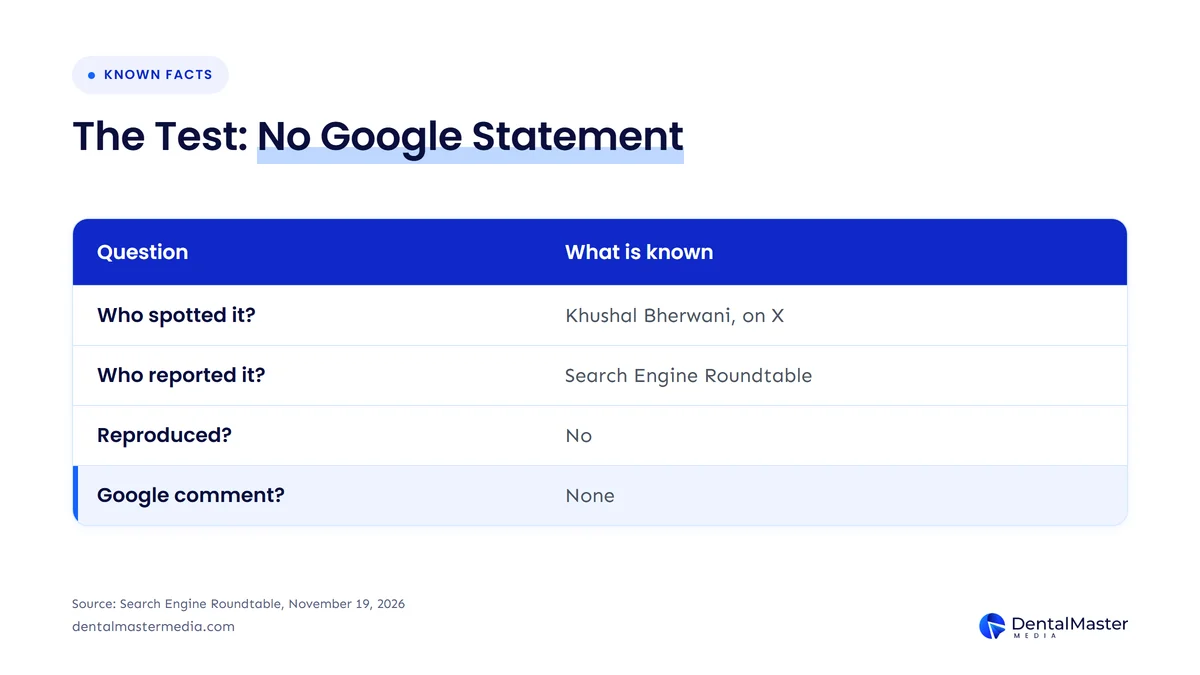
We know 4 things about the “Show original results” test: who spotted it, who reported it, whether it has been reproduced and whether Google has commented. Khushal Bherwani posted it on X, Barry Schwartz reported it for Search Engine Roundtable on November 19, 2026, Search Engine Watch covered it, and Google has said nothing. The table below sets out the facts and the source for each one.
| Question | What is known | Source |
|---|---|---|
| Who spotted the button? | Khushal Bherwani, who posted it on X | Search Engine Roundtable, November 19, 2026 |
| Who reported it? | Barry Schwartz at Search Engine Roundtable, and Search Engine Watch | Search Engine Roundtable, November 19, 2026 |
| Has anyone reproduced it? | No, Barry Schwartz could not replicate it | Search Engine Roundtable, November 19, 2026 |
| Has Google commented? | No, there is no Google statement | Search Engine Roundtable, November 19, 2026 |
The table shows that the whole story rests on 1 sighting and 2 news reports, with no confirmation from Google. According to Search Engine Roundtable, Khushal Bherwani described the button as appearing when random typo characters or words are entered and Google interprets the query based on its own understanding. Schwartz tried the same query and a very similar one and could not make the button appear.
How does Google handle misspelled searches today?
Google handles a misspelled search by showing a “did you mean” suggestion when it is fairly sure what you wanted, and by showing results for the corrected spelling when it is very confident. Pandu Nayak, a Google Fellow, wrote in “The ABCs of spelling in Google Search” on March 29, 2021 that 1 in 10 searches is misspelled every day. The same post says Google provides a way back to your original spelling after an automatic correction.
That way back is the long-standing “Search instead for” link, and Search Engine Roundtable says the new “Show original results” button seems similar to it. The table below sets out the 2 confidence levels Google describes in its own post.
| How sure Google is | What Google shows | How the searcher gets back |
|---|---|---|
| Pretty sure what you meant | A “did you mean” suggestion | Results for your own spelling are already on the page |
| Very confident what you meant | Results for the corrected query, shown automatically | A link to search for your original spelling, such as “Search instead for” |
The table shows that Google’s own post describes a correction and a way back, and the “Show original results” button would be a second way to offer that way back. Google has not said whether the button replaces “Search instead for” or sits next to it.
Which dental searches could Google interpret?
Google could interpret 4 kinds of dental searches: a practice name, a dentist’s surname, a treatment term and a “dentist near me” style query. Google has not said which queries trigger the “Show original results” button, so these 4 types are examples of searches where a typo or an unusual spelling is plausible, not confirmed triggers. The 4 types of dental search to check are listed below.
- Practice name searches: a patient who types your practice name with a missing letter or a different spelling, such as a name with an unusual word in it.
- Dentist surname searches: a patient who types a dentist’s surname as they heard it, which is common when the surname is long or not English.
- Treatment term searches: a patient who misspells a dental treatment term, such as an implant or aligner brand or procedure name.
- “Dentist near me” style searches: a patient who types a short local query with a typo, where Google may still decide what the patient meant.
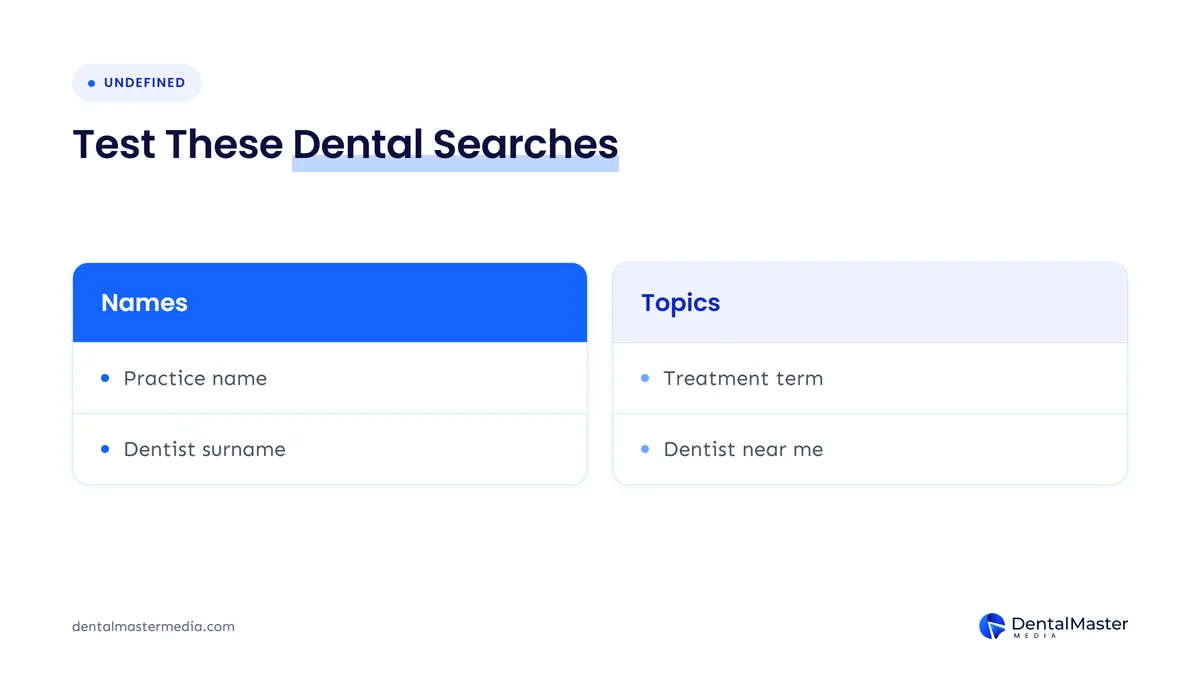
The point of testing these searches is not that the button will show for them. The point is to see what Google does with a patient’s typo today, because that is the behavior the new button would sit on top of.
What should a dental practice check about “Show original results”?
A dental practice should run 5 checks on how Google treats its name and details: search the practice name with misspellings, search each dentist’s name, compare the “Search instead for” outcome, match the Google Business Profile details to the website, and review the branded queries in Google Search Console. None of the 5 checks needs a change to your website.
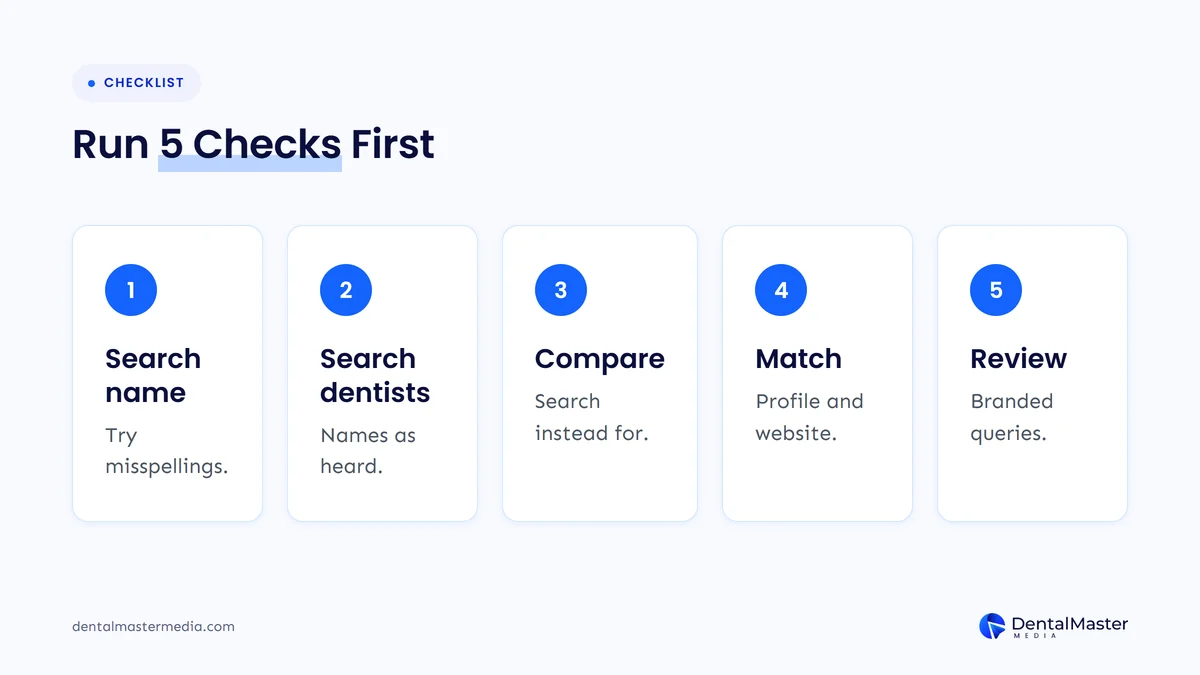
The 5 checks are listed below in order.
- Search your practice name with 3 common misspellings. Note whether Google shows your practice, shows a “did you mean” suggestion or shows results for a different name.
- Search each dentist’s name the way a patient might type it. Check that the dentist’s profile and your website’s dentist page still appear for the practice name.
- Compare the “Search instead for” outcome. When Google corrects a search, click the link back to the original spelling and see whether your practice appears there, and note whether a “Show original results” button appears instead.
- Match your Google Business Profile to your website. Google Business Profile Help says a business name should reflect the real-world name used consistently on the storefront and website, so check the name, address and phone number on both.
- Review branded queries in Google Search Console. Look at the queries that contain your practice name, including misspelled ones, and note which spellings bring patients to your site. Our post on Search Console branded query filters for dental practices explains how branded queries are separated from other searches.
Write the results of each check down with the date, because the “Show original results” test may appear and disappear. Google Business Profile Help also says dentists are individual practitioners, so a dentist who has a separate profile should have a name that matches how the practice lists that dentist. Our guide to Google Business Profile settings dental practices often get wrong covers the profile fields in more detail.
Should a dental practice change its website because of a Google test?
No, a dental practice should not change its website because of the “Show original results” test. Google has not confirmed the test, nobody has reproduced it, and no ranking or traffic effect has been reported. Run the 5 checks, record what you find, and change something only if a check shows a real problem, such as a name that differs between your profile and your website.
The same rule applies to any Google test: wait for a statement before you act on it. Larger changes, such as a confirmed update, deserve more attention, and our post on Google’s November 2026 core update and what dental practices should check shows the difference between a rolling update and a small test.
Frequently asked questions
What does Google testing a “Show original results” button mean for a dental practice?
Google testing a “Show original results” button means very little for a dental practice today, because it is an unconfirmed test that Barry Schwartz could not reproduce. It matters only if patients mistype your practice name, since Google may interpret the search and the button would let them return to the exact words typed.
Will the “Show original results” button affect my dental practice’s rankings?
No, no ranking effect of the “Show original results” button has been reported. Search Engine Roundtable described it as a button that seems similar to the “Search instead for” link, and the reports describe a results-page prompt, not a ranking change. Google has made no statement about rankings.
Is the “Show original results” button the same as “Search instead for”?
No, they are not confirmed to be the same, but they look alike. Search Engine Roundtable said the button seems similar to the long-standing “Search instead for” link, and Google has not said whether the button replaces that link or appears alongside it.
How can I see if patients misspell my practice name?
You can see misspelled searches in Google Search Console by opening the Performance report and filtering the queries to those that contain your practice name. Look for spellings that differ from your official name, and note which of them lead patients to your website.
Should I add misspellings of my practice name to my website?
No, you should not stuff misspellings into your website because of this test. Google said in 2021 that its systems handle misspelled searches by using the context of the whole query, so a consistent name on your website and Google Business Profile is the safer choice.
What is the takeaway on “Show original results” for your dental practice?
The takeaway is that the “Show original results” button is an unconfirmed Google Search test, and a dental practice should check how its name searches behave and keep its details consistent without making changes because of it.
At Dental Master Media, we treat tests like this as a prompt to review the basics, which are a clear practice name, a matching Google Business Profile and a clean branded query report. Those basics are part of our dental SEO services, and they stay useful whether or not Google keeps the button.
Check how Google shows your practice name
If you want a second pair of eyes on how Google handles your practice name, your dentists’ names and your branded queries, book a free dental SEO strategy call. We will tell you what is worth fixing and what to leave alone, including whether “Show original results” matters for you.
Sources
- Search Engine Roundtable (Barry Schwartz), “Google Search Tests ‘Show Original Results’ Button”, November 19, 2026. https://seroundtable.com/google-search-show-original-results-button-42574.html
- Khushal Bherwani, post on X that first showed the test (referenced by Search Engine Roundtable, not quoted here). https://x.com/b4k_khushal/status/2123429157283774827
- Search Engine Watch, article on the Show original results button for interpreted search queries (referenced by Search Engine Roundtable; the page blocked our fetch, so only its existence is relied on). https://searchenginewatch.com/google-adds-show-original-results-button-for-interpreted-search-queries/
- Google (Pandu Nayak), “The ABCs of spelling in Google Search”, March 29, 2021. https://blog.google/products/search/abcs-spelling-google-search/
- Google Business Profile Help, “Guidelines for representing your business on Google”, accessed November 22, 2026. https://support.google.com/business/answer/3038177

Suraj Rana is the owner of Dental Master Media and a leading expert in SEO for dental practices. With a passion for dental marketing, he has successfully helped numerous dental clinics climb the search engine ranks. Suraj’s expertise makes him a go-to resource for effective, results-driven dental marketing.