Quick answer: A multi-location dental website should sit on one domain with a location finder, one detailed page for each practice, shared treatment pages and team pages linked to each office. Google’s Business Profile guidelines ask for a website that represents each individual location, so every office needs its own page, its own profile and its own structured data.
Key takeaways
- A multi-location dental website is one website that presents 2 or more offices under one brand, with a page for each office and shared pages for treatments and the team.
- The structure is 1 domain, 1 location finder, 1 location page for each office, shared treatment pages, linked team pages and 1 booking page for each office.
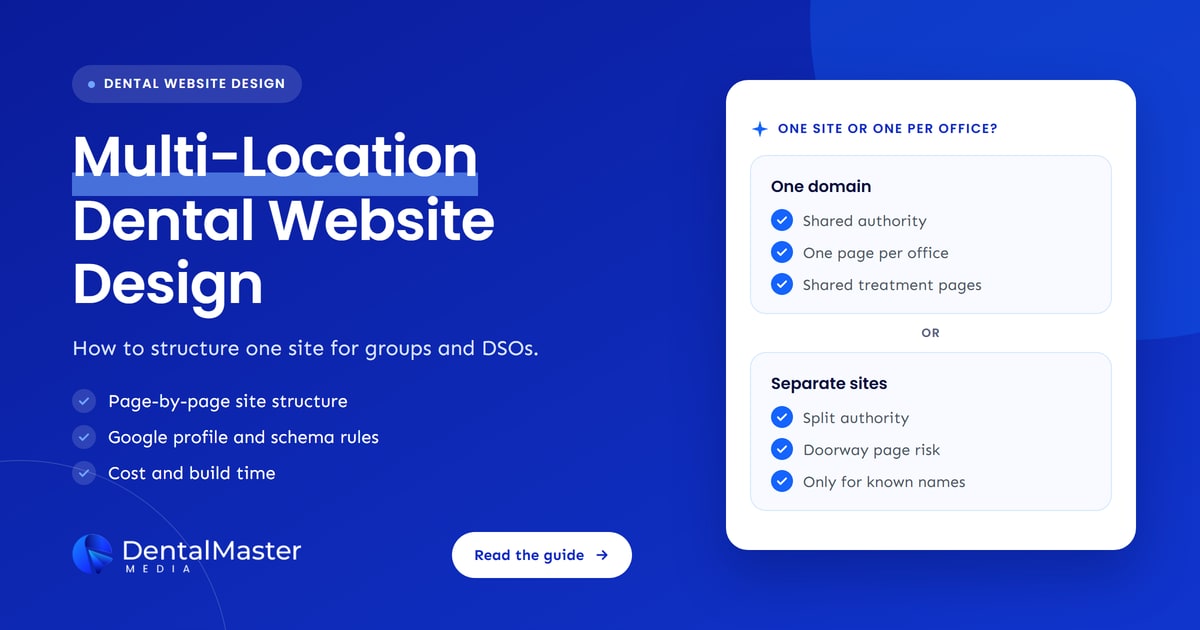
- One domain suits a dental group that opens a new office under its existing name. Separate sites suit only a bought practice that keeps a name patients already know.
- Each location page needs facts that are true only for that address: hours, parking, staff, accepted insurance and a local phone number.
- Google’s spam policies name pages targeted at specific cities that funnel users to one page as doorway abuse, so a page that only swaps the town name is a risk.
- Each location page connects to one Google Business Profile and carries its own structured data with name and address.
- A new Dental Master Media website starts at $999 for 10 pages, and a redesign costs $999 for up to 100 pages.
What is a multi-location dental website?
A multi-location dental website is one website that presents 2 or more dental offices under one brand, with a separate page for each office and shared pages for treatments and the team. A DSO, short for dental support organization, runs the non-clinical side of a group of dental practices, so a DSO site follows the same structure as a dental group site with more offices on the location finder.
The structure matters because each office competes in local results on its own. Google Business Profile Help says local results rely mainly on relevance, distance and prominence, and distance is measured from the searcher to each individual office, not to the group. Showing every office clearly is part of our dental SEO services, and the website is where that work starts.
How should a multi-location dental website be structured?
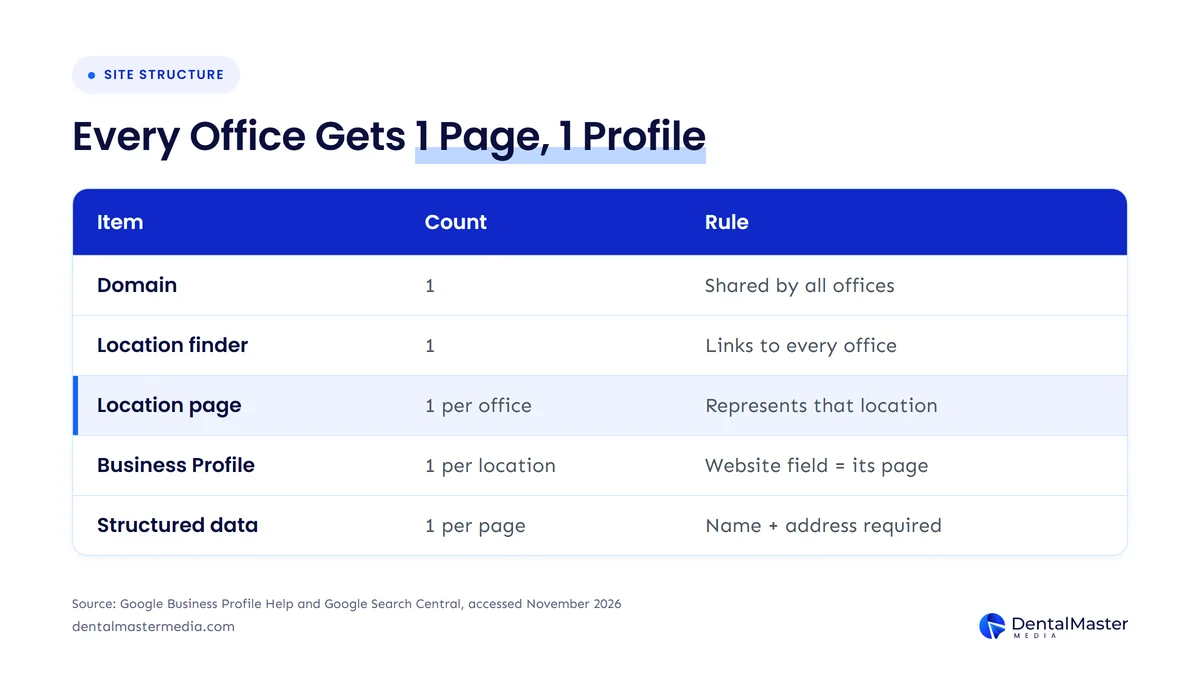
A multi-location dental website should have 1 domain and 5 kinds of pages: a location finder, one location page for each office, shared treatment pages, team pages linked to each office and one booking page for each office. The table below lists each page type, the number a dental group needs and the rule or source behind the number.
| Page or asset | Count | What it holds | Rule or source |
|---|---|---|---|
| Domain | 1 | Every office under one brand | Dental Master Media guidance for a new office under an existing name |
| Location finder | 1 | A list of every office, each linking to its own page | Dental Master Media guidance |
| Location page | 1 for each office | Address, hours, parking, staff, accepted insurance | Google Business Profile Help: provide a website that represents your individual business location |
| Treatment page | 1 for each treatment, shared | Which offices offer the treatment | Dental Master Media guidance |
| Team page | Linked to each office | Dentist bios, with the offices where each dentist works | Dental Master Media guidance |
| Booking page | 1 for each office | A form or booking tool that asks for the location first | Dental Master Media guidance |
| Google Business Profile | 1 for each location | Website field set to that office’s location page | Google Business Profile Help, guidelines for representing your business |
| Structured data | 1 block for each location page | Name and address required; geo coordinates to at least 5 decimal places | Google Search Central, local business structured data |
The table shows that every office gets 1 page, 1 profile and 1 structured data block, while the domain, the finder and the treatment pages are shared across all offices.
Should a multi-location dental website be one site or one site per location?
One website is the better choice for a dental group that opens a new office under its existing name, and separate sites suit only a bought practice that keeps a different name patients already know. One domain collects all the links, reviews and traffic of the group in one place, and a multi-location dental website on one domain is also easier to keep accurate.
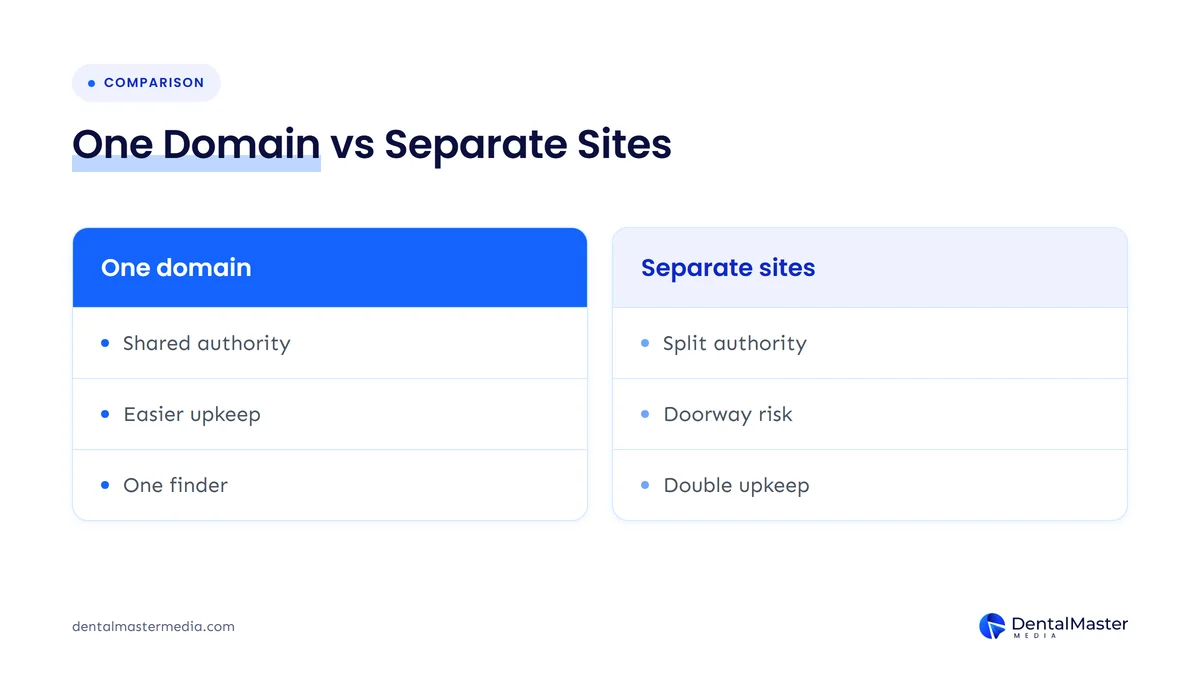
Google’s spam policies explain the risk of the other route. Google lists multiple domain names or pages targeted at specific regions or cities that funnel users to one page as an example of doorway abuse, so a set of city domains that all lead to one site is the pattern to avoid.
Separate websites are acceptable in 1 case. A group that buys a practice with a well-known name can keep that site for a transition period, then move it under the main domain with redirects. Our dental website design guide covers the page-level design that each of these sites needs.
What should each location page of a multi-location dental website contain?
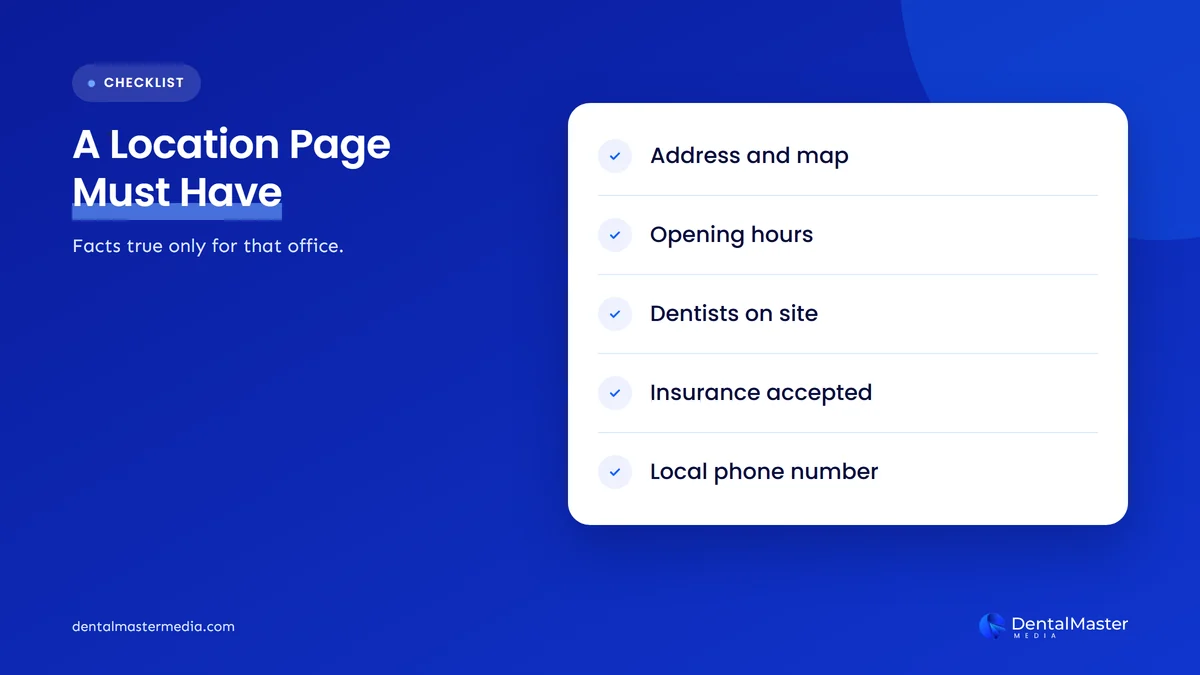
Each location page of a multi-location dental website should contain facts that are true only for that address, so the page is useful to a patient who has chosen that office. The 7 blocks of a location page are listed below.
- Address and map: the exact street address, matching the Google Business Profile for that location.
- Opening hours: the hours of that office, including any days when a specific dentist is in.
- Parking and transit: where patients park and which public transport stops are nearby.
- Dentists and team: the dentists who work at that office, each linked to a bio page.
- Insurance and payment: the insurance plans and payment options accepted at that office.
- Treatments offered: the treatments available at that office, linked to the shared treatment pages.
- Local phone number: a number that rings that office, as Google’s guidelines prefer over a central call center number whenever possible.
Add a short section for existing patients that explains how to switch offices or move their records. Our multi-location dental SEO page shows how these blocks fit a group with 2 offices.
How do you keep location pages from becoming doorway pages?
You keep location pages from becoming doorway pages by giving every page facts that exist only at that office and by never creating a page for a town where the group has no office. Google’s spam policies define doorway abuse as pages created to rank for specific, similar search queries that lead users to intermediate pages less useful than the final destination.
The test is simple. If you can copy a location page, swap the town name and publish the copy without changing anything else, the page is a doorway page. A real location page changes in at least 5 places: address, hours, parking, staff and insurance. Google’s spam policies also name scaled content abuse, which means pages generated in bulk mainly to manipulate rankings and not to help users, and that applies to template location pages built in bulk.
Our location pages guide explains the content a page needs for each place it serves.
How should URLs and navigation work on a multi-location dental website?
URLs on a multi-location dental website should group the location pages in one folder, name the office in plain words and link from a location finder in the main menu. Google’s SEO Starter Guide says to include words in the URL that may be useful to users and says that directories can group similar topics, so a folder such as /locations/ with one page for each office beneath it follows that guidance.
Give every location page its own title tag, because Google’s guide says a good title is unique to the page, clear and concise, and accurately describes the contents of the page. A title that names the practice and the office, such as the brand name followed by the neighborhood, keeps 2 offices in the same city apart. Our dental service page design post shows how the shared treatment pages should be laid out.
How do location pages connect to Google Business Profiles and structured data?
Each location page connects to its Google Business Profile through the website field, because Google’s guidelines say to provide a website that represents your individual business location. The same guidelines say not to use phone numbers or URLs that redirect or refer users to a landing page, so the profile must point straight to the office’s own page and not to a group homepage that redirects.
Three more Business Profile rules shape the website. Google’s guidelines say all locations within the same country must have the same name for a chain. They say a rented mailing address or virtual office that the practice does not operate from is not eligible for a profile. They also say a dentist who works in a public-facing role and can be contacted at the verified location during stated hours can have a dedicated profile, while the organization keeps its own profile for the shared office.
What should the structured data on a location page include?
The structured data on a location page should include the office’s name and address, because Google Search Central lists those 2 properties as required for local business markup. The 5 properties listed below come from Google’s local business structured data guide.
- Name: required, the office name as it appears on the Google Business Profile.
- Address: required, the full street address of that office.
- Telephone: recommended, the primary business phone number for that location.
- Geo coordinates: recommended, latitude and longitude to at least 5 decimal places.
- Opening hours: recommended, the hours during which that location is open.
Dental Master Media adds Dentist and LocalBusiness schema from schema.org to each page it builds, and the values must match the Google Business Profile for that office exactly.
What happens to an acquired practice’s old website?
An acquired practice’s old website should send each old URL to its matching new page with a permanent 301 redirect, so patients and Google land on the right office page. Google Search Central says to use permanent redirects when you are sure the redirect won’t be reverted, and it says the target of a redirect should be the canonical page.
Google also says that after a move it may still occasionally show the old URLs in results, and those alternate names fade over time. Redirect each old page to the closest new page, such as an old team page to the new team page, and not every old URL to the homepage. Dental Master Media’s guidance adds a “now part of” page that tells patients the practice has joined the group, and a note on the location page so existing patients see familiar names. If rankings drop after a move, a page-by-page redesign check shows which tests the old site failed.
How do you build a multi-location dental website in 4 steps?
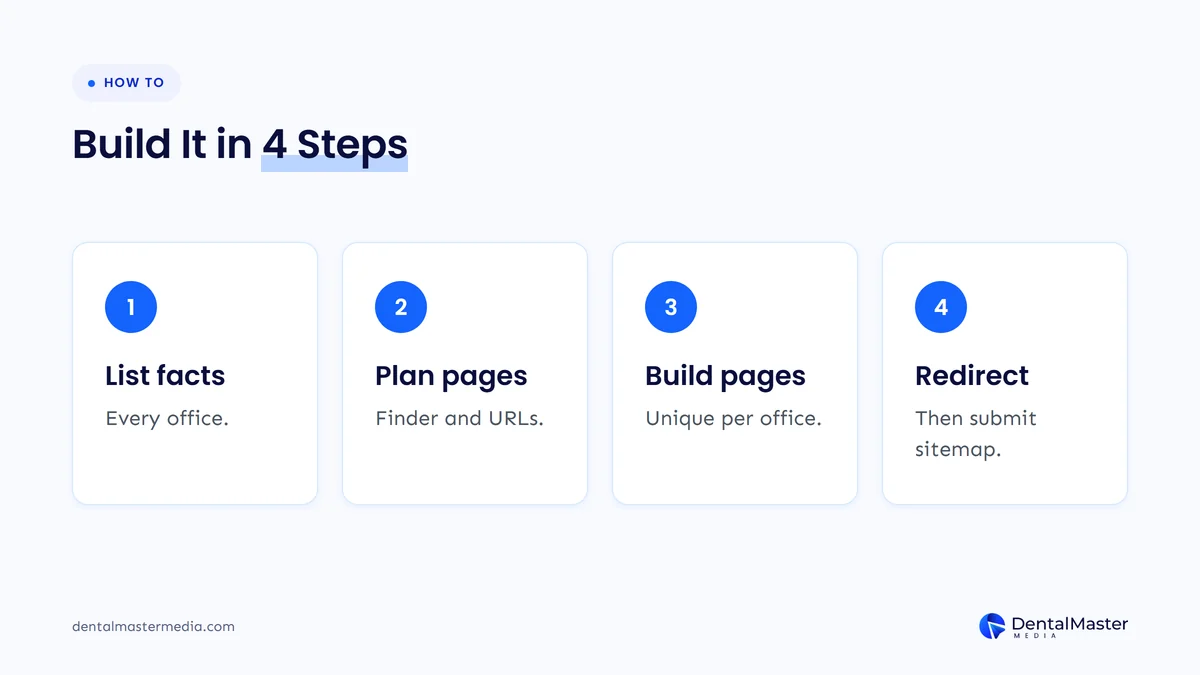
You build a multi-location dental website in 4 steps: list the facts of every office, plan the page tree and URLs, build and approve the location pages, then redirect old URLs and submit the sitemap. The 4 steps are listed below.
- List the office facts: collect the address, hours, phone, staff and insurance of every office, and check them against each Google Business Profile.
- Plan the page tree: set the location finder, one location page for each office, shared treatment pages and the URL folders.
- Build the location pages: write facts unique to each office and add structured data with name, address and geo coordinates.
- Redirect and submit: add 301 redirects from old URLs, then submit the new sitemap in Google Search Console.
How much does a multi-location dental website cost and how long does it take?
A new Dental Master Media website starts at $999 for 10 pages and takes about 30 days to build, and a redesign costs $999 for up to 100 pages. Both include 30 days of free support after launch. The table below shows the 2 options.
| Option | Price (USD) | Pages | Build time | Support |
|---|---|---|---|---|
| New website | $999 | 10 pages | About 30 days | 30 days free |
| Redesign | $999 | Up to 100 pages | About 20 to 25 days | 30 days free |
The table shows why page count decides the plan for a group. As an example calculation, a group with 5 offices and 12 treatments needs 1 location finder, 5 location pages, 12 treatment pages and 5 booking pages, which makes 23 pages before team and legal pages, so it needs a quote that counts every page and not the 10-page package. Location and suburb pages are an optional add-on on our service page, and the exact scope is set in a quote for the group. Our dental website cost guide explains what drives price across the market.
How should a multi-location dental group manage its Google profiles?
A multi-location dental group should manage its Google Business Profiles as 1 verified profile for each location, each with the same business name, a website field that points to that office’s page and a local phone number. Google Business Profile Help says prominence, which includes review count and the number of websites that link to a business, also affects local ranking, so each office should collect its own reviews.
The profile work is a topic of its own, and our guide on how a multi-location dental group should manage its Google profiles covers verification, ownership and review handling for every office.
Frequently asked questions
Does each dentist need their own page on a multi-location dental website?
Yes, each dentist should have a bio page that lists the offices where that dentist works and links to each location page. Google’s guidelines allow a dedicated profile for a practitioner who works in a public-facing role and can be contacted at the verified location during stated hours, and they say a practitioner shouldn’t have multiple profiles to cover specializations.
Can a dental group use one phone number for all locations?
No, each office should have its own local phone number whenever possible. Google’s guidelines say to use a local phone number instead of a central call center helpline number whenever possible, and the number must be under the direct control of the business.
Do I need a separate website for each dental location?
No, a dental group does not need a separate website for each location. One website with 1 page for each office gives you shared authority and one site to keep accurate, and Google’s spam policies list multiple domains targeted at specific cities that funnel users to one page as doorway abuse.
Can a new location page use a virtual office address?
No, a virtual office address should not anchor a location page. Google’s guidelines say a rented mailing address where the business doesn’t operate isn’t eligible for a Business Profile, so the page would describe an office patients cannot visit.
How many location pages does one dental office need?
One dental office needs 1 location page and 1 Google Business Profile. Google’s guidelines say not to create more than one profile page for each location of your business, and a second page for the same office would only duplicate the first.
Conclusion: one domain, one page for each office
A multi-location dental website works when the group builds one domain, one location finder and one page, profile and structured data block for each office, and fills each page with facts that exist only at that address.
Dental Master Media builds these sites through our dental website design and development service, with a new website from $999 for 10 pages and a redesign from $999 for up to 100 pages, and our dental SEO services keep every office visible in local results on Google Search and Google Maps after launch.
Plan your multi-location dental website with us
Tell us how many offices your group runs and which sites you have today. On a free strategy call we map the pages, profiles and redirects each office needs, and give you a clear quote based on the page count.
Sources
- Google Business Profile Help, “Guidelines for representing your business on Google”, accessed November 28, 2026. https://support.google.com/business/answer/3038177
- Google Business Profile Help, “Improve your local ranking on Google”, accessed November 28, 2026. https://support.google.com/business/answer/7091
- Google Search Central, “Spam policies for Google web search”, accessed November 28, 2026. https://developers.google.com/search/docs/essentials/spam-policies
- Google Search Central, “Local business structured data”, accessed November 28, 2026. https://developers.google.com/search/docs/appearance/structured-data/local-business
- Google Search Central, “SEO Starter Guide”, accessed November 28, 2026. https://developers.google.com/search/docs/fundamentals/seo-starter-guide
- Google Search Central, “Redirects and Google Search”, accessed November 28, 2026. https://developers.google.com/search/docs/crawling-indexing/301-redirects
- Dental Master Media, “Dental Website Design and Development” (pricing, page counts and timelines), accessed November 28, 2026. https://dentalmastermedia.com/dental-web-development/
- Dental Master Media, “Multi-location dental SEO” (core pages for a group site), accessed November 28, 2026. https://dentalmastermedia.com/dental-seo/multi-location/

Suraj Rana is the owner of Dental Master Media and a leading expert in SEO for dental practices. With a passion for dental marketing, he has successfully helped numerous dental clinics climb the search engine ranks. Suraj’s expertise makes him a go-to resource for effective, results-driven dental marketing.