Quick answer: A new dental practice website needs 8 pages on launch day: a homepage, treatment pages, dentist and team pages, an about page, a new patient page with insurance and payment details, a contact page with location details, an online booking path and privacy pages. Reviews, FAQs and blog posts can follow after launch.
Key takeaways
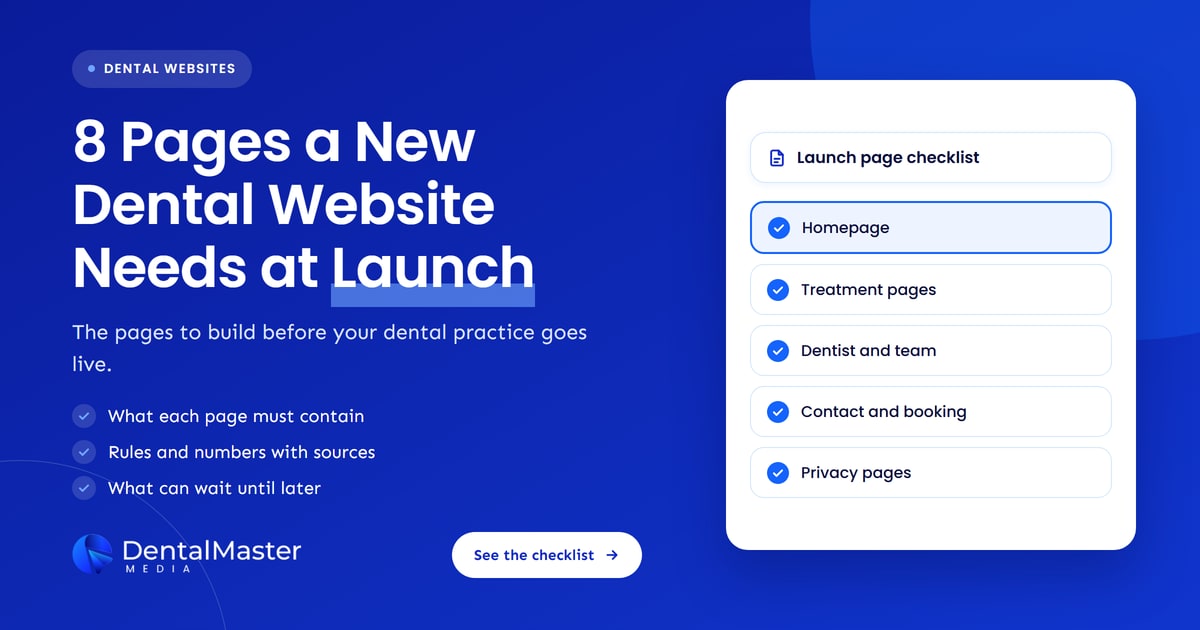
- The 8 launch pages of a dental practice website are the homepage, treatment pages, dentist and team pages, the about page, new patient information, the contact page, the booking page and privacy pages.
- The Dandy Dental Study found that 77% of people look at a practice’s website, so every launch page has to work for a first-time visitor.
- Insurance and payment details matter early: 76% of people who read dental reviews look for insurance information, and 22% have switched dentists because their insurance changed.
- The contact page must carry the practice name and address exactly as they appear on the Google Business Profile. Google requires both in its Local Business structured data.
- A practice that is a HIPAA covered entity must post its Notice of Privacy Practices on its website, so the privacy pages are launch pages, not extras.
- Reviews, FAQs, emergency care, location pages and a blog are supporting pages that can wait until after launch day.
What pages does a new dental practice website need at launch?
A new dental practice website needs 8 page types on launch day, one for each question a new patient asks before booking. The table below lists the 8 launch pages, the question each one answers and what it must contain.
| Launch page | Patient question it answers | What it must contain |
|---|---|---|
| 1. Homepage | Is this the right practice for me? | What the practice does, where it is, how to book, links to the other 7 pages |
| 2. Treatment pages | Do you do the treatment I need? | One page per main treatment: procedure, who it suits, what to expect |
| 3. Dentist and team pages | Who will treat me? | Names, roles, qualifications and a photo of each dentist |
| 4. About page | Who runs this practice? | The practice’s story, approach and the people behind it |
| 5. New patient page | What do I need to know before I come? | Insurance and payment options, forms, what the first visit involves |
| 6. Contact page | Where are you and how do I reach you? | Name, address, phone number, hours and a map |
| 7. Booking page | How do I book? | An online booking or request form and the emergency number |
| 8. Privacy pages | What happens to my information? | Notice of Privacy Practices and a website privacy policy |
The table shows that each launch page maps to one patient question, so a page that answers none of them can wait. Every one of these pages is also read by Google, which is why a clean launch page set is the base of our dental SEO services.
The page list follows the structure that the top-ranking guides share. The 2026 Qreative Themes guide on dental clinic website pages, published April 9, 2026 and updated October 12, 2026, names 7 core pages and 5 supporting pages, and the 8 launch pages here cover those 7 core pages plus the privacy pages.
Which 8 pages should a dental practice website have on launch day?
A dental practice website should have 8 pages on launch day, and each of the 8 sections below says what the page does and what it holds. The count refers to page types, so the number of URLs is higher once every main treatment and every dentist gets a page of their own.
What does the homepage of a dental practice website need at launch?
The homepage of a dental practice website needs to show what the practice does, where it is and how to book, and it must link to the other 7 launch pages. The Dandy Dental Study, a survey of 600 US adults fielded by Isurus Market Research and published on June 21, 2023, found that 77% of people look at the practice’s website, so the homepage is often the first page a patient sees.
Treat the homepage as the hub of the dental practice website: every other launch page should be one click away from it, so a new patient never has to search for insurance details or the phone number.
What treatment pages does a dental practice website need?
A dental practice website needs one treatment page for each main treatment the practice wants patients to book, such as a check-up, implants or clear aligners. A separate page lets Google match one treatment to one search, and it lets the patient find the procedure, who it suits and what to expect on a single page.
Launch with the treatments that bring in most of your new patients and add the rest later. Our post on dental service page design explains the layout of a treatment page section by section.
What do dentist and team pages need?
Dentist and team pages need each dentist’s name, role, qualifications and a real photo, because patients choose the person who will treat them. These dentist bio pages also answer a question Google asks in its helpful content guidance: “Is it self-evident to your visitors who authored your content?”
The 3 items to publish for every dentist are listed below.
- Name and role: the dentist’s full name and title as the state dental board lists them.
- Qualifications: the dental school and the registrations that the dentist can document.
- Photo: a real photo of the dentist, not a stock image.
What belongs on the about page?
The about page belongs to the practice, not to one dentist, and it tells patients who runs the practice, how the team approaches care and why the practice exists. Google’s helpful content guidance says readers should be able to find background about the site that publishes the content, and it points to a site’s About page as the place for it.
Keep the about page factual: the founding year, the location, the approach to care and the team. Leave out claims you cannot document.
What does the new patient page need?
The new patient page needs the insurance and payment options, the forms to complete and a short description of the first visit. In the Dandy study, 76% of people who read online reviews look for insurance information, and 22% of people have switched dentists because their insurance changed, so patients read this page before they book.
The 4 blocks of a new patient page are listed below.
- List the insurance plans you accept: name each plan, and say what happens if a patient’s plan is not on the list.
- State the payment options: include cards, financing and any membership plan the practice offers.
- Link the new patient forms: offer a form patients can complete before the visit.
- Describe the first visit: say how long it takes and what the dentist does.
Whether to publish treatment prices is a separate decision, covered in our post on whether a dental website should show prices.
What belongs on the contact page?
The contact page holds the practice name, address, phone number and opening hours, and every one must match the Google Business Profile exactly. Google’s Local Business structured data documentation requires 2 properties, name and address, and recommends 3 more: telephone, url and opening hours.
Schema.org lists Dentist as a type of local business, and Google tells site owners to use the most specific Local Business sub-type possible. Add a map, make the phone number tap-to-call on mobile and keep the details identical to your Google Business Profile booking links and listing.
What does the booking page need?
The booking page needs one clear way to book, either an online booking tool or a short request form, plus the emergency phone number. A dental practice website converts when a new patient can book in 1 step from any launch page, so the booking button should appear on the homepage, the treatment pages and the contact page.
The form should ask only for what the front desk needs: name, phone number, email and the reason for the visit. Our guide to turning dental website visitors into booked appointments shows how to test the booking path.
Which privacy and legal pages does a new dental practice website need?
A new dental practice website needs a Notice of Privacy Practices and a website privacy policy at launch. The HIPAA Privacy Rule, 45 CFR 164.520(c)(3)(i), says a covered entity that maintains a website about its customer services or benefits must prominently post its Notice of Privacy Practices on the site and make it available electronically.
The U.S. Department of Health and Human Services enforces that rule, and practices that bill insurance electronically are usually covered entities, so ask your lawyer or compliance advisor whether it applies to you. A website privacy policy covers what the site collects through forms and analytics, and an accessibility statement belongs here too: see our post on dental website accessibility.
What do the numbers say about a dental practice website at launch?
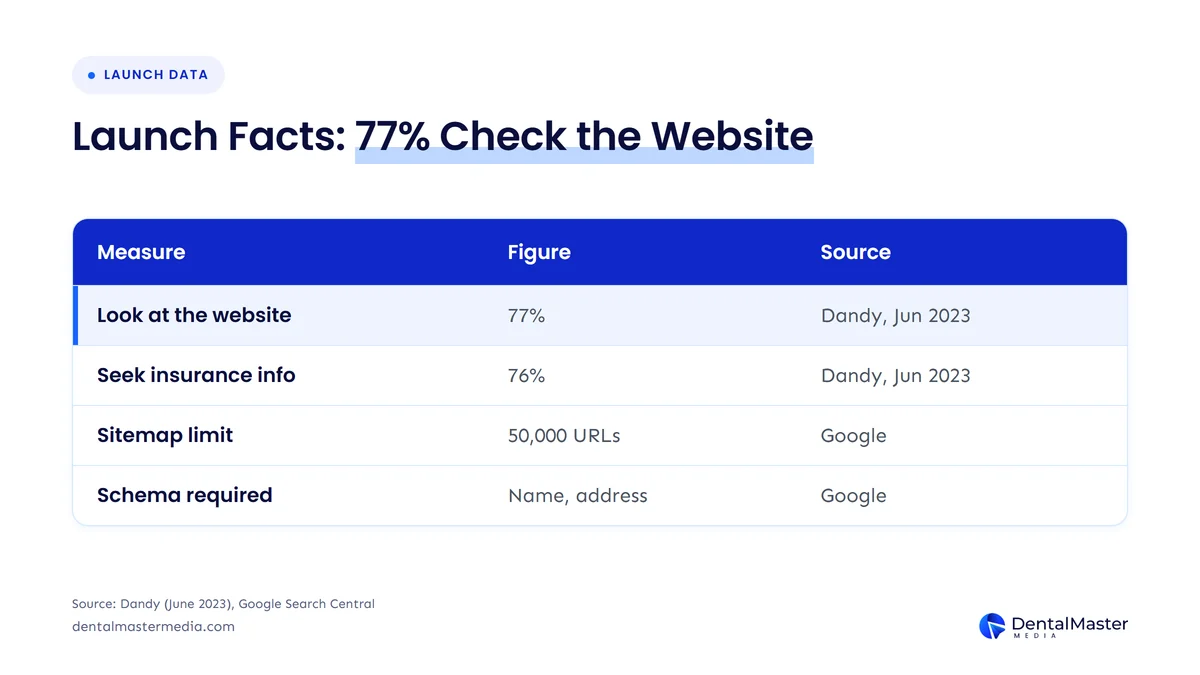
The numbers say that patients check the practice website, that insurance details decide switches, and that Google sets clear rules for contact data, mobile pages and sitemaps. The table below sets 8 figures from named sources side by side, and the image repeats the 4 that matter most.
| Measure | Figure | Source and date | Launch page it affects |
|---|---|---|---|
| People who look at the practice’s website | 77% | Dandy Dental Study, 600 US adults, June 21, 2023 | Homepage and all pages |
| Review readers who look for insurance information | 76% | Dandy Dental Study, June 21, 2023 | New patient page |
| People who switched dentists because insurance changed | 22% | Dandy Dental Study, June 21, 2023 | New patient page |
| Required Local Business properties | 2 (name, address) | Google Search Central, Local business structured data | Contact page |
| Recommended Local Business properties | 3 (telephone, url, hours) | Google Search Central, Local business structured data | Contact page |
| Sitemap size limit | 50,000 URLs or 50MB | Google Search Central, Build and submit a sitemap | All pages |
| Mobile-first indexing complete | October 31, 2023 | Google Search Central blog | All pages |
| Core and supporting pages in a 2026 guide | 7 and 5 | Qreative Themes, April 9, 2026 | Page list |
The table shows that a launch site with about a dozen URLs sits far below Google’s 50,000 URL sitemap limit, so the limits that matter at launch are accuracy and completeness, not size.
Google Search Central announced on October 31, 2023 that mobile-first indexing is complete and that a mobile web page needs to be as complete as the desktop version, so Googlebot reads the mobile version of every launch page. The core set has also stayed close to 7 pages for a decade: a 2016 DentistryIQ guide by Dan DelMain listed 7 pages, among them payment methods, location and hours, an appointment page and services pages.
In what order should you build the dental practice website pages?
You should build the dental practice website pages in the order of the patient’s decision: homepage, treatment pages, dentist pages, new patient information, contact and booking, then the privacy pages. The page count drives the price of a build, so list every URL before you start.
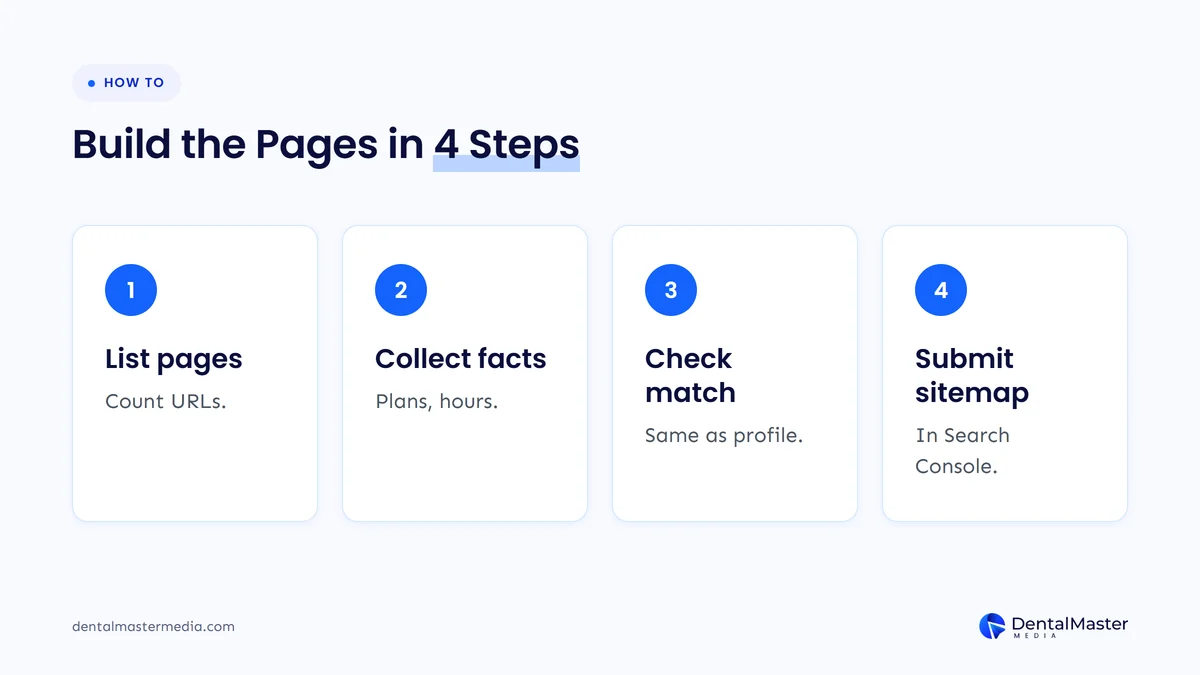
The 4 steps to build and launch the pages are listed below.
- Write the page list: name the 8 page types, then count the URLs, because each main treatment and each dentist gets its own page.
- Collect the real facts: gather each dentist’s qualifications, the accepted insurance plans, the hours and the address before anyone writes a sentence.
- Check every fact against the Google Business Profile: confirm that the name, address, phone number and hours match, and that the mobile version of each page is as complete as the desktop version.
- Publish the sitemap.xml and submit it: add the sitemap.xml file in Google Search Console, and confirm that no page is still set to noindex from the staging site.
Google’s sitemap documentation says a sitemap for a few dozen URLs can be created by hand, so a launch sitemap.xml is a small file. Our post on dental website cost explains how the page count drives the price of a build.
Which pages can a dental practice website add after launch?
A dental practice website can add 5 supporting pages after launch day: reviews and patient stories, frequently asked questions, emergency dental care, location pages and articles. The 2026 Qreative Themes guide lists the same 5 as supporting pages, to add once the 7 core pages are live.
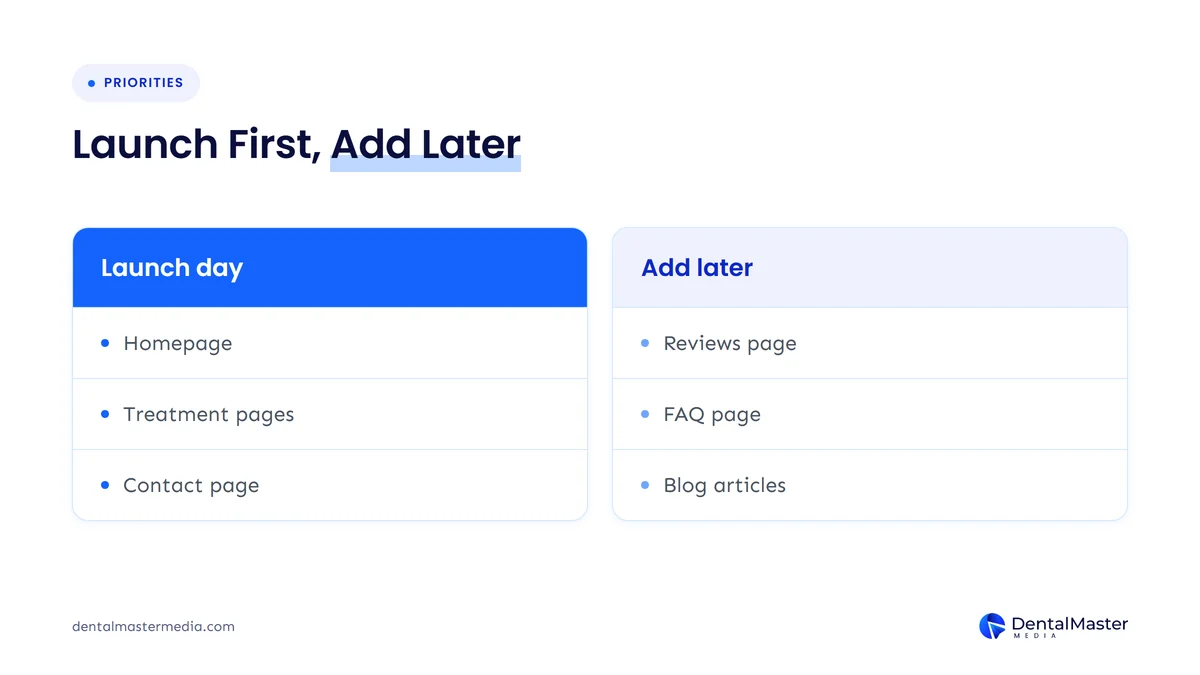
The 5 supporting pages are listed below, each with the reason it can wait.
- Reviews and patient stories: add a reviews page once the practice has genuine reviews to show, and link to the Google Business Profile.
- Frequently asked questions: add a FAQ page when the front desk has logged the questions new patients ask most.
- Emergency dental care: add an emergency page once the practice has decided how it handles same-day appointments.
- Location pages: add a page per location after the first location’s pages are complete.
- Articles: add a blog when you can publish on a regular schedule.
Each supporting page has more depth than this post can cover. Our dental web development page shows how we build and extend a practice website after launch.
Frequently asked questions
How many pages should a dental practice website have at launch?
A dental practice website should have the 8 page types in this post at launch, which usually means more than 8 URLs. Each main treatment and each dentist gets its own page, so the URL count depends on the practice. The 2026 Qreative Themes guide lists 7 core pages and 5 supporting pages.
Does a new dental practice website need a blog?
No, a new dental practice website does not need a blog on launch day. A blog is one of the supporting pages that can follow once the 8 launch pages are live and the practice can publish on a regular schedule.
Does a dental practice website need a privacy policy?
Yes, a dental practice website needs privacy pages. A practice that is a HIPAA covered entity must post its Notice of Privacy Practices on its website under 45 CFR 164.520(c)(3)(i), and a website that collects form data or runs analytics should have a privacy policy. Ask a lawyer to confirm what applies to your practice.
Does each dentist need a separate page?
Yes, each dentist should have a separate dentist bio page. Patients choose the person who will treat them, and Google’s helpful content guidance asks whether it is clear who created the content. A separate page lets you show each dentist’s qualifications and photo.
Can a dental practice website launch with only a homepage?
No, a dental practice website should not launch with only a homepage. A single page cannot answer the 8 questions a new patient asks, and it gives Google one page to match to every search. Launch with the 8 page types and add supporting pages after launch.
Dental practice website launch pages: the short version
A dental practice website needs 8 launch pages: the homepage, treatment pages, dentist and team pages, the about page, the new patient page, the contact page, the booking page and privacy pages. Each page answers one question a new patient asks, 77% of patients look at the website, and the contact details must match the Google Business Profile. Reviews, FAQs, emergency care, location pages and articles are supporting pages that can follow.
That page set is where our dental SEO services begin at Dental Master Media.
Check the pages your dental practice website is missing
Whether you are planning a launch or already live, our free dental SEO audit checks which of the 8 launch pages your dental practice website has, whether your contact details match your Google Business Profile and what to fix first.
Sources
- Inside Dentistry, “Dandy, an End-to-End Digital Dental Lab, Shares Exclusive Insights on the Behavior of U.S. Dental Patients” (Dandy Dental Study: Patient Experience, fielded by Isurus Market Research, 600 US adults), June 21, 2023. https://insidedentistry.net/news?newsID=84265
- Google Search Central, “Creating helpful, reliable, people-first content”, accessed November 27, 2026. https://developers.google.com/search/docs/fundamentals/creating-helpful-content
- Google Search Central, “Local business (LocalBusiness) structured data”, accessed November 27, 2026. https://developers.google.com/search/docs/appearance/structured-data/local-business
- Google Search Central, “Build and submit a sitemap”, accessed November 27, 2026. https://developers.google.com/search/docs/crawling-indexing/sitemaps/build-sitemap
- Google Search Central blog, “Mobile-first indexing has landed”, October 31, 2023. https://developers.google.com/search/blog/2023/10/mobile-first-is-here
- U.S. Department of Health and Human Services, HIPAA Privacy Rule, 45 CFR 164.520, “Notice of privacy practices for protected health information” (Cornell Legal Information Institute copy), accessed November 27, 2026. https://www.law.cornell.edu/cfr/text/45/164.520
- Qreative Themes, “What Pages Does a Dental Clinic Website Need? (2026 Checklist)”, April 9, 2026, updated October 12, 2026. https://qreativethemes.com/what-pages-does-a-dental-clinic-website-need/
- DentistryIQ, “The 7 most important pages of a dentist’s website” (Dan DelMain), January 21, 2016. https://www.dentistryiq.com/practice-management/marketing/article/16352322/the-7-most-important-pages-of-a-dentists-website

Suraj Rana is the owner of Dental Master Media and a leading expert in SEO for dental practices. With a passion for dental marketing, he has successfully helped numerous dental clinics climb the search engine ranks. Suraj’s expertise makes him a go-to resource for effective, results-driven dental marketing.