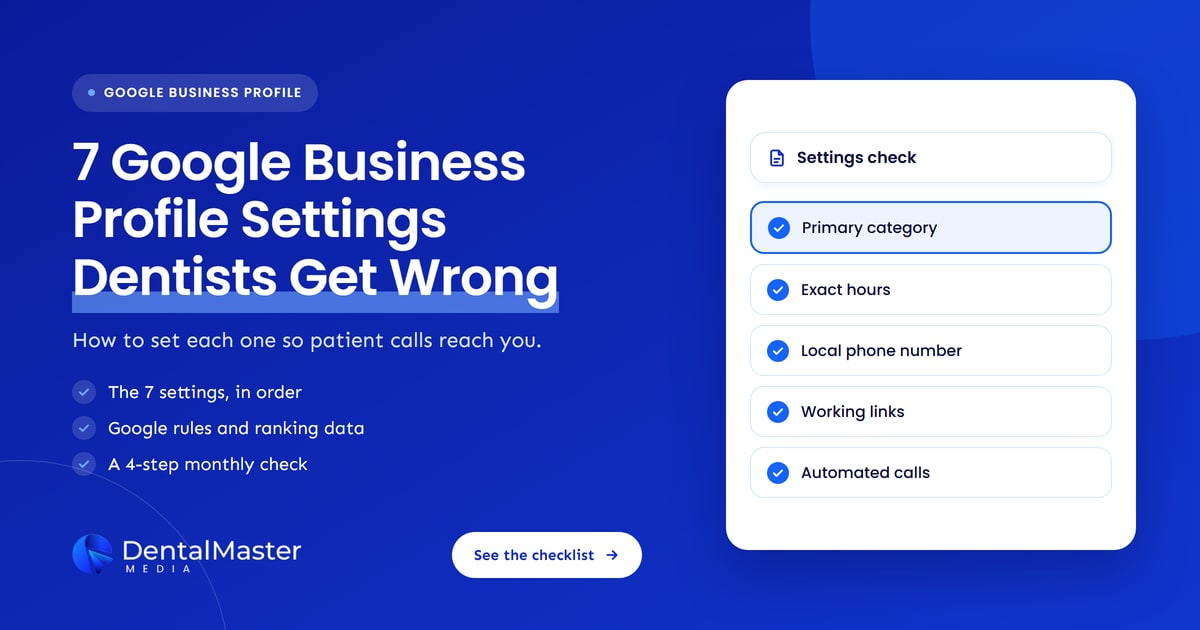
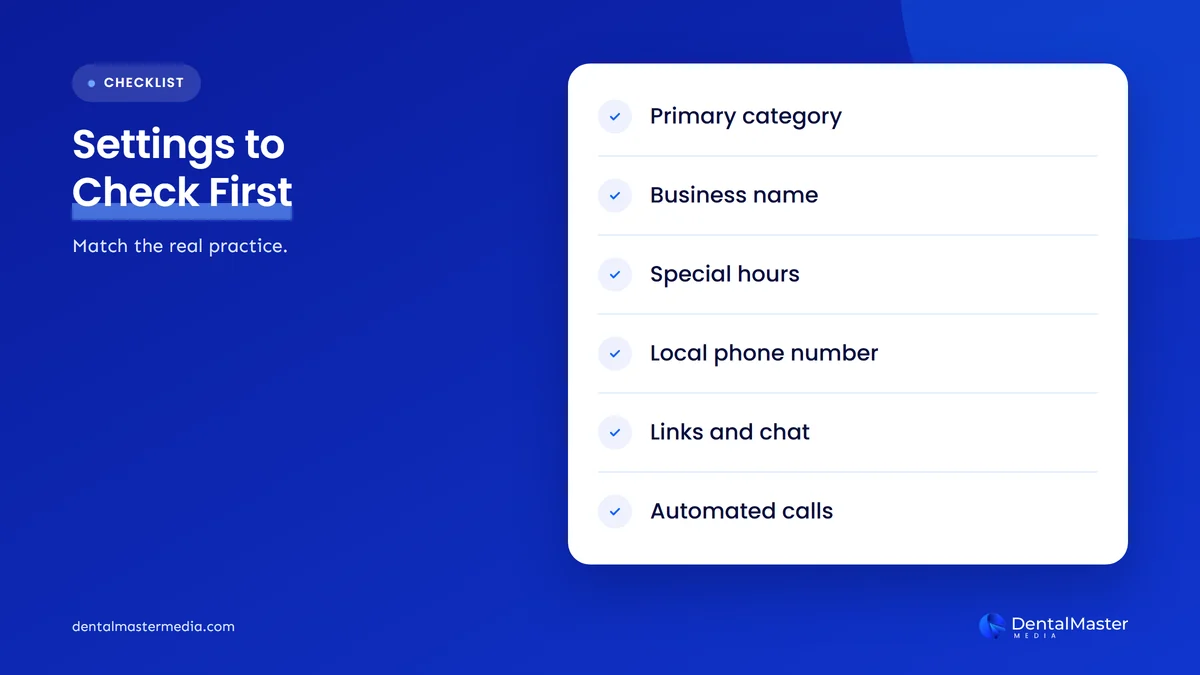
Quick answer: The 7 Google Business Profile settings dental practices most often get wrong are the primary category, business name, hours and special hours, phone number, website and appointment links, chat settings, and Google’s automated calls. Set each one to match the real practice, because wrong settings send patient calls to competitors in the map pack.
Key takeaways
- Google Business Profile settings are the fields and switches that decide how your dental practice appears on Google Search and Google Maps, and how patients can reach you.
- The 7 settings practices get wrong most often are the primary category, business name, hours, phone number, links, chat and automated calls.
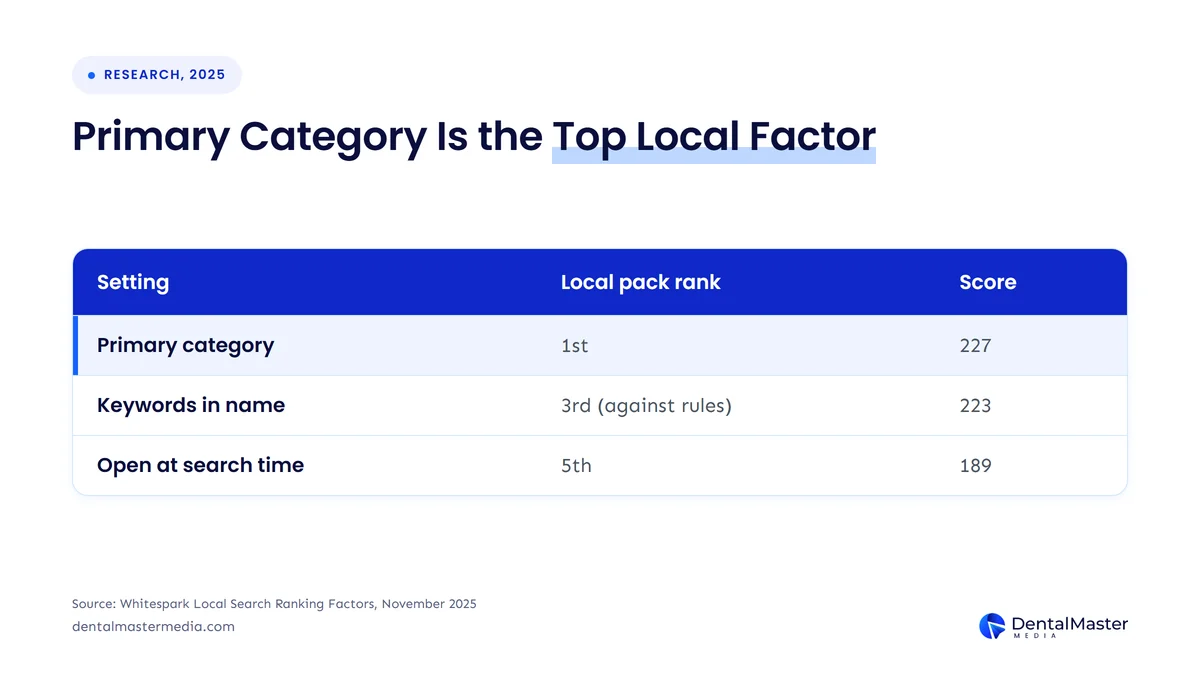
- The primary category ranked as the number one local pack factor (score 227) in Whitespark’s 2025 survey of 47 local search experts.
- A 4-step monthly check of your Business Profile settings catches most of these mistakes before they cost patient calls.
- Settings are only part of a strong profile: photos, reviews and posts do the rest of the work.
What are Google Business Profile settings?
Google Business Profile settings are the business details and account switches that control how a dental practice appears on Google Search and Google Maps and how patients can contact it. Most of them sit under “Edit profile” (category, name, hours, phone number, links, chat), and the rest sit under “Business Profile settings” and its “Advanced settings” page.
These settings matter because Google ranks local results on 3 factors: relevance, distance and prominence, according to Google Business Profile Help. Relevance is how well a Google Business Profile matches what someone searches for, and Google states that businesses with complete and accurate information are more likely to show up in local search results. A wrong category or outdated hours lowers relevance, and a wrong phone number or link loses the patient after they find you.
Reviewing these settings is one of the first jobs in our dental SEO services, because a Google Business Profile with the wrong settings limits every other local SEO effort.
What are the 7 Google Business Profile settings dental practices often get wrong?
The 7 Google Business Profile settings dental practices often get wrong are the primary category, business name, business hours, phone number, website and appointment links, chat settings, and Google automated calls and text messages. Each one changes either whether a patient finds the practice in the map pack or whether that patient can reach the practice. The 7 settings are listed below in order of their effect on patient calls.
1. Primary category: is “Dentist” the right choice?
The primary category should be the single Google category that best describes the whole dental practice, which is “Dentist” for most general practices and a specialty category such as “Orthodontist” or “Pediatric dentist” for specialist practices. The primary category was the number one local pack ranking factor, with a score of 227, in Whitespark’s Local Search Ranking Factors survey published on November 6, 2025.
The common mistake is choosing a category for a service instead of for the business. Google Business Profile Help says to “Select a primary category that best describes your business” and adds: “Do not select a category for every product or service.” A general practice that places implants or Invisalign should keep “Dentist” as the primary category and add a specialty category only when the practice really is that kind of business, for example “Cosmetic dentist” or “Emergency dental service” if it runs a dedicated emergency service.
Change a primary category with care. Google says you might be asked to verify your business again after you add or edit a category, so plan the change for a week when someone can handle verification.
2. Business name: does it match your sign?
The business name should be the practice’s real-world name, exactly as it appears on the sign, website and stationery, with no added keywords or city names. Google’s “Guidelines for representing your business on Google” state that “Including unnecessary information in your business name isn’t permitted,” and the rule covers taglines, service descriptions, location details, phone numbers and URLs.
The mistake is tempting because it works for a while. “Keywords in GBP Business Title” scored 223 and ranked third in Whitespark’s 2025 survey, so a name with “implants” or a city name added to it can lift rankings until a competitor or Google reports it. A reported name can be edited back by Google or lead to a suspended Google Business Profile, which removes the practice from the map pack completely.
Dentists also need to know the practitioner rule. Google treats dentists as individual practitioners who may have their own Google Business Profile if they work in a public-facing role at the verified location during stated hours. A practitioner profile uses only the dentist’s name, with a title such as “Dr.” allowed, and support staff should not create their own Business Profiles.
3. Business hours and special hours: are they exact?
Business hours should show the hours patients can actually call or walk in, and special hours should cover every holiday or one-off closure before it happens. “Business is Open at Time of Search” ranked fifth in Whitespark’s 2025 survey with a score of 189, so a practice that shows as closed loses map pack visibility at that moment as well as the call.
Google’s special hours rules are specific. Special hours cover closures of up to 6 days in a row, and a dental practice closed for 7 or more days in a row should mark the profile “Temporarily closed” instead. One set of special hours can’t exceed 24 hours, so overnight hours are split into 2 sets. With Thanksgiving on November 26, 2026 and Christmas on December 25, 2026, the next 6 weeks are the time to add holiday special hours.
The quiet mistake is leaving lunch closures, late evenings or Saturday clinics out of the regular hours. If the front desk closes from 1 pm to 2 pm, split the day into 2 time blocks, so Google does not send patient calls to an empty desk.
4. Phone number: does it reach your front desk?
The phone number should be a local number that rings at the practice’s own front desk and is under the practice’s direct control. Google’s guidelines say to “Use a local phone number instead of a central call center helpline number whenever possible” and that the phone number “must be under the direct control of the business.”
The common mistakes are an old number from a previous phone provider, a central number for a group of practices, or a number owned by a marketing vendor that the practice would lose if it changed agencies. Each one breaks the link between the Google Business Profile and patient calls. The same phone number should appear on the website’s contact page and in the site footer, so Google and patients see 1 consistent number.
5. Website and appointment links: where do they send patients?
The website link should go to the page for that specific location, and the appointment link should open a page where a patient can actually book or request a visit. Google’s guidelines ask for “a website that represents your individual business location” and do not allow URLs that redirect or refer users to landing pages other than the business’s own.
Multi-location practices often point every profile at the homepage, which forces the patient to search again for the right office. Link each Google Business Profile to its own location page, with the same address, phone number and hours as the profile. For booking, check what the appointment link opens on a phone, and remove any link that leads to a dead page or a vendor you no longer use; our guide to booking links explained covers the booking options in detail.
6. Chat settings: who answers the message?
Chat settings should only be switched on when someone at the dental practice will answer messages during opening hours. Google Business Profile Help lets a verified business add a chat option under Edit profile, Contact, Chat, with a choice of WhatsApp or Text message, and if both are added, only the text message option is shown to patients.
The settings changed recently. Search Engine Roundtable reported on October 28, 2026 that Google was emailing businesses to say it was automatically adding Facebook Messenger m.me links to Google Business Profiles. A practice can therefore have a chat or Messenger option it never set up, pointing to a Facebook Page nobody checks. Open the Contact section, confirm every chat link, and remove the ones nobody monitors; our post on the message button next to Call explains how patients see it.
7. Google automated calls and text messages: what have you allowed?
Google automated calls and text messages should be set on purpose, because 3 switches in Advanced settings decide whether Google can call the practice on behalf of patients, confirm profile details by phone and post to the profile for you. The path in Google Business Profile Help is More, then Business Profile settings, then Advanced settings, then the “Google automated calls and text messages” section.
The 3 toggles in that section are listed below.
- Bookings and inquiries from customers: lets Google call the dental practice for patients to book appointments or check the price and availability of services.
- Keep your profile up to date: lets Google call or text the practice’s phone number to confirm that profile information is accurate.
- Post to your profile on your behalf: lets Google use what it learns on those calls to post updates to the Google Business Profile, with an email notice to the owner.
This setting became more important on November 16, 2026, when Google announced that Ask Maps can search for appointments and call local businesses for users. Google listed 4 categories at launch (beauty, pet care, auto repair and home repair), not dental practices, and the feature starts in the US. Search Engine Journal pointed owners to the same Advanced settings toggle, while noting Google did not say whether Ask Maps calls follow it. Google’s automated calls are not available in 5 US states: Indiana, Louisiana, Minnesota, Montana and Nebraska.
You should leave “Bookings and inquiries from customers” on if your front desk can handle an automated caller, and turn off “Post to your profile on your behalf” if you want every post on your Google Business Profile written by the practice.
How much do these settings affect map pack rankings?
These settings affect map pack rankings more than any other part of a Google Business Profile, according to the 47 local search experts who scored 187 factors in Whitespark’s 2025 Local Search Ranking Factors survey. Three of the top 5 local pack factors in that survey are settings from this list.
| Setting | Number or rule | Source |
|---|---|---|
| Primary category | Local pack rank 1, score 227 | Whitespark, November 6, 2025 |
| Proximity to the searcher (not a setting) | Local pack rank 2, score 225 | Whitespark, November 6, 2025 |
| Keywords in business name | Local pack rank 3, score 223, but not permitted by Google’s guidelines | Whitespark, November 6, 2025; Google Business Profile Help |
| Open at time of search (hours) | Local pack rank 5, score 189 | Whitespark, November 6, 2025 |
| Special hours | Closed up to 6 days in a row; 7+ days means “Temporarily closed”; 1 set up to 24 hours | Google Business Profile Help |
| Google automated calls | Available in all US states except 5 | Google Business Profile Help |
The table shows that the primary category and hours carry ranking weight that a dental practice can fix in minutes, while the business name factor is one Google’s own rules tell you not to exploit. Whitespark’s scores are expert opinions, not Google data, so treat them as a ranking of priorities rather than a formula.
How do you check your Google Business Profile settings?
You check your Google Business Profile settings by opening the profile while signed in as an owner and comparing each of the 7 settings against the real practice, one by one. A monthly check catches changes that Google or a third party made without telling you, such as an added link or an edited hour.
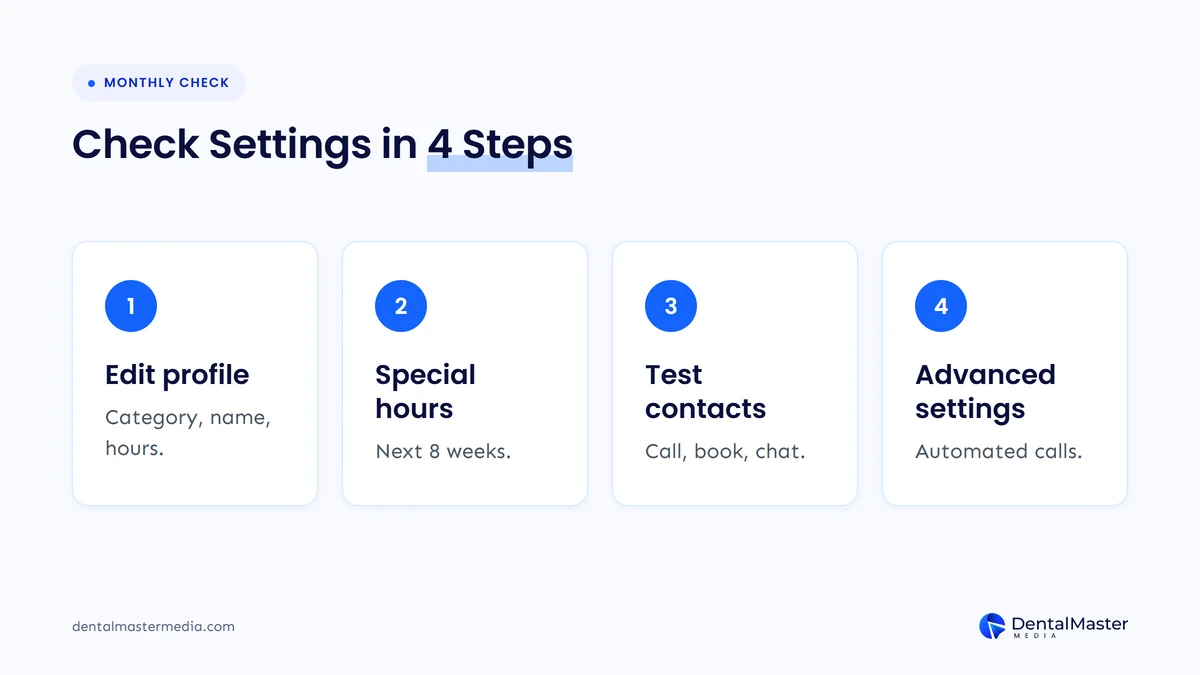
The 4 steps of a monthly Google Business Profile settings check are listed below.
- Open Edit profile: confirm the primary category, business name, hours, phone number and links match the practice’s sign, phone system and website.
- Add special hours: enter every holiday and closure for the next 8 weeks, and use “Temporarily closed” for any closure of 7 days or more.
- Test every contact option: call the phone number, tap the appointment link and open each chat or Messenger link on a phone.
- Review Advanced settings: check the 3 toggles under “Google automated calls and text messages” and the list of people with access to the profile.
Record what you changed and the date, so you can match any drop in patient calls to a settings change.
What else does a Google Business Profile need besides the right settings?
A Google Business Profile also needs current photos, a steady flow of patient reviews with replies, regular posts and a complete services list, because those parts build the prominence that settings alone cannot. Correct settings make a dental practice eligible to rank and easy to reach, and the rest of the profile gives patients a reason to choose it.
Each of those parts has its own rules and its own workload. Our page on Google Business Profile for dental clinics explains how we manage the whole profile, from photos to review replies.
Frequently asked questions
Will changing my primary category hurt my rankings?
Yes, changing your primary category can move your rankings, up or down, because the primary category is the strongest relevance signal on a Google Business Profile. Change it only when the current category is wrong, and expect Google to ask you to verify your business again after the edit.
Should I add keywords like “implants” to my business name?
No, you should not add keywords to your business name. Google’s guidelines say unnecessary information in a business name isn’t permitted, and a stuffed name can be edited by Google or lead to a suspension. Use the practice’s real name and put services in the services list and on your website.
How do I stop Google from calling my dental practice?
You stop Google’s automated calls in More, then Business Profile settings, then Advanced settings, under “Google automated calls and text messages.” Turn off “Bookings and inquiries from customers” and “Keep your profile up to date.” Search Engine Journal notes you can also ask a Google caller to stop calling.
Does every dentist in our practice need a Google Business Profile?
No, every dentist does not need a Google Business Profile, but Google allows one for each dentist who works in a public-facing role at the location during stated hours. The practice keeps 1 location profile, and each practitioner profile uses only the dentist’s name.
When should I add holiday hours?
You should add holiday hours as special hours at least a few weeks before each holiday, so patients see the right hours when they plan visits. For the 2026 season, that means Thanksgiving on November 26 and Christmas on December 25. Closures of 7 days or more need “Temporarily closed” instead.
Correct settings, more patient calls
The 7 Google Business Profile settings dental practices often get wrong are the primary category, business name, hours and special hours, phone number, website and appointment links, chat settings and Google automated calls. The primary category and hours carry the most ranking weight, the phone number, links and chat decide whether a patient reaches you, and the Advanced settings toggles decide what Google does on your behalf as Ask Maps starts calling businesses.
Check all 7 settings once a month and before every holiday. If you want a team to manage your Google Business Profile, website and rankings together, Dental Master Media does this work for practices every month through our dental SEO services.
Find out which settings are costing you calls
Our free dental SEO audit reviews your Google Business Profile settings, map pack visibility and website together, and shows which fixes will bring the most patient calls first.
Sources
- Google Business Profile Help, “Guidelines for representing your business on Google”, accessed November 18, 2026. https://support.google.com/business/answer/3038177?hl=en
- Google Business Profile Help, “Manage your business category”, accessed November 18, 2026. https://support.google.com/business/answer/7249669?hl=en
- Google Business Profile Help, “How to set Special hours”, accessed November 18, 2026. https://support.google.com/business/answer/6303076?hl=en
- Google Business Profile Help, “About automated calls and texts from Google to your business”, accessed November 18, 2026. https://support.google.com/business/answer/7690269?hl=en
- Google Business Profile Help, “Chat with customers from your Business Profile”, accessed November 18, 2026. https://support.google.com/business/answer/15013580
- Google Business Profile Help, “Tips to improve your local ranking on Google”, accessed November 18, 2026. https://support.google.com/business/answer/7091?hl=en
- Whitespark (Darren Shaw), “Local Search Ranking Factors”, November 6, 2025. https://whitespark.ca/local-search-ranking-factors/
- Google, “New Ask Maps features to help with holiday travel and prep”, November 16, 2026. https://blog.google/products-and-platforms/products/maps/ask-maps-holiday-travel-features-2026/
- Search Engine Journal (Matt G. Southern), “Google’s Ask Maps Starts Finding Appointments & Calling Businesses”, November 2026. https://www.searchenginejournal.com/google-ask-maps-appointments-business-calls/597678/
- Search Engine Roundtable (Barry Schwartz), “Google Business Profiles Adds Facebook Messenger M.me Links”, October 28, 2026. https://seroundtable.com/google-facebook-messenger-mme-links-42377.html

Suraj Rana is the owner of Dental Master Media and a leading expert in SEO for dental practices. With a passion for dental marketing, he has successfully helped numerous dental clinics climb the search engine ranks. Suraj’s expertise makes him a go-to resource for effective, results-driven dental marketing.